This article takes a closer look at SUTTLE 1 壁マウント DSLフィルター 取り付けラグ お客様取り付け可能 実用的 耐久性 コンパクト — including the things worth knowing before you order one. The short version: this part only matters if you still run a telephone and a DSL modem on the same copper line.
For everyone else it is unnecessary.
Overview
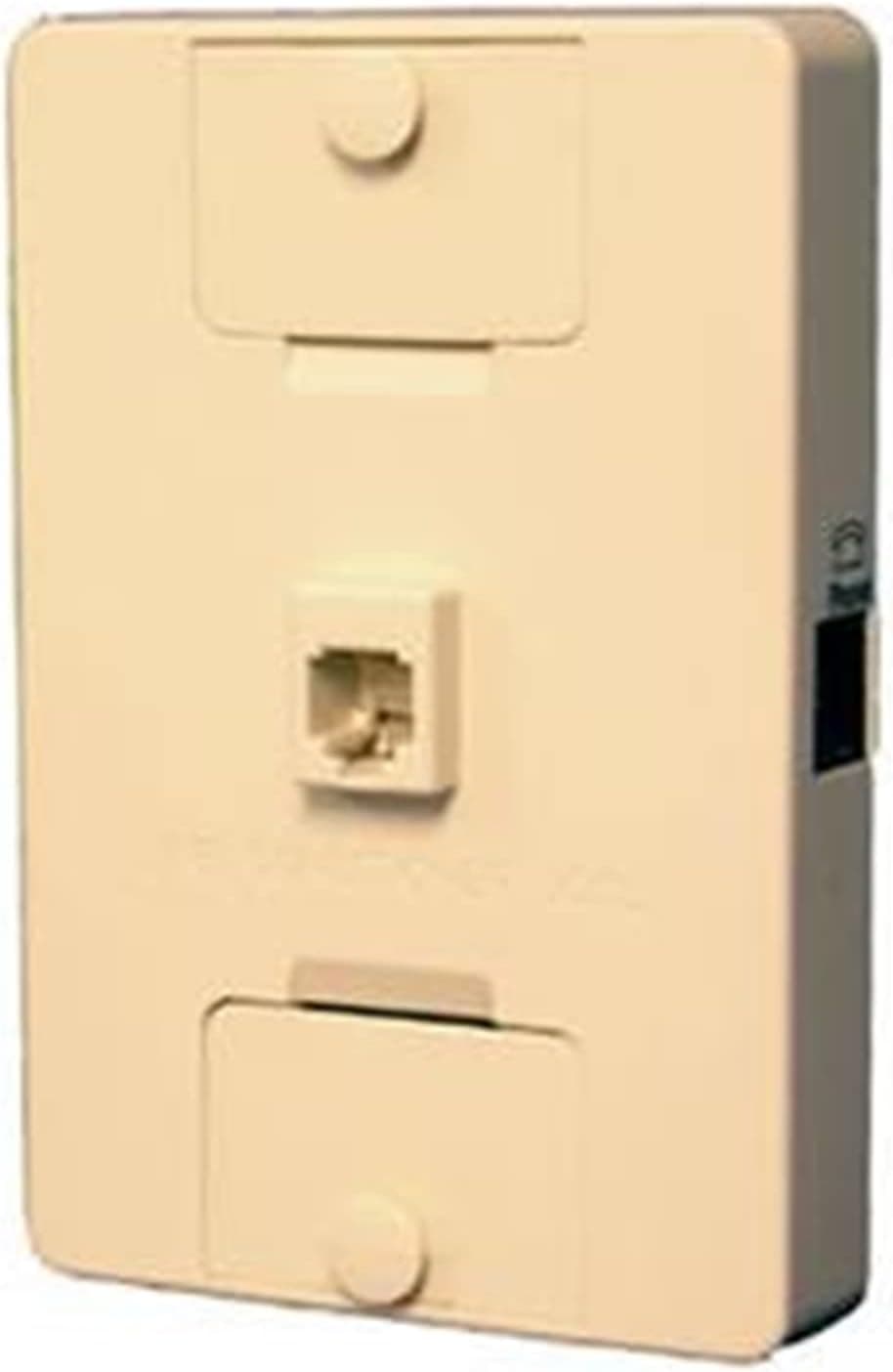
The SUTTLE 1 Wall Mount DSL Filter is an inline line filter that separates the voice band from the high-frequency data band on an ADSL or VDSL circuit. The connector is RJ11, mounting is wall-mount, and a mounting lug is included.
It is a single-purpose passive component that needs no configuration.
The job it does is simple. DSL puts voice (roughly up to a few kHz) and high-frequency data on the same pair of copper wires.
Without a filter, that high-frequency energy leaks into the telephone as audible noise, and the telephone itself can drag down the DSL sync rate. The filter blocks the high band ahead of the phone and stops the interference.
On Amazon.co.Check the retailer's page for the latest user reviews.
The wall-mount format earns its keep right next to the modular jack. Small loose filters get snagged and unplugged, and the moment one comes out the line noise returns.
Fixing it to the wall removes that failure mode entirely.
Compatibility Guide
Supported line types are ADSL (Annex A/B) and VDSL, including VDSL2, over a standard RJ11 connector. It will physically fit ordinary modular jacks — but fitting and working correctly are two different things.
| Check | Where to look | Verdict |
|---|---|---|
| Line type | Contract / router type | ADSL or VDSL: relevant. Pure FTTH: not needed |
| Apartment VDSL | In-room VDSL modem | Depends on whether the modem already splits |
| Existing splitter | At the wall jack | Already split? Do not stack another filter |
It is not directly compatible with fiber (FTTH). Downstream of an ONU there is no DSL signal on copper, so the filter has nothing to remove.
Inserting it between a fiber router's analog phone port and a handset does nothing useful and can only add insertion loss. This is the single most common misunderstanding about parts like this.
Apartment VDSL is the tricky case. Copper runs from a building distribution unit to each unit, where a VDSL modem terminates it.
If a telephone branches off the same jack, filtering is required — but many modems already include splitter functionality, in which case nothing extra is needed. Stacking this filter in series behind an existing splitter adds insertion loss and can reduce sync speed. Add it only where an unfiltered phone branch actually exists.
Physically, you need clearance beside the wall jack and something solid to screw the lug into. In a rental where you cannot drill, you fall back to adhesive mounting, which gives up much of the lug's advantage.
Product Info
Published specifications are minimal: RJ11 connector, wall mounting with an included lug, and support for ADSL (Annex A/B) and VDSL (VDSL2). The package contains the filter and the lug only, and no special tools are required.
Warranty terms are not stated and follow the marketplace seller's policy.
With that few ratings, individual opinions swing the average, so treat the star figure as indicative rather than decisive.
Pricing deserves caution. The captured listing price is clearly high for what this is — one small single-function filter — which suggests the collected figure may belong to a different item, a multi-pack, or a bulk/imported listing. For that reason this article does not quote a figure; check the product page for the current price and, just as importantly, the quantity.
SUTTLE is a North American telecom infrastructure supplier, and this category mixes consumer singles with trade multi-packs. Judge the per-unit cost against the stated quantity.
Best Use Cases
- Anyone who wants the jack area permanently tidy. The lug turns a dangling filter into a fixed installation, so accidental unplugging stops recurring.
- Small businesses still running DSL with a fax or alarm dialer on the analog line, where a spare filter on the shelf is cheap insurance.
Conversely, it is completely unnecessary on pure fiber with no analog telephone service, and if you need several phones or a fax on one line, a multi-port splitter is the better answer.
Competitor Comparison
Entry-point network parts are easy to confuse. DOCSIS cable modems (NETGEAR CM400, ARRIS SURFboard models) serve coaxial cable internet, which differs from copper DSL at the physical layer — if you are a cable internet subscriber, there is nowhere to plug this filter in. A VDSL2 gateway such as the Zyxel C1100Z is the modem itself; this filter sits upstream of it as a passive component.
They are complements, not alternatives.
The real alternatives are cheap unmounted inline filters, and splitter-equipped wall jacks that replace the jack outright. The former wins on price but cannot be fixed in place; the latter is the tidiest but needs some in-wall wiring knowledge.
This product sits between them, for people who want a fixed installation without doing wiring work.
Before You Buy
First, confirm your line really is DSL. ADSL services have been winding down, and it is common to find legacy hardware still in place after a switch to fiber.
Look at what enters the building: copper or fiber. If it is fiber, this product has no use.
Second, watch for price and quantity mismatches. As noted, the captured price looks unnatural for a single small filter.
Listing metadata — quantity, manufacturer, model number — is not always accurate, so cross-check the photo, the title, and any "pack of N" wording before ordering so you know exactly what is arriving.
Third, beware double filtering. Adding this in series behind an existing splitter or filtered jack attenuates the signal twice and can cost you sync speed.
Check what is already installed first.
Fourth, do not expect a dramatic speed increase. This fixes interference-driven instability, not the bandwidth of the line itself.
In an environment with no interference to begin with, the numbers will not move — which is usually why people report "no change."
Fifth, check what you are screwing into. The lug is included; screws and anchors suited to your wall material may not be.
Screws driven straight into plasterboard will not hold.
FAQ
Q. Can I use it on fiber (FTTH)? A.
No. It is specified for ADSL/VDSL and is not directly compatible with FTTH.
There is no high-frequency DSL energy on a fiber router's analog port to remove.
Q. Will it work with a cable modem? A.
No. It uses an RJ11 telephone connector; coaxial cable internet uses a different connector and a different signal entirely.
Q. Do I need one per telephone? A.
In principle, yes — one ahead of each device that should not see DSL signal (phones, fax machines, alarm dialers). Never put one in front of the modem; doing so kills the connection.
Q. Is installation or tooling required? A.
The connection itself is plug-and-play. Only wall fixing may require screws or anchors appropriate to your wall.
Q. How trustworthy is the rating?
A.co.jp. Respectable, but the sample is small.
**Q. Nothing changed after installing it. A. Usually not. If there was no interference to suppress, throughput will not move. Whether call noise disappeared is the better test of effectiveness.