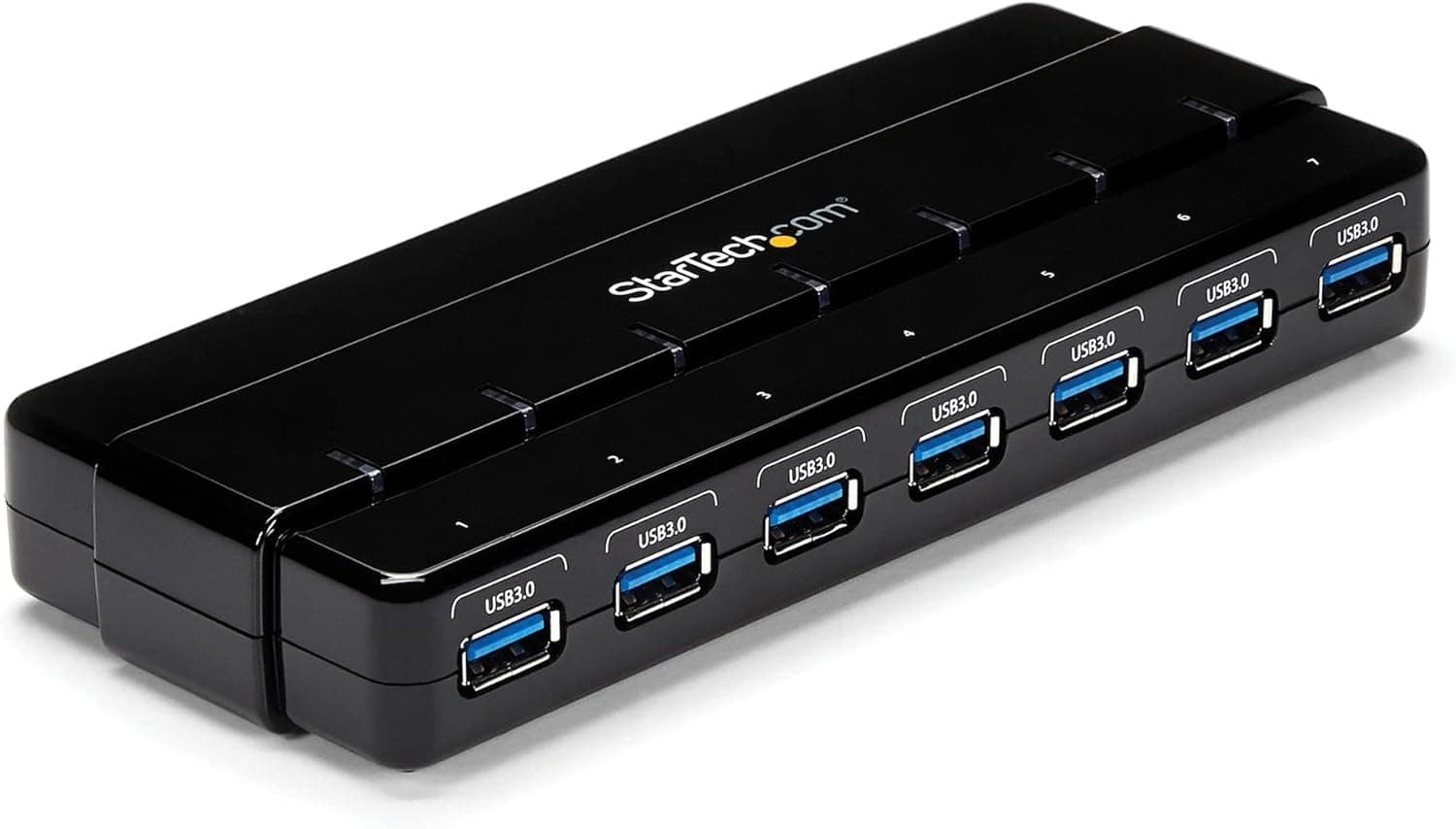
This article covers StarTech.com 7ポートUSB 3.0ハブ 卓上用 ACアダプタとケーブル付属 ST7300USB3B.
The StarTech.com ST7300USB3B is a 7-port USB 3.0 hub designed to sit on your desk and consolidate all your peripherals into one tidy connection.
Instead of reaching behind your PC for every device, you plug them all into the hub and connect it to your computer with a single USB 3.0 A-to-B cable.
With support for 5Gbps SuperSpeed data transfer, backward compatibility with USB 2.0 and 1.x, and both bus-powered and AC-adapter-powered modes, this hub is a flexible solution for users who need extra USB ports without breaking the bank.
Each port includes overcurrent protection, and the unit supports hot swapping and plug-and-play on Windows, macOS, Linux, and Chrome OS. The hub connects to your host computer via a USB 3.0 B-type (standard printer-style) connector.
It is compatible with any system that has a USB-A port, and it requires no driver installation. The included 1m USB 3.0 A-to-B cable is long enough for most desktop setups.
All seven downstream ports are USB 3.0/2.0/1.x compatible and can handle any combination of devices.
For higher-power devices like external hard drives or SSDs, connecting the included AC adapter ensures each port gets sufficient power. StarTech.com backs the ST7300USB3B with a 2-year warranty and free lifetime technical support.
The package contains the hub, a USB 3.0 A-to-B cable, an AC power adapter, and a quick-start guide.
The hub‘s market position is mid-range, focusing on reliability and practical desk organization for both home and office users. Desktop clutter reduction: Ideal for users who want to keep only one USB cable running to their PC.
The hub sits on the desk and all peripherals — mouse, keyboard, USB flash drive, webcam — plug directly into it. Creative professionals with many peripherals: Photographers, video editors, and streamers often need multiple external drives, capture devices, and memory card readers simultaneously.
The 7 ports and included AC adapter provide enough bandwidth and power for simultaneous operation. Laptop users with limited ports: Many modern laptops have only 2–3 USB ports.
This hub adds 7 ports — but note that you‘ll need a USB-C to USB-B adapter or cable if your laptop lacks a USB-A port. The hub is bus-powered, making it portable, though the AC adapter adds bulk.
Not for USB-C only setups: The hub itself uses a standard USB-B connector. If you exclusively use USB-C devices, look for a hub with a built-in USB-C cable or separate USB-C hub.
The host connection uses the older USB-B (printer) connector — not USB-C. Users with newer laptops that only have USB-C ports will require a separate adapter or cable.
Also, when running purely on bus power, the hub cannot support multiple high-power devices simultaneously. An AC adapter is included but adds some clutter; if you plan to use it permanently, plan cable routing accordingly.
Product Disclosure (Amazon)
- Manufacturer: StarTech.com(スターテック)
- Seller: Startech Japan KK
- Fulfilled by: Amazon
- ASIN: B00L07AAZM
- Note: This article covers a manufacturer-made product based on Amazon listing details.