Overview
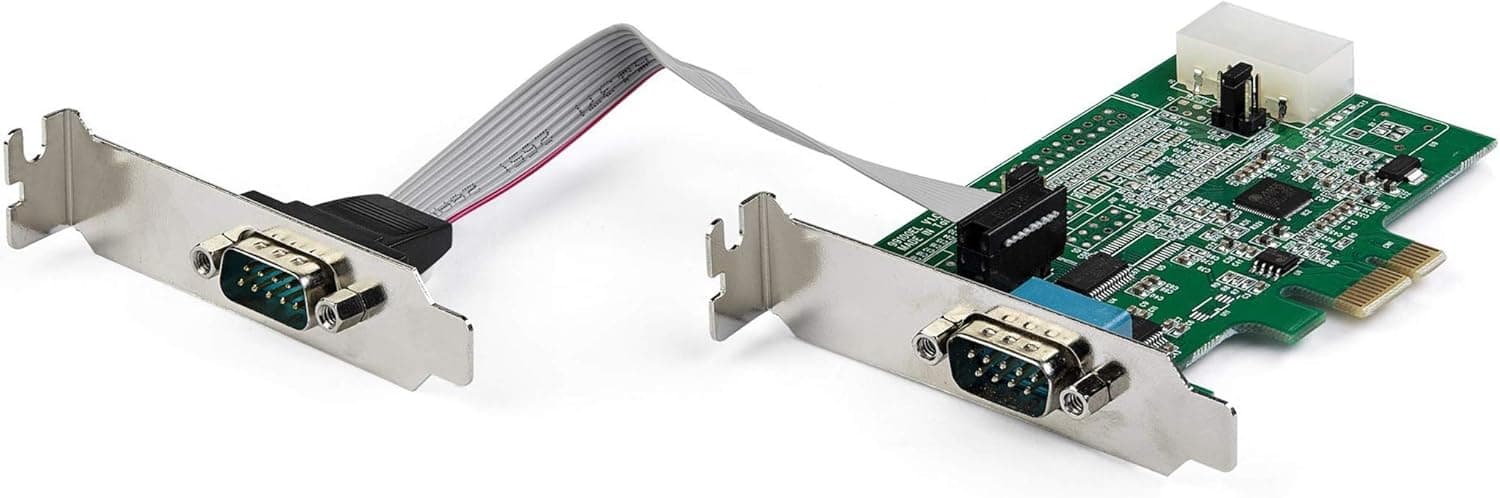
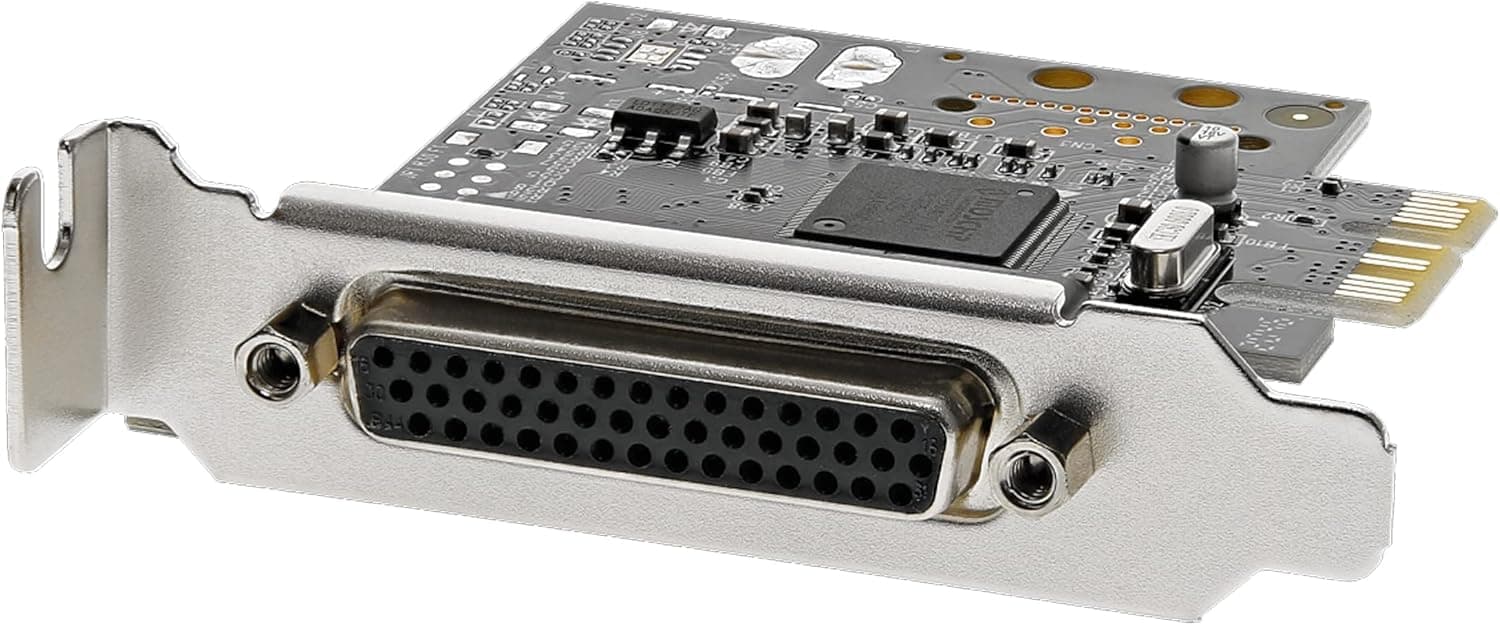
The StarTech.com シリアル4ポート増設PCIeカードブレークアウトケーブル付 4x RS232Cシリアルポート(DB9 オス)拡張用PCIe接続ボード PEX4S553B (StarTech.com PEX4S553B) is an expansion card that adds four RS232 serial ports (DB9 male) through a single PCI Express x1 slot.
The short answer: it is a strong choice for desktops or servers that need to keep two or more serial devices connected full-time and running reliably. If you only connect one device now and then, a USB-to-RS232 adapter is enough.
The card is aimed at environments where RS232 is still in service: PLCs, temperature controllers, measuring instruments, POS peripherals and professional scanners controlled or monitored from a PC. Most current motherboards no longer have a rear COM port, so this card bridges the gap when the equipment has to stay but the PC needs replacing.
Because it uses a breakout (fan-out) cable, the four DB9 connectors do not need to fit on the bracket itself, which is how the card can also use a low-profile bracket.
It uses a native single-chip design, meaning fewer components than cards that rely on a PCI bridge chip, which is generally considered better for reliability. Each direction (transmit and receive) has a 256-byte FIFO buffer, so the card is less likely to drop data when the CPU is busy.
What the Specs Tell You
| Item | Value | What it means in practice |
|---|---|---|
| Ports | 4 | Four devices at once with no switch box |
| Interface | PCI Express x1 Rev. 1.0a | Fits any free slot of x1 or wider |
| Connector | DB9 male (via breakout cable) | The usual PC-side (DTE) connector |
| Max data rate | 250 kbps per port | Plenty of headroom for typical 9,600-115,200 bps devices |
| FIFO | 256 bytes (transmit and receive) | Fewer dropped characters at high baud rates or under load |
| Flow control | Hardware (RTS/CTS, DSR/DTR), software | Easier to match older devices that require flow control |
| Bus throughput | 2.5 Gbps (PCIe x1) | The bus is never the bottleneck, even with all four ports busy |
| Brackets | Standard / low-profile | Works in regular towers and slim cases |
| Weight | Approx. 240 g | Approximate figure |
The FIFO size is the number worth noticing. If a PC does not read incoming serial data quickly enough, the buffer overflows and characters are lost.
This is most common when Windows is busy with other heavy tasks or when running at higher speeds such as 115,200 bps. A 256-byte FIFO absorbs more of that delay, which matters for long logging sessions and continuous measurement.
The 250 kbps per-port ceiling is fast for RS232, but do not expect USB- or LAN-like speed. Serial throughput is set by the connected device, so installing this card will not make your equipment talk any faster.
Compatibility Guide
Most installation problems come from four areas rather than the card itself: the slot, the case, the cable and the OS.
Slot: As an x1 card, it can generally be installed in x1 slots as well as physically wider x4, x8 and x16 slots. However, on some motherboards certain PCIe slots share bandwidth with M.2 slots, so using one disables the other.
If you have M.2 SSDs installed, check the slot-sharing table in your motherboard manual.
The slot directly below a graphics card is also often blocked by the cooler.
PCIe generation: The card follows Rev. 1.0a, but PCIe is backward compatible, so it is designed to work in PCIe 3.0 or 4.0 slots.
At serial-port speeds, the generation difference makes no practical performance difference.
Case: Both standard and low-profile brackets are included, so it fits mid-towers as well as slim business PCs and thin servers. In 1U servers, it depends on the riser card, so check slot orientation and clearance first.
The breakout section and four DB9 connectors hang off the back of the PC, so leave room behind the machine if it sits against a wall or deep in a rack.
Electrical standard: This card is RS232 only. It will not work directly with RS422 or RS485 equipment, which is common in industrial settings.
Check your device manual, and if it uses RS485 or similar, get a suitable card or converter.
OS: Windows and Linux are supported. Before buying, check the manufacturer's support page for driver availability for Windows 11 or recent Linux kernels.
This product has been on the market for a long time, so if you only find drivers for older OS versions, research further before committing.
Laptops and mini PCs: Machines without a PCIe expansion slot cannot use this card. A USB adapter is the practical option there.
Product Info
On Amazon.co.jp the price was ¥16,049 as of the August 2026 capture (the same as the June 2026 capture).
Prices change with sales and stock, so check the product page for the current price. At that price, the cost works out to roughly ¥4,000 per port.
As of the June 2026 capture, the Amazon rating was 4.2 out of 5 stars from 28 reviews.
The rating is broadly positive, but the sample is small. For a niche business card this is expected, but checking the manufacturer's driver information is a more reliable way to confirm it will work with your OS and devices.
The package includes the card, the breakout cable, and both standard and low-profile brackets. Downloading the latest driver from the manufacturer's site is the safest approach.
The manufacturer warranty is described as two years as standard, but terms through resellers can vary, so confirm before purchase if you are buying for business use.
PCIe Card vs. USB-to-RS232 Adapter
There are two ways to add serial ports: a PCIe card like this one, or USB adapters. The right choice depends on the use case.
| Aspect | PEX4S553B (PCIe card) | USB-to-RS232 adapter |
|---|---|---|
| Port count | Four on one card | Often one port (multi-port models exist) |
| Installation | Open the PC and use a slot | Just plug into USB |
| COM number stability | Tends to stay fixed to the slot | May change if moved to another USB port |
| Always-on reliability | Little risk of loose connections | Can be affected by unplugging or USB power-saving |
| Compatible PCs | Desktops and servers with slots | Almost any PC, including laptops |
| Cost | Four ports in one card | Cheaper for a single port |
The main reason to choose a PCIe card is a fixed setup that stays unchanged for a long time. Control PCs often run for years untouched, and the software frequently has a hard-coded COM port number.
USB adapters are convenient, but plugging one into a different USB port can change its COM number, and the control software then loses track of the device.
On the other hand, if you carry a laptop around a site to adjust device settings occasionally, a PCIe card is not an option at all. Two questions settle it: do you need up to four ports, and will the PC stay in one place?
Best Use Cases
- Factories, labs and inspection rooms that keep two to four serial devices, such as PLCs, temperature controllers, instruments or barcode scanners, permanently connected to one PC. No switch box is needed.
- Replacing an old control PC with a new one that has no COM ports. One card restores four ports at once.
- Long-running data logging where USB adapters have caused disconnections or shifting COM numbers.
- Adding ports to slim business PCs or servers, thanks to the included low-profile bracket.
It is not a good fit if you connect only one device, only have a laptop or mini PC, or need RS422 or RS485.
Before You Buy
RS232 only. Many devices use the same DB9 connector but are actually RS422 or RS485.
For factory equipment in particular, confirm the standard in the manual first. Getting this wrong means none of the four ports will work with your device.
Check the cable wiring. The ports are DB9 male, the usual PC-side (DTE) connector.
If the device is also male, you need a female-to-female cable, and some devices need a crossover (null-modem) cable instead of a straight one. Most cases of a connection that looks fine but receives nothing come down to wiring.
Reusing the cable from the old PC is the safest route.
Check COM port assignment. Windows assigns COM numbers to the new ports automatically.
Older control software may only offer COM1-COM4, in which case you will need to change the number in the port settings in Device Manager. Note which COM numbers your software expects before migrating.
Check driver support first. Windows and Linux are supported, but the product is not new.
Confirm that the manufacturer's site has a driver for your OS version before buying.
Check the slot and rear clearance. Make sure a PCIe slot is free, not shared with an M.2 slot, and not blocked by a graphics card cooler.
The breakout cable hangs off the back, so leave room behind the PC.
Heat and airflow: The chip can get warm, so keep reasonable airflow in the case. In fanless compact business PCs, also watch the spacing to neighboring cards.
The review count is small. With 28 reviews at capture time, look for reviews that match your use case rather than relying on the average alone.
FAQ
Q. Can I install it in a PCIe x16 slot? A.
x1 cards can generally be installed in physically wider x4, x8 and x16 slots. Plan your slot usage so you do not take the slot your graphics card needs.
Q. Does it work on a PCIe 4.0 motherboard? A.
The card is PCIe Rev. 1.0a, but PCIe is backward compatible, so it is designed to work in newer slots.
Check driver support for your OS on the manufacturer's site to be sure.
Q. Can I connect RS485 devices?
A. No. This card is RS232 only. RS485 or RS422 devices need a compatible card or a converter.
Q. My device is connected but does not communicate. A.
Check the cable wiring (straight vs. crossover), the communication settings such as baud rate, and the COM port number.
A flow-control mismatch (for example RTS/CTS) with the device can also stop communication.
Q. How does it compare with four USB adapters? A.
Four USB adapters can work, but they use four USB ports and carry four times the risk of COM numbers changing when replugged. For a fixed, long-running setup, one PCIe card is easier to manage.
Product Disclosure (Amazon)
- Manufacturer: StarTech.com(スターテック)
- ASIN: B004WKTBHW
- Note: This article covers a manufacturer-made product based on Amazon listing details.