Overview
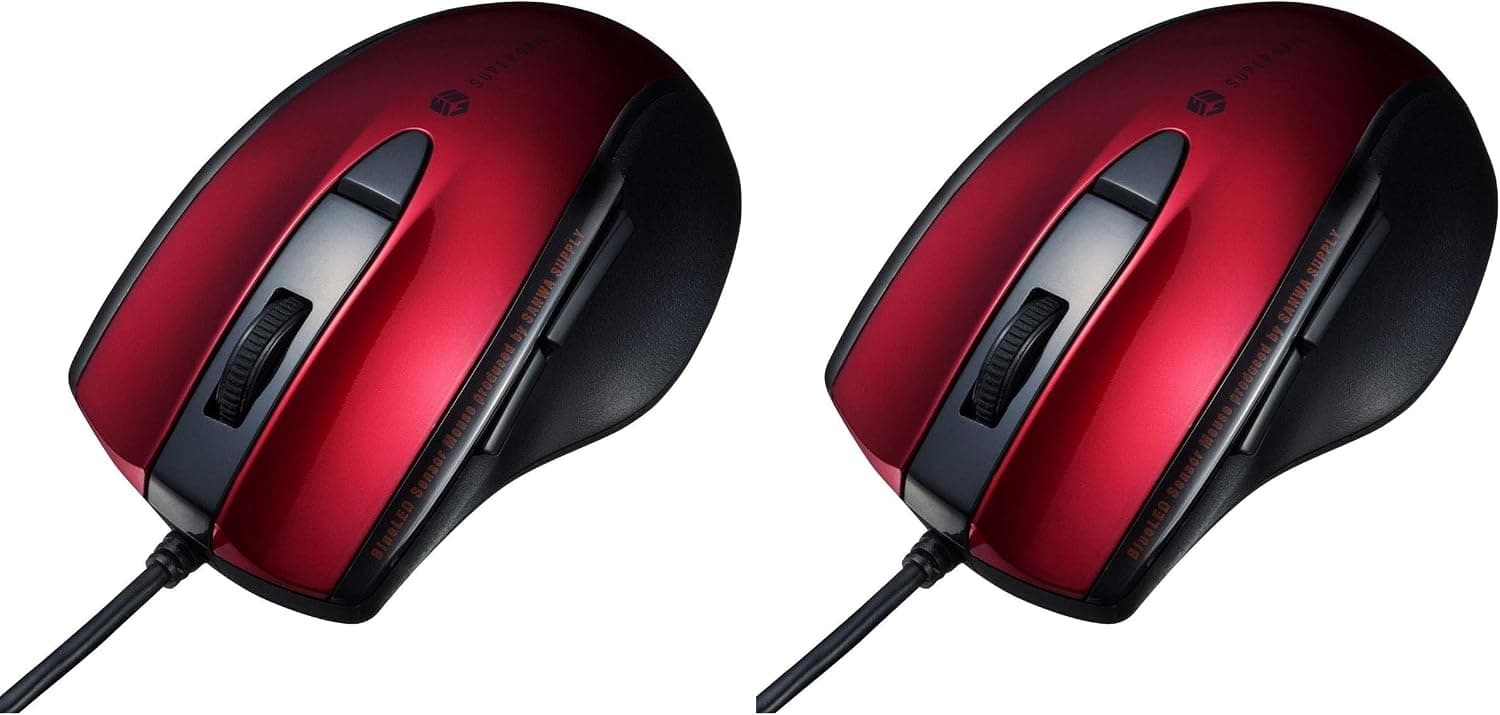
Sanwa Supply MA-BTBL155R — Silent Bluetooth 5.0 Mouse with 5 Buttons and 2400 DPI (the Japanese listing is サンワサプライ Bluetooth 5.0マウス静音ブルーLED 5ボタン 2400dpi(3段階切替) 小型レッド MA-BTBL155R) is, per the manufacturer's official page, a Bluetooth 5.0 Class2 mouse.
It uses an optical sensor with a blue LED, comes in red, and runs on two AAA batteries.
The official button field lists two main buttons, two side buttons, a wheel (scroll) button and a count-switching button. The official silent-operation field covers the left button, right button, side buttons, wheel button and count-switching button.
So the quiet-click design applies to every button, including the wheel and the count switch.
Compatibility Guide
The official standards field says the PC, smartphone or tablet must support this product's Bluetooth version and profile. The profile is HOGP (HID over GATT Profile) and the frequency range is 2.402 to 2.480GHz.
Before buying, check that your device supports Bluetooth mice.
The official compatible-device field lists these categories:
- Windows (DOS/V) PCs and tablets
- Apple Mac series
- iPad and iPhone
- Chrome OS PCs
- Android tablets and smartphones
The official condition is a model with a built-in Bluetooth module that supports Bluetooth mice.
The official OS field reads as follows.
| OS | Official listing |
|---|---|
| Windows | 11, 10, 8.1, 8 |
| macOS | Sequoia 15, Sonoma 14, Ventura 13, Monterey 12, Big Sur 11, 10.13 to 10.15 |
| iPadOS | 13 to 18 |
| iOS | 13 to 18 |
| Chrome OS | Listed |
| Android | 10 to 15 |
The same field notes that some models cannot be supported, so check the device as well as the OS version.
The official page also lists verified models such as iPhone 16e, Surface Pro 10, 14-inch MacBook Pro 2021, the M1 MacBook Air, ThinkPad T14s Gen 6 and iPad mini (A17 Pro). Under game devices, ASUS ROG Ally and Steam Deck are listed as verified.
There is a macOS caveat. According to the official page, scrolling works only in apps the OS driver can scroll, such as Safari, Mail, Text Edit and Finder, and pressing the wheel button is not supported.
If you plan to use it with a Mac, check this first.
Product Info
rmation
The manufacturer's official specification fields are as follows.
| Item | Official listing |
|---|---|
| SKU | MA-BTBL155R |
| JAN code | 4969887697290 |
| Color | Red |
| Resolution | 1000, 1600, 2400 counts per inch |
| Sensing | Optical sensor (blue LED) |
| Size | W61.8×D98.2×H36.7mm |
| Weight | About 58g (without batteries) |
| Battery | Two AAA batteries |
| In the box | Mouse, two AAA batteries (for testing), instruction manual |
Resolution has three steps, 1000, 1600 and 2400 counts per inch, switched with the count-switching button. The 2400 dpi with three-step switching in the product name corresponds to this field.
The official communication distance is a radius of about 10m on a wooden desk (non-magnetic) and about 2m on a steel desk (magnetic). The page adds that the radio range varies with the usage environment.
The battery field says alkaline, manganese and nickel-metal hydride rechargeable batteries are supported, and alkaline batteries are recommended. The supplied AAA batteries are described as being for testing.
Who It Suits
- People using a steel desk: The official range is about 10m on wood and about 2m on steel. If your desk is magnetic, that figure is the one to check.
- Steam Deck or ROG Ally owners: Both are listed as verified game devices on the official page. That helps if you want to add an external Bluetooth mouse.
- People who prefer replaceable batteries over a built-in rechargeable cell: It takes two AAA batteries and supports nickel-metal hydride rechargeables, so you can reuse your own cells.
Before You Buy
- Confirm your device supports this product's Bluetooth version and profile (HOGP). The official page states the device must be compatible.
- On a Mac, pressing the wheel button is not supported, and scrolling works only in certain apps.
- The size is W61.8×D98.2×H36.7mm and the weight is about 58g without batteries. Compare those dimensions against your hand with a ruler.
- The supplied AAA batteries are for testing. Prepare alkaline batteries, which the official page recommends.
- Check the sales page for price and stock.
FAQ
Q. Can I use it with a handheld gaming PC? A.
The game-device field of the official page names ASUS ROG Ally and Steam Deck as verified.
Q. Does it include a USB receiver? A.
The official contents are the mouse, two AAA batteries (for testing) and an instruction manual. No receiver is listed, as this is a Bluetooth product.