Overview
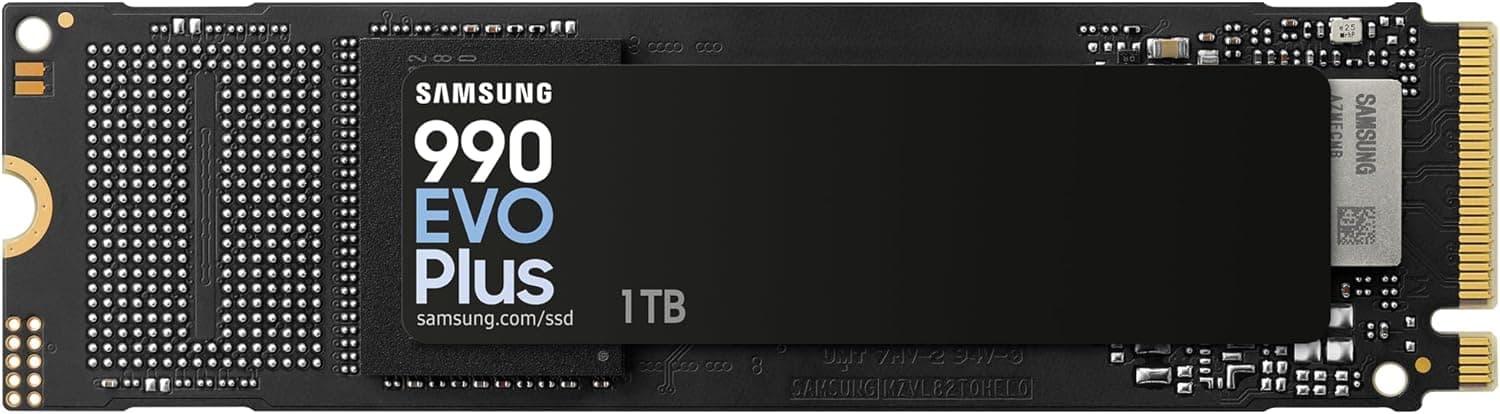
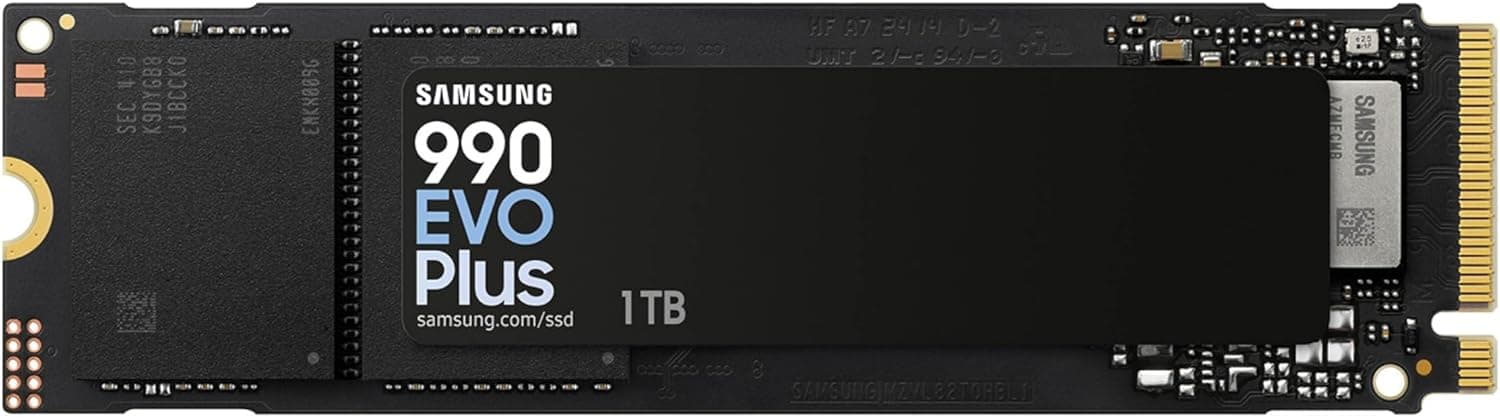
The Samsung 990 EVO Plus SSD 1TB is the 1TB model in Samsung's EVO line of NVMe SSDs. It drops the dedicated DRAM cache and relies on a Host Memory Buffer (HMB) instead.
Samsung rates it at up to 7,150 MB/s sequential read and 6,300 MB/s sequential write, close to the ceiling for a PCIe 4.0 x4 drive.
It supports both PCIe 4.0 x4 and PCIe 5.0 x2, so it can reach full speed on most motherboards sold today.
The short version: it is more than fast enough as a game drive or boot drive. Only people who routinely write tens to hundreds of gigabytes in one go should look at higher-end models with DRAM.
It launched in late 2024 and uses Samsung's own TLC V-NAND (236-layer) and an in-house controller.Check the retailer's page for the latest user reviews.co.jp.
PCIe 5.0 x2 vs PCIe 4.0 x4
The label people misread most often is PCIe 5.0 support.
Each PCIe 5.0 lane carries about twice the bandwidth of a PCIe 4.0 lane.
That means PCIe 5.0 x2 and PCIe 4.0 x4 both provide roughly 8 GB/s in theory.
A PCIe 5.0 slot does not make this drive any faster than a PCIe 4.0 x4 slot does.
What PCIe 5.0 x2 support gives you is the same bandwidth over fewer lanes, which helps on platforms with few lanes available for M.2 storage.
If you want more than 10,000 MB/s, you need a PCIe 5.0 x4 drive such as the Western Digital Black SN8100.
The most accurate way to think of the 990 EVO Plus is as a drive that delivers PCIe 4.0 x4-class speed over either interface.
Compatibility Guide
The drive uses the M.2 2280 form factor (22 mm wide, 80 mm long) with an M.2 Key M connector.
You need an M.2 slot that supports NVMe (PCIe).
This table shows what to expect from each type of slot.
| Slot type | Link | Expected speed |
|---|---|---|
| PCIe 5.0 M.2 | PCIe 5.0 x2 or 4.0 x4 | Near rated speed |
| PCIe 4.0 x4 M.2 | PCIe 4.0 x4 | Near rated speed |
| PCIe 3.0 x4 M.2 | PCIe 3.0 x4 | Capped around 3,500 MB/s |
| SATA-only M.2 | Not supported | — |
The last row matters most. Some older laptops and motherboards have M.2 slots that look identical but only support SATA.
An NVMe drive like the 990 EVO Plus will not be detected in those slots, so check your manual for a PCIe or NVMe label before you buy. The drive does work in a PCIe 3.0 x4 slot, but the interface becomes the limit and you get roughly half the rated speed.
On desktops, real-world speed can depend on whether the M.2 slot connects to the CPU or to the chipset.
Many boards also disable some SATA ports or PCIe slots when certain M.2 slots are populated, so check the lane-sharing table in the manual before you install.
The drive draws power from the M.2 slot itself, so it needs no extra cables and no bigger power supply.
For laptops, first confirm that the machine accepts 2280-length drives. Thin laptops and handheld gaming PCs often take only 2230 or 2242 drives.
The PS5 expansion slot requires a PCIe 4.0 x4 M.2 SSD, so the drive meets the spec, but Sony recommends adding a heatsink, which you will need to buy separately.
HMB works by borrowing a small part of the system's main memory (64 MB on this drive) as cache, and the operating system has to support it. Windows 10/11 and recent Linux versions support it by default.
In a USB enclosure, however, HMB may not work depending on the bridge chip, and the USB standard also caps the speed. Do not expect rated performance if you use it as an external drive.
Product Info
These are the key specs from the available data.
| Item | Value |
|---|---|
| Capacity | 1TB |
| Interface | NVMe (PCIe 4.0 x4 / PCIe 5.0 x2) |
| Form factor | M.2 2280 |
| NAND | TLC (Samsung V-NAND, 236-layer) |
| Controller | Samsung in-house |
| DRAM cache | None (64 MB HMB) |
| Sequential read | 7,150 MB/s |
| Sequential write | 6,300 MB/s |
| Endurance | 600 TBW |
| Warranty | 5 years (TBW limits apply) |
| Release | Late 2024 |
On Amazon.co.jp it was listed at ¥48,315 as of June 2, 2026.
On eBay US there was a $235.00 listing as of July 15, 2026.
eBay listings mix new, used and grey-import units, and shipping and import fees can be extra, so the two prices are not directly comparable. SSD prices swing widely over time and can drop sharply during sales, so check the product page for the current price before you buy.
Here is what 600 TBW means in real life. The spec sheet's figure of about 1.6 years assumes an extreme 1 TB of writes every day.
At a typical 50 GB per day for games and the OS, 600 TB works out to about 12,000 days, or more than 30 years. Even at 100 GB per day it lasts about 16 years.
For most people, the 5-year warranty runs out long before the TBW limit is reached.
Where the Differences Show Up
DRAM-less may sound slow, but thanks to HMB you are unlikely to notice any shortfall in everyday reads such as booting or loading games. The difference shows up in long, large writes.
TLC SSDs absorb part of each write in a fast SLC cache area. Once that cache fills, write speed falls well below the rated figure.
You will rarely notice this when installing or updating large games, but copying hundreds of gigabytes of video footage in one go can slow down noticeably partway through.
For many games, load times differ little between PCIe 3.0 and PCIe 4.0 SSDs.
You will usually be happier choosing on capacity and price than on the headline speed numbers.
Best Use Cases
- Boot or game drive for a gaming PC: For read-heavy use, you will barely notice any difference from DRAM-equipped models. It also works well as a fast NVMe drive for DirectStorage titles.
- Upgrading from an HDD or SATA SSD on a PCIe 4.0 or newer board: Both reads and writes are an order of magnitude faster than the SATA limit of about 550 MB/s.
- Laptop upgrades: Without DRAM, power draw and heat are easier to keep down. It is a strong candidate for any laptop that takes M.2 2280 drives.
- Planning a move to a PCIe 5.0 platform: It runs close to rated speed over PCIe 5.0 x2, so you can carry it over to a new build.
Alternatives
The usual PCIe 4.0 competitors are the WD Black SN850X and the Crucial T500.
Both have DRAM and are generally considered stronger for consistent random access and long sustained writes. The 990 EVO Plus stands out for its PCIe 5.0 x2 flexibility and the power savings of a DRAM-less design, which is a real reason to pick it for a laptop.
The Corsair MP600 PRO XT is another DRAM-equipped PCIe 4.0 option.
If endurance matters most, a high-endurance NAS drive such as the WD Red SN700 is a different choice. At the other extreme, top speed means a PCIe 5.0 x4 drive.
The 990 EVO Plus sits in between: enough speed for most people, delivered with low power draw.
Things to Consider
PCIe 5.0 support does not mean Gen5 SSD speeds. As explained above, PCIe 5.0 x2 offers about the same bandwidth as PCIe 4.0 x4, and the rated maximum is still 7,150 MB/s.
If you buy it expecting more than 10,000 MB/s because of the Gen5 label, you will be disappointed.
It is not for heavy sustained writers. That includes people who ingest large amounts of 4K or higher video every day, rewrite virtual machine images often, or use a drive like a recording server.
After the SLC cache fills, the speed drop becomes noticeable, and DRAM-equipped or high-endurance drives are a better fit.
On PCIe 3.0 systems the extra cost buys little. A PCIe 3.0 x4 slot caps speed at around 3,500 MB/s.
If you are keeping your current motherboard, a cheaper PCIe 3.0 drive will feel almost the same.
1TB fills up quickly. Some recent big games take more than 100 GB each.
After the OS, your apps and a few large games, little space is left, so consider 2TB or more if you play many titles. When a drive is nearly full, less space is available for SLC caching and writes tend to slow down.
Plan to add a heatsink. The drive itself is a thin, label-covered stick.
Use your motherboard's M.2 heatsink if it has one, and add one for PS5 use as well.
Check the listing details. In the data behind this article, the seller and shipper on Amazon were recorded as Amazon US.
The price entry recorded as a US listing also pointed to the Japanese Amazon page, so parts of the listing information do not match. The model number MZ-V9S1T0B/AM mentioned here can have a different suffix depending on the sales region.
Imported and domestic units may also be handled by different warranty service contacts. Before you buy, check the seller, model number and warranty terms on the product page, and confirm from the photos and title that it is the right product.
FAQ
Q. Can I use it on a PCIe 3.0 motherboard? A.
Yes, in a PCIe 3.0 x4 NVMe M.2 slot, but speed tops out around 3,500 MB/s.
It will not be detected in a SATA-only M.2 slot.
Q. Will it be faster in a PCIe 5.0 slot? A.
No. PCIe 5.0 x2 offers about the same bandwidth as PCIe 4.0 x4, and the rated maximum stays at 7,150 MB/s.
Q. Does being DRAM-less hurt gaming? A.
Game loading is mostly reads, so with HMB the practical difference is minimal. The impact shows up in sustained writes of hundreds of gigabytes.
Q. How long will 600 TBW last? A.
More than 30 years at 50 GB of writes per day, and about 16 years at 100 GB per day. In most cases the 5-year warranty ends first.
Q. Can I clone my old drive to it? A.
Samsung provides migration software (Samsung Data Migration) and a management tool (Samsung Magician). Check Samsung's official download page for supported operating systems and steps.
Product Disclosure (Amazon)
- Manufacturer: サムスン(SAMSUNG)
- Seller: Amazon US
- Fulfilled by: Amazon US
- ASIN: B0DHLFWBQ1
- Note: This article covers a manufacturer-made product based on Amazon listing details.