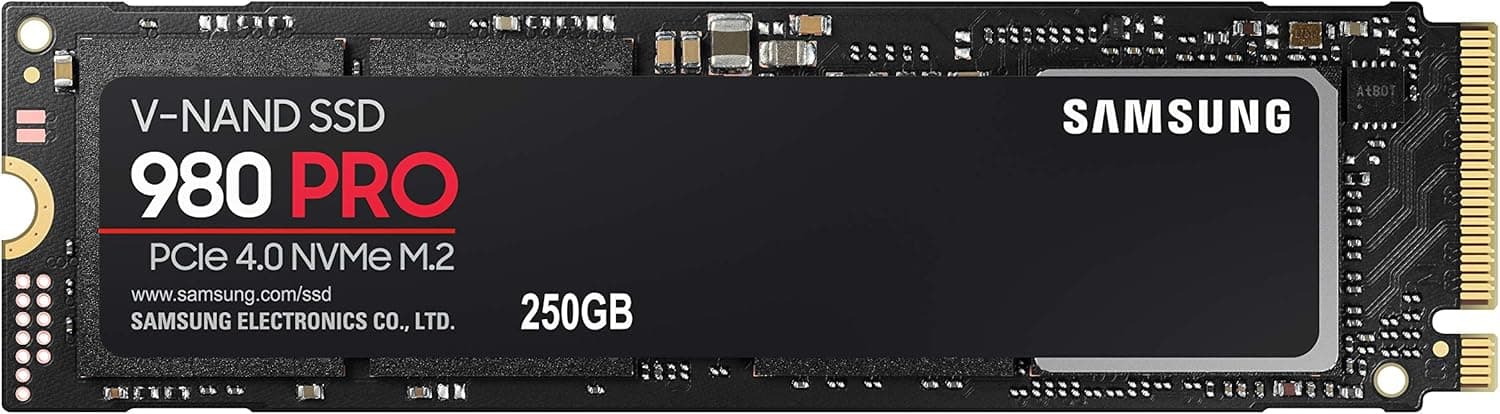
This article covers the SAMSUNG 980 PRO 250GB PCIe NVMe Gen4 Internal Gaming SSD M.2 (MZ-V8P250B).
Beyond the spec sheet, it covers which builds this drive makes sense for and when a larger capacity or a different drive is the better buy.
Overview
The short answer: the SAMSUNG 980 PRO 250GB (MZ-V8P250B) is a good fit if you have a PCIe 4.0 desktop and want a separate, fast drive just for the operating system.
If your games and data live on a second SSD, you get the snappy boot and system responsiveness of a Gen4 drive with a DRAM cache. As the only drive in a system, though, it falls short on both capacity and write performance.
It is an M.2 2280 PCIe 4.0 x4 / NVMe drive built on Samsung's Elpis controller, 128-layer TLC (3-bit MLC) V-NAND and 512 MB of LPDDR4 DRAM cache.
The listed specs give 6,900 MB/s sequential reads, 2,700 MB/s sequential writes and a 150 TBW endurance rating. It launched in September 2020 as part of Samsung's PRO line for the PCIe 4.0 generation.
On Amazon.co.Check the retailer's page for the latest user reviews.
Those ratings may be pooled with other capacities on the same listing, though. Use the capacity guide below to decide whether 250GB fits how you use your PC.
Is 250GB Enough?
The 250GB figure is a decimal value, so Windows shows it as roughly 232 GB (the same capacity counted in binary units). That gap is part of why buyers often find the drive smaller than they expected.
| Use | Outlook at 250GB |
|---|---|
| Windows 11 and everyday apps | Comfortable. Windows 11 requires 64 GB or more |
| OS plus a few lighter games | Workable, but you will manage free space |
| OS plus recent large titles | One or two games leave little room |
| Video editing scratch or cache space | Not suitable. Too little capacity and write speed |
As an SSD fills up, less space is left for its SLC write cache, and write speed tends to drop. A 250GB drive reaches that point quickly.
A good rule is to ask whether you can keep about 20% of it free. If you want several large games installed, starting at 500GB or more wastes less money in the long run.
Compatibility Guide
The drive is M.2 2280 (M key) and fits any desktop or laptop with an NVMe-capable M.2 slot.
It is powered through the slot, so no cables are needed. Where people go wrong is not whether a slot exists, but whether that slot actually runs at Gen4.
You only get Gen4 speed when the CPU, the chipset and the slot wiring all support PCIe 4.0.
On AMD, a typical example is a Ryzen 3000/5000 CPU on an X570 or B550 board. On B550, usually only the CPU-connected M.2 slot runs at Gen4, and the chipset slots are Gen3.
Ryzen 3000G/5000G APUs are limited to PCIe 3.0 themselves, so they run the drive at Gen3 even on X570 or B550.
On Intel, look for an 11th-gen or newer CPU on a board with a matching chipset. Check the diagram in your motherboard manual to see which slot is Gen4.
In a Gen3 slot the drive works normally, but reads are capped at the Gen3 x4 limit of roughly 3,500 MB/s. The 250GB model's 2,700 MB/s write speed is already below that limit, so writes barely change on Gen3.
On a Gen3 board, then, you are paying for Gen4 read speed that you cannot use.
In a laptop, make sure the M.2 slot supports NVMe.
Some older models only accept SATA drives, even in an M.2 slot.
This drive has no heatsink, so it fits thin laptops easily. Long transfers do heat it up, however, so on a desktop it is worth using the motherboard's M.2 heatsink.
The label on top is reported to help with heat spreading, so do not peel it off.
The drive matches the PS5 expansion slot's form factor (PCIe Gen4 x4, M.2 2280).
However, Sony requires a heatsink, which this model does not have, and 250GB adds almost no room for games. It is not a practical PS5 upgrade.
If you are considering it, check Sony's official requirements first.
Product Info
| Item | Detail |
|---|---|
| Capacity | 250 GB |
| Interface | PCIe 4.0 x4 / NVMe |
| Form factor | M.2 2280 |
| Controller | Samsung Elpis |
| NAND | Samsung V-NAND 128-layer TLC (3-bit MLC) |
| DRAM cache | 512 MB LPDDR4 |
| Sequential read / write | 6,900 MB/s / 2,700 MB/s (as listed) |
| Random read / write | 220,000 / 280,000 IOPS (as listed) |
| TBW | 150 TB |
| Release | September 2020 |
The TBW figure deserves a closer look. At 1 TB written every day, 150 TB would last about 0.4 years (roughly 150 days).
Typical home use writes far less than that. At 50 GB a day it works out to about 3,000 days, or a little over 8 years, and at 20 GB a day it lasts even longer.
For an OS or games drive, endurance is very unlikely to be a practical concern.
Samsung Magician lets you check drive health and update firmware. To move from your current drive, Samsung Data Migration can clone it.
The drive comes with a 5-year limited warranty, which ends at five years or 150 TBW, whichever comes first.
On price: when the data was captured in June 2026, the Amazon.co.jp listing was sold and shipped by a third-party store, not Samsung, at a price that was very high for a 250GB SSD.
Prices change often, so check the product page for the current price. We strongly suggest comparing it with larger Gen4 SSDs available for the same money.
Comparison With Other Capacities and Rivals
Within the 980 PRO line, capacity makes a big difference. According to Samsung's official data, the 500GB and 1TB versions write at 5,000 MB/s, about double the 250GB version's 2,700 MB/s.
Endurance also scales with capacity: 300 TBW for 500GB and 600 TBW for 1TB. Each step up in this series roughly doubles both write speed and endurance, so the 250GB model gives up more than just space.
From other brands, Gen4 drives built on Phison E18, such as the CORSAIR MP600 PRO XT, are a staple of the same generation. They come mostly in larger capacities, which suits a single-drive build better.
PCIe 5.0 drives offer more speed, but they need a compatible board and run hotter.
If capacity and endurance matter more than speed, a Gen3 NAS-class drive is another option.
The 250GB model makes sense when you want Gen4, a DRAM cache and Samsung's management software, and you plan to add capacity with another drive. If that setup does not match yours, a larger or different drive will likely satisfy you more.
Who Should Buy
- Gen4 desktop owners who want a separate OS drive: Keep Windows and apps here and put games and data on a larger second drive. In that setup, 250GB is enough.
- Builders who reinstall or switch test setups often: With data on its own drive, you can wipe the OS side without touching your games or files.
- Users who want to manage drive health with Samsung Magician: Firmware updates and wear monitoring in one tool help over the long run.
- Anyone with a spare M.2 slot: Start with it as a boot drive and add a larger SSD later.
Things to Consider
Before Buying
We do not recommend 250GB as your only drive. Recent large titles often take more than 100 GB each, and OS updates regularly use up space too, so running short is common.
The only fix is more storage, which on a board or laptop with a single M.2 slot means replacing the drive.
The listed 6,900 MB/s read speed may not be the 250GB figure. Samsung's official datasheet gives up to 6,400 MB/s reads for the 250GB version, while 6,900 MB/s matches the 500GB version.
Random IOPS figures change by an order of magnitude with test conditions (queue depth), and the numbers listed here do not match Samsung's official ones. When comparing drives, take figures measured under the same conditions from the manufacturer's product pages.
One spec entry also shows 1024 MB of DRAM. That is the 1TB model's figure; the 250GB version has 512 MB.
Write speed drops partway through long transfers. The 2,700 MB/s figure applies only while the SLC write cache lasts, and smaller models have smaller caches.
If you often copy files tens of gigabytes in size, a 500GB or larger model is a better fit.
Update the firmware as soon as you install it. In 2023, some 980 PRO capacities had a firmware bug that made the drive's health figure drop quickly, and Samsung released a fixed version.
After installing Samsung Magician, first check that the drive is on the latest firmware.
Check the listing details and the seller. The Amazon listing this article is based on is sold and shipped by a third-party store.
The English product name suggests it may be stock made for overseas markets, so confirm before buying whether Samsung's official Japanese distributor will honor the warranty. The price data we collected also had inconsistencies, such as an entry labeled Amazon US that actually pointed to Amazon Japan.
Listing details can be wrong, so confirm the model number (MZ-V8P250B), the photos and the capacity before ordering.
Installation
Check your motherboard manual for the CPU-connected Gen4 M.2 slot and use that slot.
Make sure the screw and standoff sit at the 2280 position, then insert and secure the drive.
Fit the board's M.2 heatsink if it has one.
After booting, confirm the drive appears in the BIOS or Windows Disk Management, and create a partition if the drive is new.
Update the firmware in Samsung Magician.
To move from your current drive, clone it with Samsung Data Migration.
FAQ
Q. Does it work on a PCIe 3.0 motherboard? A.
Yes. Reads are capped at the Gen3 limit of roughly 3,500 MB/s, while the 2,700 MB/s writes stay about the same.
On Gen3, though, a larger drive for the same budget is usually the smarter buy.
Q. How many games fit in 250GB? A.
It depends on the games. Several smaller titles will fit, but one or two large titles over 100 GB each will leave little room.
Plan to keep your games on another drive.
Q. Isn't 150 TBW low? A.
At 1 TB a day it would last about 0.4 years, but home use writes far less.
Even at 50 GB a day it lasts a little over 8 years, which is plenty for a boot or games drive.
Q. Do I need a heatsink? A.
It is not required, but long transfers can heat the drive enough to slow it down, so use your motherboard's M.2 heatsink if it has one.
For the PS5, Sony requires a heatsink.
Q. What is a fair price? A.
Prices change often, so check the product page. Given the 250GB capacity, compare it with 500GB to 1TB Gen4 drives at the same price before you decide.
Product Disclosure (Amazon)
- Manufacturer: サムスン(SAMSUNG)
- Seller: JUNJUNストア
- Fulfilled by: JUNJUNストア
- ASIN: B08GL52C3V
- Note: This article covers a manufacturer-made product based on Amazon listing details.