This article looks at the Logitech ロジテック M325 ワイヤレスマウス Lady on The Lily 並行輸入品 — how it differs from the standard M325, whether it will work on your setup, and where you have to compromise. The short version: you are buying the pattern, not the performance.
Overview
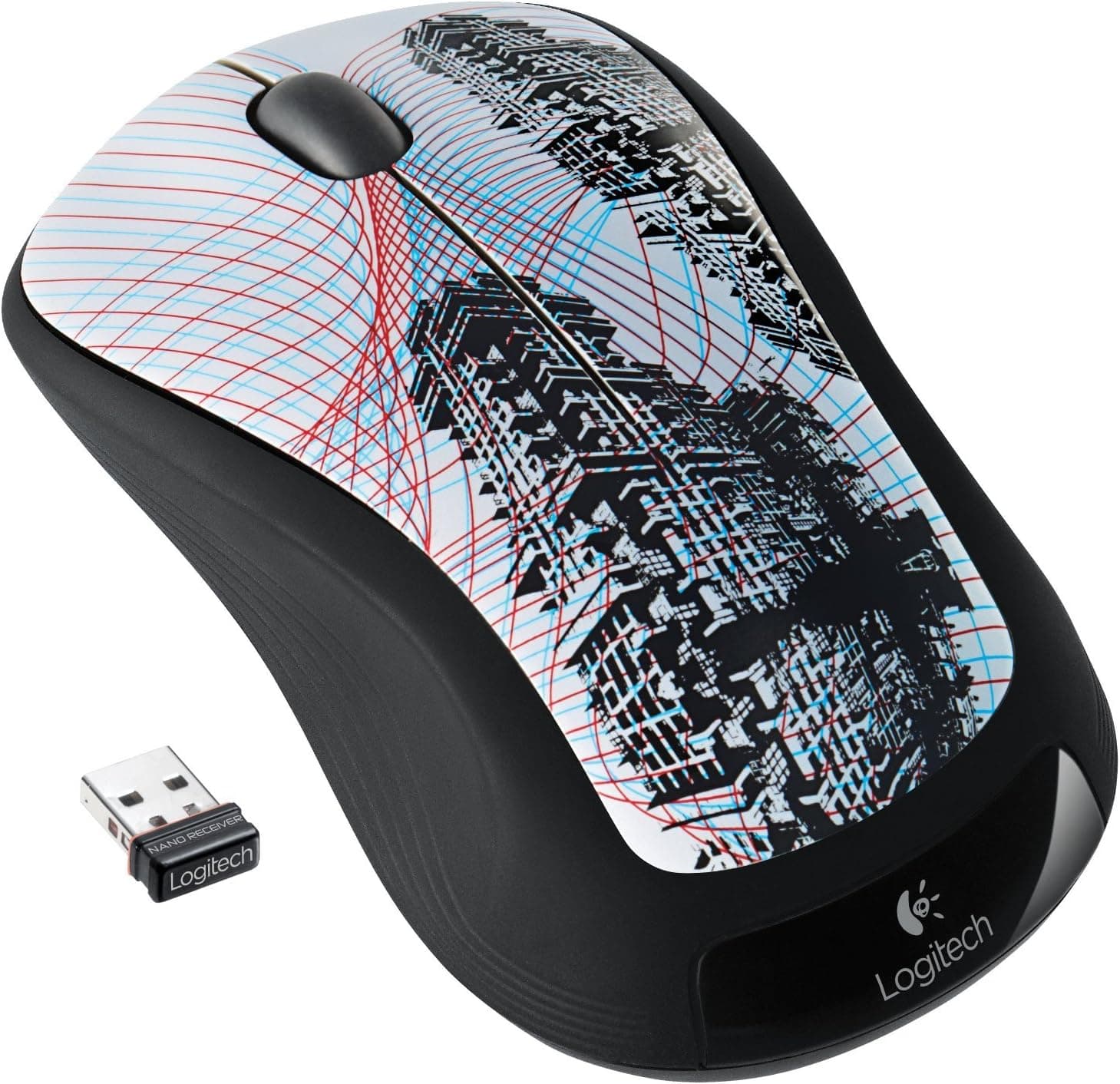
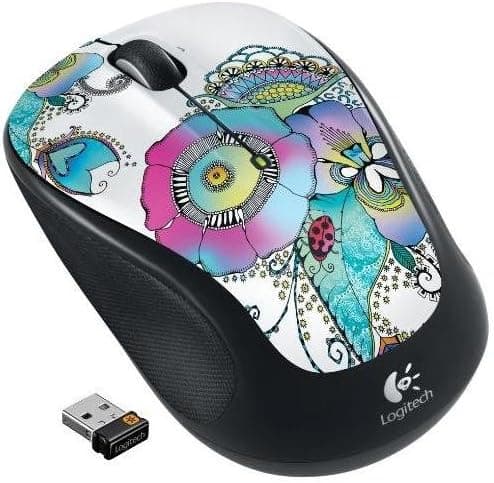
The Logitech M325 Lady on The Lily is Logitech's long-running entry-level wireless mouse wrapped in an overseas-market lily print, sold in Japan as a parallel import. Internally it is a plain M325: an optical sensor, three buttons (left, right, clickable scroll wheel), roughly 18 months of life from a single AA cell, and a compact 95 x 55 x 37 mm shell weighing about 69 g including the battery.
It suits people whose work is documents and browsing and who care how their desk looks. If you want extra buttons or sensor performance, there is almost no reason to pick this one.
The Amazon.co.Check the retailer's page for the latest user reviews.
At about 69 g with the battery in, this is a light mouse. Not 50-gram-gaming-mouse light, but easy to drop into a bag alongside a laptop.
Compatibility Guide
Connection is 2.4 GHz wireless through the bundled Logitech Unifying receiver.
The critical point: you physically need a free USB-A port. There is no Bluetooth, so thin laptops with USB-C only, tablets and phones cannot use it without an adapter or hub.
If your machine is USB-C only, decide up front whether you are willing to live with a hub, or pick a Bluetooth mouse instead.
OS support is broad — Windows XP/Vista/7/8/10/11, macOS X 10.5 or later, Linux kernel 2.6+ — and no driver install is needed.
That plug-and-go behaviour matters on locked-down work PCs and on Linux desktops.
| Check | Requirement | Common stumble |
|---|---|---|
| Connection | 2.4 GHz Unifying | Bluetooth is not supported |
| Port | One free USB-A | USB-C-only PCs need an adapter |
| Power | 1x AA battery | Not rechargeable; supply your own cell |
| OS | Windows / macOS / Linux | No extra driver needed |
| Surface | Desk or mousepad | Glass and glossy tops track poorly |
The Unifying receiver is a Logitech-proprietary standard. You can consolidate other Unifying devices onto one receiver using Logitech's Options / Unifying software, but it is not compatible with the newer Bolt receivers.
Check for the orange Unifying logo on any device you plan to pair.
The optical sensor is fine on wood, cloth and mousepads, but struggles on glass or mirror-finish desks. On a glass desk, plan on using a pad.
Product Info
Check the retailer's page for the latest price. Prices move constantly and parallel imports swing further with stock levels, so check the product page for the current figure before buying.
The eBay side is per-listing with no fixed reference price.
How you read that number is the whole decision. Standard-colour M325 units circulate at a few thousand yen; the Lady on The Lily edition sits several times higher.
The premium buys you the lily artwork and the scarcity of something not sold through official Japanese channels — not a better sensor, not more buttons.
| Item | Spec |
|---|---|
| Sensor | Optical |
| Connection | 2.4 GHz wireless (Logitech Unifying) |
| Buttons | 3 (left / right / scroll wheel) |
| Wheel | Clickable |
| Battery | 1x AA, approx. 18 months |
| Dimensions | Approx. 95 x 55 x 37 mm |
| Weight | Approx. 69 g with battery |
| Receiver | Nano, stows inside the mouse |
The 18-month figure is a manufacturer estimate for typical office use of a few hours a day; heavy use and cheap cells both shorten it. Even so, never hunting for a cable is a genuine day-to-day advantage over rechargeable mice, and the internal receiver slot solves the classic problem of losing the dongle in transit.
Best Use Cases
People who actually want the pattern. If your motivation is escaping a desk full of black office mice, this delivers exactly that, with competent if unremarkable performance underneath.
Collectors and gift buyers. A limited design absent from official Japanese retail works as a collection piece or as a present for someone who likes floral styling — read the warranty note below first.
Quieter rooms. It has no dedicated silent switches, but click noise is typical for an office mouse.
If silence is a hard requirement, buy a mouse that explicitly advertises silent switches.
Mobile users. At roughly 69 g and 95 mm with a stowable receiver, it travels well with a laptop.
Before You Buy
The biggest caveat is that the identical performance is available for far less. The standard M325 has the same sensor, button layout and battery life.
If you just want a working wireless mouse, buy the plain model and spend the difference elsewhere. This article is not here to push the Lady on The Lily — it is here so you can judge whether the artwork is worth the gap.
Read the seller's return policy before ordering; at this price, skipping that step hurts.
It is not a gaming mouse. No DPI button, no side buttons, and Unifying 2.4 GHz is tuned for general use.
For FPS-class precision and response, this is the wrong category. Power users who map macros to extra buttons will also find three buttons limiting.
It is not rechargeable. AA operation buys the long runtime but means keeping a spare cell around.
If you are used to topping up over USB-C, this will feel dated.
Do not take the listing metadata at face value. On marketplace parallel imports the seller and shipper are normally a small reseller rather than the manufacturer, which is itself normal — but listing pages do sometimes carry metadata from a different product.
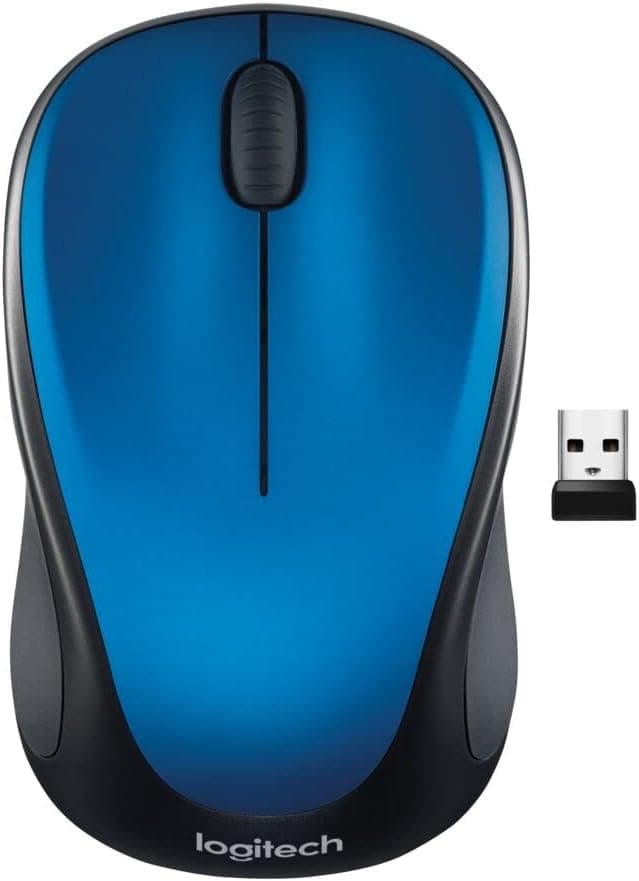
Confirm from the product photos and title that you are buying the lily-print M325, and watch for near-identical model numbers (M325, M325s, M330) sharing a page.
Reading the Review Score
That is a strong number, but read it carefully: the M325 has been a global long-seller for years, and most reviews speak to the underlying design — grip comfort and battery life. Treat the score as confirmation that the platform is mature and dependable, not as a verdict on this particular finish.
One ageing weakness applies to wireless mice generally: after a few years, click switches can develop chatter and scroll wheels can start skipping. That is not specific to the M325, but when you are paying several times the standard price, it is worth remembering that a mouse is still a consumable.
FAQ
Q. Does it perform differently from the standard M325? A.
No. Sensor, buttons, battery life, size and weight are the same.
Only the exterior design and distribution route differ.
Q. Can I connect over Bluetooth? A.
No. It only works via the bundled Unifying receiver in a USB-A port.
USB-C-only machines need an adapter.
Q. What if I lose the receiver? A.
Another Unifying receiver can often be re-paired using Logitech's Unifying software, but Bolt-standard receivers will not work. Get into the habit of returning it to the slot inside the mouse.
Q. Will the battery really last 18 months? A.
That is a manufacturer estimate for typical office use. Longer sessions and weaker cells shorten it; planning to swap around the one-year mark is a safer assumption.
Q. Is it usable left-handed? A.
The shape is near-symmetrical but tuned for the right hand. It is usable left-handed, though a truly ambidextrous mouse will be more comfortable.
Q. Can I game with it? A.
Casual browser or strategy games are fine. Anything demanding precision and fast response is not its job — buy a gaming mouse instead.
Product Disclosure (Amazon)
- Manufacturer: Logitech
- Seller: fuji.harmotech
- Fulfilled by: fuji.harmotech
- ASIN: B00CBB6SKM
- Note: This article covers a manufacturer-made product based on Amazon listing details.