This article covers 【国内正規品】Keychron K4 Version2 ワイヤレス・ゲーミングメカニカルキーボード 100キー, focusing on the decisions buyers actually struggle with.
Overview
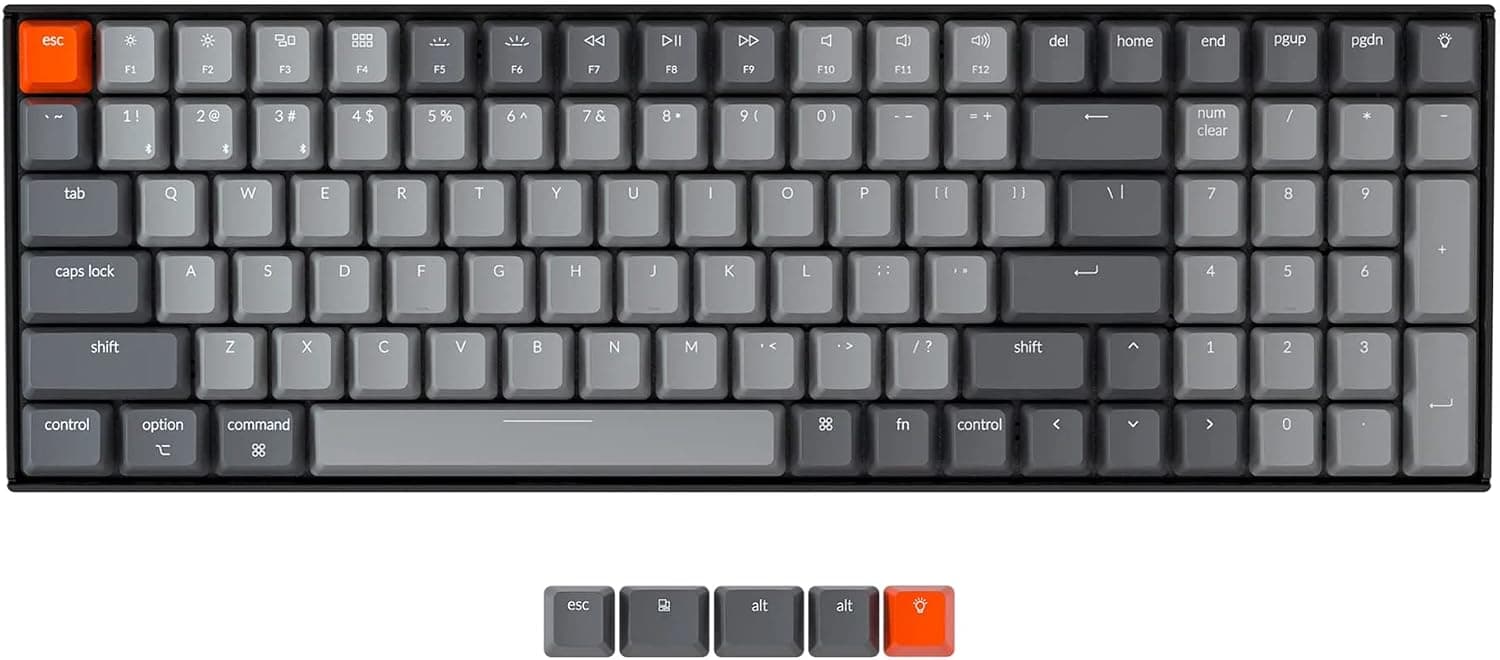
The Keychron K4 Version2 is a 96% (US 100-key) wireless mechanical keyboard that keeps a full numpad while cutting the width. The short answer: it delivers the best value for people who type a lot of numbers but still want desk space for the mouse.
It is a poor fit for anyone who wants to swap switches or run per-key RGB.
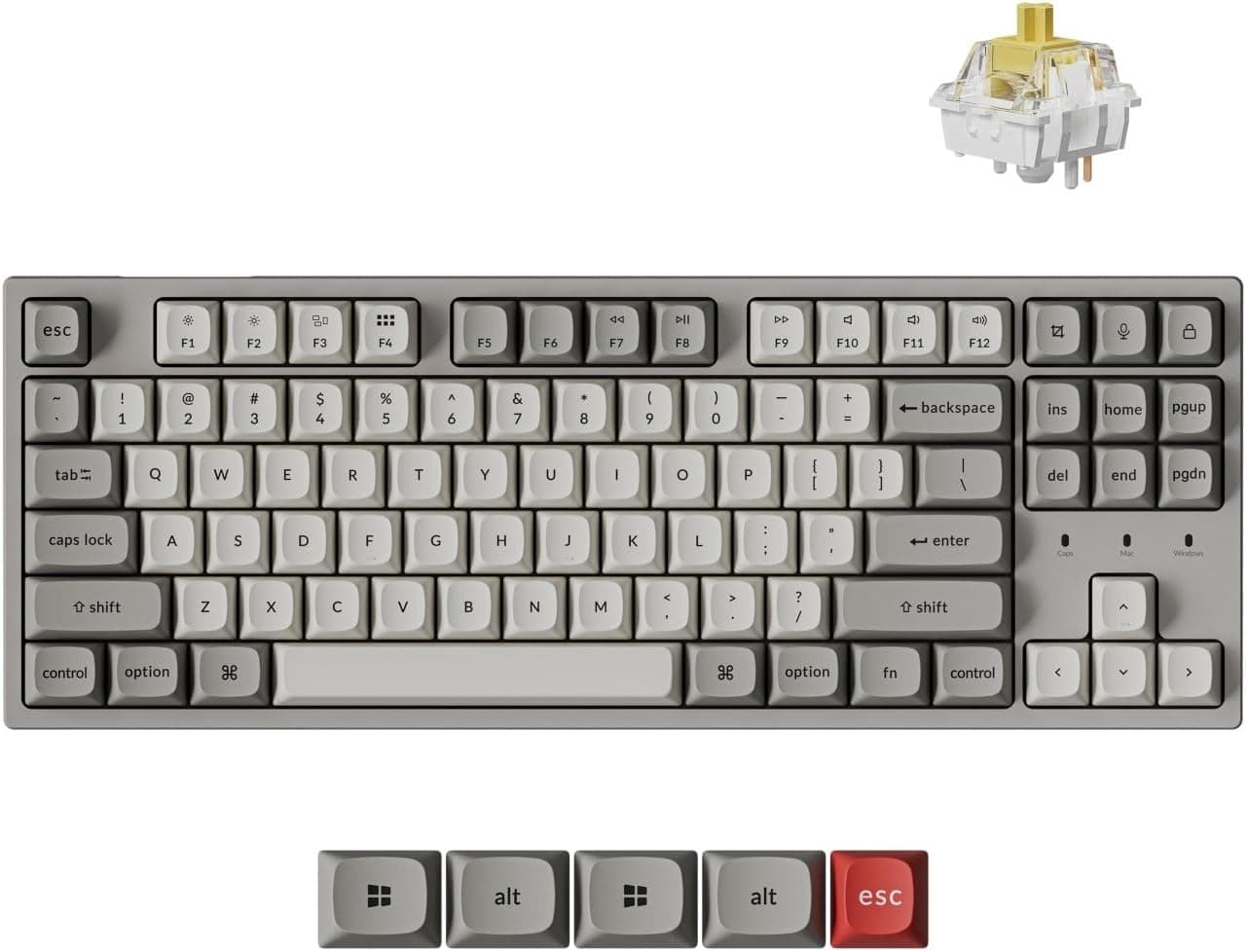
It uses Gateron G Pro Brown switches — a tactile bump without the loud click of Blues, and more feedback than a linear Red. The backlight is white LED only; the color cannot be changed.
Connectivity covers Bluetooth 5.1 and USB Type-C wired, with up to three paired devices switchable from the keyboard.
N-key rollover means simultaneous presses are not dropped in practice.
Amazon.co.jp shows 75 reviews at 4.5 out of 5 stars (90% positive) as of the 2026-07-09 capture.
That is a modest review count, but a consistent rating.
What a 96% Layout Actually Changes
"Numpad but compact" is vague, so here is how the layouts compare.
| Layout | Numpad | Arrows | F-row | Best for |
|---|---|---|---|---|
| Full size (104) | Yes | Yes | Yes | Accounting; widest footprint |
| 96% (K4 V2, 100 keys) | Yes | Yes | Yes | Numpad required, space limited |
| TKL (87) | No | Yes | Yes | Gaming with wide mouse sweeps |
| 75% / 65% | No | Yes | 75% only | Portability, minimalism |
| 60% | No | Fn layer | No | Enthusiasts wanting minimum size |
The trick of a 96% layout is removing the gaps between key clusters rather than the keys themselves. Nothing is lost functionally, but the arrow keys and the edge of the numpad sit flush against their neighbors.
Coming from a full-size board, expect mistypes around Delete and PgUp for the first few days. Most people adapt; a few never do.
This is the single biggest like-or-dislike factor.
Compatibility Guide
Supported operating systems are Windows, macOS, iOS, and Android. A physical slide switch on the side toggles Mac and Windows modes, and keycaps for both (Command/Option and Alt/Win) are in the box, so legends and behavior can be kept in sync.
Points worth checking before you buy:
- Bluetooth 5.1 (Broadcom chipset): up to three paired devices, switched with a keyboard shortcut. Anything supporting the Bluetooth HID profile works — PC, tablet, or phone.
- USB Type-C wired: use this when latency matters or you'd rather not think about battery. The keyboard charges while connected. The bundled cable is USB Type-A to C, so a laptop or tablet with only Type-C ports needs a separate C-to-C cable or adapter. Check your ports first.
- NumLock works only in Windows mode. This is a stated limitation. If the numpad misbehaves on a Mac, check the side switch first.
- Some function key behaviors differ in Mac mode, since media key mapping follows each OS's own conventions.
- Bluetooth is unavailable before the OS loads — BIOS/UEFI screens and OS installers. If this is your only keyboard for building a PC, plan on using it wired for setup.
- The board is heavier than plastic-bodied rivals in its class. It is built to sit on a desk, not to balance on your lap.
Product Info
Key specs: 100 keys, 96% (US 100-key) layout, Gateron G Pro Mechanical Brown switches, white LED backlight, Bluetooth 5.1 plus USB Type-C wired, up to three paired devices, N-key rollover.
Pricing: ¥22,423 on the Amazon listing as captured 2026-07-09, and ¥21,999 on Amazon.co.jp as captured 2026-08-24. Both are capture-time values that move with sales and coupons — roughly ¥400 of drift in six weeks, so check the product page for the current price before ordering. Sold as a Japanese domestic authorized unit, initial-defect support runs through the domestic seller; warranty length follows the manufacturer's terms.
Reviews stood at 75 ratings, 4.5 of 5 stars (90% positive) as of 2026-07-09.
In the box: a USB Type-A to C cable, keycap puller, spare Mac/Windows keycaps, and a manual. Positioning-wise, the budget went into layout practicality and dual-mode connectivity rather than RGB or hot-swap sockets — this is a work keyboard that happens to be wireless.
On the Gateron G Pro Brown Switch
Brown (tactile) switches are the easiest recommendation for a first mechanical board, because you don't have to fully sacrifice either quietness or feel. Blues are satisfying but will be audible on a video call.
Reds are quiet but give no resistance change before bottoming out, which some typists find vague. G Pro Browns sit between the two with a small bump partway through the press.
Brown is not silent, though. The bottom-out noise after the tactile bump is perfectly audible. If you need genuine silence, look at a board with silent switches — "louder than I expected" is a common reaction to Browns.
Also note that some K4 V2 configurations are not hot-swappable, so do not buy this planning to change switches later. If that matters, choose a board that explicitly advertises hot-swap sockets.
Best Use Cases
Office workers, accountants, and data-entry staff who use a numpad daily are the core audience. Numeric input speed genuinely depends on having a numpad, yet a full-size board pushes the mouse uncomfortably far right.
A 96% layout is close to the only way to have both. Three-device Bluetooth pairing also fits the common desktop-plus-work-laptop setup.
People moving between Mac and Windows are the second group. The hardware OS toggle and dual keycap sets mean legends and behavior line up without software tinkering — one less device on a desk holding a Mac mini and a Windows machine.
First-time mechanical keyboard buyers are well served too: a safe switch choice, restrained white lighting, and wired/wireless redundancy make a mismatch unlikely.
If you want per-key RGB or hot-swap customization, the Keychron Q or V series fits better. And if you prefer a 60% or 65% board, the K4 will still feel large.
Things to Check Before Buying
1. "Gaming" in the name oversells the wireless latency. Bluetooth is at a disadvantage versus a dedicated 2.4GHz dongle.
For competitive FPS, plan to use it wired. Casual play over Bluetooth is fine; expecting tournament-grade wireless is not.
2. The backlight is single-color white. Plenty for finding keys in the dark, useless for RGB aesthetics.
3. Budget an adjustment period. Because the clusters sit flush, expect mistypes for a few days to two weeks after a full-size board.
Don't switch during a crunch week.
4. The bundled cable is USB Type-A to C. Type-C-only machines need their own cable.
5. Confirm you can live without NumLock in Mac mode. If you drive the numpad heavily on macOS, test that workflow expectation first.
6. Listing metadata can disagree with the actual product. Even here, one pricing entry is labeled "Amazon US" while pointing at a yen-denominated domestic listing.
Amazon pages vary by seller, and manufacturer, seller, and model fields are not always correct. Verify from the product images and title that you are buying the Keychron K4 Version2, and check for the domestic authorized-product labeling, since that determines who handles a defective unit.
7. Watch the price range. Captures spanned ¥21,999 to ¥22,423. If you are not in a hurry, waiting for a sale is reasonable.
FAQ
Q. Can I hot-swap the switches? A.
Don't buy it for that. Configurations vary; if switch swapping is the goal, pick a board that explicitly lists hot-swap sockets, such as the Keychron Q or V series.
Q. Is it quiet? A.
Clearly quieter than Blues, but not silent. G Pro Browns are tactile, and bottom-out noise remains.
For a shared office where silence matters, consider a silent-switch model.
Q. How fast is device switching? A.
It's a keyboard shortcut, but Bluetooth reconnection normally takes a beat and depends on the other device's state. If you hop between machines constantly, keep your main one on the wired connection.
Q. Is it usable for gaming? A.
N-key rollover means no dropped simultaneous presses. For competitive FPS, use the USB Type-C wired mode; treat Bluetooth as the casual option.
Q. Can I use it while charging?
A. Yes. It charges over USB Type-C while wired, so the battery never interrupts work.
Q. Will I regret moving from a full-size board? A.
You lose no functions, but the missing gaps take getting used to. If you have desk width to spare and zero tolerance for mistypes, stay full-size.
Product Disclosure (Amazon)
- Manufacturer: Keychron
- Seller: Takumido
- Fulfilled by: Takumido
- ASIN: B0B5L19H68
- Note: This article covers a manufacturer-made product based on Amazon listing details.