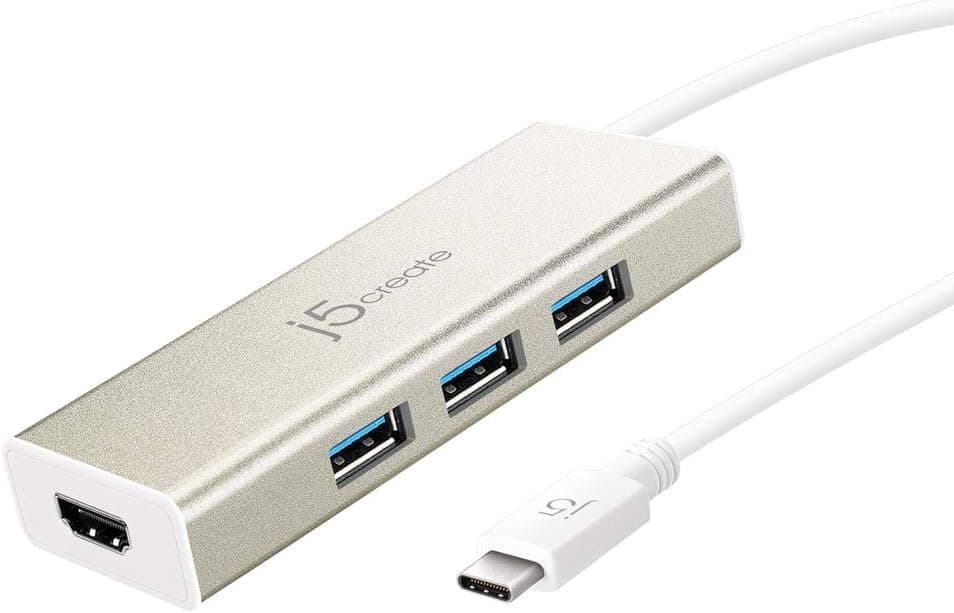
The j5create JCH451-EJ is a compact USB-C hub that adds one HDMI output and three USB-A 3.0 ports to your laptop.
It supports video output up to 4K at 30Hz, making it suitable for presentations, dual-monitor setups, or connecting to a larger display while working remotely. The three USB-A ports each offer up to 5Gbps transfer speeds, allowing you to connect peripherals like mice, keyboards, and flash drives simultaneously.
The hub features a champagne-gold aluminum chassis that aids heat dissipation and gives a premium feel, while weighing only 49.5 grams for easy portability.
It operates on bus power by default but includes a Micro-B port for self-powering when using high-draw devices (a 5V/2A+ adapter is recommended, not included). Plug-and-play compatibility spans Windows, macOS, ChromeOS, and iPadOS, with no driver installation required.
The hub connects via a USB-C input (USB 3.1 Gen1) and requires DisplayPort Alt Mode support on the host device for HDMI output.
It is compatible with Windows 11/10, macOS, ChromeOS, and iPadOS, and works plug-and-play without any driver installation. Power is supplied through the USB-C bus by default, but a Micro-B port allows for self-powering when using high-draw peripherals (a 5V/2A+ USB power adapter is recommended, not included).
The hub works with a wide range of USB-C laptops including MacBook Pro/Air, Surface Book, HP Pavilion, Dell Inspiron, and Lenovo IdeaPad. Note that HDMI output only functions if the host USB-C port supports DisplayPort Alt Mode; some budget laptops may lack this feature, so check your device specifications beforehand.
Released around 2020, the j5create JCH451-EJ remains widely available. It typically retails for around ¥5,000–¥6,000 in Japan, positioning it as an affordable entry-to-mid-range hub.
The package includes the hub, a quick-install guide, and a warranty card; no power adapter is included. j5create offers a 2-year warranty with domestic support via phone, email, and AI chat.
Given its solid build and adequate port selection, it represents a practical choice for everyday use. The aluminum chassis is a notable advantage over plastic competitors in the same price bracket, offering better heat dissipation and a more premium feel.
User reviews frequently praise its stability and compact design. Remote workers and travelers: The HDMI output lets you connect to hotel or office monitors easily, and the lightweight design won't weigh down your bag.
Self-power capability ensures stable operation even when using power-hungry peripherals in meeting rooms. USB-C laptop owners needing more USB-A ports: With three USB-A 3.0 ports, you can keep using your existing peripherals without adapters.
Ideal for connecting a mouse, keyboard, and USB drive at the same time, or for hooking up legacy USB-A devices like external hard drives and printers. Users who prefer no-driver setups: Plug-and-play compatibility across multiple OSes makes it hassle-free, especially in managed IT environments or for users who switch between macOS and Windows.
Creative professionals: Fast data transfer for moving photos and videos via USB drives. Note that there is no SD card slot, so a separate card reader is needed for direct camera imports.
- Caveats: HDMI output requires DisplayPort Alt Mode on the host; not all USB-C ports support it. The hub does not support 4K at 60Hz, so it's not suitable for high-refresh-rate gaming monitors.
Additionally, it lacks USB Power Delivery pass-through, so you'll need a separate charger for your laptop.
Product Disclosure (Amazon)
- Manufacturer: j5create
- Seller: j5create Direct
- Fulfilled by: Amazon
- ASIN: B085VNH2N9
- Note: This article covers a manufacturer-made product based on Amazon listing details.