Overview
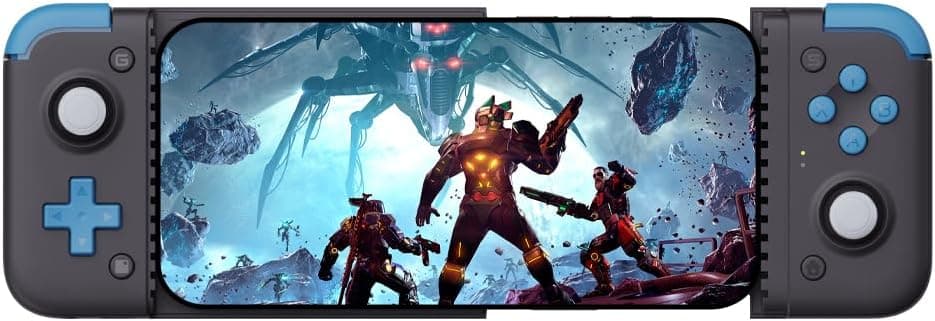
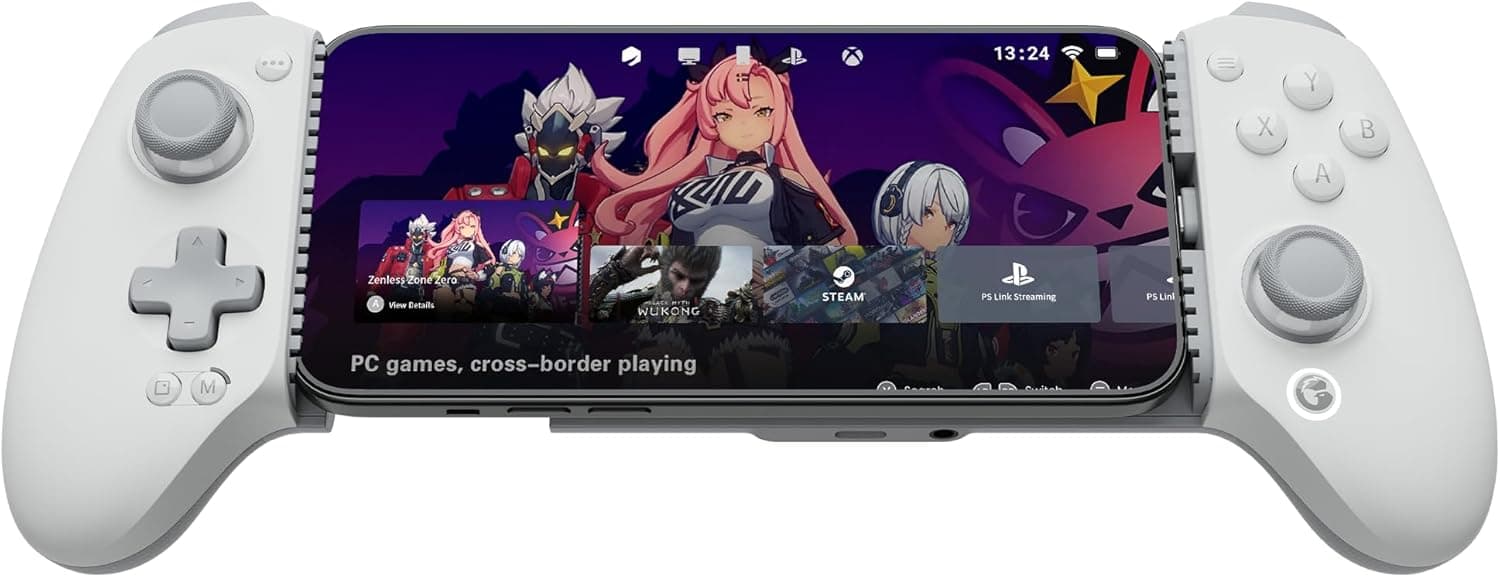
The GameSir X2 Bluetooth — Mobile Gaming Controller for iOS is a telescopic controller that clamps onto both ends of your smartphone and turns it into something shaped like a handheld console. The short verdict: if you want a cable-free stretch controller that works on both iPhone and Android, this is a sensible pick.
If you care most about minimal latency or the stability of a direct port connection, GameSir's own plug-in models are a better fit. It supports iOS 13.4+ and Android 9.0+, and fits phones up to 173mm.
A built-in 500mAh battery is rated for about 20 hours of continuous play after roughly 2 hours of charging. A Turbo (rapid-fire) function reduces finger strain in tap-heavy moments.
Its main use is cloud gaming such as Xbox Cloud Gaming, plus titles that accept controller input, like Apple Arcade games and MFi-compatible games.
On Amazon.co.Check the retailer's page for the latest user reviews.
The Things to Check Before Buying section below covers where the complaints tend to come from.
Key Specs and How to Read Them
| Item | Value |
|---|---|
| Connection | Bluetooth wireless |
| Bluetooth (iOS) | 4.2 |
| Bluetooth (Android) | 5.0 |
| Supported phone width | Up to 173mm |
| Battery capacity | 500mAh |
| Continuous play | About 20 hours |
| Charge time | About 2 hours |
| Supported OS | iOS 13.4+ / Android 9.0+ |
Note that the Bluetooth version is listed separately per OS: 4.2 for iOS and 5.0 for Android.
In both cases the phone's port is not used, so the controller does not care whether your phone has Lightning or USB-C. That is its biggest advantage.
Around 20 hours of play means a charge every few days for most people who play a few hours a day. Keep in mind that your phone's own battery drains from the screen and network use, and it will usually run out first during long sessions.
Compatibility Guide
OS versions
You need iOS 13.4+ or Android 9.0+.
Most recent phones qualify, but an old handset repurposed as a dedicated gaming device may have stopped receiving updates. Check the OS version in your phone's settings before buying.
Physical fit (up to 173mm)
173mm is the maximum length along the clamping direction, which is the phone's long side when held sideways. Most large phones fit, but do not judge by the phone's dimensions alone.
Thick cases, bumpers, phone rings, or a large camera bump can stop the phone from seating properly. If you want to keep a case on, measure the phone with the case.
Foldable phones differ too much in shape and are best treated as unsupported.
Bluetooth only
There is no wired mode. The USB-C port is for charging, and the phone connects over Bluetooth.
Compared with plug-in controllers, you get a pairing step and possibly slight input latency. Many people will not notice it in RPGs, action games, or casual cloud gaming, but rhythm and fighting games with tight timing can feel different.
Game support is required
This is the most common misunderstanding: connecting a controller does not make every mobile game playable with buttons. The game itself must support controller input.
On iPhone, the main targets are supported Apple Arcade titles, MFi-compatible games, and Xbox Cloud Gaming. Touch-only games will simply ignore button presses.
Check the store listing or in-game settings first.
The original compatibility list mentions Google Stadia, but Stadia shut down in January 2023 and can no longer be used. Other cloud services such as Vortex may also change availability, so confirm their current status before relying on them.
PC use
The manufacturer only lists iOS and Android. If you also want to use the same controller on a PC, do not plan around this model.
Look at models that explicitly list PC support, such as the GameSir X2S Bluetooth.
Product Info
The Amazon.co.Check the retailer's page for the latest price.
Prices change with sales and sellers, so check the product page for the current price. That places it just under ¥10,000, in the mid-range for mobile controllers.
It was reportedly released in early 2021. It is sold through the GameSir official store and Amazon.
With that many reviews, experiences clearly vary.
How It Differs From Similar Models
GameSir sells several models with X2 in the name, and they are easy to confuse. The key difference is the connection method.
| Model | Connection | Main targets |
|---|---|---|
| GameSir X2 Bluetooth (this product) | Bluetooth | iOS 13.4+ / Android 9.0+ |
| GameSir X2 (Type-C) | Plugs into Type-C port | Android (Type-C) |
| GameSir X2 Pro-Xbox | Plugs into Type-C port | Android (Type-C) |
| GameSir X2S Bluetooth | Bluetooth | iOS, Android, PC |
| GameSir G8+MFi | — | iPhone |
Plug-in models skip pairing and have an edge on latency, but only work with phones whose port matches. This model lets you move between iPhone and Android regardless of port, in exchange for some compromise on latency and convenience.
If you want PC support or care about the joystick type, newer models like the X2S are worth comparing.
Setup Steps
- Charge the controller via USB-C before first use (about 2 hours) 2.
Enter pairing mode as described in the manual (button combinations may differ by OS, so check the manual) 3. Select the controller in your phone's Bluetooth settings 4.
Extend the grip, clamp the phone, and check for wobble or button interference 5. Make sure controller input is enabled in the game's settings
If it will not connect, removing the controller from the phone's Bluetooth list and pairing again often helps. Temporarily disconnecting other Bluetooth devices such as wireless earbuds can also help isolate the problem.
Best Use Cases
- People who want one controller for both iPhone and Android: it uses Bluetooth, not the phone's port, so the connector type does not matter.
- Cloud gamers: Xbox Cloud Gaming and similar services get console-style sticks and buttons.
- Players of tap-heavy games: Turbo reduces finger strain in shooters and action games.
- People who hate frequent charging: 500mAh gives about 20 hours of play.
Things to Check Before Buying
Who should skip it: players sensitive to even small latency in rhythm or fighting games, people who find pairing a hassle, and anyone who wants PC support. Plug-in models or controllers that explicitly support PC will cause fewer regrets.
There is no wired mode. The USB-C port is charge-only. Do not buy it expecting to reduce latency with a cable.
Games must support controllers. Touch-only games will not respond to the buttons.
Google Stadia ended in January 2023, so do not trust old compatibility lists at face value.
Check your case and phone shape. Even within 173mm, case thickness, camera bumps, or rings can prevent a proper fit.
Whether you can plug a cable into the phone's charging port or headphone jack while it is clamped depends on port position and grip shape. Check this if you play long sessions.
Check whether the issues raised in low-star reviews would affect your use before buying.
Do not confuse it with similarly named models. There is also a GameSir X2 that plugs into a Type-C port and targets Android.
Buying that one for an iPhone may leave you unable to use it, so confirm Bluetooth is in the product name and the ASIN matches B09155BTFX. Despite the iOS in the listing title, it also supports Android 9.0+.
FAQ
Q. Does it work with iPhone? A.
Yes, with iOS 13.4+ over Bluetooth 4.2.
It does not use the phone's port, so Lightning or USB-C does not matter.
Q. Does it work with Android?
A. Yes, Android 9.0+ is supported, connecting over Bluetooth 5.0.
Q. Can I connect it by cable to reduce latency? A.
No. There is no wired mode; the USB-C port is for charging.
If latency matters, consider GameSir's plug-in X2 models.
Q. Will it work with any mobile game?
A. No. The game must support controller input.
Q. Can I use it with a phone case on? A.
Often yes, if the phone plus case is within 173mm and the case is not too thick or bulky. It is not guaranteed, so be prepared to remove the case.
Product Disclosure (Amazon)
- Manufacturer: GameSir
- ASIN: B09155BTFX
- Note: This article covers a manufacturer-made product based on Amazon listing details.