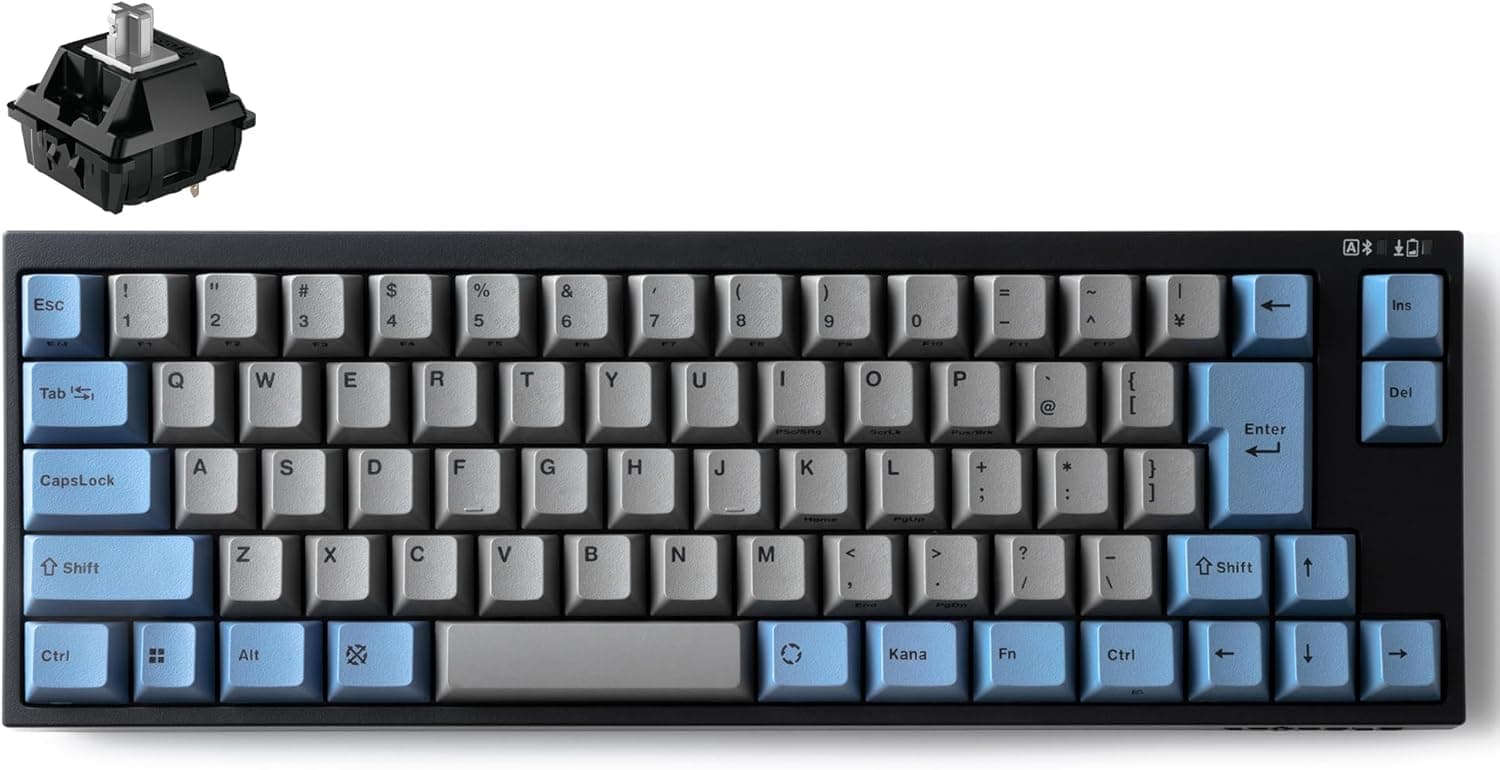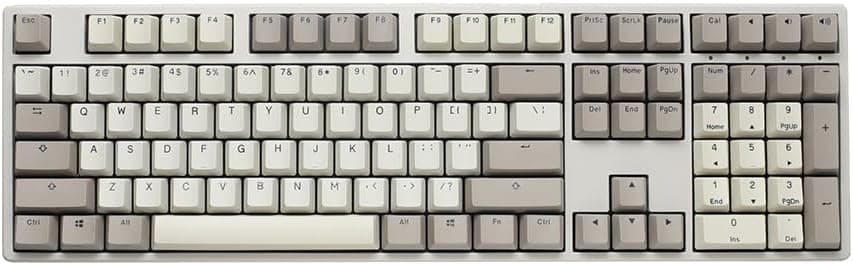
This article takes a practical, buyer-focused look at the Ducky Origin(ダッキーオリジン) メカニカルゲーミングキーボード チェリーMX ブラウン ヴィンテージ.
Overview
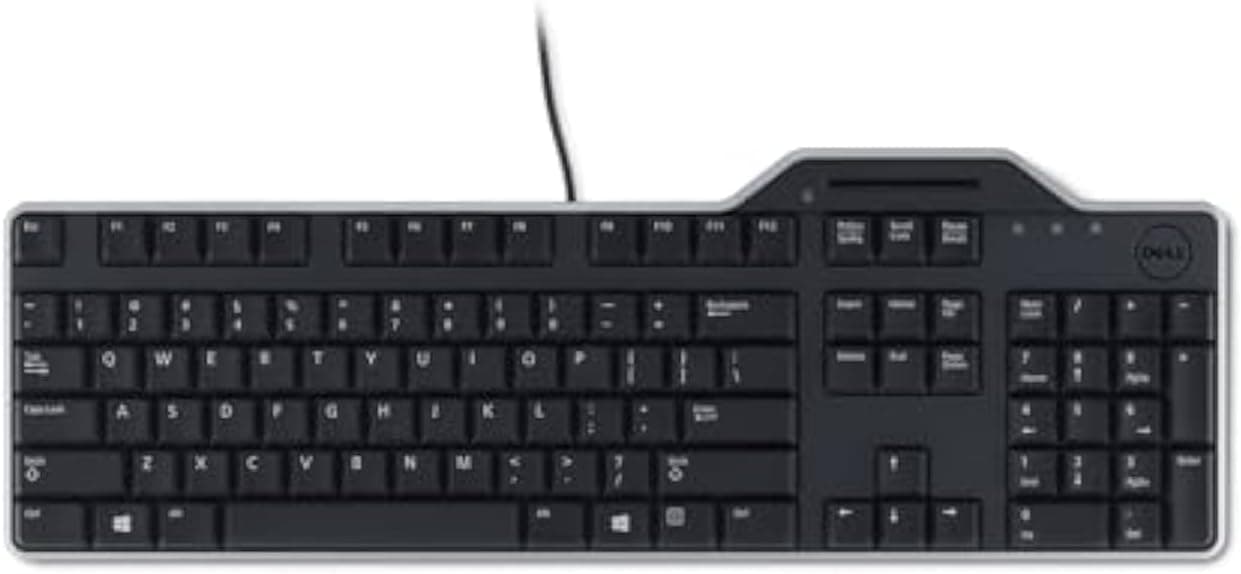
The Ducky Origin is a full-size (104-key) mechanical keyboard from the long-established Taiwanese brand Ducky, stripped of decoration on purpose. The short version: it suits people who want excellent switches and keycaps and genuinely do not care about RGB, software, or wireless. If you want lighting effects, Bluetooth, or full hot-swap tinkering, this is the wrong board.
It uses Cherry MX Brown switches — a tactile bump partway through the press, more defined than a linear red and much quieter than a clicky blue. The keycaps are OEM-profile double-shot PBT, meaning the legends are molded from a second color of plastic rather than printed, so they cannot wear off.
Connection is USB-C over a detachable braided cable.
On Amazon.co.jp the board held 53 reviews at 4.5 out of 5 stars (90% positive) as of the late-July 2026 capture.
That is a modest sample, but a consistent one. The low review count reflects limited distribution in Japan rather than any quality concern.
Reading the Specs
| Spec | Value | What it actually means |
|---|---|---|
| Switch | Cherry MX Brown | Tactile; quieter than blue, not silent |
| Keycaps | Double-shot PBT | Legends never wear off; resists shine |
| Profile | OEM | The easiest profile to buy replacements for |
| Layout | Full-size, 104 keys | US ANSI; includes numpad; wide |
| Connection | USB-C | Wired only; no Bluetooth or 2.4GHz |
| Cable | Detachable, braided | Easy to store, swap, or route |
| Hot-swap | 9 stabilizer keys only | Not a fully hot-swap board |
| OS support | Windows / macOS / Linux | No driver needed |
The row that matters most is the hot-swap line. "Hot-swappable" here does not mean every switch can be changed. Only the nine stabilized keys — ESC, Backspace, Enter, Left Shift, Right Shift, Spacebar, Numpad 0, Numpad +, Numpad Enter — sit in Kailh Yellow hot-swap sockets.
Everything else is soldered to the PCB. Treat this as a serviceability feature for the keys most likely to wear out, not as an invitation to swap switch types.
The OEM profile is a real practical advantage: it is the most widely stocked height and angle in aftermarket keycap sets, so changing the look later is easy. Moving to a Cherry or SA profile set will change how your fingers land, so keep that in mind.
Compatibility Guide
Compatibility is simple: any PC with a USB-C port — or a USB-A port plus an adapter cable — will work. Windows, macOS, and Linux all recognize it as a standard HID keyboard with no drivers.
Because it is wired, it also works in BIOS/UEFI and never suffers the wireless annoyances of failing to wake from sleep or being unavailable at boot.
The real constraint is physical. Full-size 104-key boards typically run around 44cm wide, so moving from a tenkeyless layout costs you roughly 8-9cm of mouse space.
On desks under 60cm wide, or on a keyboard tray, measure before you buy. Allow 20cm or more of depth if you plan to add a palm rest.
The detachable cable helps with routing. Since the board side is USB-C, you can substitute any length you need, or use an angled connector to tidy the back.
The bundled cable is a standard length; if your PC sits far under the desk, budget for a longer one.
The US ANSI layout is itself a compatibility issue. With a Japanese IME you must set the OS keyboard type to English, or the printed symbols will not match what you type.
There is no hankaku/zenkaku key, so IME toggling falls to Alt+` or a remap.
Product Info
Prices below are as captured, and will move with sales and exchange rates. Always check the listing for the current price.
- Amazon.co.jp: ¥24,012 (captured 24 August 2026)
- Amazon (global listing entry): ¥26,887 (captured 28 July 2026)
- eBay: varies by listing; see fixed-price search results
That is a ¥2,875 swing — about 11% — in roughly one month, which tells you something useful: this product's price moves meaningfully over short periods. If you are not in a hurry, watching it for a few weeks may pay off.
At the low ¥24,000 end, double-shot PBT plus genuine Cherry MX switches is a fair deal.
The cost is concentrated in the parts that wear. Double-shot PBT is distinctly more expensive to produce than printed ABS, and genuine Cherry switches cost more than third-party clones.
Nothing is spent on RGB, companion software, wireless radios, or a volume knob. Against a feature-packed rival at the same price, the spec sheet looks plain — but the money went into durability rather than visible features.
The box contains the keyboard and the braided USB-C cable. Accessory inclusion such as a keycap puller can vary by batch, so check the listing photos.
Warranty follows Ducky's official policy, but when buying through a domestic importer the retailer's terms may take precedence — confirm with the seller before ordering.
How It Compares
| Axis | Ducky Origin | Typical rival at this price |
|---|---|---|
| Connection | Wired USB-C only | Often tri-mode wireless |
| Hot-swap | 9 keys only | Usually all keys |
| Lighting | Understated | Full RGB with software |
| Keycaps | Double-shot PBT | ABS or PBT |
| Switches | Genuine Cherry MX | In-house or clone switches |
If you shop by feature count, the Ducky Origin loses. If you want QMK/VIA remapping or to pair one board with several machines, a Keychron-style board will satisfy you more.
Where the Origin wins is in how it feels and looks after years of use without any configuration at all.
My take: a tool-first user should buy the Ducky Origin; a hobbyist who wants to tinker should buy a fully hot-swappable board instead.
Best Use Cases
- Office and admin work — the numpad suits heavy numeric entry, and the Brown switch's tactile bump gives clear feedback during long typing sessions without the sharp click of a blue switch.
- Gamers who do not want RGB — mechanical response is more than adequate for FPS and RPG play, and one board can cover both work and gaming.
- Keycap swappers — OEM profile makes aftermarket sets easy to source, and the base is good enough to keep for years.
- People who actively want wired — no latency questions, no battery, guaranteed BIOS access.
It is a poor fit if you value RGB as decoration, prefer 60%/75% compact layouts, need multi-device wireless switching, or want to swap every switch in the board.
Things to Consider
1. Assuming full hot-swap will disappoint you. Only the nine stabilized keys have sockets.
If your plan was to convert the whole board to linears or silent switches, this model cannot do it. This is the single most common misunderstanding here.
2. It is US ANSI, not Japanese JIS. Symbol positions differ and there is no hankaku/zenkaku key.
You will need to change the OS keyboard setting and spend a few days adjusting. If you cannot change settings on the target machine, rule it out now.
3. Do not underestimate the width. Coming from TKL or 65%, your mouse area shrinks noticeably.
Low-sensitivity FPS players should honestly reassess whether they need a numpad.
4. Cherry MX Brown is not a silent switch. It is clearly louder than membrane or scissor keyboards, and bottoming out adds its own sound.
For video calls, look at silent (MX Silent-type) switches instead.
5. Wired only. No Bluetooth, no 2.4GHz dongle. A cable-free desk is off the table.
6. The price is volatile. Every figure above is a point-in-time capture, and it moved over 10% within a month.
Confirm the live price on the listing.
7. Check the Amazon listing details yourself. This product ships from a domestic importer rather than the manufacturer.
On such listings, brand names, manufacturer fields, or accessory lists are occasionally registered incorrectly. Before ordering, verify from the photos and title that you are getting the right item (full-size 104 keys, Cherry MX Brown, PBT keycaps), and confirm with the seller who handles warranty claims.
FAQ
Q: Does it work on a Mac? A: Yes, over USB-C.
Because it is a Windows-oriented US layout, the Windows key acts as Command and a few modifiers are swapped. You can remap them in macOS keyboard settings.
Q: Can I replace every switch? A: No.
Only the nine stabilized keys (ESC, Backspace, Enter, both Shifts, Spacebar, Numpad 0, +, Enter) have hot-swap sockets. The rest are soldered and require desoldering.
Q: Can I fit aftermarket keycaps? A: Yes — any OEM-profile set with Cherry MX compatible stems.
Make sure the set covers a full-size US ANSI layout; JIS sets will not fit.
Q: Is it fast enough for gaming? A: For casual through mid-level play, yes.
Cherry MX Brown responds like any standard mechanical switch. For competitive play with rapid re-actuation, linear or magnetic rapid-trigger boards are a better match.
Q: Can I remap keys in software? A: This is not a board built around deep software remapping.
If custom keymaps matter to you, choose a QMK/VIA-compatible model.
Q: How loud is it? A: No clicky snap like a blue switch, but a bit more presence than a red.
PBT caps are harder than ABS and tend to sound slightly higher-pitched. If silence is the priority, look elsewhere.
Product Disclosure (Amazon)
- Manufacturer: Ducky
- Seller: 北海道輸入市場
- Fulfilled by: 北海道輸入市場
- ASIN: B0CYCMKGXZ
- Note: This article covers a manufacturer-made product based on Amazon listing details.