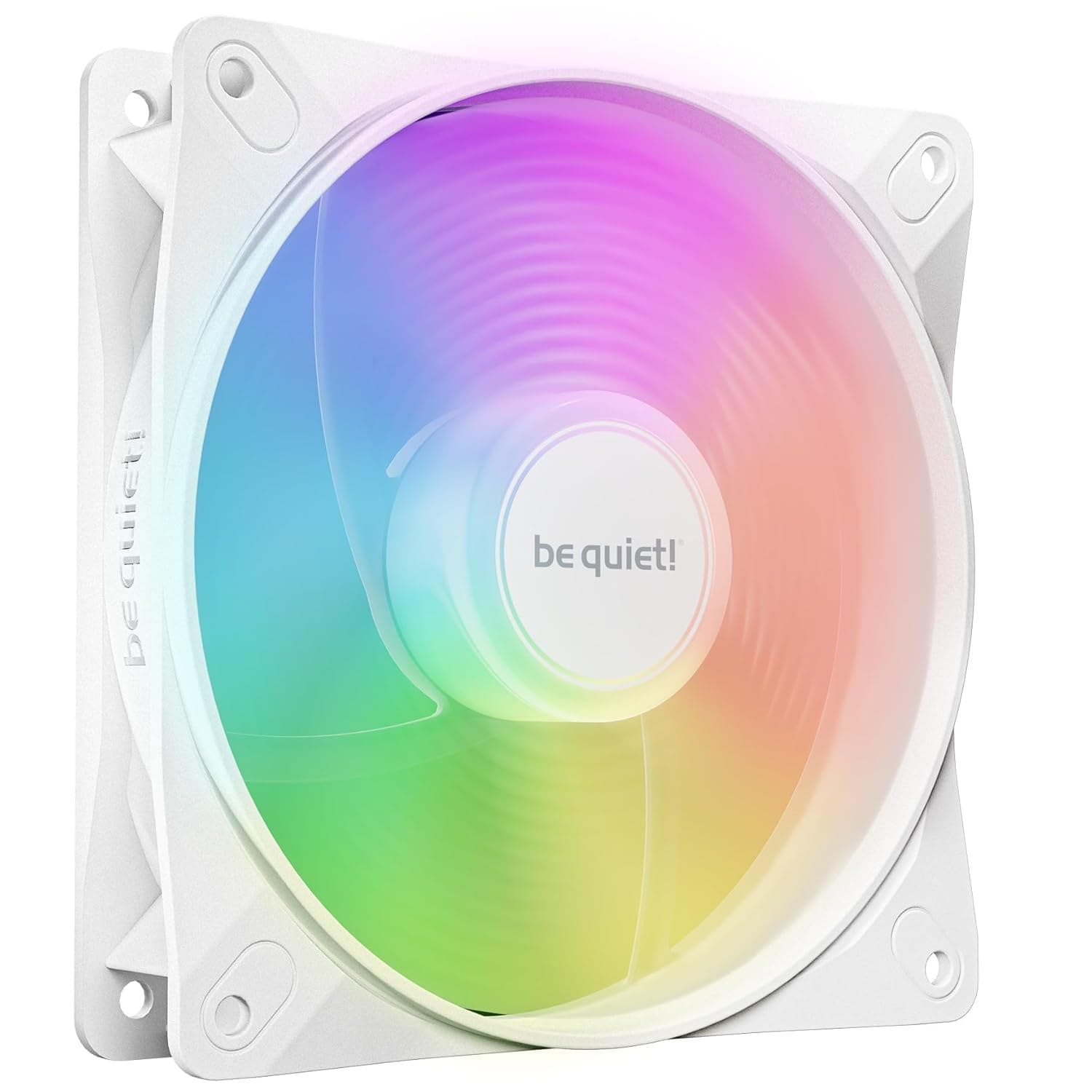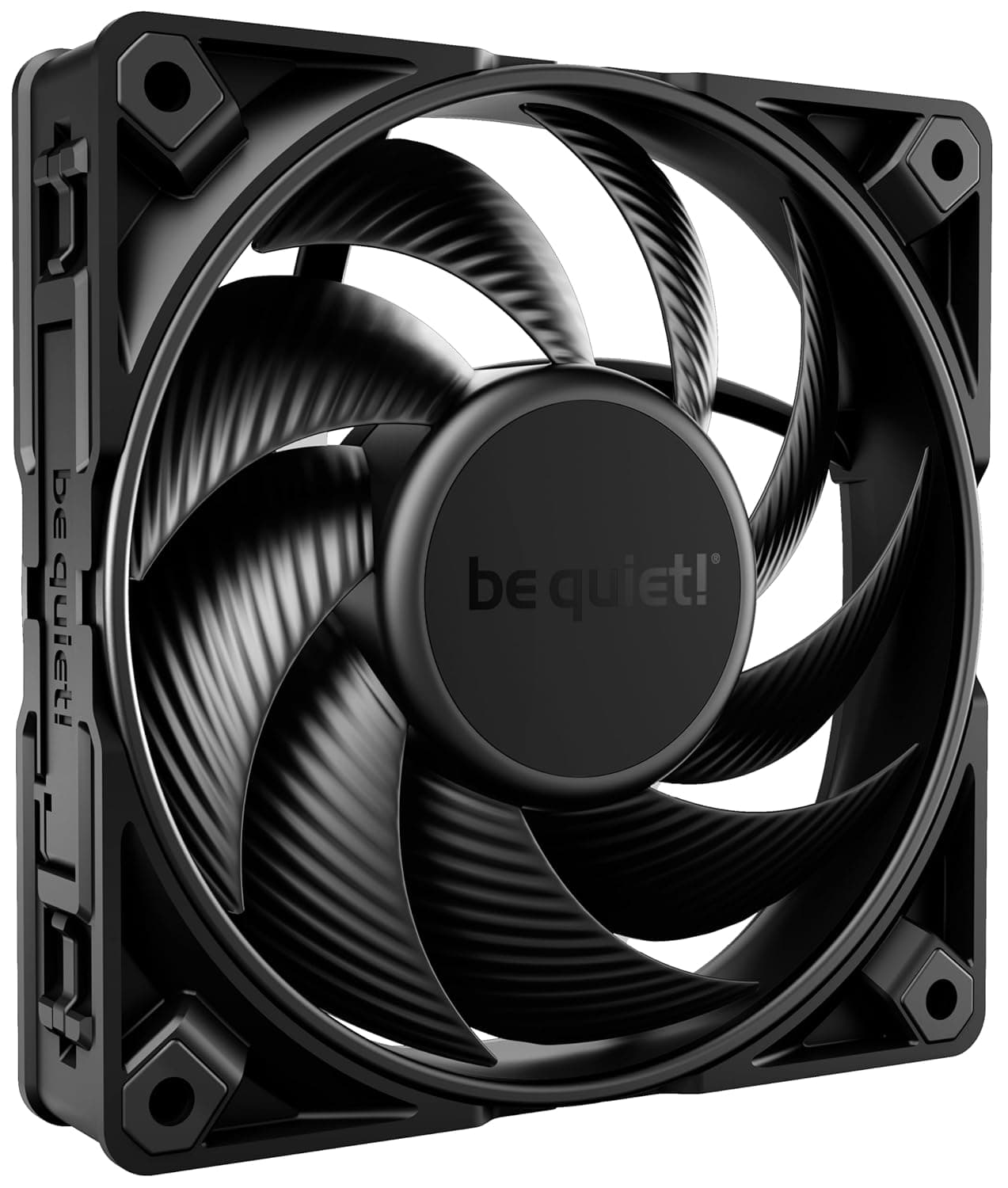
This article covers the be quiet! Silent Wings Pro 4 120mm PWM 3000rpm — Premium high-speed PWM case fan for silent cooling.
We go through how to read its specs, what to check for compatibility before installing it, how to use its speed switch, and who should skip it.
Overview
The be quiet! Silent Wings Pro 4 120mm PWM 3000rpm is a premium 120mm fan that targets both quiet operation and strong cooling.
Its maximum speed is 3000rpm, and its noise level at maximum speed is 36.9dBA.
It uses a 6-pole fan motor and a fluid dynamic bearing, a design aimed at smooth, low-vibration rotation.
The short answer: this fan shines where air struggles to pass, such as AIO radiators and CPU cooler heatsinks. Its blades are optimized for radiators and heatsinks, and its frame combines a small tip clearance (the gap between blade tips and frame) with a funnel-shaped air outlet to produce very high static pressure.
On the other hand, it has no RGB lighting and is priced high, so it is a poor fit if you simply want to fill case fan slots cheaply.
The other defining feature is the speed switch on the fan itself. It lets you choose the maximum PWM speed from three presets, 1600rpm, 2500rpm and 3000rpm, so the same fan can lean toward silence or toward cooling.
This article also explains how to choose between those settings.
Compatibility Guide
The fan measures 120mm x 120mm x 25mm and fits standard 120mm fan mounts. It can be installed on case fan mounts, CPU coolers that accept 120mm fans, and radiators built in 120mm units (120/240/360mm).
The 25mm thickness is the common standard, so mounting itself is rarely an issue outside unusual slim mounts. It will not fit 140mm mounts or radiators.
Physical clearance is where builds tend to go wrong. For a top-mounted radiator, check that the radiator thickness plus the fan's 25mm does not collide with the VRM heatsink or memory at the top edge of the motherboard.
When mounting it on the front of an air tower cooler, tall memory modules can also hit the bottom of the fan. For air coolers, confirm that the cooler's fan clips support a 25mm-thick 120mm fan.
For power, the fan uses a 4-pin PWM connector, is rated at 12V and draws 3W. 3W at 12V works out to about 0.25A, which is a useful reference when chaining several fans onto one header with a splitter.
Header current limits vary by motherboard, so always check your board's manual before deciding how many fans to combine.
Speed control assumes PWM. The speed switch sets the upper limit of PWM control, and the actual speed within that range is set by your motherboard's fan curve.
If you plan to connect it to a 3-pin (voltage-controlled) header, check the product page or manual for its behavior first.
| Check | This product | How to verify |
|---|---|---|
| Mount size | 120mm, 25mm thick | Is the mount 120mm, not 140mm-only? |
| Connector | 4-pin PWM | Does the board have a free 4-pin header? |
| Power | 12V, 3W | Is the splitter total within the header limit? |
| Clearance | 25mm thick | Does radiator + 25mm clear RAM and VRM? |
Product Info
Released in 2022, the be quiet! Silent Wings Pro 4 120mm PWM 3000rpm sits firmly in the high-end segment of the case fan market.
It is sold as an officially authorized product in Japan and comes with a manufacturer warranty. It is aimed at enthusiasts tuning their airflow and at users who want efficient fans for water-cooling radiators.
| Item | Value |
|---|---|
| Fan size | 120mm x 120mm x 25mm |
| Max speed | 3000rpm |
| Speed switch | Medium (1600rpm) / High (2500rpm) / Ultra-High (3000rpm) |
| Noise level | Up to 36.9dBA |
| Connector | 4-pin PWM |
| Rated voltage / power | 12V / 3W |
| Fan motor | 6-pole |
| Bearing | Fluid dynamic bearing |
As of May 30, 2026, Amazon.co.jp listed it at ¥5,073.
On eBay US, a listing at $34.99 was captured on July 8, 2026.
Both are snapshot prices that shift with sales and stock, so check the current price and pack size (single fan or multi-pack) on the product page before buying.
On Amazon.co.Check the retailer's page for the latest user reviews.
Keeping that rating across more than a thousand reviews suggests buyer regret is not common. Reviews cover mixed use cases, though, so look for feedback from people using it the way you plan to, on a radiator or as a case fan.
Choosing a Speed Switch Setting
Decide on the switch position before installation. Once the fan is sandwiched on a radiator or clipped onto a cooler, the switch can be hard to reach.
| Setting | Max speed | Best for |
|---|---|---|
| Medium | 1600rpm | Quiet-focused case fans, low-heat builds |
| High | 2500rpm | 240/360mm radiators, high-heat CPU/GPU builds |
| Ultra-High | 3000rpm | Thick radiators or heavy testing where cooling beats noise |
The published 36.9dBA figure is the value at maximum speed.
Noise figures for the Medium and High settings are not in our data, so we do not quote any here. A practical way to think about it: the 1600rpm setting is insurance that the fan never gets louder than a certain point under load, while 3000rpm is headroom for when you need full cooling.
Everyday speed is still governed by the fan curve, so a 3000rpm setting does not mean it spins at 3000rpm at idle.
Compared With Other Fans
120mm fans broadly split into airflow-focused designs, which move lots of air through open space, and static-pressure designs, which push air through resistance such as radiators and fin stacks. The Silent Wings Pro 4 is clearly static-pressure oriented, with blades optimized for radiators and heatsinks and a funnel-shaped frame.
In an open case with a mesh front and thin filters, a cheaper airflow-type fan can handle intake duty well. For intake through dust filters or on dense radiators, a static-pressure design makes a more noticeable difference.
Even among static-pressure 120mm fans, some emphasize high speed and raw pressure while others balance noise and pressure, so compare how each lets you manage the noise ceiling, not just the top speed. This fan's clear advantage is that the switch sets that ceiling physically.
Best Use Cases
High-end gaming PC builders — Systems with powerful CPUs and GPUs depend on good case airflow. The high static pressure design keeps cooling effective through radiators and restricted intakes.
Using the High (2500rpm) setting as a baseline leaves cooling headroom while capping noise.
Silent PC enthusiasts — With the switch on Medium (1600rpm), the fan will not exceed that speed even under load, which helps keep the room quiet. The fluid dynamic bearing and 6-pole motor also help keep vibration low.
Users seeking radiator fans — The optimized blade shape is designed to perform on radiators and heatsinks, keeping pressure up even on dense fin stacks. It is a strong candidate for replacing the stock fans on an AIO cooler.
Builders who want one fan model for everything — You can run the same fan on Medium for case intake and High on the radiator, keeping parts and looks consistent.
Things to Consider
At the maximum 3000rpm setting, the noise level reaches 36.9dBA, which is higher than typical silent fans. If you use Ultra-High mode, consider sound-dampening panels or tuning the fan curve.
Few builds truly need 3000rpm, so starting at High or Medium is the safer choice.
It only comes in 120mm. It will not fit 140mm mounts, so check whether your case or radiator uses 120mm or 140mm mounts before purchasing.
It costs more than standard case fans. At ¥5,073 on Amazon.co.jp as of May 2026, lining up three or four of them for case intake and exhaust adds up quickly.
In an open case the difference rarely justifies the cost, so a sensible compromise is to use it only where static pressure matters, on radiators or coolers, and cheaper fans elsewhere.
There is no RGB lighting. If your build is about visual effects, a lit fan will likely satisfy you more.
The switch can be hard to change later. Once mounted on a radiator or cooler, the switch may be difficult to reach, so set it before installation.
Watch out for price data labels. In our automatically collected data, a price labeled Amazon US actually pointed to Amazon.co.jp, so a Japanese price was being shown as a US price.
We do not treat it as a US Amazon price here. When you visit a listing, confirm the country, seller and pack size from the images and title before buying.
FAQ
Q. Is it loud if I run it at 3000rpm all the time? A.
At maximum speed it reaches 36.9dBA, which is on the high side for a silent fan.
Most users let the fan curve raise and lower speed with load rather than running it flat out.
Q. With the switch at 1600rpm, can PWM still lower the speed? A.
Yes. The switch sets the PWM upper limit, and the motherboard fan curve controls speed within that range.
Q. Can it replace a 140mm fan?
A. No. It is a 120mm fan, and its mounting holes do not match 140mm mounts or radiators.
Q. Is it worth using as a case intake fan? A.
Behind dust filters or fine mesh, its static-pressure design helps. In a case with a wide-open front, a cheaper airflow-type fan is often enough.
Q. How many can I put on one motherboard header? A.
Each fan draws 3W (about 0.25A at 12V).
Header limits differ by motherboard, so calculate the count from your manual.
Product Disclosure (Amazon)
- Manufacturer: be quiet!
- Seller: Amazon.co.jp
- Fulfilled by: Amazon.co.jp
- ASIN: B0B746VB2F
- Note: This article covers a manufacturer-made product based on Amazon listing details.