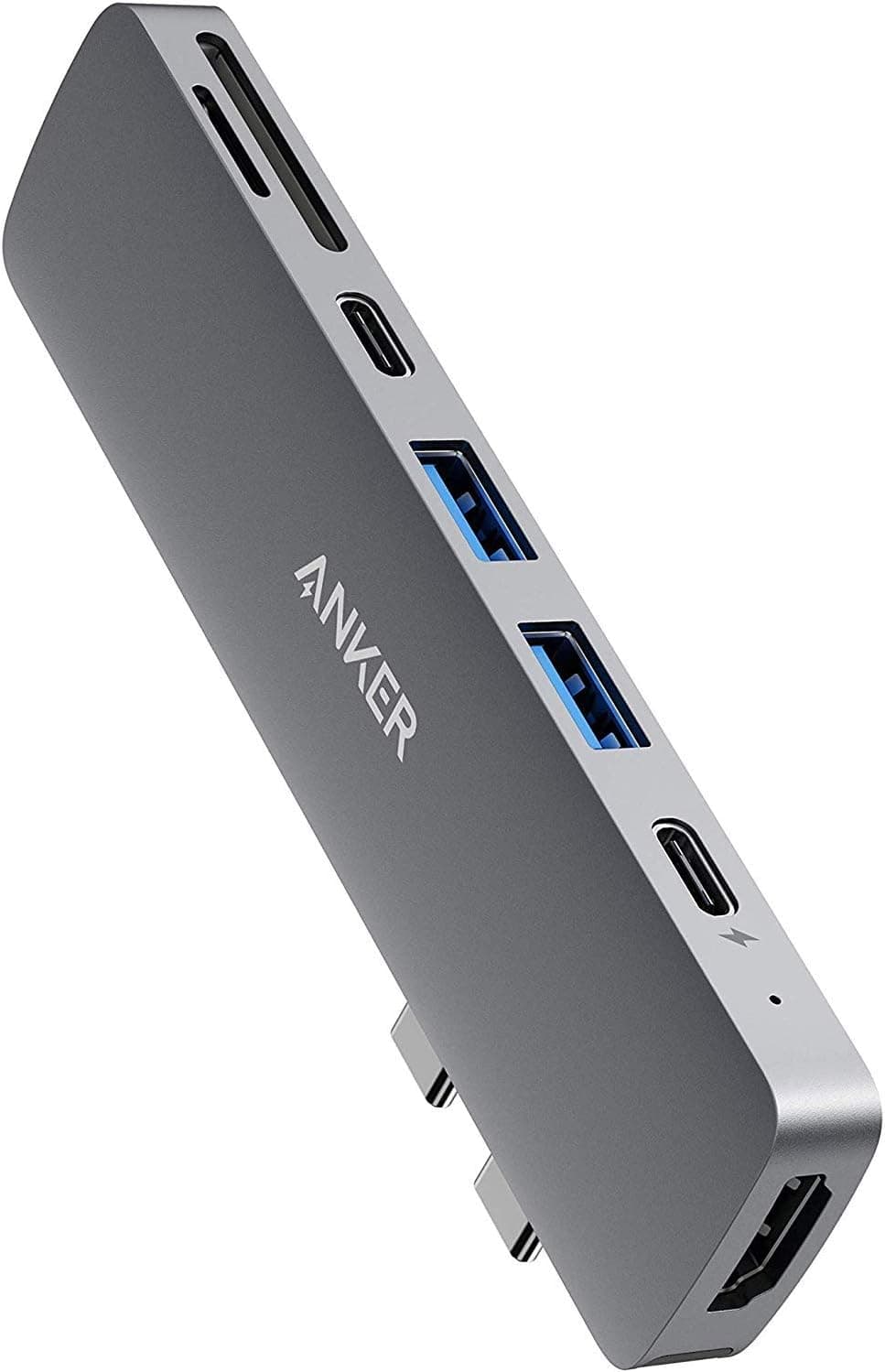
This article covers Anker PowerExpand Direct 7-in-2 USB-C PD メディアハブ.
Overview
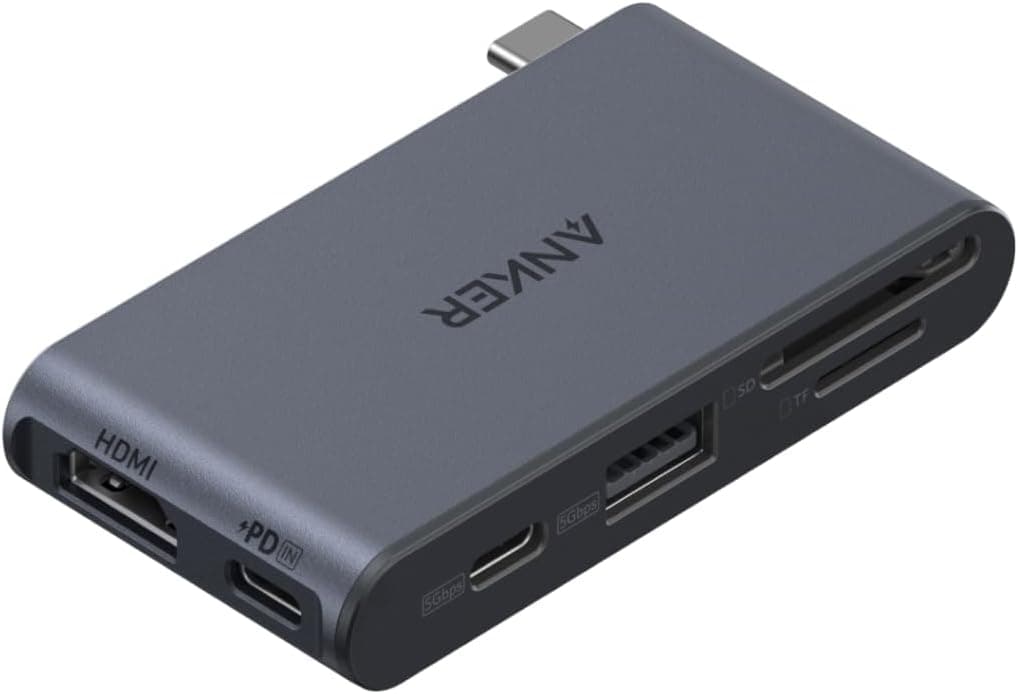
The Anker PowerExpand Direct 7-in-2 USB-C PD Media Hub is a compact USB-C hub designed specifically for MacBook Pro and Air models with two USB-C ports. Measuring just 12 x 2.9 x 1 cm, it plugs directly into your laptop's side, adding seven ports without any dangling cables. The multifunction USB-C port supports up to 100W pass-through charging, 40Gbps data transfer, and 5K video output. An HDMI port delivers 4K at 30Hz, while two USB-A ports and microSD/SD card slots cover legacy peripherals and memory cards. This hub solves the common port shortage on modern thin-and-light laptops. It balances portability with practical connectivity, making it a solid choice for everyday office work, presentations, and light media tasks.
Connectivity & Compatibility
The hub connects directly to a MacBook Pro or Air via its built-in USB-C plug. Port breakdown: Multifunction USB-C (1): 100W PD pass-through, 40Gbps data, 5K video Data USB-C (1): 5Gbps data only USB-A (2): 5Gbps each microSD / SD card slots (1 each) * HDMI (1): 4K@30Hz Compatible with Thunderbolt 3 / USB-C MacBook Pro (2016+) and MacBook Air (2018+). Also works with Windows laptops supporting USB-C Alt Mode, though full feature support (5K output, 100W charging) depends on the host device's capabilities.
Product Info
The Anker PowerExpand Direct 7-in-2 sits in the mid-range tier of Anker's USB-C hub lineup. It has been on the market for several years but remains popular due to its reliable performance and compact design. Pricing is around ¥6,290 (approx. $45 USD), offering good value for seven ports. Warranty is 18 months from purchase. The package includes the hub, manual, and customer support card — no extra cables or adapters. Market positioning: a direct-plug hub for MacBook users who prioritize a clean desk and easy portability. It competes with cable-attached hubs in the same price bracket, but its direct-connect form factor reduces clutter.
Best Use Cases
Business professionals with MacBooks: Ideal for on-the-go presentations (HDMI) and transferring files from USB-A drives or SD cards. The compact size fits easily in a laptop sleeve. Not recommended for users who need multiple external displays or Thunderbolt 4 speeds. Minimalist desk setups: The cable-free design keeps your workspace tidy. Great for home offices where you want a permanent hub without extra wires. However, if you need more than one HDMI output, consider a larger hub. Budget-conscious first-time hub buyers: Covers essential ports at a reasonable price. Suitable for students or casual users. Note that the SD card slot is UHS-I only, so professional photographers may want a faster reader. Windows laptop users with USB-C Alt Mode: Works with many Windows ultrabooks, but verify your laptop's USB-C capabilities beforehand. Some features like 5K output may not be supported on non-Mac hardware.