Overview
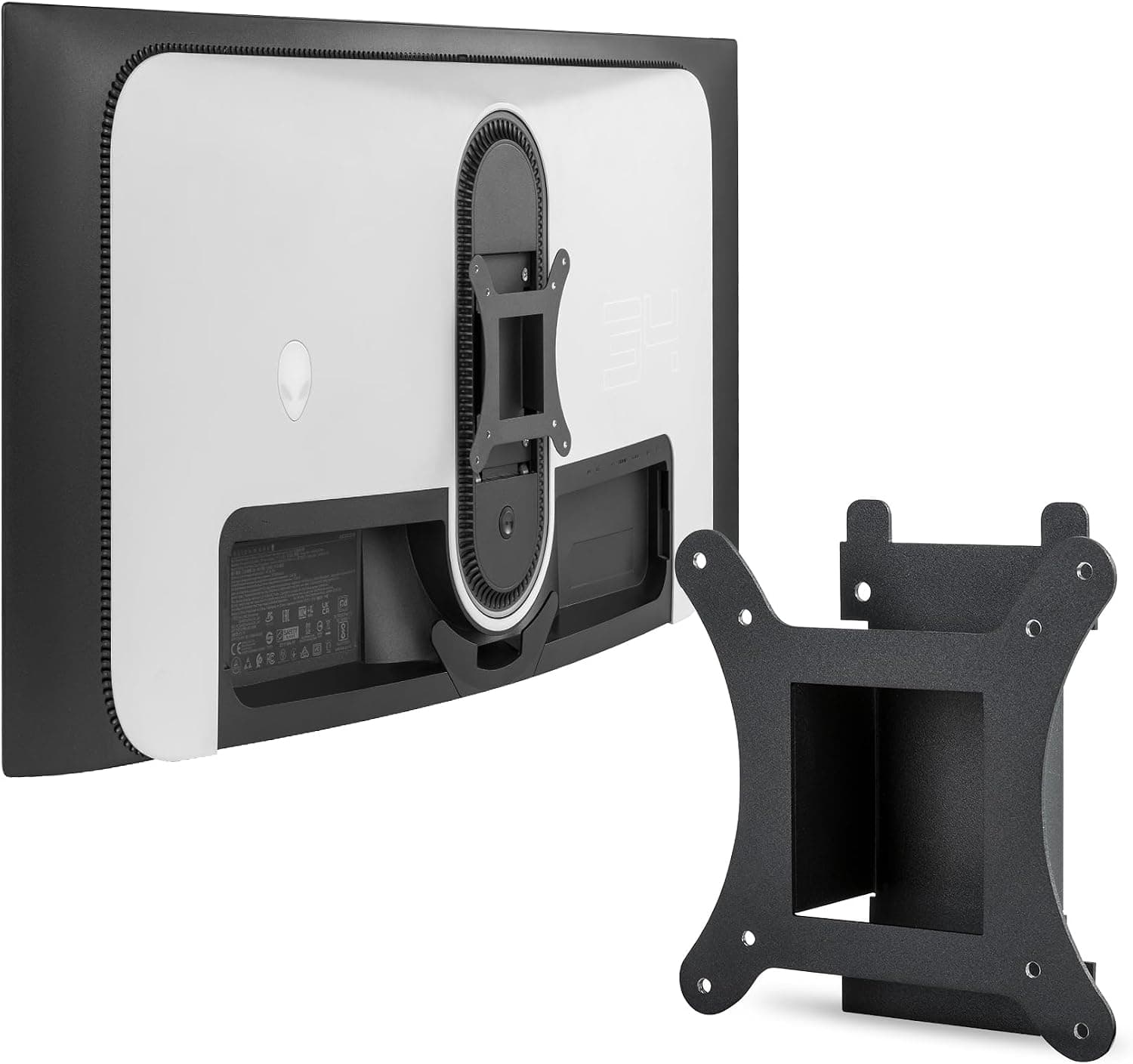
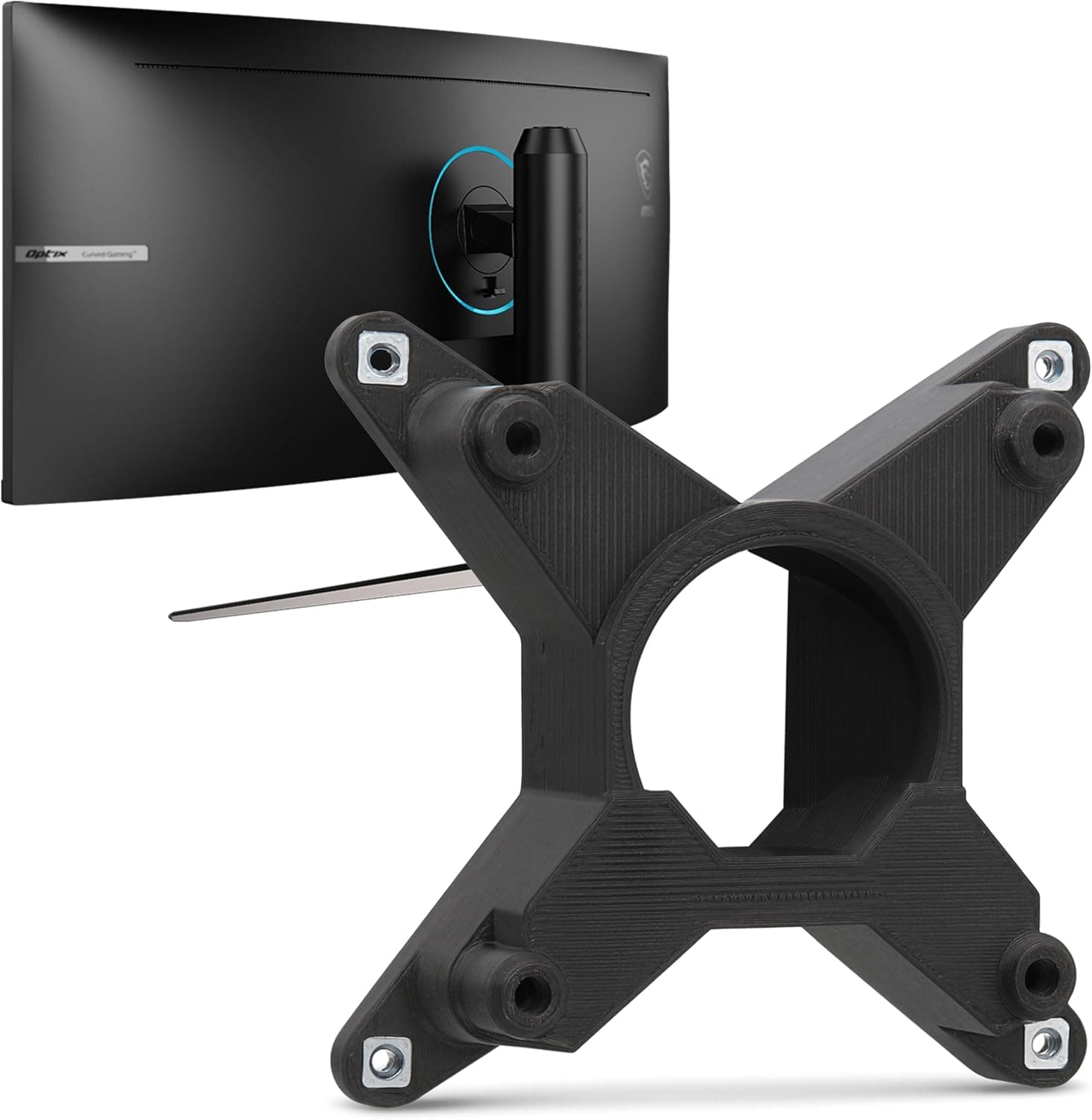
The 3IDEE VESA adapter is a model-specific plate that adds a 75x75mm mounting interface to select MSI Optix monitors that ship without VESA holes. It bolts to the monitor's existing stand attachment points, letting you switch to a standard monitor arm or wall bracket.
The verdict up front: it is a strong option if your exact model is on the compatibility list and your arm supports 75x75mm with enough load capacity — but if either condition fails, the part is useless to you.
As captured on June 12, 2026, the Amazon.co.Check the retailer's page for the latest user reviews.
That is a healthy sample size for such a niche accessory, which suggests fit-and-finish problems like mismatched hole spacing are rare. Keep in mind, though, that those ratings come from owners of the listed models.
Compatibility Guide
The stated compatible models are MAG342CQR, MAG342CQRV, MAG301CR2, AG321CQRDE, plus a fifth part number. That fifth entry is truncated in the spec data as "MAG342CQ", so the full model string cannot be confirmed from the listing alone.
MSI suffixes such as V or DE can indicate regional or panel revisions, and a single-letter difference sometimes means a different rear stand mount. Verify your model number character for character, including the suffix, against the seller's compatibility list before ordering.
MSI monitors not on that list, and monitors from other brands, will not fit.
Next, check the arm. This plate provides 75x75mm only — not 100x100mm.
Most consumer arms support both, but 100mm-only gas-spring arms and wall plates cannot attach directly. Stacking a 75-to-100 step-up plate is possible, yet the extra offset pushes the center of gravity rearward and eats into the arm's usable load range.
Choosing an arm that natively supports 75x75mm is the cleaner path.
Load rating matters just as much. The MAG342CQR is a 34-inch class ultrawide curved panel, and displays in that class commonly weigh several kilograms even without the stand.
Budget arms often top out around 8kg, and effective capacity drops further at the extremes of their travel. Add the adapter's own weight and pick an arm with 2–3kg of headroom; without it, the arm will slowly sag under the panel.
Finally, think about physical clearance. An ultrawide is roughly 800 mm across, so depending on where the pole sits, it may hit a wall or window frame.
The adapter also pushes the monitor forward by its own thickness, reducing how far back you can retract the screen on a shallow desk. If you use a C-clamp arm, measure your desktop thickness first.
| Check | Requirement |
|---|---|
| Monitor model | Exact match to the list, suffix included |
| Arm VESA pattern | Must support 75x75mm |
| Arm load rating | Monitor weight + adapter, plus 2–3kg headroom |
| Tools | One Phillips screwdriver (screws included) |
| Space | Ultrawide width and the forward offset the plate adds |
Product Info
The published specs cover two points: a 75x75mm VESA pattern and support for five monitor models. The package contains the plate, a screw set, and a short instruction sheet; a Phillips screwdriver is the only tool needed.
Installation means removing the stock stand and bolting the plate to the existing holes — figure on 10 to 15 minutes. Because the monitor has to lie face down, put a blanket under the panel and get a second pair of hands if you can.
The price on Amazon.co.jp was ¥12,262 as captured on June 13, 2026.
For a single metal bracket that is frankly not cheap — it is entry-level monitor arm money. Prices move with stock and sales, so confirm the current figure on the product page.
The eBay entry resolves only to a search page with no fixed price, so no dollar figure is quoted here.
3IDEE builds VESA conversion plates tailored to particular monitor families. That model-specific design is why fitment is reliable, but it also means the part cannot be reused when you replace the display — worth weighing against the price.
Best Use Cases
The clearest fit is an owner of a listed MSI Optix monitor who wants the desk depth back. Ultrawide stock stands have a large footprint that crowds out keyboards and speakers; moving to an arm frees nearly the whole rear of the desk.
Second, anyone who repositions the screen often — switching between sitting and standing, or lining the display up with a camera for streaming — gains real day-to-day comfort from an arm's range of motion. Wall mounting and pole setups also help ultrawide users push the panel 100-150 mm further back, which makes the far edges of the screen easier to read.
Conversely, if your monitor already has VESA holes, or the stock stand position suits you fine, this adapter buys you nothing. If the motivation is just "an arm would look nice," rearranging the desk is a far cheaper experiment.
Things to Consider
Before Buying
First, treat exact model matching as the top priority. As noted, the fifth listed model number is cut off mid-string, so the data cannot tell you which variants are included.
MSI splits revisions with V and DE suffixes, and outwardly identical panels can differ at the rear mount. Compare the seller's list against the label printed on the back of your monitor.
Second, do not take the listing metadata at face value. Accessory listings sometimes carry stray metadata or descriptions belonging to a different model.
Confirm that the photos, the title, and the compatibility list all agree before you order, and message the seller with your model number if anything looks off.
Third, calibrate your price expectations. ¥12,262 at capture time is steep for a part whose function is "add mounting holes." The limited model coverage means low production volume, but from your side it means a ¥20,000–30,000 total once you add the arm itself.
Decide whether that combined figure is acceptable first.
Fourth, warranty and reversibility. Because the plate shares the monitor's stand screw holes, overtightening can damage the rear housing.
Use the supplied screws only, and stop as soon as you feel resistance. Check the seller's page and MSI's terms regarding warranty implications.
Fifth, assume the stock stand goes into storage. Reverting is possible, but losing the stand or its original screws will hurt at resale time.
Keep the box and hardware.
Alternatives and Comparison
There are broadly three routes. A model-specific adapter like this one guarantees hole alignment but costs more and cannot be reused.
Universal clamp-style mounting kits that grip the bottom bezel are cheap and model-agnostic, but a curved ultrawide gives them a poor contact surface and less confident retention. The third route is replacing the monitor with one that has VESA holes built in — if the adapter plus arm runs ¥20,000–30,000, putting that toward a new display is a legitimate call.
The same problem shows up on other large curved panels such as the Samsung Odyssey series, where dedicated adapters exist per model. Checking whether a model-specific plate exists for your display is the right starting point in this category.
FAQ
Q. Can I use a 100x100mm arm? A.
Not directly. This plate is 75x75mm only.
Either choose an arm supporting both patterns or add a 75-to-100 step-up plate — but the added offset shifts the center of gravity back, so the arm needs load headroom.
Q. Do I need special tools? A.
No. A Phillips screwdriver is enough and the screws are included.
Lay the monitor face down on something soft to protect the panel.
Q. Will it fit an MSI monitor that isn't listed? A.
No. The design is model-specific, so the mount shape and screw positions must match.
Check the suffix on your model number.
Q. What arm load rating should I look for? A.
A 34-inch ultrawide weighs several kilograms without its stand. Take the weight from your monitor's manual, add the adapter, then allow 2–3kg of margin.
Q. Can I go back to the stock stand?
A. Yes, if you keep the stand and its original screws. Store them with the box.
Q. Are the reviews trustworthy?
A. But those buyers owned compatible models — it is not proof that yours is supported.