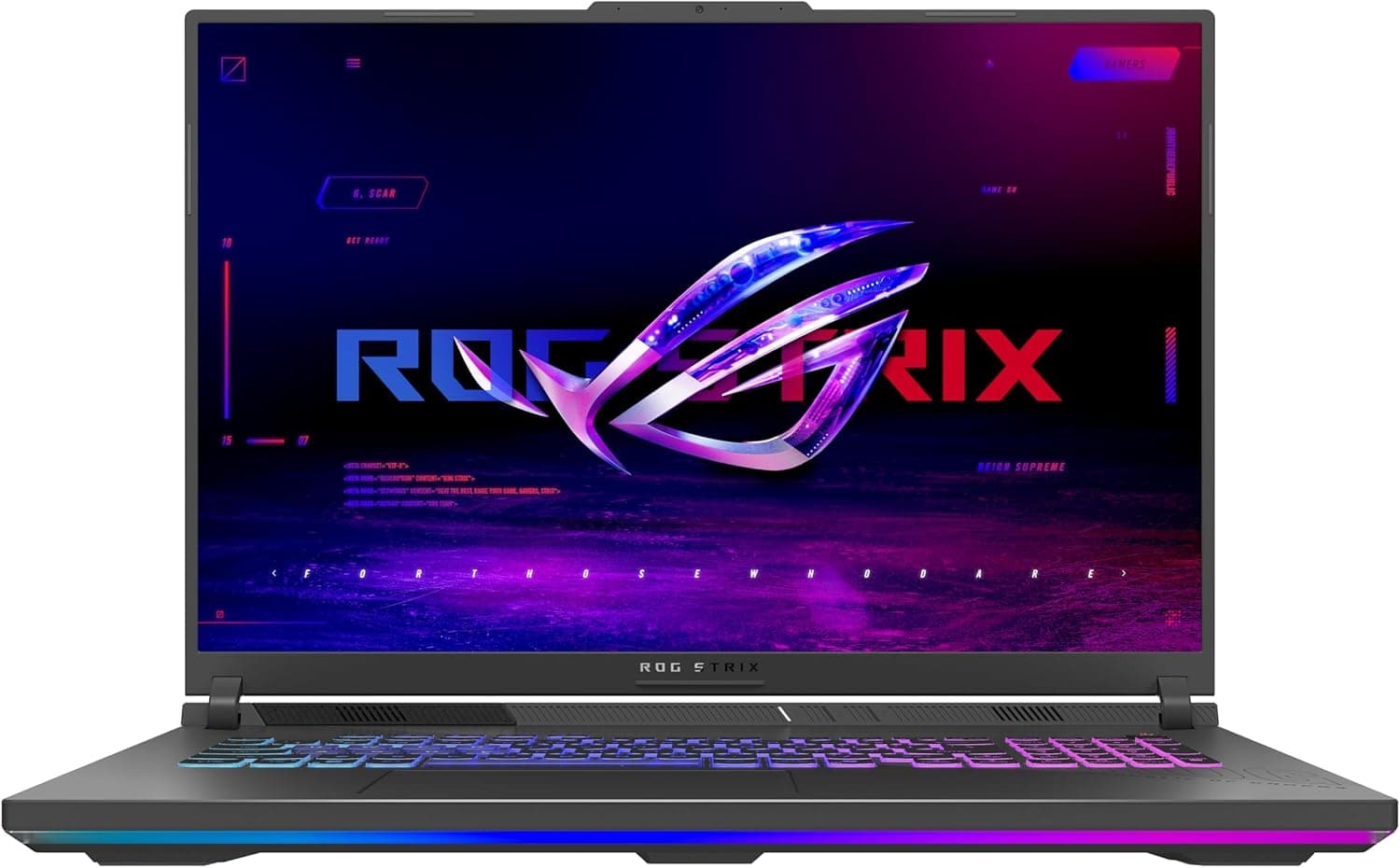
The ASUS ROG Strix G18 (2025) ゲーミングノートパソコン, as it is listed in Japan, is an 18-inch gaming laptop built around the assumption that it stays on a desk. This article works through the supplied specifications and captured store data to show where it is strong and where you have to compromise.
Overview
The short version: this machine spends its silicon on frame rate and screen area rather than on resolution. The panel is an 18-inch 1920x1200 (FHD+) 16:10 display at 144Hz with a 3ms response time, paired with an NVIDIA GeForce RTX 5060 Laptop GPU (Blackwell architecture, DLSS 4 support) and an AMD Ryzen 9 8940HX.
It ships with 16GB of DDR5-5200MHz memory, a 1TB PCIe Gen 4 SSD, and Windows 11 Home.
The logic behind that pairing is clearer in pixel counts. 1920x1200 is roughly 2.3 million pixels: a little over a quarter of 4K (about 8.3 million) and about 60 percent of WQHD 2560x1440 (about 3.7 million).
Fewer pixels to draw means the same GPU has headroom to raise quality settings or push frames. As a resolution to sit behind a 144Hz panel, it is a sensible match.
The trade-off is pixel density. Spread across 18 inches, 1920x1200 works out to roughly 126ppi (about 2264 diagonal pixels divided by 18 inches).
That is coarser than a 15.6-inch Full HD panel (about 141ppi) and finer than a 27-inch Full HD monitor (about 82ppi).
It is not distracting in games, but opinions differ for long reading sessions, so look at a display in person if you can. The panel uses an ACR film, which is described as improving contrast and cutting reflections.
Cooling is ROG Intelligent Cooling with a tri-fan layout, full-width heatsinks, and full-surround vents. An 18-inch chassis translates directly into heatsink area and fan headroom, so sustained high loads are easier to hold than on a thin 14- or 15-inch machine carrying the same GPU.
Compatibility Guide
Memory is DDR5-5200MHz and upgradable to 64GB. Since it ships with 16GB, this is the most practical upgrade path.
One caveat: whether that 16GB is a single 16GB module or two 8GB modules changes behaviour, and the supplied specification data does not say. If you upgrade, aim for a matched pair in dual channel.
Check slot count and free slots on the product page or the manufacturer spec sheet before ordering.
Storage is M.2 NVMe PCIe Gen 4 x4 with 1TB fitted.
A Gen 5 drive will work but will run at Gen 4 speeds. Large titles routinely approach 100GB each, so treat 1TB as enough for a handful of installed games.
Whether you add a drive or swap the existing one depends on free slots, so confirm that in advance too.
Display output is HDMI 2.1, supporting 4K at 120Hz or higher.
On a desk, you can run the 18-inch panel as a secondary display with an external monitor as the primary. Ports include USB Type-A, USB Type-C, and a 3.5mm audio jack, but the supplied specifications do not state whether the Type-C port supports DisplayPort Alt Mode or Power Delivery charging.
If you plan a single-cable dock setup, verify that first.
Wireless is Wi-Fi 6E plus Bluetooth. Wi-Fi 6E can use the 6GHz band, which avoids congested 2.4 and 5GHz channels.
A Wi-Fi 7 router will connect fine through backward compatibility, but this machine tops out at Wi-Fi 6E. For competitive play, a USB Type-A Ethernet adapter is a reasonable addition; the spec data does not state whether a built-in Ethernet port exists.
No recommended power figure is included in the supplied data. As a general rule for gaming laptops, sustained load assumes the bundled AC adapter, and a generic USB PD charger alone will not cover the moments when CPU and GPU run flat out together.
Plan on carrying the adapter if you move the machine at all.
The OS is Windows 11 Home. Domain join and centrally managed BitLocker require an upgrade to Pro.
Product Info
rmation
Pricing captured on 2026-08-26 shows JPY 318,286 at Amazon.co.jp, and a capture on 2026-08-17 shows USD 3,427.41 on the eBay US marketplace.
Both are point-in-time figures, and gaming laptop pricing moves with sales and stock. Overseas marketplace listings also carry shipping, duties, and warranty handling that domestic pricing does not, so the two numbers are not directly comparable.
Check the current price on the store page before buying.
Reviews, captured on 2026-07-09, stand at 43 ratings averaging 4.1 out of 5 (82 percent positive).
That is a decent level, but 43 is a small sample to read trends from. Rather than the star average, read what the negative reviews actually describe: dead-on-arrival units, heat and noise, or a mismatch with expectations.
Warranty is the standard one year from the manufacturer, extendable through product registration in some regions. The box includes the AC adapter, power cable, and documentation.
It is sold through the ASUS official online store, major electronics retailers, and general e-commerce channels.
How It Compares
The same RTX 5060 Laptop GPU appears in chassis from 14 to 18 inches, so identical silicon does not mean an identical experience. The differences land in cooling headroom, display, and weight.
This machine takes the large-chassis position: better cooling and screen, worse portability.
| Priority | This 18-inch model | 14-16 inch models |
|---|---|---|
| Workspace and immersion | Strong (18-inch 16:10) | Weaker |
| Sustained heavy load | Strong (large chassis, tri-fan) | Varies widely |
| Portability and battery use | Weak | Strong |
| Pixel density | Ordinary at about 126ppi | Better at the same resolution |
| Desk footprint | Needs depth and exhaust room | Flexible |
The reason to pick this machine is the size itself. If your usage does not exploit that size, a smaller machine with the same GPU will leave you happier.
Real-World Settings
1920x1200 is a light load for a current-generation GPU. High to maximum settings are realistic in most titles, and competitive games can reach frame rates that actually fill the 144Hz panel.
If you enable ray tracing, assume DLSS upscaling is part of the setup.
DLSS 4 frame generation raises apparent frame rates substantially but changes the feel of input latency. Use it in heavy single-player titles, leave it off in competitive shooters.
The easiest order of operations is to settle resolution and quality settings first, then close the remaining gap with upscaling and frame generation.
VRAM capacity is not listed in the supplied specification data. Texture quality is the setting that most affects VRAM use in recent titles, so if you plan to run high texture settings, confirm the VRAM figure on the product page first.
Who It's For
Desktop replacement buyers. If the machine never moves, the 18-inch panel, Ryzen 9 8940HX, and RTX 5060 Laptop GPU add up to a complete setup with no separate monitor purchase.
Add an external display later and you have a dual-screen workstation.
Creators who want screen area. Video timelines, 3D viewports with property panels, and photo editing palettes all benefit from both width and height, which is exactly what 18 inches at 16:10 provides.
The 1TB PCIe Gen 4 SSD is fast enough as a scratch drive, but plan on external or added storage if your media library grows.
Gamers consolidating onto one machine. Playing at high settings, streaming or recording, and everyday use all fit on one system.
The price tier suits intermediate to advanced buyers; it is overkill for a first, minimal gaming PC.
Before You Buy
16GB is the bare minimum by current standards. Games alone rarely struggle, but streaming with a wall of browser tabs, video editing, or running local AI tools will hit the ceiling.
The 64GB maximum is the saving grace, but if your plan is to add memory later, confirm slot configuration and free slots before ordering. Buying blind and discovering a single 16GB module is a common way for an upgrade plan to fall apart.
Accept the FHD+ panel going in. Buyers who see 18 inches and expect 4K or WQHD are let down by roughly 126ppi.
The GPU here exists to drive 1920x1200 comfortably, not to drive a higher resolution. If sharp text is the main goal, add an external monitor or look at a different configuration.
Size and weight change how you use it. An 18-inch machine is bulky, and the AC adapter adds to that; weight is not listed in the supplied data.
It may not fit a commuter bag, a cafe table, or a standard backpack. If you expect to carry it often, rule it out now.
A big chassis does not mean a quiet one. Tri-fan cooling and a large body help thermals, not silence.
Fans spin up under load. If noise matters, plan on switching performance modes and using a headset.
Watch the gap between listed prices. As noted, the domestic and overseas marketplace figures differed sharply at capture time.
Overseas listings carry hidden costs in shipping, duties, and warranty service, so comparing sticker prices alone is risky.
Store listing data can disagree with the actual unit. In the source data for this article, a product identifier, 197105964907, had been spliced onto the front of the article title.
Retail listings sometimes mix in the wrong model number or a different configuration. Cross-check CPU, GPU, memory, storage, and panel resolution against the product images, the product name, and the manufacturer spec page.
Several model years and configurations share the ROG Strix G18 name, so that check pays off.
Remember the 43-review sample. An 82 percent positive rate is good, but 43 ratings is not a statistically settled number; a few defective units can move the average.
FAQ
Q. Will the RTX 5060 Laptop GPU run current AAA titles? A.
At this machine's 1920x1200, high settings are realistic in most titles. Ray tracing assumes DLSS upscaling alongside it.
Demanding titles need tuning, but there is real room to make use of the 144Hz panel.
Q. Can I add memory myself? A.
The specification allows DDR5-5200MHz up to 64GB. Slot count, free slots, disassembly steps, and warranty terms vary by model and region, so check the manufacturer spec page before buying.
Q. How many external monitors can it drive? A.
The only output explicitly stated in the supplied specs is HDMI 2.1 at 4K 120Hz or higher.
Video output over USB Type-C is not documented here, so confirm it if you need multiple displays.
Q. Is it usable as a portable machine? A.
Physically yes, but an 18-inch class laptop is poorly suited to daily travel. If you move around a lot, look at 14 to 16 inch models instead.
Q. Does it work with a Wi-Fi 7 router?
A. Yes. Wi-Fi 7 routers are backward compatible, though this machine will operate at Wi-Fi 6E.
Q. Is 1TB of storage enough? A.
Large titles can approach 100GB each, so it is tight if you keep many games installed. With M.2 NVMe PCIe Gen 4 x4, you add a drive if a slot is free, or swap the existing one if not.