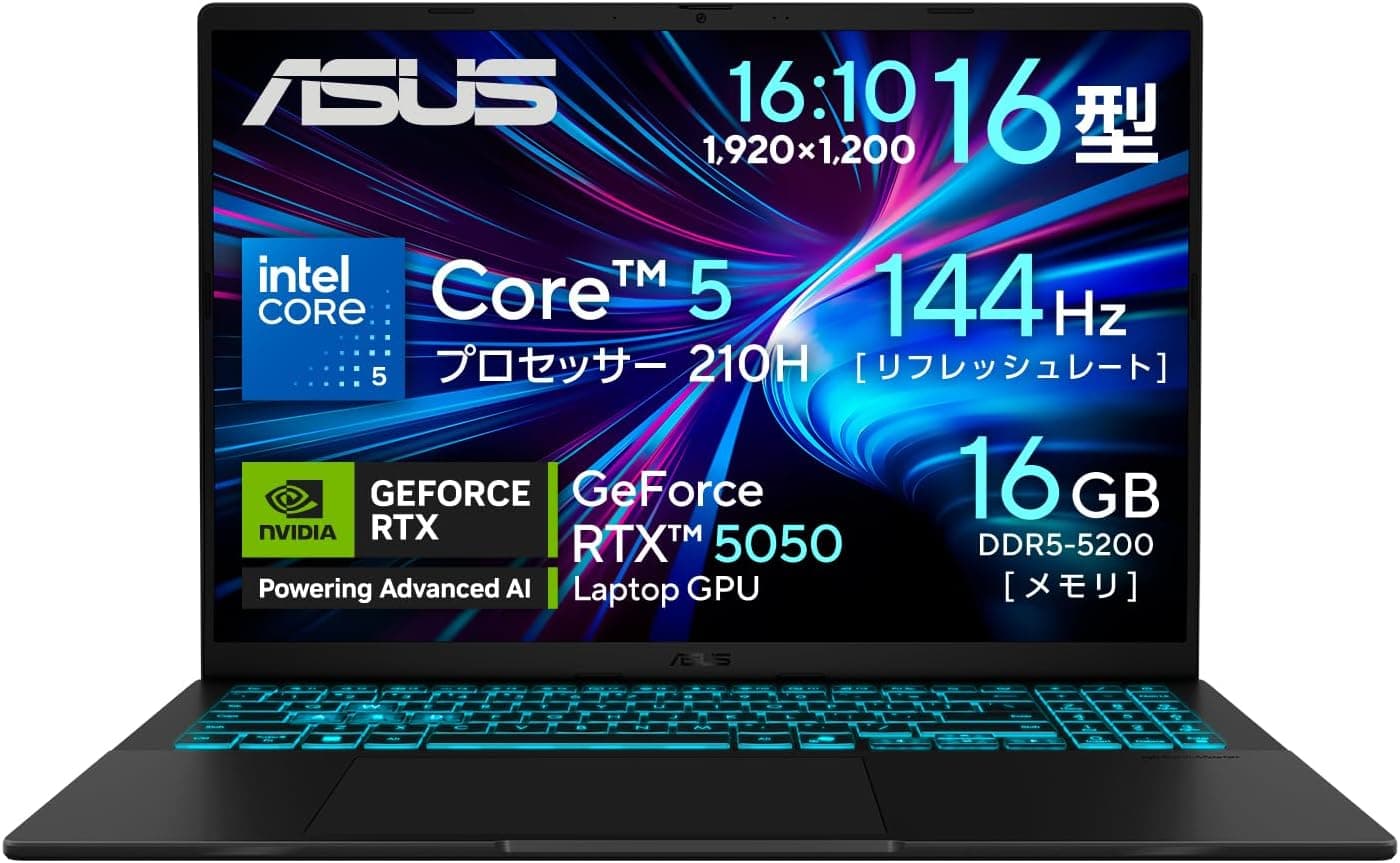
ASUS Gaming V16 V3607VH is a budget-friendly gaming laptop that targets entry-level gamers who want the latest GPU architecture without breaking the bank. It packs an Intel Core 5 210H processor and an NVIDIA GeForce RTX 5050 Laptop GPU (max 70W TGP), paired with 16GB of DDR5-5200 memory and a 512GB PCIe 4.0 NVMe SSD.
The 16-inch display runs at 1920×1200 resolution with a 144Hz refresh rate and a non-glare finish, making it suitable for both gaming and everyday use. Weighing approximately 1.95kg, this laptop is reasonably portable for a 16-inch model.
It comes with a 144Hz IPS-level panel, a backlit Japanese keyboard, and a 2.07MP webcam with a privacy shutter.
The design is understated black, fitting well in both gaming and office environments.Check the retailer's page for the latest price.
It's an ideal choice for gamers who primarily play at 1080p and want to experience DLSS 3 frame generation. As a pre-built notebook, upgrade options are limited.
The laptop uses two SODIMM DDR5-5200 slots—one is occupied by an 8GB module, and one is free. You can upgrade to up to 32GB (2×16GB) by replacing the existing module.
The storage is a single M.2 2280 slot supporting PCIe 4.0 x4 NVMe SSDs; there is no second slot, so you'll need to replace the 512GB drive if you need more space.
Connectivity includes Wi-Fi 6 and Bluetooth 5.3, but no Ethernet port.
You can use the USB-C port (USB 3.2 Gen1, with Power Delivery and DisplayPort Alt Mode) to connect a wired LAN adapter if needed.
Two USB-A 3.2 Gen1 ports and one HDMI 2.0b output are also present.
The power adapter is a 150W unit, and the laptop also supports USB-C PD charging. For gaming, however, the AC adapter is recommended for maximum performance.
The ASUS Gaming V16 V3607VH launched in mid-2025 and is available as an Japan exclusive. Warranty coverage includes 12 months of international warranty plus 12 months of domestic ASUS安心保証 (requires registration within 30 days via MyASUS).
Market positioning is firmly entry-level. The Core 5 210H is a 10-core (2P+8E) Alder Lake-based CPU that delivers adequate performance for gaming and light productivity.
The RTX 5050 GPU, while limited to 70W, supports DLSS 3, making it capable of smooth 1080p gaming in modern titles. 1080p gamers on a budget: If you play Fortnite, Valorant, Apex Legends, or Overwatch, the RTX 5050 can push 100+ fps at medium-high settings.
The 144Hz display makes the experience fluid. Not suitable for 4K or high-refresh-rate 1440p gaming.
Student or office worker with gaming hobbies: The laptop is light enough to carry to class or work, and the all-black design doesn't scream “gamer”. It handles daily tasks like browsing, Office (though not pre-installed), and media consumption well.
If battery life is a top priority, consider a more power-efficient ultrabook. * Aspiring creators: The RTX 5050 provides CUDA acceleration for video editing in Premiere Pro and 3D rendering in Blender.
It's a good entry point for learning creative workflows. However, 16GB of RAM may be a bottleneck for heavy 4K projects.
The 512GB SSD fills up quickly—games like Call of Duty: Black Ops 6 can take 200GB alone. Plan to upgrade the SSD or use external storage.
The free RAM slot allows an easy upgrade to 32GB, but DDR5 SODIMM modules are still expensive. The GPU runs at only 70W, which is lower than many competing gaming laptops (often 90W+).
This means performance will be noticeably lower than the desktop RTX 5050 or even a laptop RTX 4060. Don't expect high frame rates in ray-traced titles.
The keyboard lacks a numeric keypad, which may be a deal-breaker for some users. Also, the absence of an Ethernet port requires a USB-C adapter for stable wired connections, especially for competitive online gaming.
Q: Can I upgrade the RAM myself? A: Yes.
The bottom panel is removable, giving access to two SODIMM slots. One slot is empty, so you can add another 8GB or 16GB module.
The system supports up to 32GB (2×16GB). Q: How does the RTX 5050 compare to the RTX 4050?
A: The RTX 5050 (70W) is roughly on par with the RTX 4050 (75W) in raw performance, but it adds DLSS 3 Frame Generation, which can boost frame rates in supported games. For pure rasterization, they are similar; for DLSS 3 titles, the 5050 has an edge.
Q: What is the real-world battery life like? A: The official 16.4 hours is for video playback.
In actual gaming, expect 1-2 hours. For light tasks like browsing or word processing, you can get around 5-7 hours.
Always carry the AC adapter for gaming sessions.
Product Disclosure (Amazon)
- Manufacturer: ASUS
- Seller: Amazon.co.jp
- Fulfilled by: Amazon.co.jp
- ASIN: B0FD3DZSSF
- Note: This article covers a manufacturer-made product based on Amazon listing details.