Overview
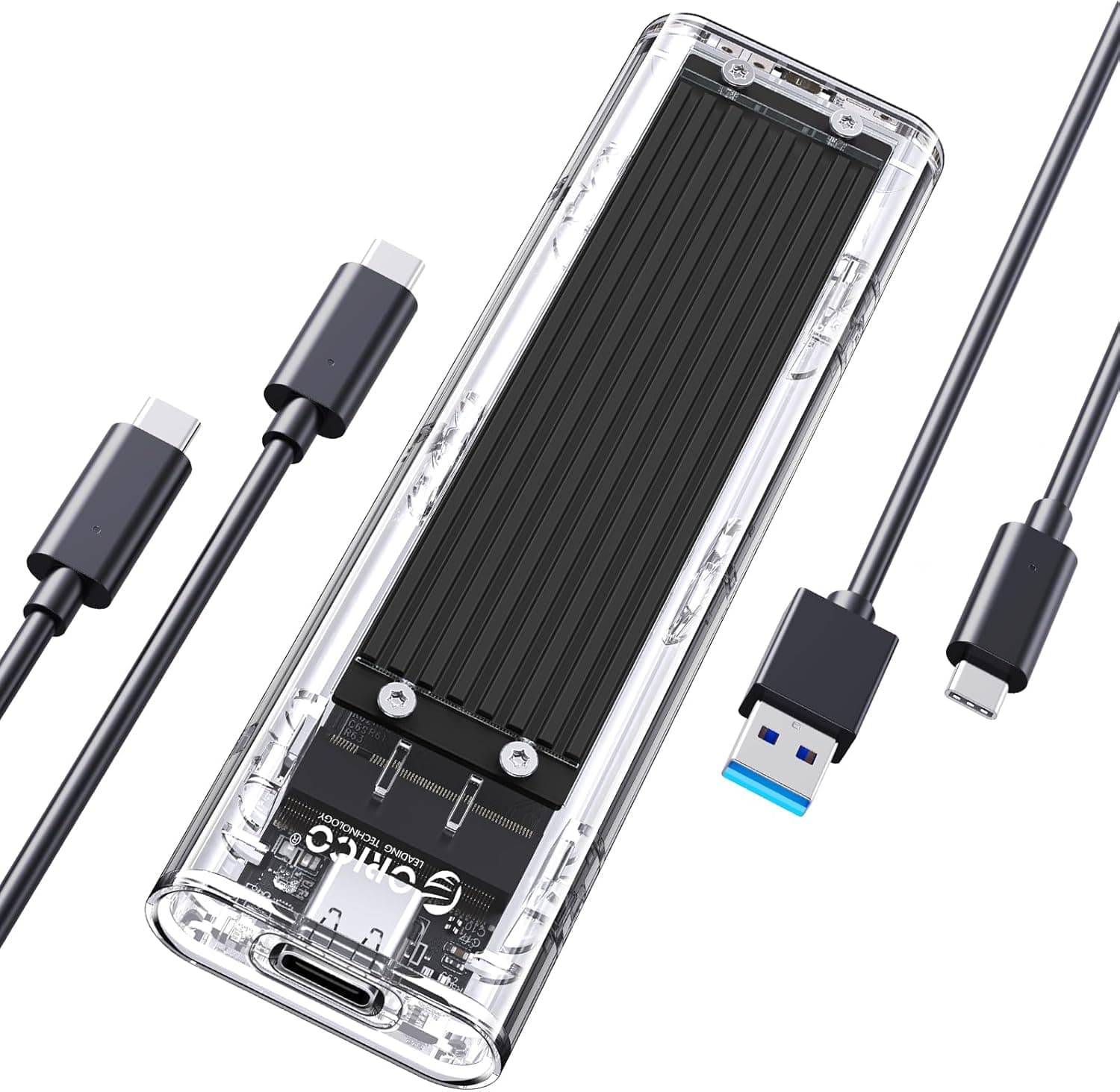
The ORICO TCM2-BK is an enclosure that turns an M.2 NVMe SSD you already own into a USB Type-C portable drive.
No SSD is included, so this product makes the most sense if you have a spare drive left over from an upgrade, or if you plan to buy a bare SSD separately. On Amazon.co.Check the retailer's page for the latest user reviews.
This article covers which drives actually work, what 10Gbps translates to in MB/s, and why the one- and two-star reviews exist.
| Your situation | Verdict |
|---|---|
| You have a spare NVMe SSD | Ideal. A few dollars turns it into a fast portable drive |
| You want more laptop storage | Good, but leaving it plugged in 24/7 is thermally rough |
| Your M.2 stick is SATA (two notches) | Not supported. It will not be detected |
| You want full PCIe 4.0 speed externally | Too slow. Look at 20Gbps or 40Gbps enclosures |
| You want a finished portable SSD | Wrong product. This is an empty enclosure |
Compatibility Guide
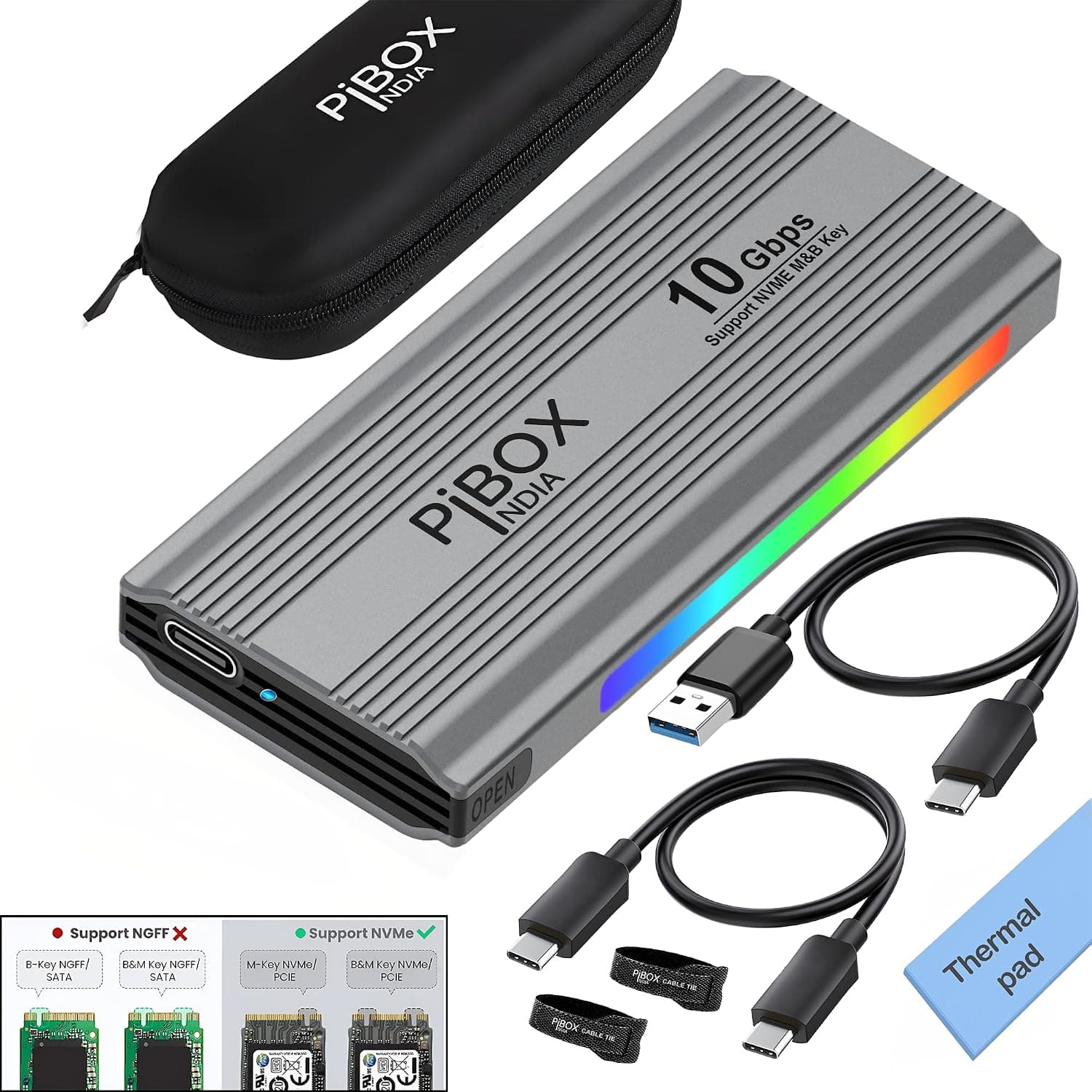
Start with the key type. This enclosure accepts only NVMe drives in M-Key or B&M-Key form; the official compatibility note states plainly that B-Key / B+M-Key SATA M.2 SSDs are not supported.
A single notch toward the right edge usually means an M-Key NVMe drive, while two notches often indicate SATA. Some B&M-Key drives are still NVMe, so the reliable check is the SSD's own spec sheet: look for the words NVMe or PCIe.
Getting this wrong produces the classic failure reported in reviews — the LED lights up but no volume ever appears.
Supported lengths are 2230, 2242, 2260 and 2280. Virtually every current internal SSD is 2280, so this is rarely an issue, but short 2230 drives pulled from handhelds and thin laptops also fit once you move the standoff.
Maximum capacity is listed as 4TB. The enclosure measures 108 x 34 x 12 mm and weighs about 35g on its own, so it stays pocketable even with a drive installed.
The host matters too. Hitting 10Gbps requires a USB 3.2 Gen 2 port; plugging into a USB 3.0 / 3.1 Gen 1 port caps you at 5Gbps, and the bundled USB-C to A cable will not change that.
Listed operating systems are Windows, macOS, Linux, Android and iOS, with no driver installation required. UASP and TRIM are both supported, which helps transfer efficiency and long-term write performance.
What 10Gbps Really Means
Ten gigabits per second works out to roughly 1,250MB/s in theory, and after protocol overhead real-world results typically land somewhere around 900–1,000MB/s. That ceiling applies no matter what you install: a 3,500MB/s PCIe 3.0 drive and a 7,000MB/s PCIe 4.0 drive will both deliver the same speed through this bridge.
That is a limitation of the interface, not a defect, so set expectations before buying.
The flip side is that recycling an older PCIe 3.0 drive is the best value play here.
Compared with a portable HDD at roughly 100–150MB/s, the difference is an order of magnitude — a 50GB game copies in about a minute. Sustained writes will still slow once the drive's cache is exhausted, so peak numbers do not hold across hundreds of gigabytes.
Product Info
The interface is USB 3.2 Gen 2 Type-C (10Gbps), accepting M.2 NVMe drives (M-Key / B&M-Key) in 2230, 2242, 2260 and 2280 lengths, up to 4TB.
The finish is black with a transparent cover that shows the board and drive. In the box you get a USB-C to C cable, a USB-C to A cable, a thermal pad and a manual — two cables means it connects to modern and older hosts alike.
On pricing, Amazon.co.Check the retailer's page for the latest price.
That is nearly a two-fold spread for the same product, so comparing retailers is worth the minute it takes. All of these move with sales and stock, so check the product page for the current figure.
For cooling, the enclosure includes a thermal pad and an aluminum plate that carry heat into the shell. An auto-sleep function cuts idle power draw and heat, and hot-swap support means you can safely disconnect and reconnect without drivers.
How It Compares
There are three broad options. A 10Gbps enclosure like this one is the cheapest, and compatible host ports are everywhere.
A 20Gbps (USB 3.2 Gen 2x2) or 40Gbps (USB4 / Thunderbolt) enclosure can exceed 2,000MB/s but costs several times more, demands a matching host port, and runs hotter.
A sealed portable SSD is the simplest to buy and warranty, but you can never swap the drive inside.
If you already have a spare internal SSD, buying only the enclosure is comfortably the cheapest route to portable storage. Whether that premise holds is the single biggest factor in choosing this product.
Setup and Daily Use
Assembly takes a few minutes: open the cover, insert the SSD at an angle, secure the far end, apply the thermal pad to the controller and NAND side, then close it up. Peel the protective film from both sides of the thermal pad — leaving one on blocks heat transfer entirely, a genuinely common mistake.
A brand-new SSD will not appear as a drive right away. On Windows you need Disk Management to bring it online, initialize it and create a partition.
Use NTFS if the drive stays on Windows, or exFAT if you move between Windows and macOS. Note that exFAT has no journaling, so unplugging mid-transfer risks corruption.
After a large transfer the shell gets noticeably warm. That is normal, but keeping it on a hard, ventilated surface rather than fabric will measurably reduce throttling.
Best Use Cases
- Laptop users out of internal space. Ultrabooks that cannot be opened still gain fast storage through a single USB-C port.
- Photo and video creators. Fast enough for RAW files and project archives, with UASP keeping sustained writes reasonably stable.
- Gamers offloading a library. A huge step up from an external HDD, though internal drives still win on latency for competitive titles.
- Builders and tinkerers. Handy as a bench tool for testing pulled M.2 drives or recovering data from them.
Things to Know Before Buying
The most common failure is installing a SATA M.2 SSD.
This enclosure is NVMe-only, and a SATA stick that looks identical simply will not be detected. Older drives pulled from laptops are frequently SATA, so verify the model number before ordering.
It is reasonable to assume this accounts for a fair share of the one- and two-star reviews.
Second is heat and throttling. The thermal pad and aluminum plate help, but a fanless pocket enclosure will throttle during multi-tens-of-gigabytes sustained writes.
Treat headline speed as a first-minute figure. Leaving it permanently attached as a pseudo-internal drive is worse still: thermals get harder, and S.M.A.R.T.
reporting and power management through a USB bridge are less predictable than a direct connection. Position this as a backup and transport drive, not the only home for critical data.
Do not overlook your own ports. A 10Gbps enclosure on a 5Gbps port runs at half speed.
Bus-powered operation also means weak hubs can cause dropouts — connect directly to the machine when you can.
Finally, listing metadata on marketplaces is not always accurate. Model numbers and photos occasionally get mixed between similar SKUs, so confirm that the title, images and specification all describe the same product before ordering.
ORICO in particular sells many visually similar enclosures, including SATA-compatible and 5Gbps models. Read the model number in the product name rather than buying on price alone.
FAQ
Q. Is an SSD included?
A. No. This is an empty enclosure; you supply the M.2 NVMe drive.
Q. How do I know if my SSD is compatible? A.
Look up the model number. If the spec says NVMe or PCIe, it works; if it says SATA, it does not.
A single notch on the connector indicates M-Key, which is almost always NVMe.
Q. What real speed should I expect? A.
USB 3.2 Gen 2 tops out near 1,250MB/s in theory, so roughly 900–1,000MB/s is a fair expectation.
A faster SSD inside will not exceed that.
Q. Can I use a 4TB drive? A.
Yes, 4TB is the listed maximum. Larger drives do generate more heat, so sustained transfers may slow sooner.
Q. Does it work with consoles or phones? A.
Listed OS support covers Windows, macOS, Linux, Android and iOS. Console support depends on that device's supported formats and power output, so check the manufacturer's guidance.
Q. Is TRIM supported? A.
Yes, along with UASP. Whether it actually passes through depends on your OS and connection, so check drive health periodically on long-term use.
Product Disclosure (Amazon)
- Manufacturer: ORICO
- Seller: ORICO専門店
- Fulfilled by: Amazon
- ASIN: B07QPLWHJB
- Note: This article covers a manufacturer-made product based on Amazon listing details.