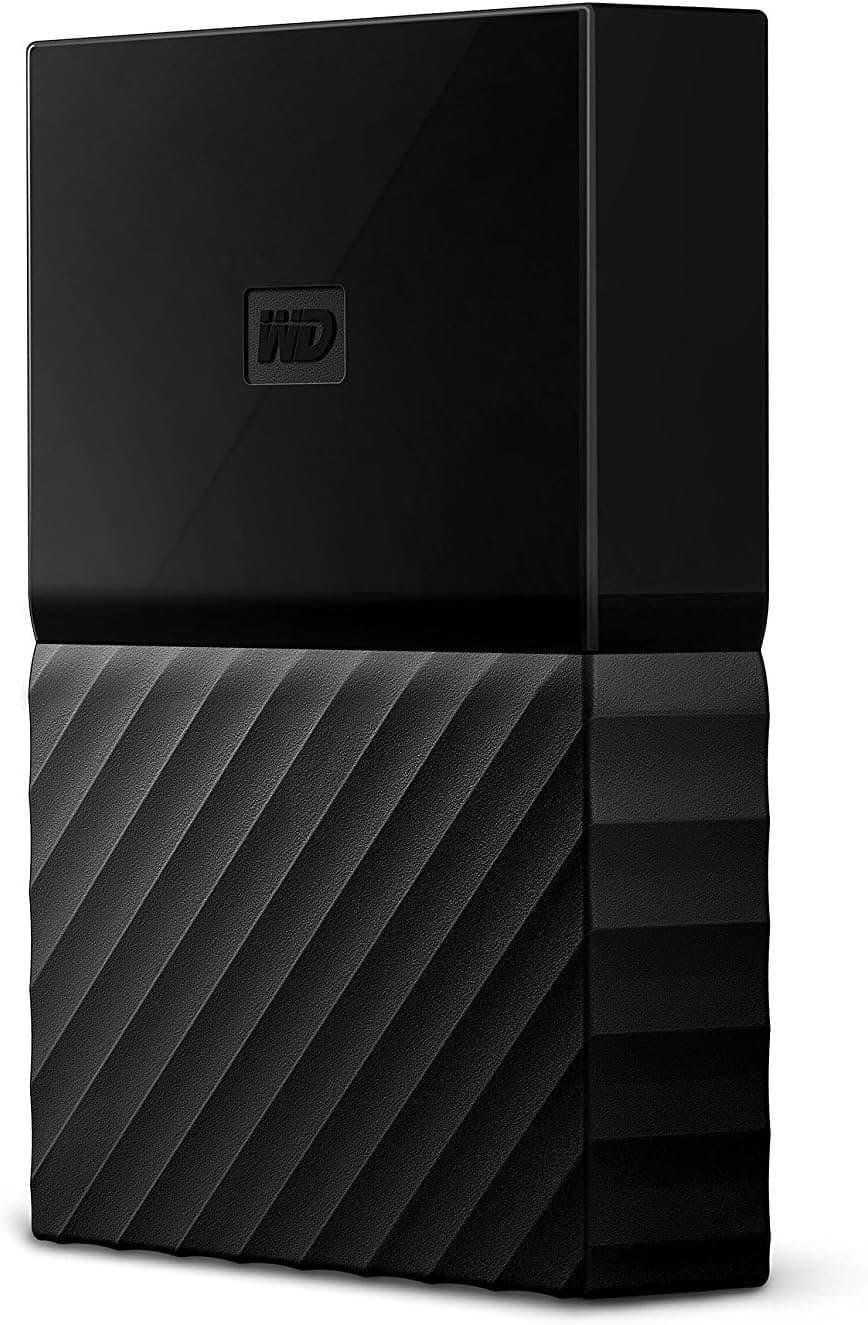
This article covers WD HDD Mac用ポータブル ハードディスク 4TB USB3.0 タイムマシン対応 暗号化パスワード保護 3年保証 My Passport for Mac WDBP6A0040BBK-WESN.
Overview
The WD My Passport for Mac WDBP6A0040BBK-WESN is a portable 4TB hard drive purpose-built for Mac users. It comes pre-formatted for macOS, supports Time Machine out of the box, and includes 256-bit hardware encryption with password protection. The drive is compact—110×80×21.5mm (W×D×H)—and weighs just 250g, making it easy to slip into a laptop bag. It connects via USB 3.0 (backward compatible with USB 2.0) and draws power from the bus, so no AC adapter is needed.
In terms of performance, this is a traditional 5400 RPM HDD delivering sequential read/write speeds around 100 MB/s. That’s perfectly adequate for nightly Time Machine backups, media archiving, or file transfers, but not for running applications directly. The 4TB capacity gives you room for thousands of photos, hours of video footage, or a full system backup with plenty of overhead.
Market positioning sits solidly in the mid-range external storage category. It’s not the cheapest per terabyte (Toshiba Canvio Basics often costs less), nor the fastest (an external SSD would be 5–10x quicker), but it strikes a unique balance: native macOS compatibility, hardware encryption, and a three-year warranty all rolled into one compact package. For Mac users who want a “set and forget” backup drive, this is a top recommendation.
Compatibility Guide
The drive speaks USB 3.0 via a standard Micro-B connector. A 46cm USB-A to Micro-B cable is included. Because the cable is short, you may need an extension if your Mac’s USB ports are on the back of a desktop tower. For MacBook Air/Pro with only USB-C ports, a USB-A to USB-C adapter or a USB-C hub is required.
Power is supplied entirely via USB (bus power). Older MacBooks or USB hubs may not provide enough juice—always connect directly to a Mac USB port, not through an unpowered hub. The drive is compatible with macOS 10.11 (El Capitan) through macOS 14 (Sequoia), and also works with Windows after reformatting to exFAT or NTFS. Note: built-in encryption software is macOS-only; Windows users must download WD Security separately.
Time Machine is fully supported with no extra configuration. Just plug in, and macOS will prompt you to use it as a backup disk. If you plan to use it as a general-purpose external drive, you may want to reformat to APFS for better compatibility with modern macOS features.
Product Info
Released around 2016, the My Passport for Mac has been a consistent seller thanks to its reliable build and Mac-first design. Western Digital backs it with a three-year limited warranty. The drive spins at 5400 RPM with a 16 MB cache (typical for this class). Market position is squarely mid-tier: not the absolute cheapest HDD, but offering hardware encryption that most budget drives lack. Pricing fluctuates between ¥15,000 and ¥25,000 in Japan, making the per-terabyte cost very competitive.
Best Use Cases
① Time Machine backup for Mac users
If you own a Mac and have never set up Time Machine, this drive is the easiest way to start. Plug it in, click “Use as Backup Disk,” and forget about it. The hardware encryption means your backups are secure even if the drive is lost or stolen. Not recommended for users who need instant restoration—spinning HDD restore times are slower than SSD-based backups.
② Media storage for photographers and videographers
4TB holds roughly 400,000 JPEG photos or 200 hours of 1080p video. The portable form factor lets you carry your entire archive to client meetings or remote shoots. Pair it with a USB-C adapter for modern MacBooks. Avoid if you edit 4K/8K videos directly from the drive—sequential speeds are too slow for smooth scrubbing.
③ Data migration tool
When upgrading to a new Mac, use Migration Assistant with this HDD as the intermediary. It’s more reliable than network migration and doesn’t require both Macs to be on at the same time. Not ideal for users who prefer cloud-based migration (iCloud, Google Drive).
④ Not for:
- Users needing an internal SATA or NVMe SSD replacement
- Gamers wanting to run modern games off an external drive (too slow)
- Users who need a rugged, drop-resistant drive (seek an SSD or ruggedized HDD)
Things to Consider
The most important caveat: this is a mechanical hard drive, not an SSD. Expect 100 MB/s reads and writes—fine for backups, frustrating for large file transfers. The first Time Machine backup of 4TB can take 12+ hours, so start it overnight.
The included USB cable is only 46 cm—barely enough for a laptop on a desk. If your Mac’s USB ports are awkwardly placed, buy a longer USB extension or a right-angle adapter. Also, the drive does not support USB-C natively; you need an adapter or a different cable.
Security features require the WD Discovery software (stored on the drive) to set up. If you lose the password, the data is irretrievable—no backdoor. Competitors like Seagate Backup Plus offer similar ca
Product Disclosure (Amazon)
- Manufacturer: ウエスタンデジタル(Western Digital)
- Seller: M’2マーケット
- Fulfilled by: M’2マーケット
- ASIN: B01LQQH856
- Note: This article covers a manufacturer-made product based on Amazon listing details.