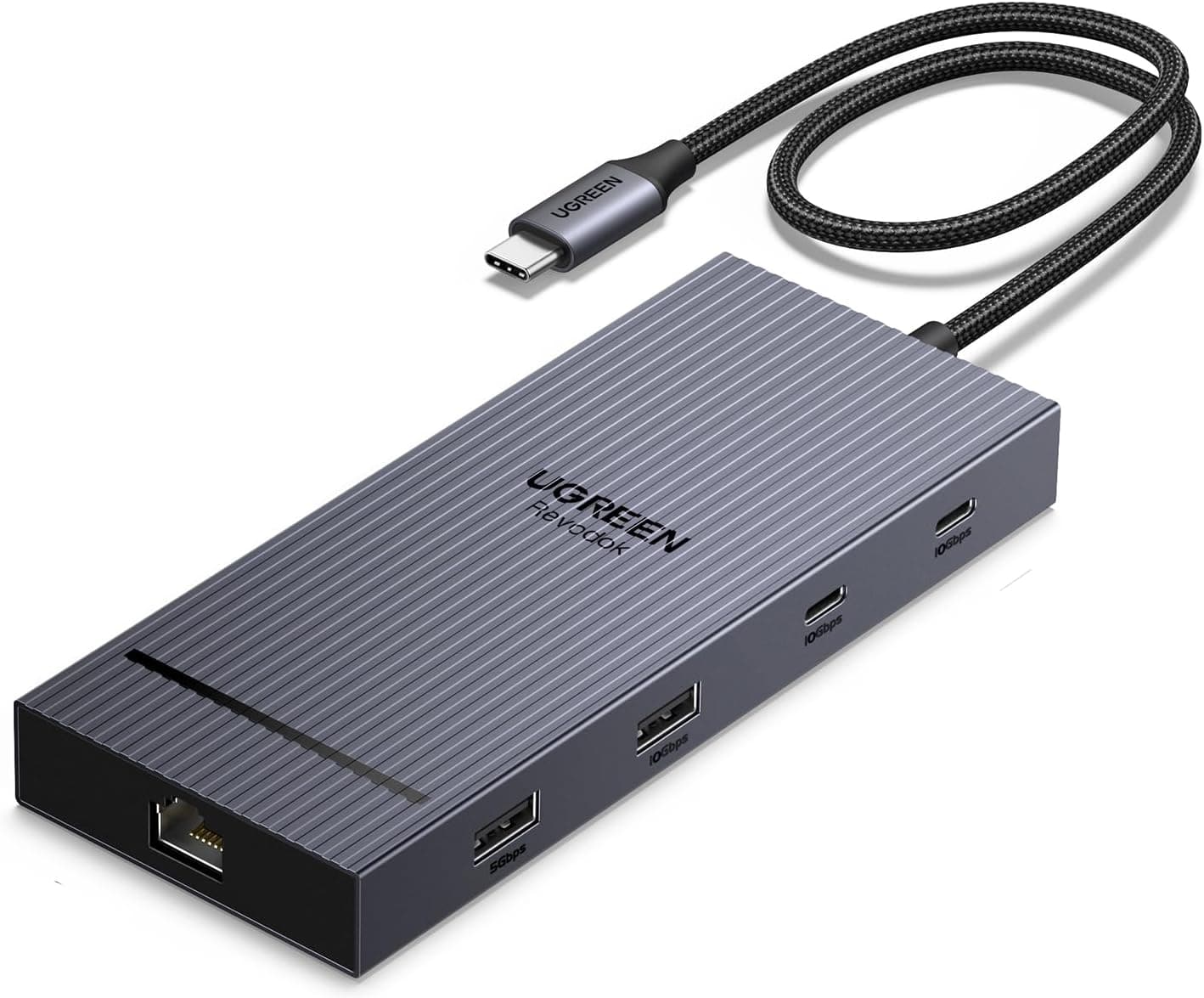
This article covers UGREEN Revodok 10 in 1 USB Cドッキングステーション USB Cハブ.
Overview
The UGREEN Revodok 10-in-1 USB-C Docking Station is a versatile hub that expands a single USB-C port into ten different ports. It is designed to solve the common problem of limited connectivity on modern laptops, offering dual HDMI 4K@60Hz output, gigabit Ethernet, high-speed data transfer, and SD card reading all in one compact unit. This docking station uses a USB 3.2 Gen1 host connection and supports up to 10Gbps data transfer on its dedicated USB-C and USB-A data ports. The two HDMI ports each support 4K resolution at 60Hz, allowing you to run two external monitors simultaneously. It also features 100W Power Delivery (PD) pass-through charging, so you can power your laptop through the dock while using all other ports at the same time.
Connectivity & Compatibility
The host interface is USB-C (USB 3.2 Gen1, 5Gbps), compatible with Thunderbolt 3/4 ports and USB-C Alt Mode on most modern laptops. Video output is supported exclusively through the two HDMI ports. The USB-A and USB-C data ports do not support video output. The dock works with Windows, macOS, ChromeOS, and Linux without requiring additional drivers. 100W PD input is supported, delivering up to 85W to the connected laptop. Actual charging speed depends on the laptop's PD support. Gigabit Ethernet (1000BASE-T) provides a stable wired network connection. Built-in SD and microSD card slots (UHS-I) make it easy to transfer photos and videos from cameras and drones.
Product Info
The UGREEN Revodok 10-in-1 was released around May 2024. It is priced at approximately ¥5,618 on , making it a very affordable option for a 10-port USB-C hub. The manufacturer offers a 24-month warranty. The package includes the dock and a quick-start manual; a USB-C PD charger is required separately. This product sits in the entry-to-mid-range market segment. It offers dual HDMI 4K@60Hz output and 100W PD pass-through at a price point well below many competitors, delivering excellent value for money. However, the USB-C data port lacks video output support, and the host connection is limited to USB 3.2 Gen1 (5Gbps), which may be a consideration for power users.
Best Use Cases
Laptop users who want a dual-monitor setup on a budget: If you need to connect your laptop to two external 4K monitors for coding, document editing, or video editing, this dock provides a cost-effective solution. The dual HDMI 4K@60Hz output is a standout feature at this price. However, if you need three or more external displays or DisplayPort output, look elsewhere. MacBook or Windows ultrabook owners with limited ports: For thin-and-light laptops that only have USB-C ports, this dock adds four USB-A ports, gigabit Ethernet, and SD card slots in one go. It is ideal for connecting multiple peripherals like external drives, printers, mice, and keyboards simultaneously. But if you need full Thunderbolt 4 bandwidth (40Gbps) for high-speed storage or multiple 4K displays, the 5Gbps host connection may be a bottleneck. * Budget-conscious users building a productive desk setup: At around ¥5,600, this dock offers tremendous expansion for the price. It is perfect for students, freelancers, or anyone setting up a home office for the first time. Just remember that you will need to buy a separate USB-C PD charger, and the USB-C data ports do not output video.
Things to Consider
The USB-C data port (USB 3.2 Gen1, 10Gbps) does not support video output. Always use the HDMI ports for external monitors. While the dock supports 100W PD pass-through, the actual power delivered to the laptop is up to 85W. High-performance gaming laptops may not charge at full speed under heavy load. The host connection is limited to USB 3.2 Gen1 (5Gbps). If you need the full 40Gbps bandwidth of Thunderbolt 4 or USB4, consider a higher-end Thunderbolt dock. A USB-C PD charger is not included. You will need to purchase one separately (65W or higher recommended). * When all ports are in use, bandwidth is shared, which may reduce performance on some ports.