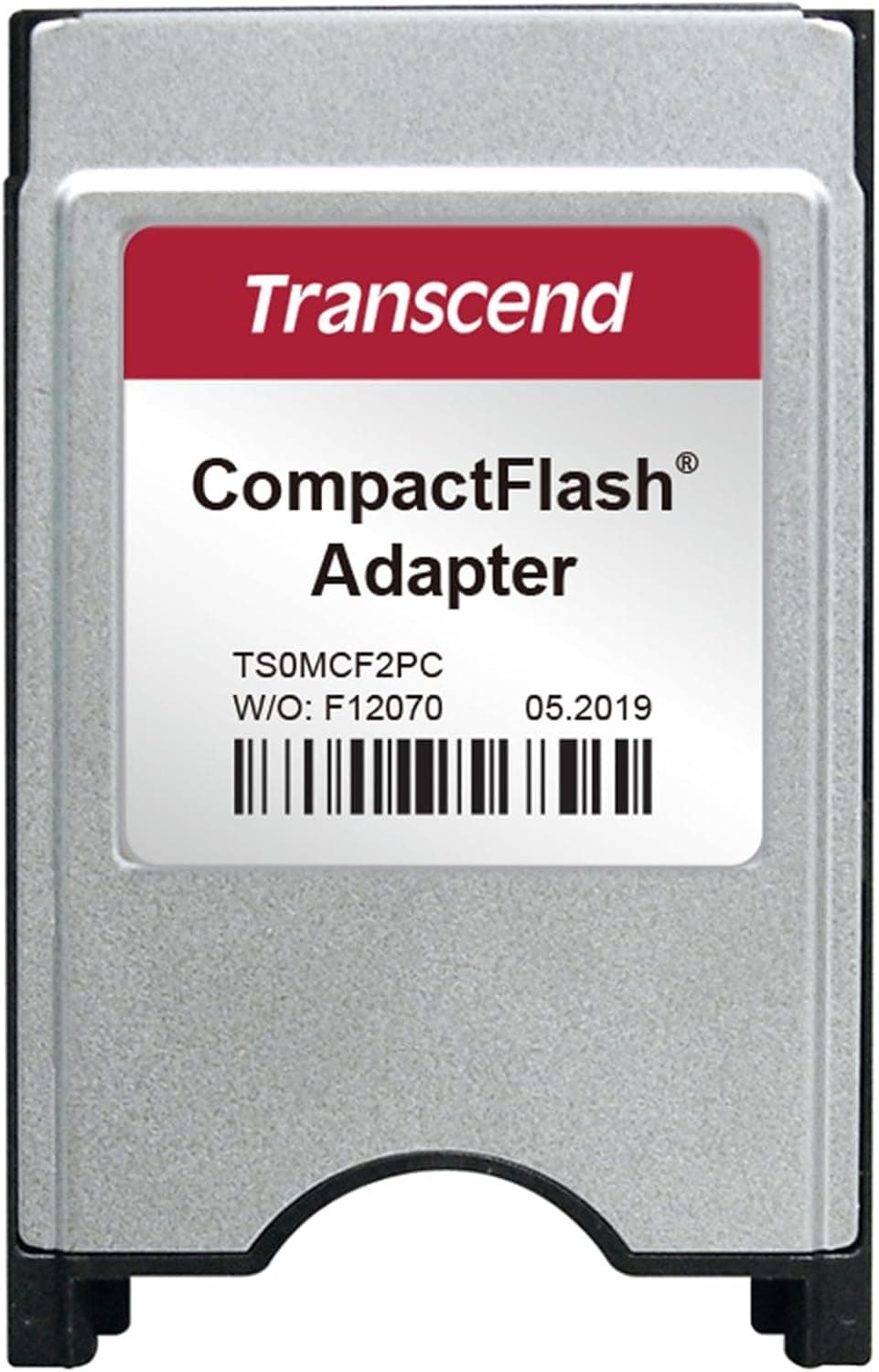
This article takes a closer look at the Transcend CFカード専用 PCMCIA ATA アダプター(Type2) TS0MCF2PC (Transcend TS0MCF2PC CF-to-PCMCIA ATA adapter) — not just its spec sheet, but whether it still makes sense in your setup and where people go wrong with it.
Overview
The Transcend TS0MCF2PC lets you read and write a CompactFlash card through a notebook's PCMCIA (PC Card) Type II slot. It is not a performance product; it is a shape adapter.
There is no acceleration controller inside — it simply passes the CF card's ATA interface through as PC Card ATA.
The listed specs are straightforward: supported card is CompactFlash Type I, the host interface is PCMCIA Type II, dimensions are 54 x 86 x 3 mm, the finish is silver, and OS support is listed as general. That 3 mm thickness is exactly the PC Card Type II standard, so the adapter sits flush in the slot and needs no cable and no external power.
Drivers are generally unnecessary — an OS with built-in PC Card ATA support simply exposes it as a removable disk.
The audience is clear: people who need to pull data off CF cards from cameras, music gear, or industrial loggers using a machine that still has a PC Card slot. If you don't own such a machine, there is no reason to consider this product at all.
Connectivity & Compatibility
Let's kill the most common misunderstanding first. The "(Type2)" in the product name does not refer to CF Type II cards. It refers to the PCMCIA Type II slot it plugs into.
On the card side, only CompactFlash Type I is supported — thicker Type II CF cards (Microdrives and similar) physically will not fit.
| Item | Spec | Practical note |
|---|---|---|
| Card side | CompactFlash Type I | Thick Type II CF not supported |
| Host side | PCMCIA Type II slot | ExpressCard is a different standard; won't fit |
| Transfer | PCMCIA ATA | The CF card must be ATA-compliant |
| Dimensions | 54 x 86 x 3 mm | Standard PC Card Type II thickness |
| OS | General | No driver needed where PC Card ATA is built in |
Three failure modes account for most disappointment. Wrong slot: around 2007 notebooks moved from PCMCIA to ExpressCard, and although both are narrow slots, an ExpressCard slot will not accept this adapter.
Check the slot width (PC Card is roughly 54 mm wide) and your machine's manual. Capacity limits: very large CF cards may not be recognized on older hosts because of BIOS or OS limits — that's a host-side constraint, not an adapter fault, so start with a smaller card if you're unsure.
Hot-plug behaviour: PC Card was designed for hot insertion, but depending on the machine, OS, and resident card services it can hang. Under DOS or early Windows, power down before inserting or removing.
On the popular "use CF as an IDE drive" idea: an ATA-compliant CF card can present itself as an IDE device, so exposing it as storage over PC Card ATA is possible in principle. Whether you can boot from it depends entirely on the host BIOS and is not something this adapter guarantees.
Buy it for reading and writing data, not for booting.
Product Info
The listed price on Amazon.co.jp was ¥3,980 as captured on 29 August 2026.
Adapter pricing swings with stock and time, and this article won't update itself, so always check the current price on the product page. Similar PC Card CF adapters circulate on the used market overseas, but listing prices vary too much to quote a meaningful figure.
Check the retailer's page for the latest user reviews. That's a strong score for a single-purpose adapter and most likely reflects a long tail of "plugged it in, it worked" reports.
Bear in mind that Amazon review counts are sometimes aggregated across related listings, so not every one of those reviews necessarily concerns this exact part.
The package contains the adapter only — no case, no substantial manual. In fairness, none is needed: insert the CF card, insert the adapter, done.
Transcend's product warranty applies, but the term and conditions vary by retailer and purchase date, so check the seller's listing if warranty matters to you.
Its market position is purely entry-level utility. There are no extras such as a write-protect switch and nothing that increases throughput.
Speed is capped by the CF card itself and by the PIO/DMA modes the host's PC Card slot supports. Expecting tens of MB/s from PCMCIA-era hardware is unrealistic; think in terms of minutes to move a few hundred megabytes.
Compared With the Alternatives
If you only need to read CF cards, a USB card reader is faster and works on current machines. This adapter earns its place where USB mass storage isn't an option — DOS or early Windows machines, systems with no USB port, or industrial terminals where no USB driver is available.
In those cases PC Card ATA may be the only external storage path available.
Conversely, if you're on a modern laptop or desktop, skip this entirely and buy a USB reader. The value here is not speed or price; it's making a connection possible on hardware where nothing else works.
Best Use Cases
- Owners of PC Card–equipped notebooks still in service — recover images from late-era digital cameras or samples from CF-based music gear, in the original environment, with no driver hunting.
- Technicians maintaining industrial or embedded systems — collect logger data written to CF directly on a field notebook. No extra power, no cables, one card in the slot.
- Retro computing enthusiasts — a starting point for treating CF as ATA storage, as long as you accept that bootability is machine-dependent.
- Anyone archiving a CF collection — secure a read path before the last PC Card machine in the house stops working.
Before You Buy
The biggest pitfall is not having the slot. That is genuinely the most common reason these adapters get returned.
Modern USB-C-only machines obviously lack it, and most laptops from roughly 2010 onward shipped ExpressCard or no card slot at all. Verify against the physical slot and the machine's manual that you really have PC Card (PCMCIA) Type II.
CF Type II cards will not fit. As above, the "Type2" in the name is about the slot.
If your card is a thick Microdrive-style unit, this product cannot help.
Don't expect speed. The bottleneck is the CF card and the host's transfer mode; a better adapter changes nothing.
Budget generous time for bulk transfers.
Watch the filesystem on old gear. A CF card formatted as FAT16 by a device may become unreadable to that device if you casually reformat it on a modern OS.
If recovery is the goal, read first and leave formatting until last.
Also treat the listing metadata with mild suspicion. On long-running products and pages that bundle variants, the registered manufacturer, model number, or review count may not match the item in hand.
Before ordering, confirm from the product image and title that you're buying the Transcend TS0MCF2PC, and expect the live price to differ from the figure captured here.
FAQ
Q. Does "(Type2)" mean CF Type II?
A. No. It refers to the PCMCIA Type II slot. Only CompactFlash Type I cards are supported.
Q. Do I need drivers? A.
Generally no. OS support is listed as general; any OS with built-in PC Card ATA support mounts it as a removable disk.
Q. Is hot-plugging safe? A.
PC Card supports hot insertion by design, but some machines and OSes are unreliable about it. Power down to be safe, and never remove during a write.
Q. Will large CF cards work? A.
No capacity limit is stated for the adapter, but older host BIOSes and OSes may not recognize very large cards. Test with a smaller card first.
Q. Can I boot from the CF card? A.
Only if the host BIOS supports booting from PC Card. It is not guaranteed by this product, so don't buy it for that purpose.
Q. How fast is it? A.
No figure is published. Throughput is determined by the CF card and the host slot's transfer mode.
For speed, use a USB reader on a modern PC.