This article takes a closer look at the ELECOM TK-FFCM01BK Wired Membrane Keyboard Black, using its measured dimensions, review counts, and captured prices rather than generic praise. It is usually filed away as "a cheap full-size board," but what actually decides whether it fits you is footprint and connection type, not switch feel.
Overview
The ELECOM TK-FFCM01BK keeps a complete 109-key Japanese (JIS) layout, numeric keypad included, inside a chassis that measures roughly 440 x 135 x 30 mm and weighs about 500 g. The short verdict: this is not a keyboard you buy to enjoy typing on.
It is a tool for clearing office work that involves numeric entry, using as little desk space and money as possible. On Amazon.co.Check the retailer's page for the latest user reviews.
Three numbers matter. Key pitch is 19 mm, the standard for desktop full-size boards, so muscle memory carries over from a laptop keyboard without retraining.
Depth is only about 135 mm, so it eats less of the space in front of you than a typical full-size board. And 500 g is light — which, as noted below, cuts both ways.
Typing Feel and Noise
The switches are rubber-dome membrane. You get a soft bump early in the stroke, then the key collapses to the bottom — there is no crisp linear or tactile separation like a mechanical red or brown switch.
Because you confirm the keypress by the bottom-out impact, it pairs poorly with a light, non-bottoming typing style. If you type firmly, on the other hand, input registration is unambiguous and mistypes are rare.
Noise is genuinely lower than a mechanical board. Without metal springs or stabilizer resonance, the sound shifts from a sharp clack to a duller thud that a headset mic picks up less readily.
It is not silent, though: at around 500 g, the chassis is light enough to transmit hard keystrokes into the desktop. A thin desk mat makes a noticeable difference during unmuted calls.
Keycap legends are laser-etched rather than pad-printed, which resists wear far better. Even after years of use, the letters on A, S, D and the space bar are unlikely to fade — useful for a board that may sit in a drawer as a long-term spare.
Compatibility Guide
Connection is USB wired only. Any PC/AT-compatible machine with a USB port will recognise it as a plug-and-play HID device with no driver installation.
Because it relies on the OS's standard keyboard driver, basic typing generally works on Windows versions newer than the listed Windows 10 / 8.1 / 8 / 7 / Vista / XP — but the manufacturer's guaranteed support stops at those entries, so check the product page if this is going into a managed business environment.
The failures people actually hit are physical, not software. The cable is about 1.5 m, which assumes your PC sits on the desk or on a rack right beside it.
If your tower is on the floor and your desk is deep, the cable may not reach the rear ports; plan for a USB extension or a desktop hub.
Measure the 440 mm width too. Check that it clears your keyboard tray rails, and that enough room remains to the right for mouse movement — at least 200 mm, or 300 mm+ if you play at low sensitivity.
Choosing full-size when you do not need a numpad sacrifices exactly that space. Tilt is adjustable in two steps, so set it to match whether you use a palm rest.
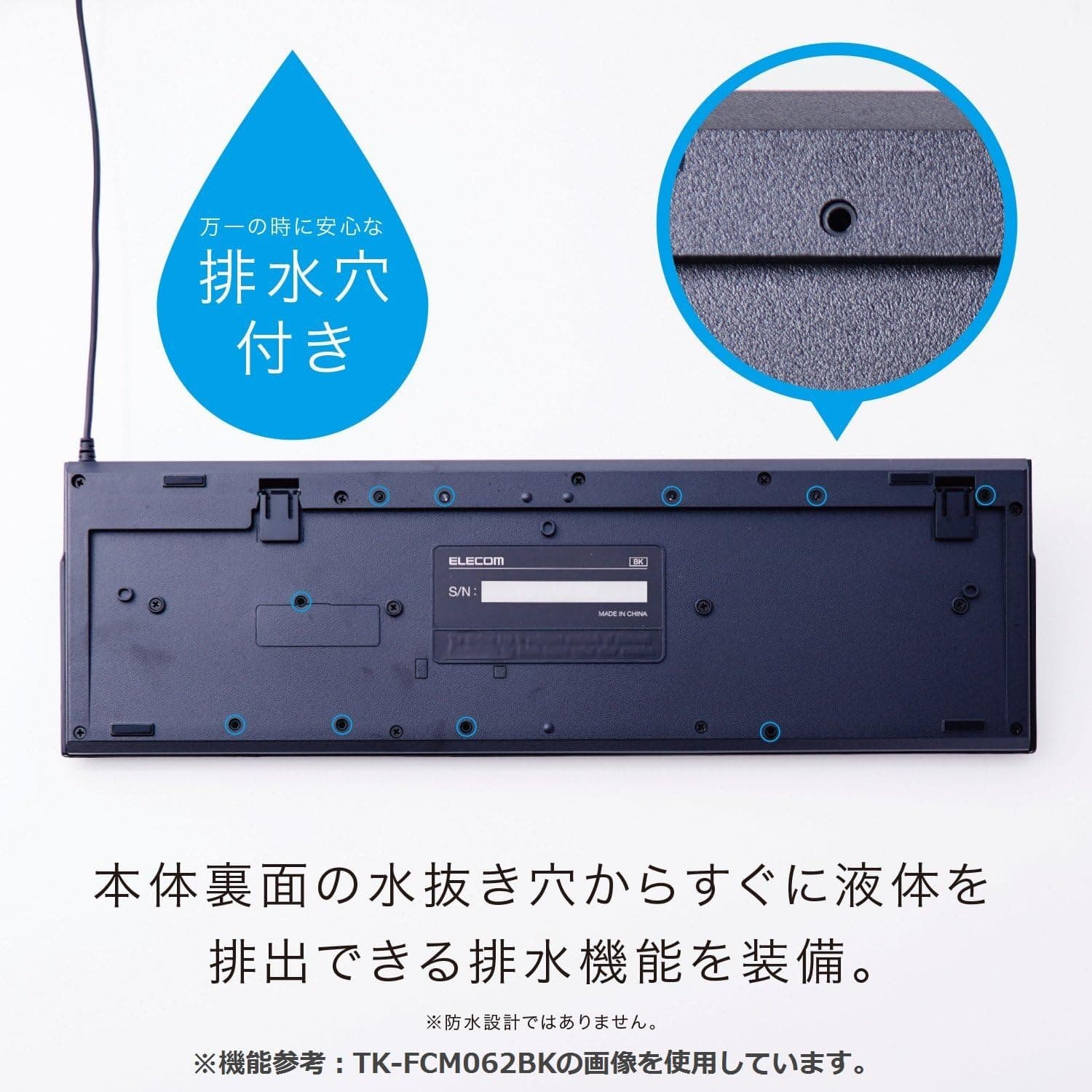
The underside has spill drainage holes. That is a channel for liquid to escape downward, not a waterproof or splash-proof design.
It helps in setups where a drink sits close to the board, but do not treat it as protection.
Product Info
| Item | Value |
|---|---|
| Layout | 109-key Japanese (JIS) |
| Key pitch | 19 mm |
| Switch type | Membrane (rubber dome) |
| Interface | USB (wired) |
| Cable length | approx. 1.5 m |
| Dimensions | approx. 440 x 135 x 30 mm (measured) |
| Weight | approx. 500 g |
| Keycap printing | Laser-etched |
| Spill drainage | Yes (not waterproof) |
| Tilt | 2-step stand |
| Supported OS | Windows 10/8.1/8/7/Vista/XP |
Check the retailer's page for the latest price.co.jp (captured 24 August 2026), and 3,120 yen in a separate capture (16 July 2026).
Both are point-in-time figures and move with sales and stock, so confirm the current price on the product page before buying. A roughly 180-yen swing over two months tells you this tier fluctuates on short cycles.
The eBay entry is only a search link with no concrete figure — and since this is a domestic product, there is little reason to import it.
Low scores on budget boards usually come down to switch-feel preference and early failures, so keeping your expectations for typing feel realistic is what determines satisfaction.
Only the keyboard itself is included — no utility software or macro tool. If you need remapping, handle it with an OS-level utility on Windows.
Comparison With Alternatives
Three classes of rival matter. First, other budget membrane boards: here you choose on footprint and legend durability, and the TK-FFCM01BK does well on both with its 135 mm depth and laser etching.
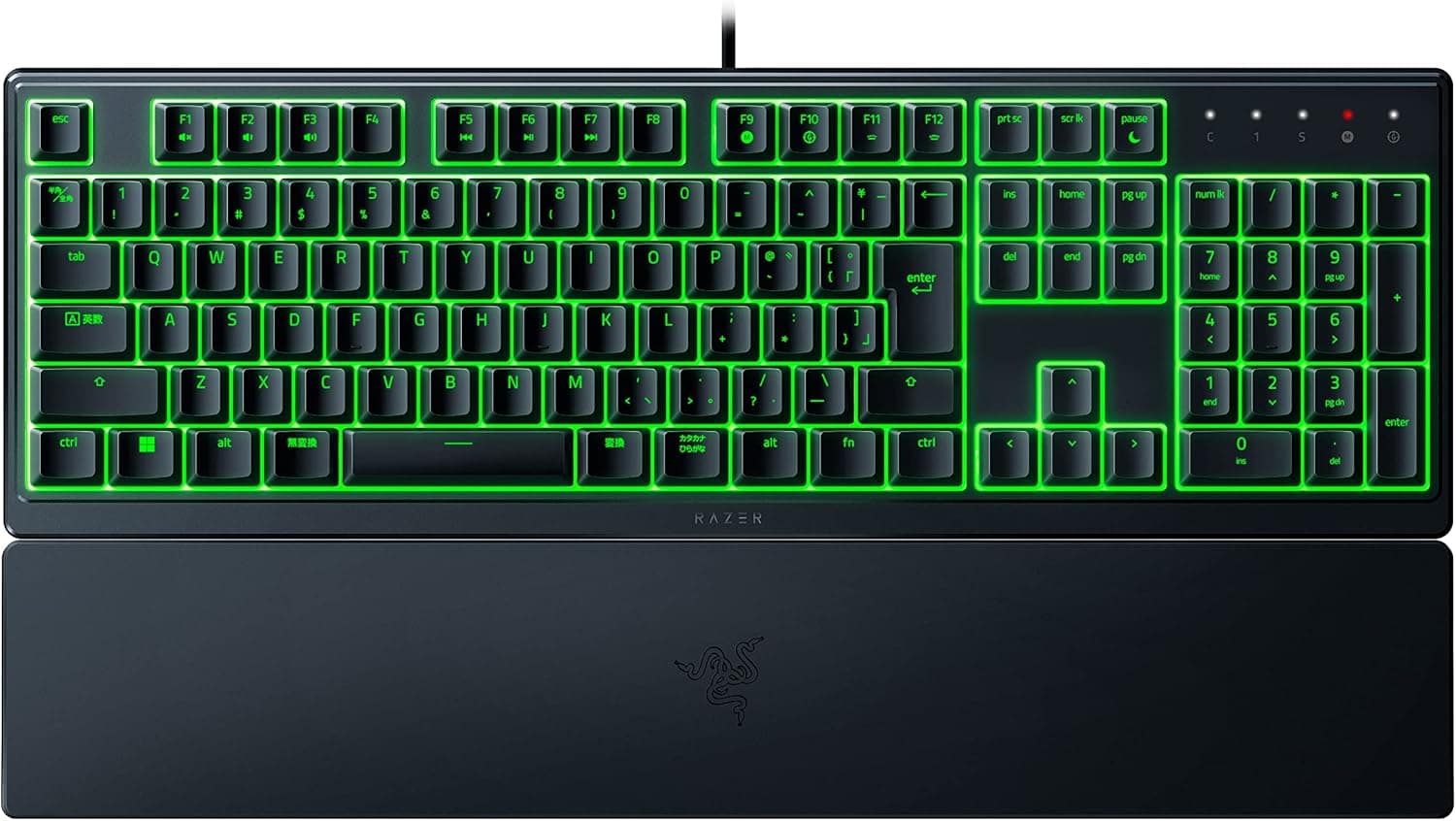
Second, "mecha-membrane" gaming boards that blend membrane quietness with a firmer bump — better feel and looks, but several times the price.
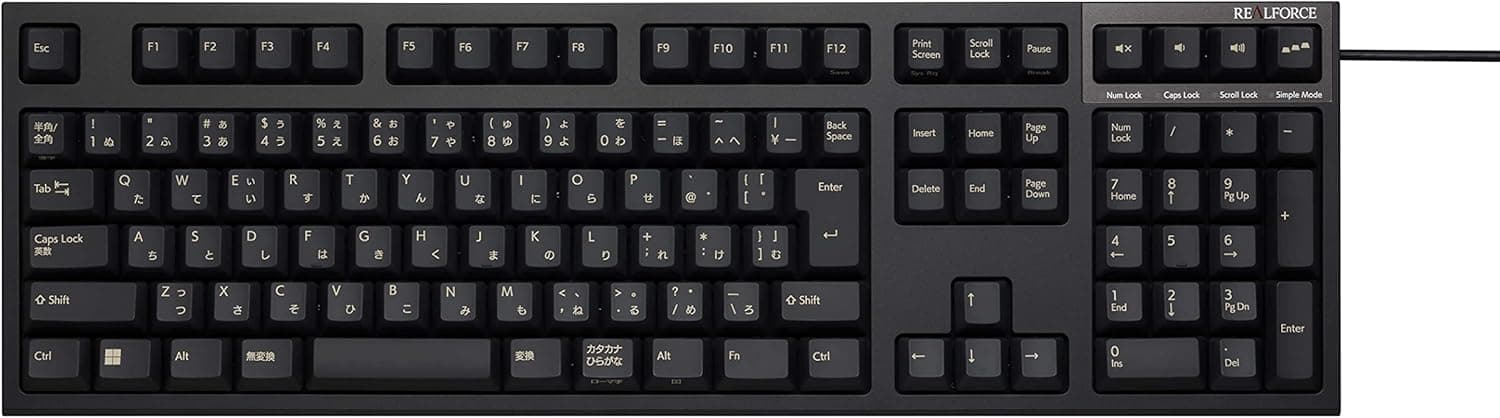
Third, and the real comparison, are mechanical and custom boards starting around 10,000 yen. They win outright on feel, durability, and keycap swaps.
The TK-FFCM01BK's job is different: put a working JIS 109-key layout on your desk today for roughly 3,000 yen. Treat it as a consumable, not an investment, and the decision is easy.
If you type for a living all day, the upgrade pays for itself quickly and you should look at mechanical instead.
Best Use Cases
- Remote workers docking a laptop to an external display — better posture than the built-in keyboard, and the 135 mm depth lets you keep the laptop behind it without crowding the desk.
- Accounting, order entry, and data-heavy office work — the full 109-key layout keeps numeric throughput intact if you are moving from a TKL board.
- Anyone who needs a spare, loaner, or shared-PC keyboard — around 3,000 yen at capture time, no drivers, instant plug-and-play.
- Quiet offices or late-night work — noticeably less sound carry than a mechanical board, ideally paired with a desk mat.
- Users still running older Windows machines — coverage down to XP/Vista makes it easy to spec for isolated or instrumentation PCs.
Before You Buy
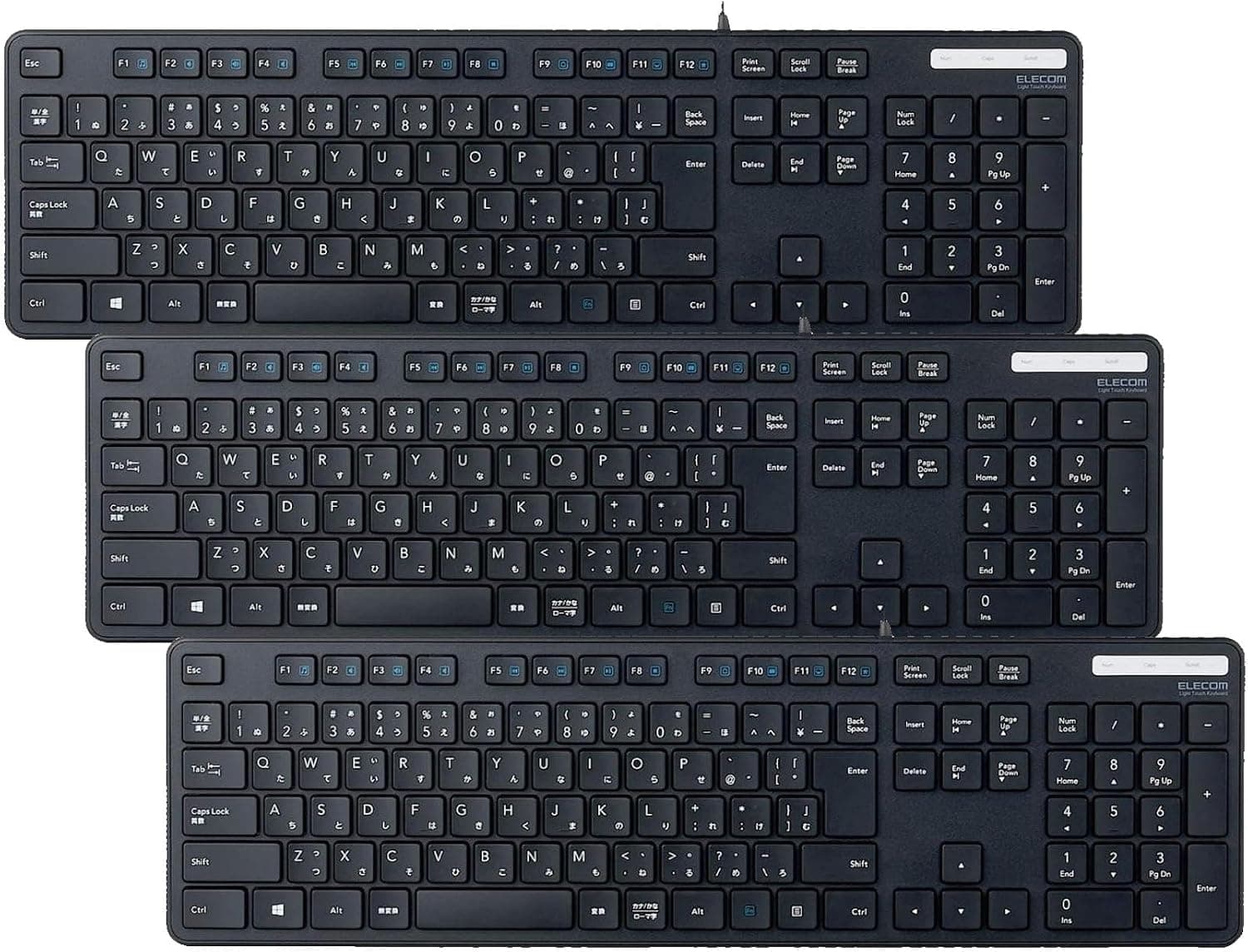
Start with the listing itself. Some listings for this product carry a quantity notation (such as "x 3") in the title.
That means you could order expecting one unit and receive several, or the reverse, so verify the quantity and the per-unit price before checking out. More generally, Amazon listing metadata sometimes disagrees with the actual product; do not judge by the model or brand fields alone — confirm from the images and title that you are looking at the TK-FFCM01BK itself.
Typing feel is where you must compromise. Coming from mechanical switches, the keys will feel soft and you will be confirming input by bottom-out impact.
Keycap swaps and hot-swap sockets are not supported, so there is no way to tune it to your taste after purchase. If you know you care about feel, skipping this model outright is the cheaper path.
It is also not a gaming keyboard. Membrane matrices limit simultaneous key recognition, so combinations like WASD plus a modifier plus space can drop inputs.
Polling rate and anti-ghosting figures are not published, so do not plan on competitive FPS or fighting-game use.
Do not read "spill drainage" as waterproof. The holes route liquid downward on the assumption that you immediately unplug the board, flip it over, and dry it.
Large spills, or leaving it powered after one, will reach the internals. And at about 500 g it is light, so heavy typists may find it sliding; a grippy desk mat fixes that.
Finally, connectivity. USB wired only — no Bluetooth, no 2.4 GHz.
It will never suit a tablet or phone setup or a cable-free desk. Before ordering, physically measure whether 1.5 m reaches your PC's ports.
FAQ
Q. Does it work on Windows 11? A.
The official list stops at Windows 10. It is a standard USB HID keyboard needing no driver, so basic typing rarely causes trouble, but check the product page for the current supported-OS list.
Q. Can I use it with a Mac? A.
Only Windows is listed. It will physically connect, but the JIS legends do not match macOS key placement (kana/eisu, Command position) without remapping.
Buying it specifically for a Mac is not advisable.
Q. Is it quiet? A.
Quieter than mechanical, but bottom-out noise remains. For true silence, look at boards marketed as silent.
A desk mat helps a lot.
Q. What if I spill a drink on it? A.
Drainage is not waterproofing. Unplug immediately, invert it to drain, and dry it fully before powering it again.
Continuing to use it wet is the real risk.
Q. Is it worth repairing if keys stop responding? A.
At roughly 3,000 yen at capture time, replacement is usually more sensible than repair. Disassembly and cleaning can revive a membrane board, but it voids the warranty.
Product Disclosure (Amazon)
- Manufacturer: エレコム(ELECOM)
- Seller: Amazon.co.jp
- Fulfilled by: Amazon.co.jp
- ASIN: B0H8SR42PP
- Note: This article covers a manufacturer-made product based on Amazon listing details.