The Anker PowerLine Micro USB Cable A8152 (USB-A to Micro USB) is a tool for keeping Micro USB gear alive for a few more years, now that the standard itself has been superseded. This article looks at what each spec number actually means in daily use, and where you have to accept a compromise.
Overview
The Anker PowerLine Micro USB Cable A8152 (USB-A to Micro USB) is a 1.8m cable that links a USB-A charger or computer to any device with a Micro USB port.
The short version: it suits people who still rely on Micro USB devices and who have been burned repeatedly by cheap cables fraying at the plug. It does not suit anyone whose chargers are all USB-C, or anyone who wants fast file transfers from external storage.
Its main selling point is durability — a braided nylon jacket and reinforced connector joints, rated to survive over 10,000 bends.
Here is the quick answer by use case.
| Use case | Fit | Why |
|---|---|---|
| Charging Android phones and tablets | Excellent | Handles up to 2.4A (about 12W at 5V) |
| Recharging Micro USB power banks | Excellent | 1.8m reaches desk or floor outlets |
| Gamepads and wireless mice | Good | Long enough to use while charging |
| Bulk photo and video transfer | Limited | Capped at USB 2.0 (480Mbps) |
| Micro USB 3.0 external HDD/SSD | No | Physically different connector |
| Plugging into a USB-C charger | No | Needs a USB-C to USB-A adapter |
What the Specs Mean
There are only four published figures, but how each one translates into real use is less obvious than it looks.
| Item | Specification | What it means in practice |
|---|---|---|
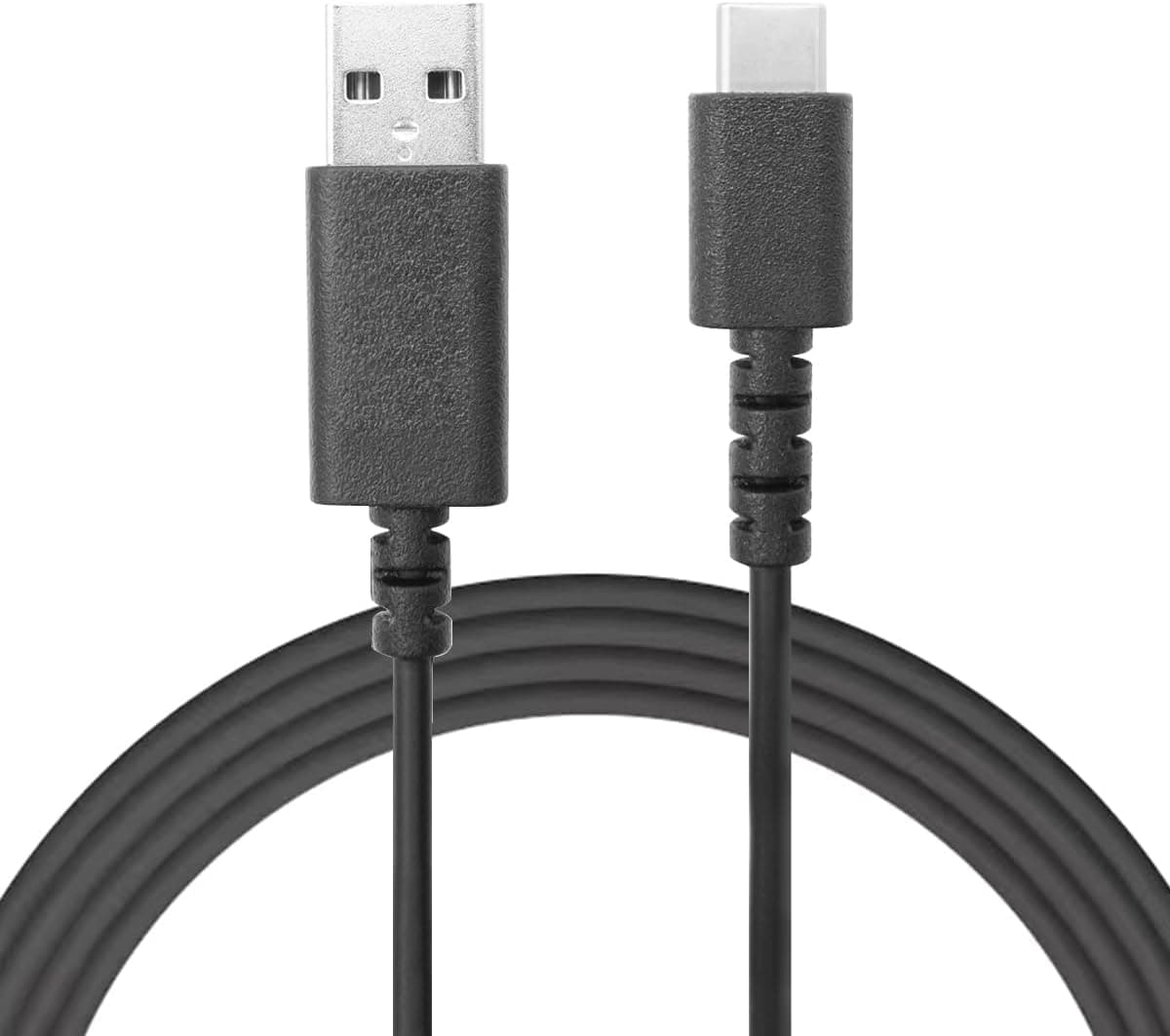
| Connector type | USB-A (male) to Micro USB (male) | Charger end is the old rectangular plug; won't fit USB-C |
| Cable length | 1.8m | Reaches a bed or sofa; long for travel use |
| Max charging current | 2.4A | About 12W at 5V; real speed set by charger and device |
| Data transfer | USB 2.0 (480Mbps) | Roughly 60MB/s in theory, about half that in practice |
The 2.4A figure is a ceiling the cable can carry, not a promise of charging speed.
Actual current is decided by the charger's output, the device's own input limit, and the battery's state of charge; the cable's job is simply not to be the narrowest point in that chain. Micro USB was never designed around USB Power Delivery, so 5V charging is the norm.
Voltage-raising schemes such as Quick Charge do work over Micro USB, but only when both the charger and the device support them — that is not something the cable's current rating decides.
The same caution applies to 480Mbps. In bytes that is roughly 60MB/s, and after protocol overhead a realistic figure is around half of it.
Pulling a few hundred photos off a phone is fine; moving video footage every day is not. If transfer speed is the goal, the question to ask is whether your device supports USB 3.0 at all.
Compatibility Guide
The requirement is simple: a device with a Micro USB port on one end, and a USB-A charger or computer on the other. That covers most Android phones (Samsung, Xiaomi, Huawei, Sony and others), tablets, power banks, Bluetooth headphones, game controllers and digital cameras.
Because it is a USB 2.0 cable, anyone who needs genuinely fast data transfer should look at a USB 3.0 cable and a device that supports it.
The mistakes people actually make fall into a few categories.
- Your charger only has USB-C ports. Modern PD bricks won't accept this plug. You need a USB-C to USB-A adapter, or a cable with USB-C on the host end.
- Your device uses Micro USB 3.0. That wider connector, common on external drives, is a different shape entirely.
- Plugging it in the wrong way round. Micro USB is not reversible, and forcing it in the dark damages the port. For devices you unplug constantly, a right-angle cable is gentler.
- Clearance around the port. A solidly built connector housing can foul thick phone cases or recessed ports.
- Length mismatch. 1.8m is great at a desk or bedside and excessive in a bag. Keeping a short cable for travel is the practical answer.
How It Compares
The PowerLine family includes shorter 0.9m and 3ft versions, which are easier to manage for travel or a tidy desk.
The reason to pick 1.8m is the ability to keep using a device while it charges — with gamepads and wireless mice, that extra reach is the whole difference.
For external storage, Anker also offers a Micro USB 3.0 version, which is the right tool when throughput matters.
If your chargers have moved to USB-C, a cable with USB-C on the host end saves you from carrying an adapter. If price is the only concern, two-packs of generic cables exist, but compare the jacket and the strain relief before deciding — the failure mode these products are designed against varies a lot between them.
Product Info
rmation
Released around 2015, this cable has become a staple and is easy to find at online and physical retailers. Only the cable is included; there is no separate warranty card in the box.
Anker products are generally covered by an 18-month warranty, though terms change over time, so confirm the current policy on the official site before buying.
On price: the listing data referenced while writing this article showed a figure far outside the normal range for a Micro USB cable of this class, which strongly suggests another product's price was captured. For that reason no amount is quoted here.
Prices also move with sales and stock, so check the current figure on the product page before deciding.
On reviews: as captured on 21 May 2026, the referenced listing showed a 4.1 out of 5 rating (roughly 82% positive) across 39 reviews.
That is a small sample, so read a few individual reviews rather than relying on the average — and, as noted below, the listing's registered details appear to be mixed with another product, which is another reason to check that the reviews really describe this cable.
Durability in Practice
The 10,000-bend rating sounds like marketing, but the useful question is which part it protects. Cables almost never fail in the middle; they fail at the base of the connector, where repeated bending concentrates stress on a single point.
The braided nylon jacket and reinforced joint are aimed squarely at that point, which is why cables like this outlast cheaper ones despite similar internals.
Strengthening the cable does not help the port on your device, though. Micro USB connectors are generally specified for around 10,000 insertion cycles — plugging in twice a day works out to well over a decade — but sideways force shortens that considerably.
Pull by the connector rather than the cable, avoid sharp bends at the base, and coil it loosely rather than tightly. Those three habits extend the life of both the cable and the port.
Braided cables are also stiffer than plain PVC ones. That resists tangling, which is a plus at a desk, but makes them harder to pack small — another argument for a shorter cable in your bag.
Recommended Users
- Anyone charging a Micro USB phone or tablet daily: supports up to 2.4A, and 1.8m means you can hold the device while it charges.
- Owners of Micro USB power banks: plenty of banks still use Micro USB input, and this is a straightforward replacement for the bundled cable.
- People tired of cables fraying: the braided jacket and reinforced joint target the point that fails first.
- Gamepad and wireless mouse users: the extra length turns charging into something you can do while playing.
- Anyone wanting a spare: keeping one at the desk, one by the bed and one in a bag cuts down on plug cycles overall.
Before You Buy
First, treat the listing details with suspicion. The data referenced for this article showed manufacturer and price fields populated with information from an unrelated product — a gaming keyboard — so the auto-generated manufacturer block has been removed from this article.
You may see the same inconsistency on the product page, so confirm from the photo and title that you are buying an Anker Micro USB cable before ordering. A price far from the usual range for this class of cable is a symptom of the same problem.
Second, this is not an investment in the future. New devices have moved to USB-C, and this cable's value is strictly in extending the life of hardware you already own.
If your next few purchases will be USB-C, put the money there instead.
Third, accept the speed limit. USB 2.0 is fine for charging and light syncing and noticeably slow for backing up photos or video.
If transfer is the main job, choose a USB 3.0 setup instead.
Finally, one common misconception: 2.4A does not mean faster charging on every device.
If your charger only delivers 1A, you get 1A, and nothing flows beyond what the device will accept. The rating guarantees the cable is not the bottleneck; it does not raise the ceiling.
FAQ
Q. Does it support USB PD or Quick Charge? A.
PD requires USB-C, so no. Quick Charge-style voltage boosting can work over Micro USB, but only if both charger and device support it — that is not determined by the cable.
Q. Is 1.8m too long? A.
It depends. The length pays off when the outlet is far away or you want to use the device while charging.
For travel, a 0.9m version from the same family is easier to handle.
Q. How fast are transfers in reality? A.
USB 2.0's 480Mbps is about 60MB/s on paper, and roughly half that in practice.
Fine for a few hundred photos, poor for bulk video.
Q. Will it work with a Micro USB 3.0 external drive? A.
No. Micro USB 3.0 uses a wider, physically different connector.
You need a dedicated USB 3.0 cable.
Q. Is there a warranty? A.
Anker products generally carry an 18-month warranty, but terms change — check the official site for current details.
Q. How do I make it last? A.
Pull by the connector, never bend sharply at the base, and coil loosely. Those three habits make a visible difference.