Overview
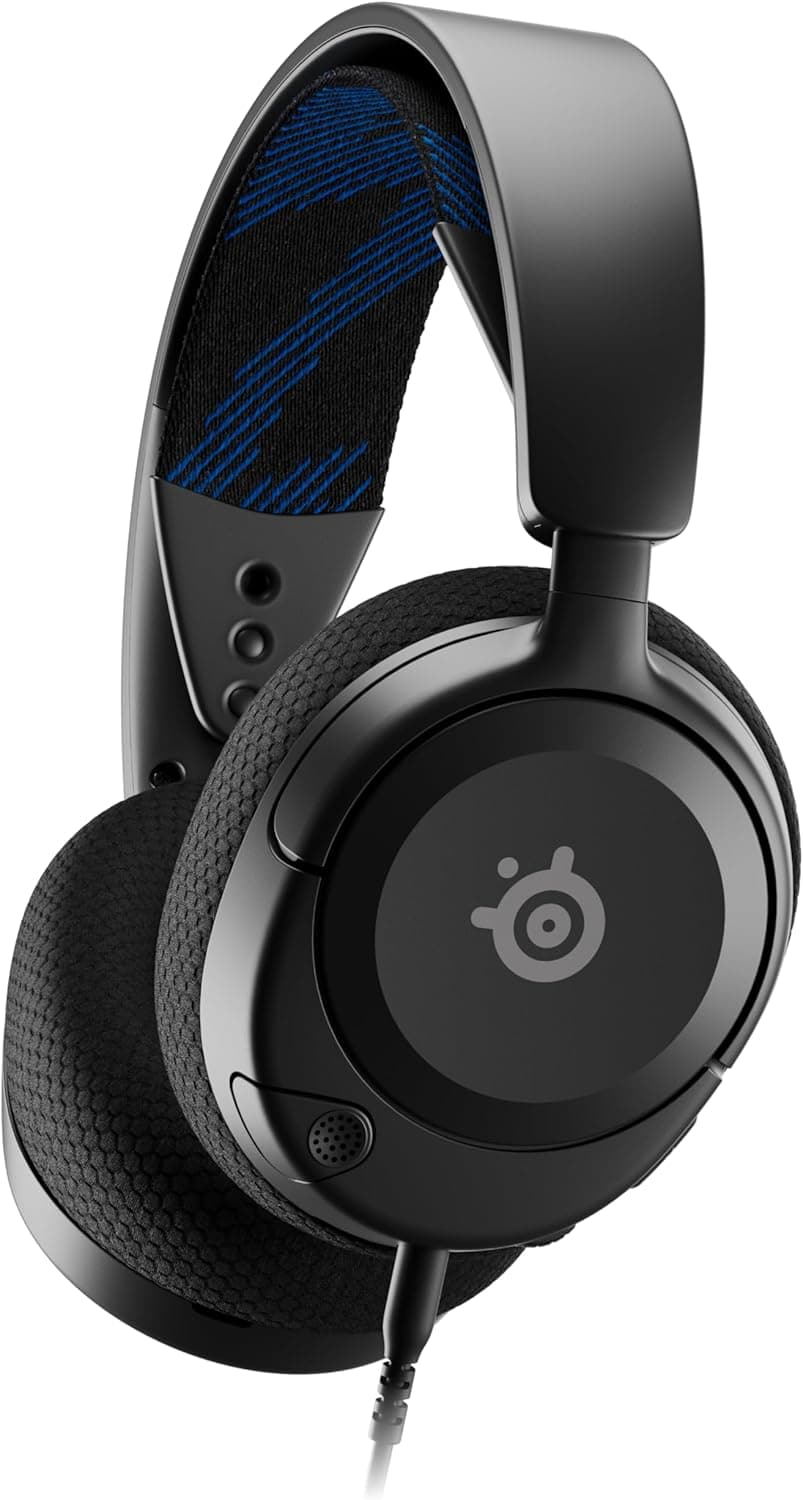
The SteelSeries Arctis Nova 1 is a wired gaming headset that sits at the entry level of the Arctis lineup while borrowing several features from its higher-end siblings. It uses custom-designed 40mm audio drivers with a frequency response of 20 to 22,000Hz and a low 36-ohm impedance, which means it can be driven easily by smartphones, handheld consoles, and other devices with modest headphone outputs.
What sets this model apart in its price bracket is support for the company's Sonar software. Through Sonar, users get access to a professional-grade parametric equalizer and 360-degree spatial audio. The headset also works with PS5's Tempest 3D audio and Microsoft's spatial sound, so the immersive experience extends beyond the PC platform.
Connectivity is handled through a standard 3.5mm jack, making the Arctis Nova 1 compatible with PC, PS5, PS4, Switch, Xbox, Mac, and mobile devices. At roughly 236g, it is noticeably lighter than many competing headsets, and the combination of AirWeave memory foam and the ComfortMAX system is designed to keep long sessions comfortable.
Compatibility Guide
Because the Arctis Nova 1 uses a 3.5mm audio jack, compatibility is exceptionally broad. Any device with a 3.5mm headphone port — PC, PS5, PS4, Switch, Xbox, Mac, or smartphone — can use it without additional adapters or dongles.
On PS5, enabling Tempest 3D audio requires a quick trip into the system settings under Sound > Audio Output. On Switch, simply plugging into the console or dock's 3.5mm jack provides both game audio and microphone functionality in both handheld and TV modes.
For Xbox users, connecting to the controller's 3.5mm jack delivers game audio and chat simultaneously. To get the most out of spatial audio on Xbox, you may need to adjust the system-level audio settings, as the headset itself relies on the platform's processing rather than built-in virtual surround.
Product Info
The Arctis Nova 1 (model number 61606) launched in October 2022. It occupies a position between entry-level and mid-tier in the gaming headset market, offering core specs like 40mm neodymium drivers, a 20-22,000Hz frequency response, and 36-ohm impedance, while retaining access to the same Sonar software as more expensive models in the series.
Physical dimensions are approximately 87mm x 175mm x 190mm, and the headset weighs around 269g (0.594 lbs). For details on included accessories and warranty coverage, check the official product page.
Best Use Cases
- Multi-platform gamers who play across PC, PS5, Switch, and mobile. The 3.5mm connection means one headset works everywhere without needing separate wireless dongles or USB adapters for each device.
- People who frequently use voice chat, whether for online gaming, streaming, or remote work. The ClearCast Gen 2 retractable microphone with AI noise cancellation keeps your voice clear while suppressing background noise, making it practical for video conferences too.
- Gamers who prioritize comfort during long sessions. At roughly 236g with AirWeave memory foam ear cushions, this headset is easy to wear for hours. If you've found heavier headsets uncomfortable, this is a solid alternative.
Things to Consider
The Arctis Nova 1 is wired-only, so it won't suit anyone who wants a completely cable-free setup. The cable can get tangled, and if you prefer a clean desk with minimal wires, you might find it annoying.
Advanced features like 360-degree spatial audio and the parametric equalizer are fully realized through the Sonar software on PC. On consoles, you'll rely on the platform's built-in spatial audio (like PS5's Tempest 3D) rather than the headset's own processing.
The microphone is retractable and integrated into the headset, so it's not designed for standalone desktop use. If you need a separate mic for streaming or recording, you'll want to budget for an additional microphone.
FAQ
Q: How do I enable Tempest 3D audio on PS5?
A: Connect the headset to the PS5 controller or console via the 3.5mm jack, then go to Settings > Sound > Audio Output and enable 3D Audio. Compatible games will then output spatial audio.
Q: Does the microphone work on Switch?
A: Yes. Plug the headset into the Switch console or dock's 3.5mm jack, and both game audio and the microphone will function. Note that in-game voice chat only works in titles that support it.
Q: Do I need any special setup to use Sonar on PC?
A: Download and install Sonar from the SteelSeries website, then connect the headset to your PC. The software will recognize it automatically, and you can adjust the equalizer and spatial audio settings from there.
Product Disclosure (Amazon)
- Manufacturer: SteelSeries
- Model: 61606
- ASIN: B0B7X7PK9S
- Note: This article covers a manufacturer-made product based on Amazon listing details.