This article covers StarTech.com PCI Express.
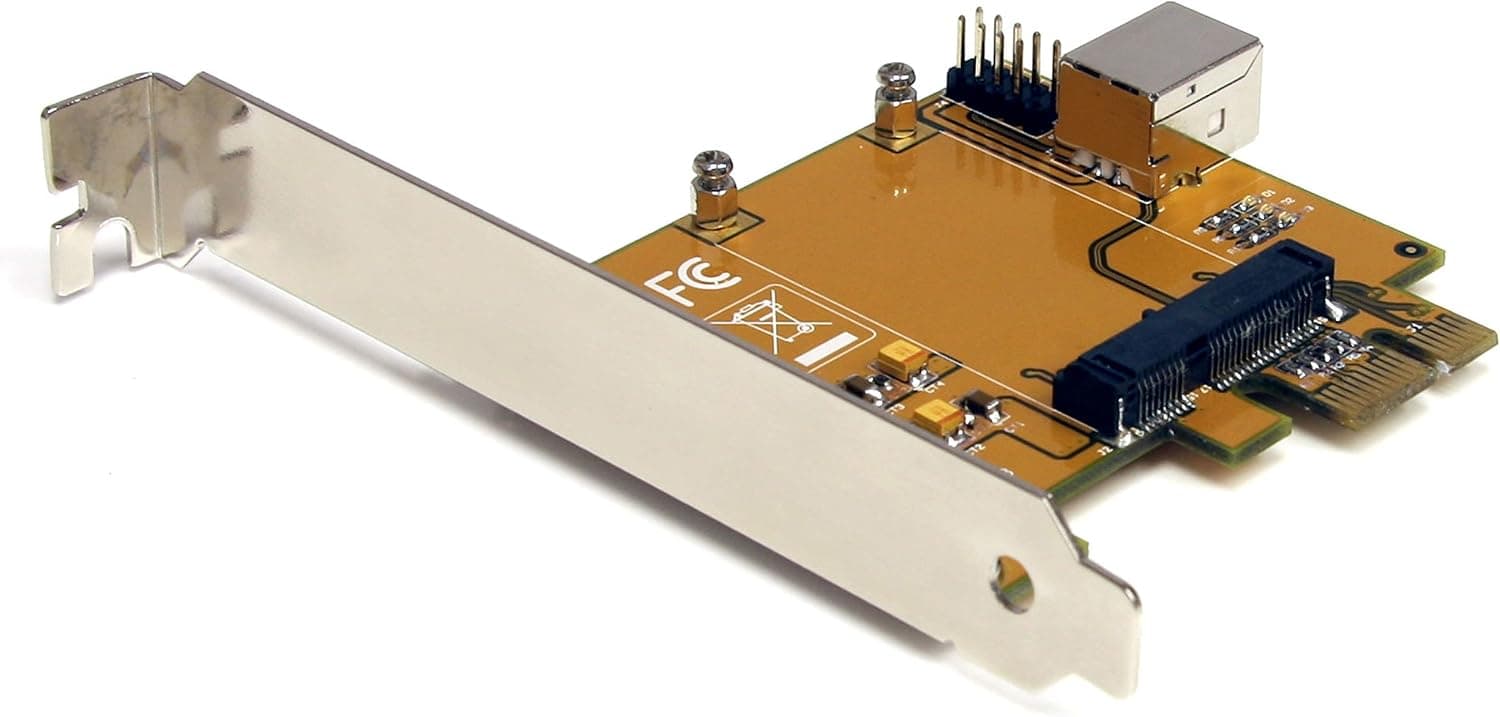
The StarTech.com PEX2MPEX is a PCI Express to Mini PCI Express adapter that lets you install a full-size Mini PCI Express card into any standard PCI Express slot.
It comes with both a standard-height bracket and a low-profile bracket, making it suitable for everything from full-tower desktops to compact SFF cases. This adapter uses a straight-through pass-through design, meaning the PCI Express bus signals go directly to the Mini PCI Express card without any active conversion chips.
That keeps latency low and compatibility high. If you have a spare Mini PCI Express Wi-Fi card, Bluetooth module, or TV tuner lying around, this is a cost-effective way to put it to work in a desktop PC.
Half-size cards will not fit physically. The Mini PCI Express card sees the host PCI Express bus directly, just as if it were plugged into a native Mini PCI Express slot on a laptop or embedded system.
The PEX2MPEX has been on the market since around 2012 and remains widely available through major retailers like . It is a mature, well-tested product from StarTech.com, a brand known for reliable connectivity and adapter solutions.Check the retailer's page for the latest price.
It is cheaper than buying a dedicated Mini PCI Express expansion card and gives you the flexibility to reuse existing Mini PCI Express hardware in a desktop environment. Adding Wi-Fi or Bluetooth to an older desktop: If your motherboard lacks M.2 or built-in wireless, a Mini PCI Express Wi-Fi card paired with this adapter is a simple, low-cost upgrade.
No soldering or special tools required. Small-form-factor (SFF) builds: The included low-profile bracket makes this adapter ideal for slim or compact desktop cases where space is tight.
You can install a wireless card or other Mini PCI Express device without sacrificing a full-height slot. DIY enthusiasts and tinkerers: If you have a collection of Mini PCI Express cards from old laptops or embedded systems, this adapter lets you repurpose them in a standard desktop.
It is also useful for testing Mini PCI Express hardware without a dedicated laptop. Before buying, confirm that your Mini PCI Express card is full-size.
Half-size cards will not lock into the connector. Driver support depends entirely on the Mini PCI Express card you install, not on the adapter itself.
Make sure your operating system has drivers available for the card before committing. Competing adapters exist from brands like Delock and others, but the PEX2MPEX stands out for including both bracket types out of the box and for StarTech.com's solid build quality and warranty support.
The price is slightly higher than generic no-name adapters, but the reliability and documentation make it a safer long-term choice.
Product Disclosure (Amazon)
- Manufacturer: StarTech.com(スターテック)
- Seller: シネックス ストア
- Fulfilled by: シネックス ストア
- ASIN: B006K24RA6
- Note: This article covers a manufacturer-made product based on Amazon listing details.