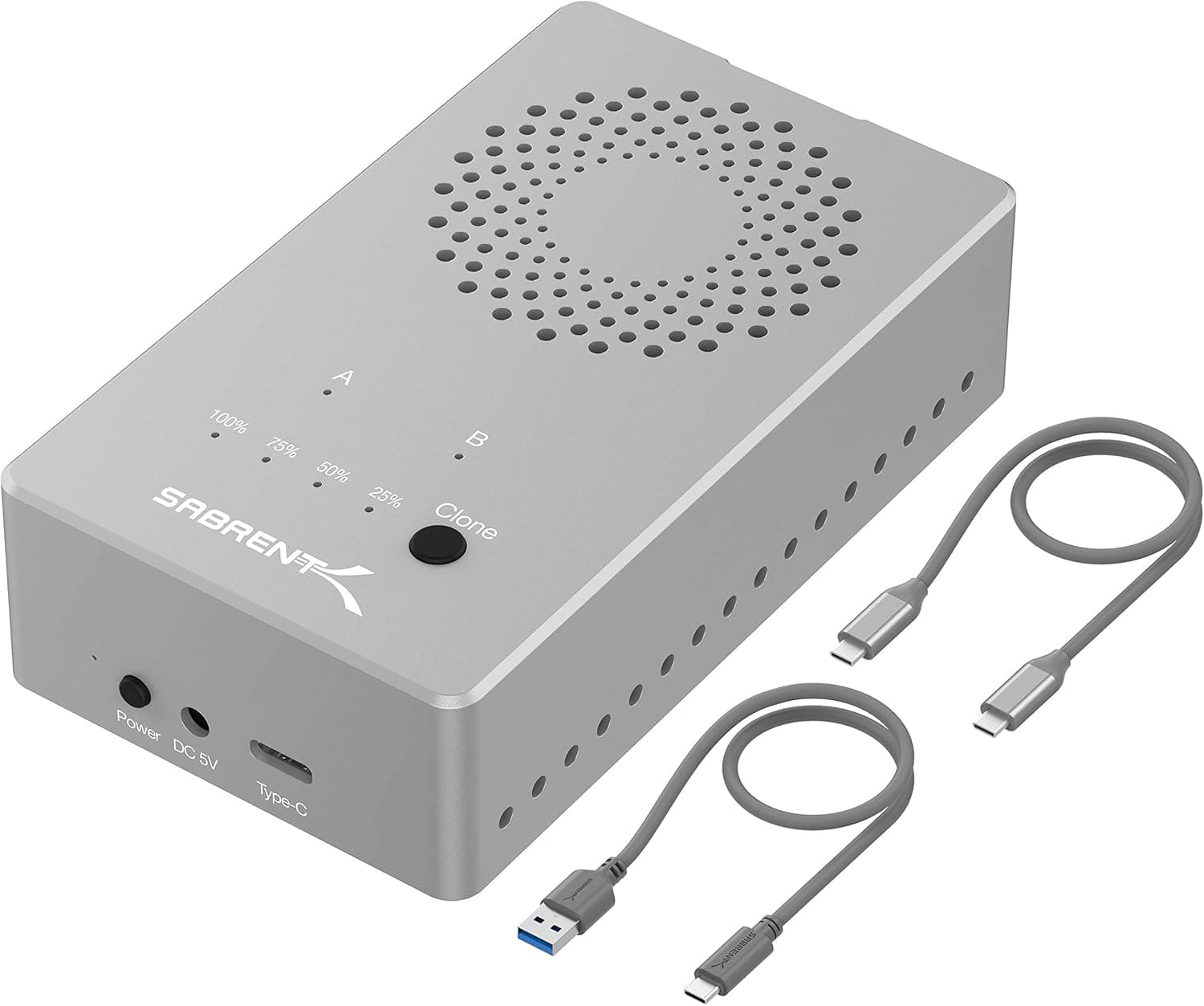
The SABRENT ツールフリー USB Type C デュアルドッキングステーション PCIe NVMe M.2 SSD用オフラインクローニング機能付き (EC-SSD2) is a desk-bound dock that holds two M.2 NVMe SSDs at once and can copy one drive onto the other without a PC.
This article focuses on what buyers usually discover too late: the speed ceiling, the drives that physically fit but never mount, and the capacity rules that govern cloning.
Overview
This is a dual-slot docking station for M.2 NVMe SSDs.
The host link is USB 3.2 Gen 2 Type-C, supported drives are PCIe NVMe M.2 only (no SATA), the chassis is aluminium with a built-in cooling fan, the unit measures 15 x 11.2 x 9.4 cm, and the colour is silver.
The headline feature is offline cloning, which duplicates one drive to the other with no computer involved. On Amazon.co.jp the product held 4.4 out of 5 stars across 392 reviews (88% favourable) as captured on 29 May 2026 - a solid sample size for such a niche tool.
Here is the fit by use case, up front.
| Intended use | Fit | Why |
|---|---|---|
| Whole-drive copy during an upgrade | Excellent | PC-free offline cloning is the core feature |
| Recovering data from a pulled SSD | Excellent | Tool-free trays, two drives visible at once |
| Permanent external storage | Fair | Works, but the AC adapter ties it to a desk |
| Getting full NVMe speed | Poor | The link caps out at 10Gbps |
| Video output or wired LAN | Poor | Despite the name, there are no display or LAN ports |
As the table shows, this is not a fast external SSD case. It is a workbench for swapping drives, and the rest of this article judges it on those terms.
Where the Speed Ceiling Comes From
USB 3.2 Gen 2 tops out at 10Gbps (1.25GB/s) in theory, and after protocol overhead typical implementations land around 1,000MB/s in practice.
The drives you put inside are far quicker: a PCIe 3.0 NVMe SSD reads at roughly 3,000MB/s, and PCIe 4.0 models reach 5,000 to 7,000MB/s.
In other words, the moment a drive goes into this dock it runs at something like one third to one seventh of its native speed. That is not a flaw specific to this model - it is the ceiling shared by every 10Gbps enclosure.
When both slots are in use, they share the single USB link back to the host. Two drives therefore do not mean double the throughput, and copying from one slot to the other through the PC sends the data along the same path twice.
That is exactly why offline cloning exists here: it keeps the copy inside the unit instead of round-tripping over USB. Actual clone throughput depends on the internal bridge, so check the manufacturer page for concrete figures rather than assuming a number.
Compatibility Guide
Supported form factors are M.2 2230, 2242, 2260 and 2280.
That covers the short 2230 sticks used in laptops and handheld consoles through to the 2280 drives common in desktop builds, and the tool-free quick-release mechanism holds all of them without screws. The more length variations you handle, the more that screwless design pays off.
Only PCIe NVMe (M-key) drives are supported; M.2 SATA and AHCI SSDs are not.
This is the most common failure by far. Many M.2 SATA drives use a B+M key, so they slide into the slot perfectly and then refuse to appear at all.
Before buying, look up your drive and confirm it is labelled NVMe or PCIe Gen3/Gen4. A board with two notches in the edge connector is very likely SATA.
The manufacturer specifies Windows PCs, and the compatibility note states plainly that M.2 SATA and AHCI SSDs are unsupported.
Devices that present as USB mass storage usually read and write fine under macOS or Linux, but that is not a guaranteed configuration here, so confirm with the vendor if you plan to use anything other than Windows. Offline cloning itself runs inside the unit, so that function does not depend on the host OS.
Power comes from the bundled AC adapter (5V/4A); there is no bus-powered mode. You need an outlet, and at 15 x 11.2 x 9.4 cm this is nothing like a pocket enclosure.
Treat it as stationary equipment. PCIe 4.0 and 5.0 drives work, but they are still limited to the 10Gbps link, and the hotter the drive, the more the fan and aluminium shell earn their place.
Product Info
rmation
Key specifications: USB 3.2 Gen 2 Type-C interface, PCIe NVMe M.2 support (SATA not supported), offline cloning, 15 x 11.2 x 9.4 cm body, aluminium construction with a cooling fan, silver finish.
The box includes a USB-C to C cable, a USB-C to A cable, an AC adapter and a manual, and the product has been on the market since around 2021.
The Amazon.co.jp price was ¥19,604 as captured on 27 August 2026.
That figure reflects the moment it was collected and moves with sales and stock levels, so check the live product page before ordering. An eBay search link is also available for comparing overseas listings, but no amount was captured there - it still shows See listing - so you will need to open individual listings to compare.
On reception, the dock stood at 4.4 out of 5 from 392 reviews (88% favourable) as of 29 May 2026.
Few products combine dual slots with offline cloning, so that review count is decent evidence of real-world use. Review distributions shift over time, so treat the store page as the current source.
Before You Run an Offline Clone
Cloning is powerful and unforgiving. Cover these points before you press anything.
- Confirm which slot is source and which is target in the manual. Reversing them overwrites the drive you wanted to keep. Make the check a habit, every time.
- The target must be at least as large as the source. Whole-drive cloning generally refuses or fails partway when the destination is smaller.
- Cloning to a larger drive leaves unallocated space. Extend the partition afterwards in Windows Disk Management to reclaim it.
- Never pull power or a drive mid-clone. An interrupted run leaves the target in an unusable half-written state.
- Connecting both drives to Windows afterwards can trigger a disk signature collision, taking one offline. That is expected behaviour and is fixable from Disk Management.
One more thing: a clone is not a backup. It reproduces the source exactly as it was at that instant, including accidental deletions or encrypted files.
Keep versioned backups separately if the data matters.
How It Compares
There are three realistic alternatives. Single-slot portable NVMe cases are smaller, cheaper and bus-powered, but they cannot clone drive to drive and some still need screws or tools for every swap.
Enclosures using USB 3.2 Gen 2x2 (20Gbps), USB4 or Thunderbolt are clearly faster, but only if your host supports the same standard, and they cost more.
The third option is cloning software on the PC. It can be cheap, but it occupies the machine during the job and needs somewhere to attach both M.2 drives at once.
What this dock really sells is workflow, not bandwidth. Want speed, go to a faster standard; want cheap, buy a single-slot case; want a repeatable swap routine, this is the one.
Also note that products sharing the docking station label - the ones that add HDMI, DisplayPort, Ethernet and USB hubs to a laptop - solve a completely different problem. If your goal is more monitors, look at that category instead.
Recommended Users
- People who upgrade their own SSDs. You can clone a laptop drive to a larger one without tying up the computer.
- Anyone juggling several spare or second-hand NVMe drives. Two slots let you inspect and consolidate in one pass.
- Users handling mixed 2230, 2242 and 2260 sticks. Tool-free trays mean no hunting for screws when the length changes.
- Whoever fixes the family or office machines. It lives on the desk and reads whatever drive shows up.
If you only want to carry one SSD around, a bus-powered pocket enclosure suits you better. This dock is built for migration, not for mobility.
Before You Buy
Do not be misled by the docking station name. This is an SSD dock.
There is no HDMI, no DisplayPort, no Ethernet and no USB hub. It is listed alongside conventional docking stations, but it belongs to a different category of tool, and laptop owners shopping for port expansion mistake it most often.
Speed stops at 10Gbps. A fast PCIe 4.0 drive will not show its native numbers here.
If benchmark figures are the goal, this is the wrong product; treat it as migration and archival equipment.
M.2 SATA drives fit and still fail. Because they slot in physically, people assume a defective unit.
Check the standard of your drive before ordering.
It needs mains power and it has a fan. The adapter limits where you can put it, and any fan-equipped unit may be audible in a quiet room.
It is a poor fit for a bedroom or a recording space running around the clock.
Accept some limits for long-term use. USB bridges do not always pass TRIM and full SMART data through to the host, so a drive used daily for heavy writes is better placed inside a machine.
Booting an OS from a USB-attached drive is likewise outside the intended use and not recommended as a routine.
Watch the price and the listing data. The ¥19,604 quoted here was captured on 27 August 2026 and may no longer apply.
Listings in this category sometimes carry manufacturer names or model numbers belonging to a different product, so cross-check the images, the title and the supported form factors before you buy.
FAQ
Q. Can I use an M.2 SATA SSD? A.
No. Only PCIe NVMe M.2 drives are supported.
B+M key SATA drives will slide into the slot but will never be detected.
Q. Do I need a PC to clone? A.
No. Offline cloning runs inside the unit.
The target must be at least as large as the source, and you should follow the procedure in the manual.
Q. Are sizes other than 2280 supported? A.
Yes - 2230, 2242, 2260 and 2280, all held by the tool-free mechanism with no screws or screwdriver.
Q. Will my SSD reach its rated speed? A.
No. USB 3.2 Gen 2 limits real-world throughput to roughly 1,000MB/s, and a PCIe 4.0 drive hits the same ceiling.
Q. Does it work with a Mac? A.
The manufacturer specifies Windows PCs. Confirm current vendor guidance before buying if you plan to use another OS.
Q. Can both slots be used at the same time?
A. Yes, but they share one link to the host, so per-drive speed drops when both are active.