Overview
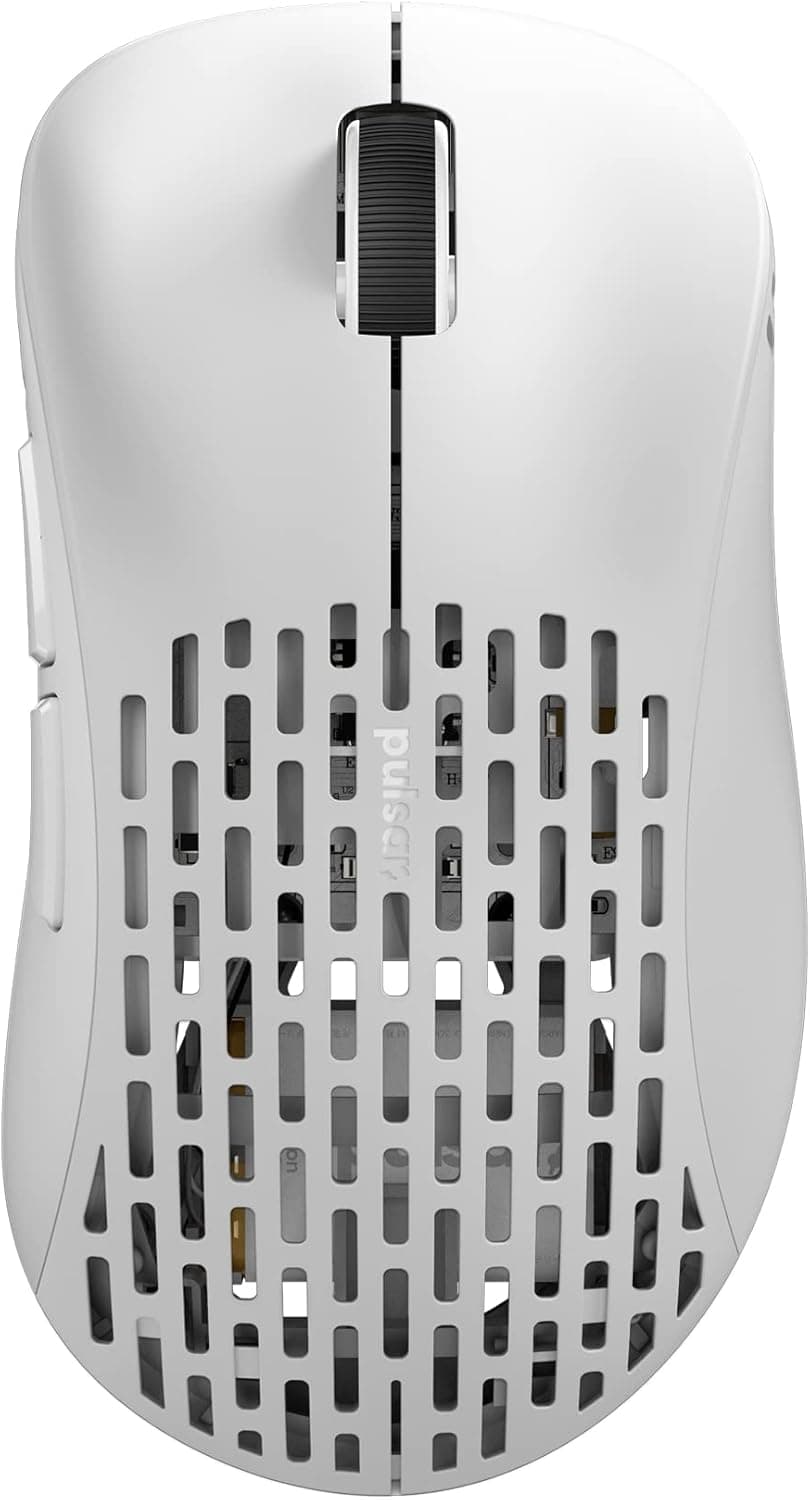
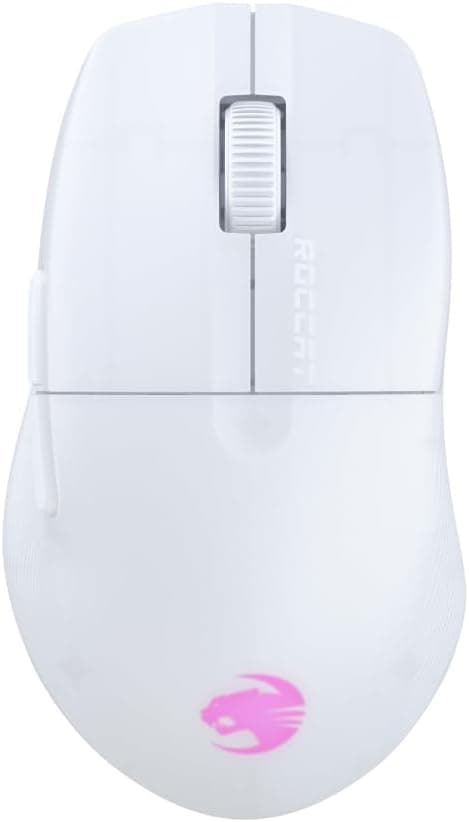
The ROCCAT Pure Air is a 54g ultra-lightweight gaming mouse with dual wireless connectivity — 2.4GHz STELLAR Wireless and Bluetooth.
The short verdict: it fits low-sensitivity FPS and battle royale players who want to strip out both cable drag and grams. It is not the first pick for MMO players who need a wall of side buttons, or for large-handed palm grippers who want a mouse they can rest their whole hand on.
On paper it carries a 26K Owl-Eye optical sensor (up to 26,000 DPI), TITAN Optical Switches rated for 100 million clicks, up to 125 hours of battery life, and fast charging that returns 5 hours of play from a 10-minute charge. On Amazon.co.jp it held 4.2 out of 5 stars from 91 reviews (84% positive) as captured on June 4, 2026 — a reasonable average for this class, though the review count is still modest.
| Question | This mouse's answer |
|---|---|
| Weight | 54g — near the top of the lightweight class |
| Sensor | 26K Owl-Eye optical, up to 26,000 DPI |
| Connectivity | 2.4GHz STELLAR Wireless / Bluetooth / wired via charging cable |
| Battery | Up to 125 hours; 10 min charge = 5 hours play |
| Switches | TITAN Optical, 100M-click rating |
| Poor fit for | MMO multi-button users, heavy-mouse fans, quiet-click seekers |
Those are manufacturer figures. Below, what they actually change in practice.
What 54 Grams Actually Changes
Most gaming mice sit around 80–100g, and even "lightweight" models often land in the 60–70g range. At 54g the Pure Air is decisively on the light side.
The gap is only tens of grams, but across hundreds of flicks and stops per match, that inertia difference accumulates directly as wrist and forearm fatigue. The benefit peaks for low-sensitivity setups (roughly 400–800 DPI) where you aim with the whole arm, because every acceleration and every stop pays the weight tax.
Lightness is not universally better, though. A lighter mouse transmits micro-tremor to the cursor more readily, so high-sensitivity fingertip-grip players sometimes feel the aim "won't settle." Lowering DPI or switching to a higher-friction control pad usually fixes it.
Lightweight mice are a category where the mousepad pairing genuinely changes the verdict — factor that in before judging.
The TITAN Optical Switches use light rather than metal contacts, so contact-wear chatter (one click registering twice) is structurally unlikely. The 100-million-click rating is reassuring for daily long sessions.
The trade-off is acoustics: optical switches tend toward a crisp, light click, so this is not the mouse for a quiet shared room.
Compatibility Guide
Supported operating systems are Windows and macOS. Over Bluetooth it can also work with some consoles and tablets that support Bluetooth mice, but console support depends on the specific model and system version — verify before buying if console use is your main goal.
There are three ways to connect, each with a clear role:
- 2.4GHz STELLAR Wireless — the bundled receiver into a USB port. Low latency; the only sensible choice for gaming.
- Bluetooth — no dongle needed for laptops and tablets, but higher latency. Avoid it for competitive titles.
- Wired (included Phantom Flex cable) — lets you play while charging, a useful fallback when the battery dies.
The most common real-world failure is the USB port itself. A receiver plugged into a recessed rear port or a USB hub can suffer weak reception, showing up as cursor jumps or brief dropouts.
Moving it to a front port, or somewhere closer to the mouse such as behind a monitor, resolves most cases. The 2.4GHz band is shared with Wi-Fi, wireless earbuds, and wireless keyboards, so avoid crowding the receiver among many radios.
Software is the other overlooked point. DPI stages, button remapping, and polling rate are configured through the companion utility, but macOS software availability and feature parity can differ from Windows.
If Mac will be your main platform, confirm current support on the product page and the manufacturer's support site. If the mouse stores profiles onboard, configuring on a Windows machine first is a viable workaround.
Product Info
Core specifications: 54g weight, 26K Owl-Eye optical sensor (up to 26,000 DPI), TITAN Optical Switches rated for 100 million clicks, up to 125 hours of battery with 10-minute fast charging for 5 hours of play, and dual 2.4GHz / Bluetooth wireless.
This article covers the white colorway.
Recorded prices, with capture dates: Amazon listed it at ¥11,900 as captured on June 4, 2026, and at ¥12,980 as captured on August 27, 2026. A roughly ¥1,000 swing in under three months is a good reminder that mice in this bracket move by thousands of yen depending on sales and stock.
Treat the figures here strictly as point-in-time records and check the product page for the current price. Marketplace listings such as eBay vary per seller, and no specific figure was captured at the time of writing.
Ratings stood at 4.2 out of 5 from 91 reviews (84% positive) on Amazon.co.jp as captured on June 4, 2026.
With the count still under three digits, the average may shift as more reviews land — don't read it with the same confidence you'd give a bestseller with thousands of ratings. Units with official Japanese distributor warranty circulate domestically; warranty coverage varies by seller, so check the seller information at checkout.
How It Compares
The 54g wireless class has gotten crowded, and the compromises shift with price. Around the ¥10,000 mark, differences come less from raw sensor specs and more from connection stability, software polish, and build quality.
The Pure Air's combination of dual wireless, up to 125 hours of battery, and optical switches means it isn't stripping features to hit its price.
Cheaper ultra-light wireless mice exist, but most compromise somewhere — battery life, wireless stability, or long-term switch durability. Flagships above this tier chase 8000Hz polling and dongle-level latency tuning.
The Pure Air lands squarely in the middle: you're not shaving the last millisecond for tournament play, but you also refuse to tolerate dropouts or a battery that dies by lunchtime.
On shape, lightweight shells tend to be slim and compact. If you have large hands and want to wrap them fully around the mouse, an asymmetric ergonomic design — heavier, inevitably — may satisfy more.
Weight and grip comfort trade against each other, so measure your current mouse and decide how far you actually want to move before choosing.
Best Use Cases
This mouse suits:
- Low-sensitivity FPS and battle royale players. 54g pays off on both the flick and the stop.
- Long-session players and streamers. Up to 125 hours means weeks between charges at a few hours a day, and 10 minutes of charging buys 5 hours back.
- Anyone sharing one mouse between a gaming PC and a laptop or tablet. Swap between 2.4GHz and Bluetooth without carrying the dongle everywhere.
- Anyone burned by double-click chatter before. Optical switches sidestep the contact-wear failure mode.
- White-desk builders. The white colorway is easy to coordinate, and that's a legitimate reason to choose it.
Before You Buy
First, this is not a multi-button mouse. MMO and MOBA players binding skills across a side panel, or editors cramming shortcuts in, will likely run short.
Lightweight designs cut buttons and parts to cut grams — don't expect feature density.
Second, accept that light doesn't suit everyone. High-sensitivity fingertip users, or anyone who relies on some mass to steady the cursor, may find 54g too light to settle on target.
Handling a similar-weight mouse in a store is the surest test. Lighter doesn't mean better aim; it means there's a weight that matches your style.
Third, the battery figure is conditional. Up to 125 hours assumes a particular combination of polling rate, lighting, and connection mode; real use runs shorter, and higher polling rates drain faster.
Even half the rated figure is perfectly usable — just don't plan around the headline number.
Fourth, white shows wear. Sweat and skin oils build up on the sides and click surfaces where a black shell would hide them.
Plan on periodic wiping with a dry cloth or one lightly dampened with isopropyl alcohol.
Fifth, check the listing details. In the collected data, one price entry was labeled for a US storefront while quoting Japanese yen.
Amazon product pages occasionally carry manufacturer names, model numbers, or color variations that don't match the actual item. Before ordering, confirm that the product images, the title, and your variation selection (color and connection type) match the model you want.
When wired and wireless versions share a single page, the wrong selection ships the wrong mouse.
Finally, note the review sample size — 91 reviews as captured on June 4, 2026. A 4.2 average is good, but with a small base there is limited accumulated evidence on early-failure rates or long-term durability.
Buying from a seller with a clear return and exchange policy gives you room to move if something goes wrong.
FAQ
Q. 2.4GHz or Bluetooth for gaming? A.
Always 2.4GHz.
Bluetooth latency is noticeably higher and works against you in genres where a single input decides the fight. Treat Bluetooth as the productivity mode for laptops and tablets.
Q. Can I use it wired? A.
Yes — connect the included Phantom Flex charging cable and you can play while charging. It's a good fallback for a dead battery, but the mouse isn't designed around permanent wired use.
Q. Does it work on a Mac? A.
macOS is listed as supported, so basic mouse operation works. Companion software support for DPI and button remapping can differ from the Windows version, so verify on the product page and manufacturer support site if deep customization matters to you.
Q. Do I need 26,000 DPI? A.
In practice almost everyone plays between 400 and 3,200 DPI. The 26,000 figure describes the sensor's ceiling, not a setting to use.
A high ceiling is mainly an indicator that the sensor is a current-generation part.
Q. Will the battery really last 125 hours? A.
That's the maximum rating; polling rate and lighting settings shorten it in practice. Since 10 minutes of charging returns about 5 hours, plugging in during a break generally keeps you covered.
Q. I have large hands — will it fit? A.
Ultra-light mice tend toward slim, compact shells, which can feel small for large-handed palm grippers. If grip comfort outranks weight for you, consider ergonomic-shaped alternatives alongside this one.