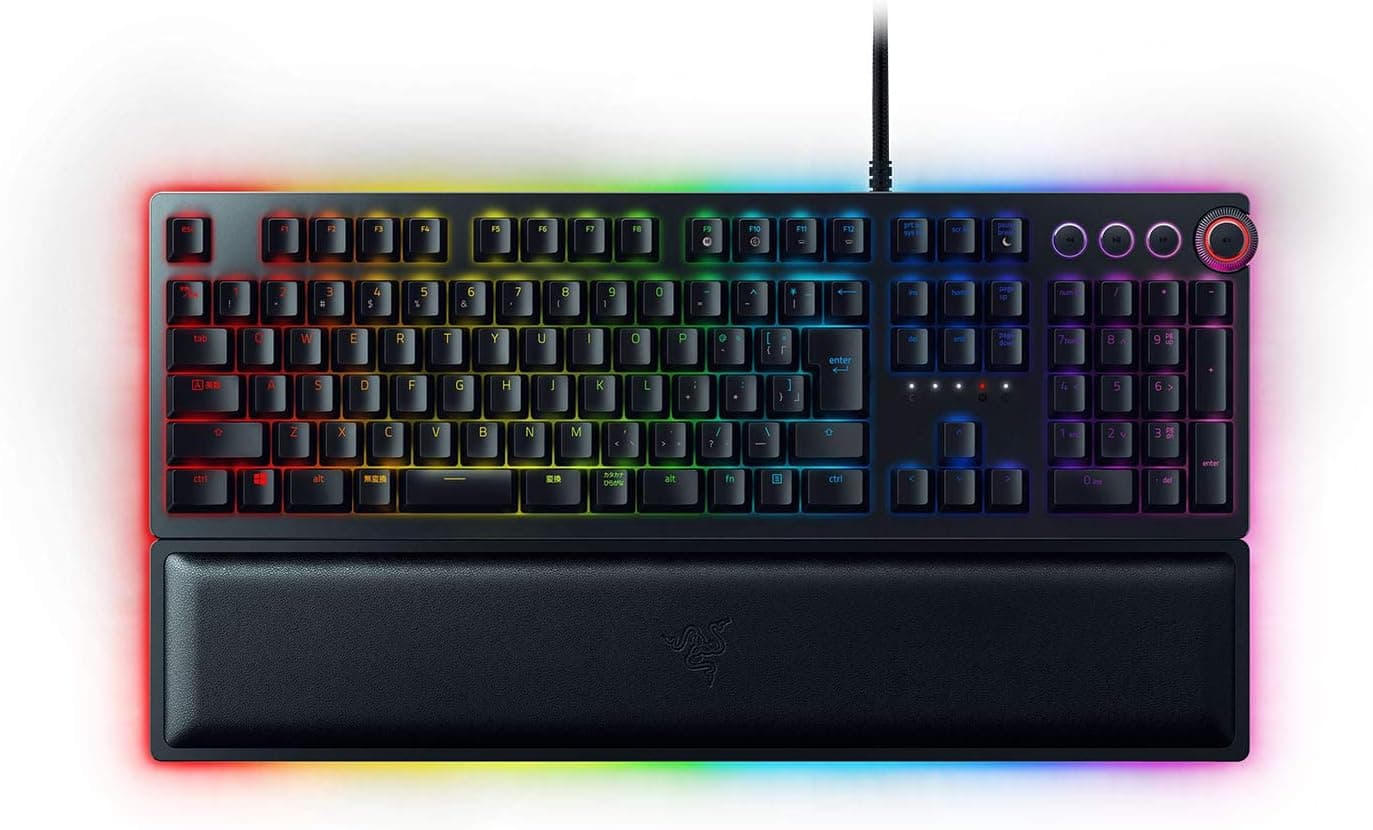
This article takes a closer look at the Razer Huntsman Elite JP gaming keyboard (Japanese JIS layout, optical mechanical switches, leatherette wrist rest included, domestic authorized-distributor warranty, model RZ03-01870800-R3J1), using its published specifications and the data recorded on its retail listing.
Overview
The Razer Huntsman Elite JP is a full-size, high-end gaming keyboard built around Razer's optical mechanical switches. The short version: it suits people who want a JIS layout combined with instant actuation and a firm, audible click.
It does not suit people who need quiet operation, want to swap switches later, or want a wireless desk.
The published specs are keystroke durability of 100 million presses, 10-key rollover, and 5 onboard profiles. Those three numbers describe the product well.
The 100-million figure is possible because actuation is detected by interrupting an infrared beam rather than by metal contacts touching, and the 5 onboard profiles mean your settings travel with the board to machines where you cannot install software. An aluminum top plate and the bundled leatherette wrist rest cover both the look and long-session comfort.
How Optical Switches Differ
Conventional mechanical switches register a press when metal contacts meet; optical switches register it when a light beam is broken. With no physical contact point, one structural cause of chatter (a single press registering twice) is removed and the contacts cannot wear out, which is what makes the 100-million rating plausible.
The Huntsman Elite uses the clicky variant, so every press comes with a distinct click and tactile bump.
This is where opinions split. The click makes input feel certain and typos obvious, but the noise is nothing like a silent linear board.
If a sleeping household, a voice-chat microphone, or an office neighbor is part of your setup, listen to a typing sample before you buy. This generation is presented as a non-hot-swap design, so "I'll just replace the switches if it's too loud" is generally not an option — confirm on the product page before purchase.
Compatibility Guide
Connection is wired USB (USB-A), and the keyboard works with Windows PCs and notebooks. Basic typing works without drivers, but remapping, macros, Chroma RGB lighting, and writing to onboard profiles all require Razer Synapse.
Synapse is a Windows application, so on macOS or Linux you should assume the board types fine but cannot really be customized. If a Mac is your main machine, a keyboard that advertises Mac support will make you happier.
Two physical points are easy to overlook. First, desk space: full-size plus a wrist rest pushes your mouse further out, which matters on shallow desks.
Low-sensitivity FPS players should measure the actual depth before committing. Second, USB ports: this generation's cable is sometimes described as using more than one connector, so the number of free USB-A ports on your PC can decide whether it plugs in at all.
Check the cable's connector count in the listing photos and spec table. Connecting through a hub can be unstable once lighting draws power, so plug directly into the PC.
10-key rollover and anti-ghosting mean simultaneous presses in fighting or rhythm games are registered reliably. Note that the spec says 10-key, not full NKRO — worth knowing only if you play titles that demand extreme chords.
Product Info
The unit ships as an authorized-distributor warranty product in Japan, model RZ03-01870800-R3J1, ASIN B07NJ78JVG. The box includes the leatherette wrist rest, a braided fiber cable, and a quick-start guide, with the standard 2-year manufacturer warranty.
It launched in 2018 and has stayed on sale as a long-running model.
Pricing deserves care. The referenced Amazon listing records ¥22,800 as captured in June 2026 and ¥30,980 as captured in August 2026.
Both are point-in-time values, and the gap exceeds ¥8,000 — this product's price moves significantly with stock and sales. Do not budget from the numbers in this article; check the price on the listing at the time you buy.
Given the swing, waiting for a sale is worthwhile if you are not in a hurry.
As of the June 2026 capture, the listing showed 98 reviews averaging 4.5 out of 5 stars (a 90% score).
That is a smaller sample than mass-market models with tens of thousands of reviews, but the rating itself is consistently high. A domestic, JIS-layout SKU naturally has a smaller pool, so the low count is not a red flag.
Recommended Users
It fits people who want tactile, audible confirmation of every press, who refuse to give up the JIS layout, and who plan to use one board for years. The 100-million durability rating and the optical design pay off most for people typing many hours a day.
With 5 onboard profiles you can keep separate FPS, work, and per-title setups and switch them without launching software. Writers and programmers who like clicky feedback will get along with it too, and the included wrist rest saves the cost of a separate palm rest.
Before You Buy
Noise is the main caveat. A clicky optical switch is satisfying and unmistakably audible to everyone around you.
If you spend a lot of time in voice chat or online meetings, or type at night in a shared room, this single point may rule the board out. Prioritize a linear or silenced switch if quiet matters more than feel.
Next, price volatility. As noted, captures show ¥22,800 and ¥30,980 at different dates — bad timing means paying roughly 1.35x for the same product.
Assume the price you saw in a review is not today's price.
On desk space, do not underestimate a full-size board plus wrist rest. On a desk around 45 cm deep, adding a mousepad gets cramped fast.
If you never use the numpad, a TKL model is the more practical buy.
Customization requires acceptance. This is a finished product, not a platform for hot-swapping and modding.
Keycaps can be replaced, but JIS layouts have far fewer compatible aftermarket sets than ANSI, and Enter or spacebar sizes frequently do not match.
Finally, listing metadata. E-commerce pages auto-populate some fields, and manufacturer names, model numbers, or prices from a different product do sometimes appear.
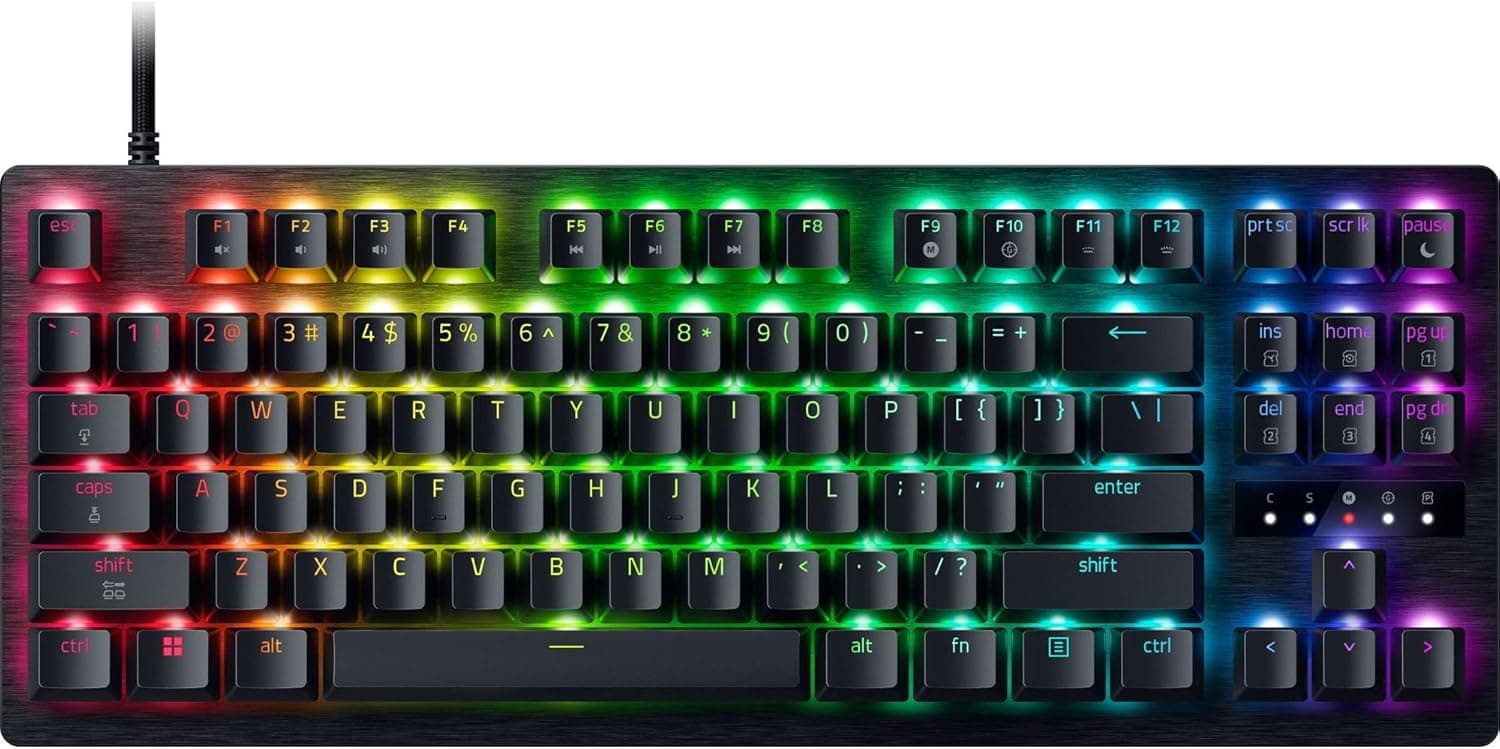
This listing is consistent as a Razer product, but before ordering, confirm with your own eyes that the images and title state the Japanese (JIS) layout and model RZ03-01870800-R3J1. US-layout Huntsman Elite variants are often listed alongside it, and receiving the wrong layout is the most common failure with this product.
FAQ
Q. How loud is it? A.
It uses clicky optical switches, so expect a clear click similar to a blue switch. It is not suited to quiet environments; pair it with a directional mic and noise suppression if you use voice chat.
Q. Does it work on a Mac? A.
Typing is recognized, but Razer Synapse is Windows-only, so remapping and lighting customization are effectively unavailable. Mac-centric users should look at boards that advertise Mac support.
Q. Are settings kept without software? A.
Yes — 5 onboard profiles let your configuration travel to other PCs. Writing those profiles still requires Synapse.
Q. Can I swap the switches myself? A.
This is not designed around hot-swap. If you expect to change switch feel later, choose a board that explicitly advertises hot-swap sockets.
Q. Is the wrist rest sold separately?
A. No, the leatherette wrist rest is included in the box.
Q. What about warranty? A.
As an authorized-distributor product in Japan it carries the standard 2-year manufacturer warranty. Parallel imports may not receive domestic support, so check for the authorized-warranty label before buying.
Product Disclosure (Amazon)
- Manufacturer: Razer(レイザー)
- ASIN: B07NJ78JVG
- Note: This article covers a manufacturer-made product based on Amazon listing details.