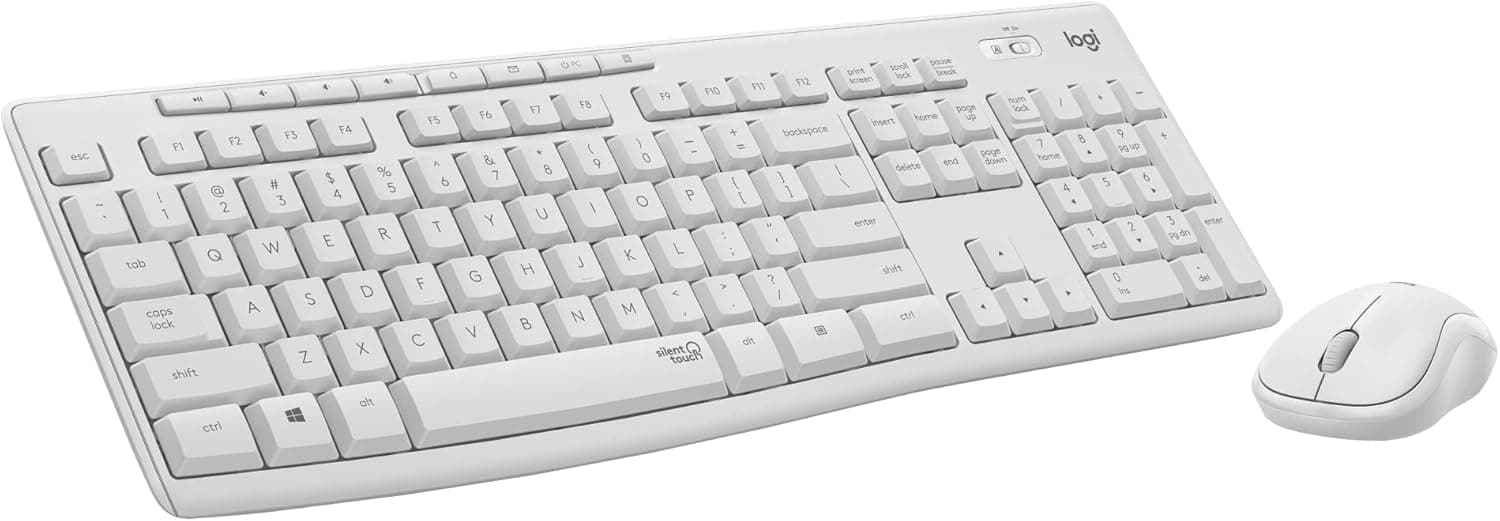
OMOTON キーボード&マウス Mac用有線キーボードテンキーデュアルインターフェイス(Type-C & USB) USB Aインターフェイス付きマウス MacBook Pro is a wired input set aimed squarely at macOS desks. This article works through the published specs and review record to show who it fits and where you have to compromise.
Overview
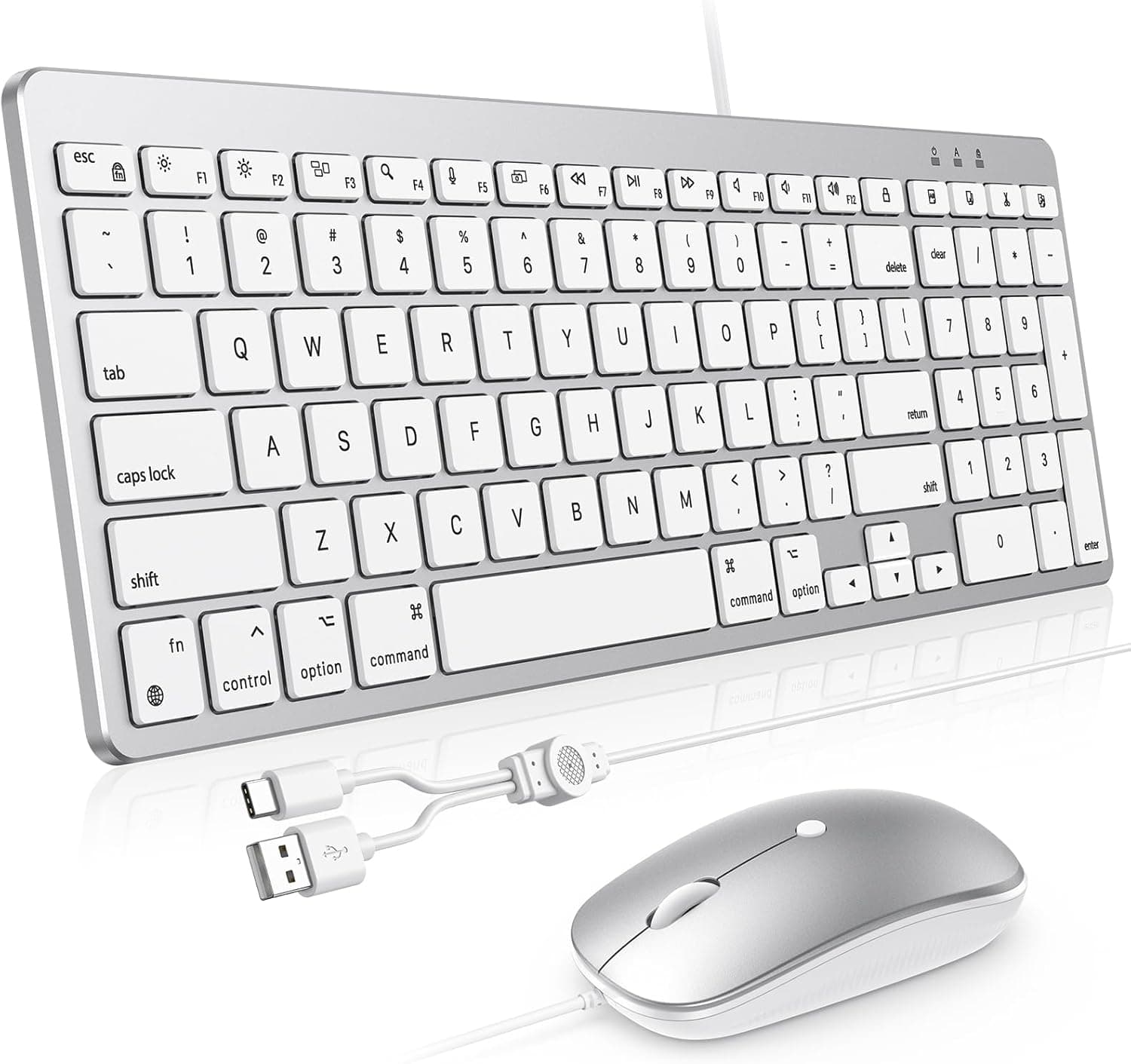
The short version: this set solves one problem well — adding a wired, full-size keyboard with a number pad to a Mac while consuming only one port. The keyboard ships with both USB Type-C and USB-A cables, and it carries a USB-A port of its own that the bundled mouse plugs into.
Your Mac gives up a single port; no hub, no dongle.
Five things are stated in the specs: wired connection, USB Type-C and USB-A connectors on the keyboard, a full-size layout with a number pad, a 6-degree tilt, and macOS 11.3 or later.
That 6-degree lift angle tilts the board slightly toward you, which flattens the wrist extension compared with a completely flat slab. It is not a dramatic ergonomic device, but the difference shows up over long data-entry sessions.
Amazon.co.jp reviews sat at 3.5 stars across 76 ratings (roughly a 70% positive score) as of 5 June 2026.
That is a small sample next to established staples, and the score is not outstanding. Read it as "works fine, rarely loved."
Compatibility Guide
The compatibility note is blunt: macOS 11.3 and later only, and no support for non-Mac devices.
Check this before ordering. macOS 11.3 shipped in spring 2021, so any current Mac is fine, but an older MacBook held back from updates, or a machine locked to a specific OS by IT policy, may not clear the bar.
Confirm your version first.
The setup itself is trivial. If your Mac only has USB Type-C (Thunderbolt) ports, use the Type-C cable; if you are on an older iMac or Mac mini with USB-A free, use the USB-A cable.
The mouse is USB-A and goes into the keyboard's own port. That "keyboard as a mini hub" design pays off most on port-starved machines like the MacBook Pro.
One caveat: treat that USB-A port as a mouse port, not an expansion hub. Portable SSDs and bus-powered drives demand power and bandwidth the port was not designed to supply, and pushing it can make the keyboard itself behave erratically.
Put storage on the Mac directly or on a powered hub.
Also measure your desk. A full-size layout with a number pad is wide, and the constraint is usually horizontal mouse room rather than depth.
If you plan to sit the keyboard in front of a laptop stand, check that it clears the stand's feet.
Product Info
| Item | Detail |
|---|---|
| Connection | Wired |
| Keyboard connectors | USB Type-C / USB-A |
| Layout | Full-size with number pad |
| Tilt angle | 6° |
| OS support | macOS 11.3 or later |
| Reviews | 3.5 stars / 76 ratings (captured 5 June 2026) |
What the table shows is a product chasing "the smallest thing that reliably works on a Mac" rather than a long feature list. No backlighting, no multi-device switching, no companion utility appears in the specs.
The flip side is that there is nothing to configure and nothing to learn.
On price: the earlier version of this article cited roughly ¥14,000, but that was a reference figure at the time of writing and is not a guarantee of today's price. The only pricing source available here is an eBay search link with no confirmed amount.
Input peripherals in this class swing hard during sales, so check the current price on the product page before buying. At this budget the field is crowded, and the verdict genuinely depends on what it costs the day you order.
The box contains the keyboard, the mouse, a USB Type-C cable, a USB-A cable, and a manual. Warranty terms follow the package documentation.
How It Compares
The obvious comparison is Apple's own Magic Keyboard with Numeric Keypad plus a Magic Mouse. The Apple pair is wireless, rechargeable, and unbeatable on layout consistency — and dramatically more expensive as a set.
This OMOTON set offers a near-Mac layout, wired, for far less.
Against wireless combos, the trade is clear. Wireless wins on cable clutter and often on cross-device use with an iPad or a Windows PC.
Wired wins on never running out of battery, never waiting to re-pair, and typing the instant the Mac wakes. If you have ever sat in a meeting waiting for a mouse to reconnect, that immediacy is worth more than it sounds.
Against gaming combos, there is no overlap. If polling rates and switch response matter to you, this is not a candidate.
It is an office and spreadsheet tool.
Living With It
A number pad is a real time saver if you enter figures daily — keeping your hand near the home position instead of reaching for the top row changes your daily throughput measurably. If you never touch a number pad, that same width is pure loss, eating into mouse travel.
This is decided by your work, not your taste.
A 3.5-star average over 76 ratings is the classic distribution for a product like this: satisfying when the use case matches, irritating when it does not.
Expectations about key feel and Mac layout details are where scores split. Before buying, it helps to articulate what exactly you like about your current keyboard.
Best Use Cases
- MacBook Pro or Air users who dock at a desk with an external display and want a number pad.
- Accounting and data-entry work done on a Mac.
- Anyone burned repeatedly by Bluetooth reconnection delays or dead batteries.
- Setups where only one USB port can be spared for input devices.
- Shared or lab machines where you do not want every user pairing devices.
If you want fewer cables on the desk, plan to share the keyboard with an iPad, or care deeply about switch feel, look elsewhere.
Before You Buy
The macOS-only restriction is the headline limitation. Windows, Linux, iPadOS, and Android are explicitly out of scope.
A connector fitting is not the same as a device working: Mac layouts place and label Command and Option differently, so even partial function would not give you a usable typing environment. If you move between a Mac and a Windows PC, buy something that states dual support.
Accept the downsides of wired. The cable is always on your desk.
This is a poor match for stowing the keyboard away often or using it on your lap. Because the mouse hangs off the keyboard, the mouse cable's reach is anchored to wherever the keyboard sits — if you center the keyboard and push the mouse far to the right, think about whether it will stretch.
Discount the small review sample. Seventy-six ratings do not carry the confidence of several thousand.
Buy on the assumption that you will exercise it thoroughly inside the return window: test every key, both clicks, and the wheel on day one.
Do not treat the keyboard's USB-A port as a general hub. It is there for the mouse.
External storage or USB audio gear plugged into it is a plausible source of instability.
A word on listing data. Product pages in this category occasionally carry manufacturer, model, or compatibility details that do not match the physical item.
The manufacturer shown here, OMOTON, matches this article's subject, but no confirmed price could be retrieved. Before ordering, verify the product images, the title, and the stated OS support against your own Mac.
FAQ
Q. Can I use it with a Windows PC? A.
No. It is specified for macOS 11.3 and later only.
For dual use, choose a product that states Windows support.
Q. Can the mouse plug straight into the Mac? A.
It is USB-A, so physically yes on a Mac with a USB-A port. But the point of this set is consolidating to one port via the keyboard, so the keyboard port is the intended route.
Q. How do I check my macOS version?
A. Apple menu → About This Mac. Below 11.3, update the OS or pick a different product.
Q. What if I do not want a number pad? A.
Then choose a tenkeyless or 60% combo instead. Full-size boards cost you horizontal mouse room.
Q. Is it quiet? A.
No acoustic figures are published. Low-profile scissor-style boards are generally on the quiet side, but with no confirmed data, buy something explicitly marketed as silent if noise is your top priority.
Product Disclosure (Amazon)
- Manufacturer: OMOTON
- Seller: Takumido
- Fulfilled by: Takumido
- ASIN: B0FY5JG981
- Note: This article covers a manufacturer-made product based on Amazon listing details.