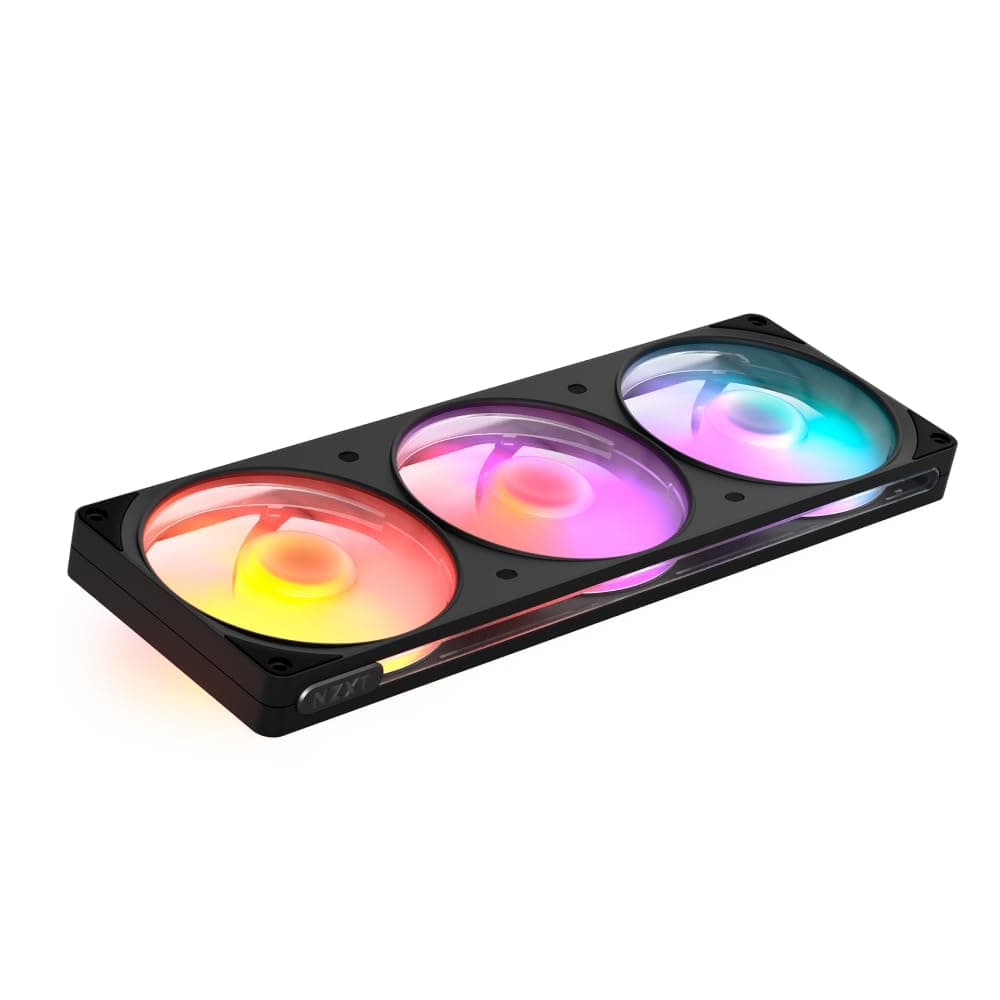
This article covers NZXT F360 RGB v2 Black シングルフレーム PCケースファン RF-R236U-BF FN2787.
Overview
The NZXT F360 RGB v2 Black is a triple-fan frame that combines three 120mm fans into a single 360mm unit, drastically simplifying installation and cable management. With a maximum speed of 2400 RPM, airflow of 70.67 CFM, and static pressure of 3.7 mmH2O, it delivers solid mid-to-high-end cooling performance suitable for intake, exhaust, or radiator mounting.
Installation requires only four screws and a single 8-pin cable, reducing clutter inside the case. Fluid Dynamic Bearings (FDB) ensure a rated lifespan of 60,000 hours, while rubber dampers at each corner and optimized blade design keep noise at a low 33.05 dBA. The translucent frame with side windows lets RGB lighting shine from all angles, and customization is possible via NZXT CAM software or a standard 5V ARGB header.
Positioned as a premium mid-range solution, the F360 RGB v2 is ideal for builders who want clean aesthetics, easy wiring, and vibrant RGB without sacrificing performance.
Compatibility Guide
- The fan unit measures 360mm x 120mm x 25mm and fits standard 120mm fan mounting holes (105mm spacing). Ensure your case has at least 360mm of clearance for the fan mounting area.
- Power is delivered via a proprietary NZXT 8-pin connector. For RGB control, you can connect to an NZXT Control Hub (sold separately) or directly to a motherboard 5V ARGB 3-pin header. PWM control is handled through the same 8-pin connector when using the Control Hub.
- Radiator compatibility: works with any standard 360mm liquid cooling radiator. Check radiator thickness against case clearance, as the fan is 25mm thick.
Product Info
Released in late 2023, the NZXT F360 RGB v2 Black sits in the mid-to-high tier of case fans, offering a balance of performance, RGB, and ease of installation. The single-frame design eliminates the need for multiple fan cables, making it a favorite among builders who value cable management.
- Fan speed: 2400 ± 240 RPM
- Airflow: 70.67 CFM
- Static pressure: 3.7 mmH2O
- Noise level: 33.05 dBA
- Bearing: Fluid Dynamic Bearing (FDB)
- MTTF: 60,000 hours
- Power consumption: 8.64W (fan) + 4.5W (LED) = 13.14W total
- LED count: 24 RGB LEDs
- Cable length: 600mm (single cable)
- Warranty: 2 years (manufacturer)
Best Use Cases
- RGB-focused gamers and builders: The side-windowed frame enhances RGB visibility from every angle, and NZXT CAM offers deep customization. Ideal for showcase PCs. Not for those who prefer a minimalist no-RGB build.
- Cable management enthusiasts: With only one cable needed for three fans, this is a dream for clean builds. Especially recommended for 360mm AIO radiator installations where multiple fan cables would otherwise be messy.
- Silent PC builders: The 33.05 dBA noise level is very low at typical operating speeds, and FDB bearings ensure quiet operation over time. However, at full 2400 RPM, noise increases; consider setting a lower RPM curve if silence is your top priority.
Things to Consider
- The proprietary 8-pin connector means you cannot use standard 4-pin PWM fan headers directly. You must have an NZXT Control Hub or a motherboard with compatible ARGB header (with adapter). The hub is sold separately.
- The unit is a single piece; if one fan fails, the entire assembly must be replaced. Individual fan replacement is not possible.
- Competitors like Corsair LL120 RGB (3-pack) offer more extensive RGB ecosystem via iCUE, but at the cost of multiple cables. The Lian Li UNI FAN SL120 V2 also offers daisy-chaining, but NZXT's single-cable approach is unique.
- Ensure your case has a 360mm fan mounting area with at least 25mm clearance behind the mounting surface (e.g., for radiator or fan grills).
FAQ
- Q: Can I connect this fan directly to a motherboard 4-pin PWM header?
A: No, it uses a proprietary NZXT 8-pin connector. You'll need the NZXT Control Hub (sold separately) or an adapter (included) that splits into PWM and ARGB cables. The adapter allows PWM control from a motherboard header and ARGB from a 5V header. - Q: Does this fan work with a 360mm AIO cooler?
A: Yes, it's designed for 360mm radiators. Screw holes align with standard 120mm spacing. Just check radiator thickness and case clearance before installation. - Q: Do I need NZXT CAM software for RGB control?
A: Not necessarily. You can control RGB via a motherboard 5V ARGB header using the included adapter. However, for full software control (including fan curves and RGB effects), NZXT CAM with the Control Hub is recommended.