Overview
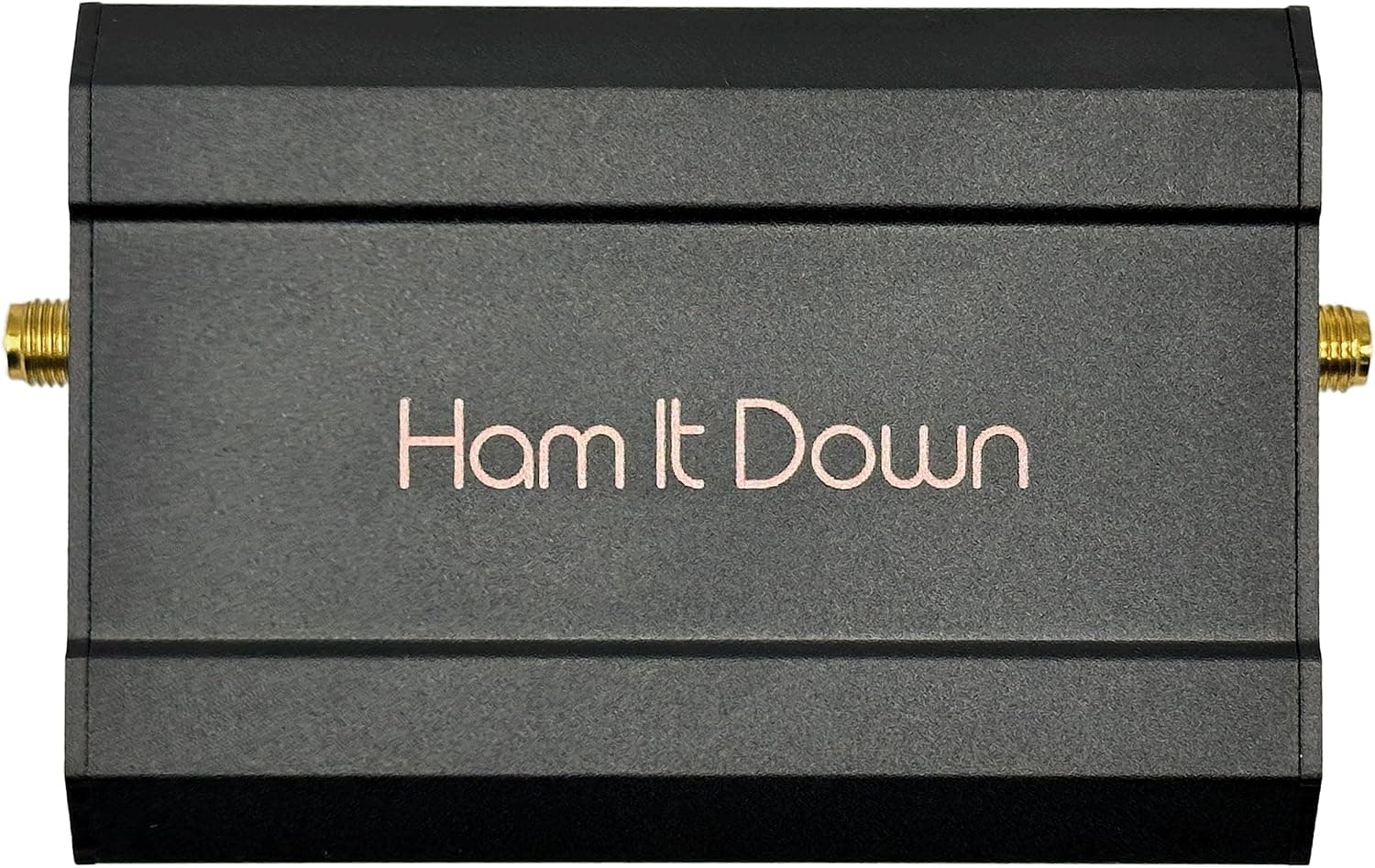
The Nooelec Ham It Down 3GHz Downconverter is an external RF accessory that takes signals from 1.55GHz to 3.1GHz — above the tuning ceiling of typical software-defined radios like RTL-SDR and HackRF — and translates them down to a frequency your existing SDR can actually receive.
The short verdict: if you already own an SDR and want to look at L-band or the 2.4GHz range, this is a cheaper and more practical path than replacing the receiver.
If your SDR already tunes past 3GHz on its own, you do not need this.
The internal local oscillator (LO) is fixed at 1.5GHz and stabilized by a 1PPM TCXO.
In SDR work, LO drift shows up directly as degraded demodulation and untrustworthy frequency readings, so a stable oscillator matters more than the spec sheet suggests. Input and output are both SMA, and power can come from bias-T (4–5.5V), USB-C, or a DC barrel jack via the included DC-to-USB-C adapter.
Amazon.co.jp shows 4.7 out of 5 stars across 37 reviews — a 94% favorable rate — though 37 is a small sample and should be read as "it works as specified" rather than as a statistic.
How It Works and Reading the Frequencies
The first thing to internalize is that the number on your SDR screen will no longer be the frequency at your antenna. Because the LO is fixed at 1.5GHz, the intermediate frequency reaching the SDR is roughly "target frequency minus 1.5GHz." Applying that to the specified 1.55–3.1GHz input range means your SDR needs to tune across 50MHz to 1.6GHz.
| Actual frequency you want | Frequency to tune on the SDR (approx.) |
|---|---|
| 1.55GHz (lower limit) | 50MHz |
| 1.6GHz | 100MHz |
| 2.0GHz | 500MHz |
| 2.4GHz | 900MHz |
| 3.1GHz (upper limit) | 1.6GHz |
The table is just subtraction from the published specs, but in practice you will be doing that subtraction constantly. Most SDR software offers a frequency offset or downconverter correction field; entering the equivalent of −1.5GHz lets the display show real frequencies again.
Field names, units, and sign conventions vary between applications, so verify against a known strong signal the first time you set it up.
Also note the implication of that 50MHz starting point. Most RTL-SDR dongles tune down to roughly 24MHz, so the low end is rarely an issue — but a receiver that stops around 1GHz cannot use the top of this converter's range at all.
Check that your SDR covers 50MHz–1.6GHz continuously before buying.
Compatibility Guide
The listed compatible radios are RTL-SDR, the NESDR series, HackRF, and similar units, with bias-T capable SDRs recommended. In practice, compatibility comes down to three questions rather than whether the connector fits.
- How you deliver power. A bias-T capable SDR feeds the converter over the same coax, which keeps the setup to a single cable. Without bias-T, you power it separately over USB-C or the DC barrel, adding one cable. Never connect more than one power source at a time — this is an explicit manufacturer warning.
- Your SDR's tuning range. As above, 50MHz–1.6GHz is the requirement. Receivers that top out near 1GHz will not reach signals above roughly 2.5GHz.
- Whether your software can apply an offset. This is a convenience question, not a hard blocker. Without an offset field you simply add 1.5GHz mentally every time you read the display.
Connectors are SMA; adapters may be needed for MCX-equipped dongles. At 9.5 × 5.7 × 2.9 cm, the unit is only slightly larger than a dongle, which means stiff coax attached directly can leave it dangling and stress the connectors — use a short flexible jumper or secure it to the desk.
Internal RF, IF, and LO filters suppress unwanted mixing products.
The design also works in the transmit direction if the connected SDR supports transmitting. Transmitting on air is subject to licensing and equipment-certification rules in most countries, including Japan; confirm those requirements before using it that way.
Product Info
rmation
Key specs: 1.55–3.1GHz frequency range, 1.5GHz LO, SMA connectors, bias-T (4–5.5V) / USB-C / DC barrel power input, 1PPM TCXO accuracy, and 9.5 × 5.7 × 2.9 cm dimensions.
The box includes the downconverter, a USB-C cable, and a DC-to-USB-C adapter, backed by a 2-year Nooelec warranty.
The listed price was ¥16,195 on Amazon.co.jp as captured on 28 August 2026.
Prices move with stock, exchange rates, and sales, and this article will not be updated with them — check the product page for the current figure. Marketplace listings such as eBay vary per seller and had no fixed price at capture time.
Given that SDR dongles themselves start in the low thousands of yen, this is not a cheap accessory, which makes the "do I actually need it" question below the important one.
Reviews stand at 37 with a 4.7-star average (94% favorable).
That is a solid showing for a niche product, but the sample is too small to infer anything about failure rates.
Comparison With the Alternatives
There are broadly three ways to reach 3GHz: add a downconverter like this one, buy a wideband SDR that tunes there natively, or skip the band.
The downconverter approach preserves your existing receiver and familiar software, and you only insert it when needed. The cost is a permanent mental frequency translation and an extra conversion stage that can introduce noise and spurious responses.
Buying a wideband SDR makes operation straightforward but usually costs several times more and leaves your current receiver idle.
One caution: an "upconverter" for listening to HF on an RTL-SDR does the opposite job. The names are easy to confuse.
Decide first whether you need to raise low frequencies or lower high ones — this product does the latter.
Best Use Cases
- Amateur radio operators and monitoring enthusiasts who already own an RTL-SDR or NESDR. Reaching L-band and 2.4GHz without replacing the receiver is the core value, and adding it takes one SMA connection.
- Experimenters and researchers surveying spectrum. The 1PPM TCXO's LO stability pays off during long observation sessions and when logging frequencies. It is not lab-grade test equipment, but it is stable enough to characterize trends.
- Intermediate users comfortable with configuration. People who can handle offset settings, power selection, and antenna choices will get the most out of it. Anyone expecting plug-and-play will not.
Things to Check Before Buying
Your antenna is a separate problem. A downconverter shifts frequency; it does not create sensitivity.
Watching 2.4GHz needs an antenna cut for that band and short, low-loss coax.
Reusing whatever cable is on hand is the single most common reason people see nothing at all despite working hardware. An LNA may be worth considering depending on the target.
It is not "plug it in and see 3.1GHz." You must always tune your SDR 1.5GHz below the real frequency.
Forget that and you either hear nothing or are looking at an entirely different signal.
Nothing below 1.55GHz passes through. With the converter inline, your ordinary lower-frequency listening stops working.
Plan on unplugging it or adding a switch if you want both.
Do not stack power sources. Use exactly one of bias-T, USB-C, or DC barrel.
On some receivers, bias-T must also be enabled in software — an unpowered converter simply produces silence, which is a hard symptom to diagnose, so check power first.
Do not let the listing category mislead you. In this article's source data the product is filed under capture boards, but it is an RF downconverter for SDRs, not a video capture device.
Retail listings and registered metadata are sometimes wrong, so confirm the product by its images, title, and specification table when you open the page — and pause if the price or seller looks inconsistent with the product.
Transmitting requires checking the rules first. The unit supports the transmit direction when the SDR does, but putting a signal on air involves licensing and equipment requirements.
Receive-only use is unaffected.
Frequently Asked Questions
Q. Can I plug this into an RTL-SDR and see 2.4GHz right away? A.
Yes, but tune the SDR to 900MHz (2.4GHz minus the 1.5GHz LO).
Setting a −1.5GHz offset in your software lets the display read real frequencies.
Q. Can I use it with an SDR that has no bias-T? A.
Yes — power it over USB-C or the DC barrel via the included adapter. That adds a cable but no performance penalty.
Just never connect two sources at once.
Q. What happens below 1.55GHz? A.
That is outside the supported range. Remove the converter and connect the antenna directly for normal VHF/UHF listening.
Q. Can I see Wi-Fi or Bluetooth traffic? A.
The 2.4GHz band falls within range, so you can observe signal presence and channel occupancy on a spectrum display.
Demodulating wideband digital modulation is a separate matter that depends on your SDR's sample bandwidth; this device only shifts frequency.
Q. How much does the 1PPM TCXO matter? A.
1PPM at 1.5GHz works out to roughly 1.5kHz of error as a rough guide.
For narrowband signals or repeatable frequency logging, that stability is what makes the work practical.
Q. Is this a good first SDR purchase? A.
No. Start with a dongle alone, get comfortable with the software and basic reception, and add this when you have a concrete reason.
At ¥16,195 as captured, it is an expensive entry point.
Product Disclosure (Amazon)
- Manufacturer: NooElec
- Seller: Nooelec Japan
- Fulfilled by: Amazon
- ASIN: B0CCBNLLSC
- Note: This article covers a manufacturer-made product based on Amazon listing details.