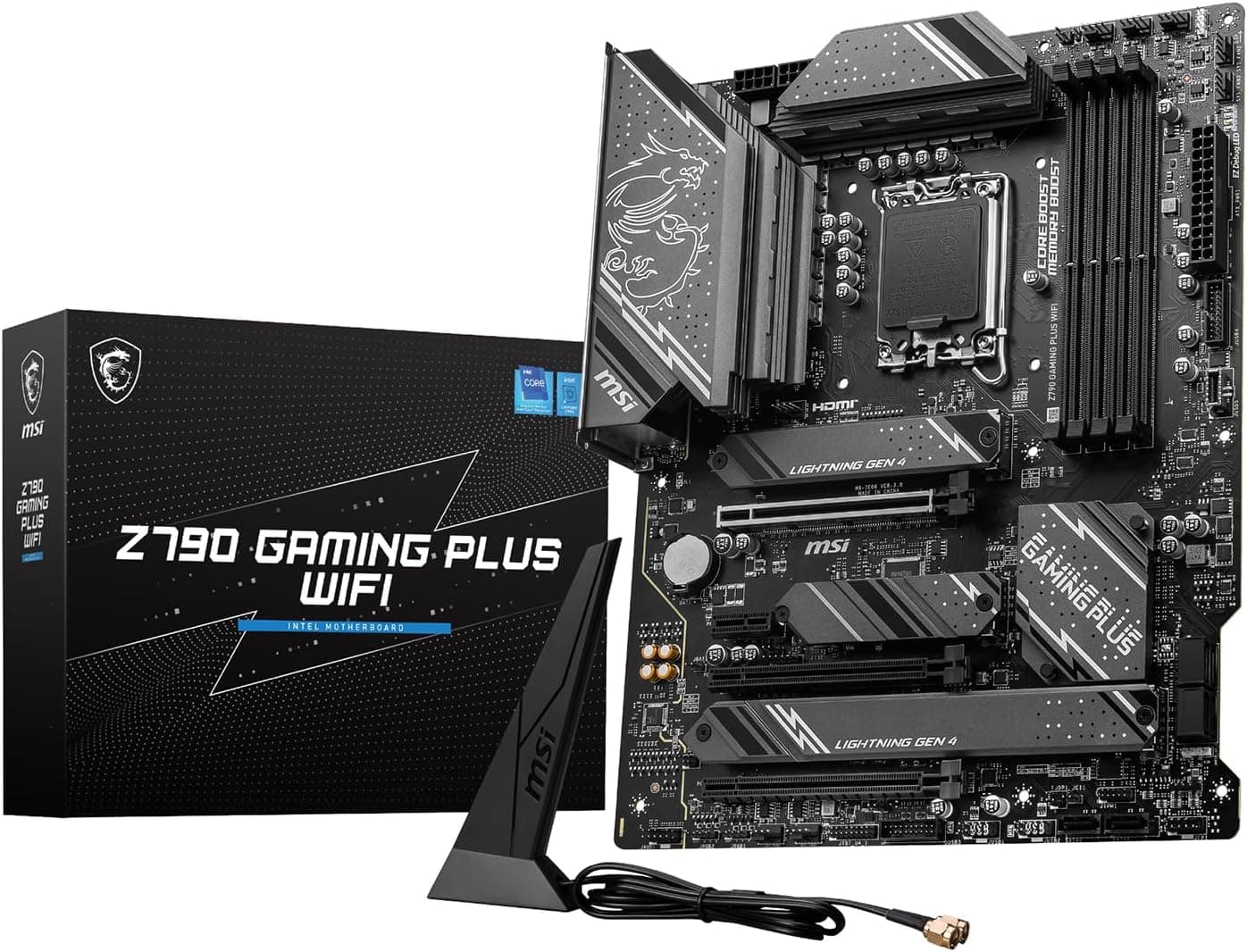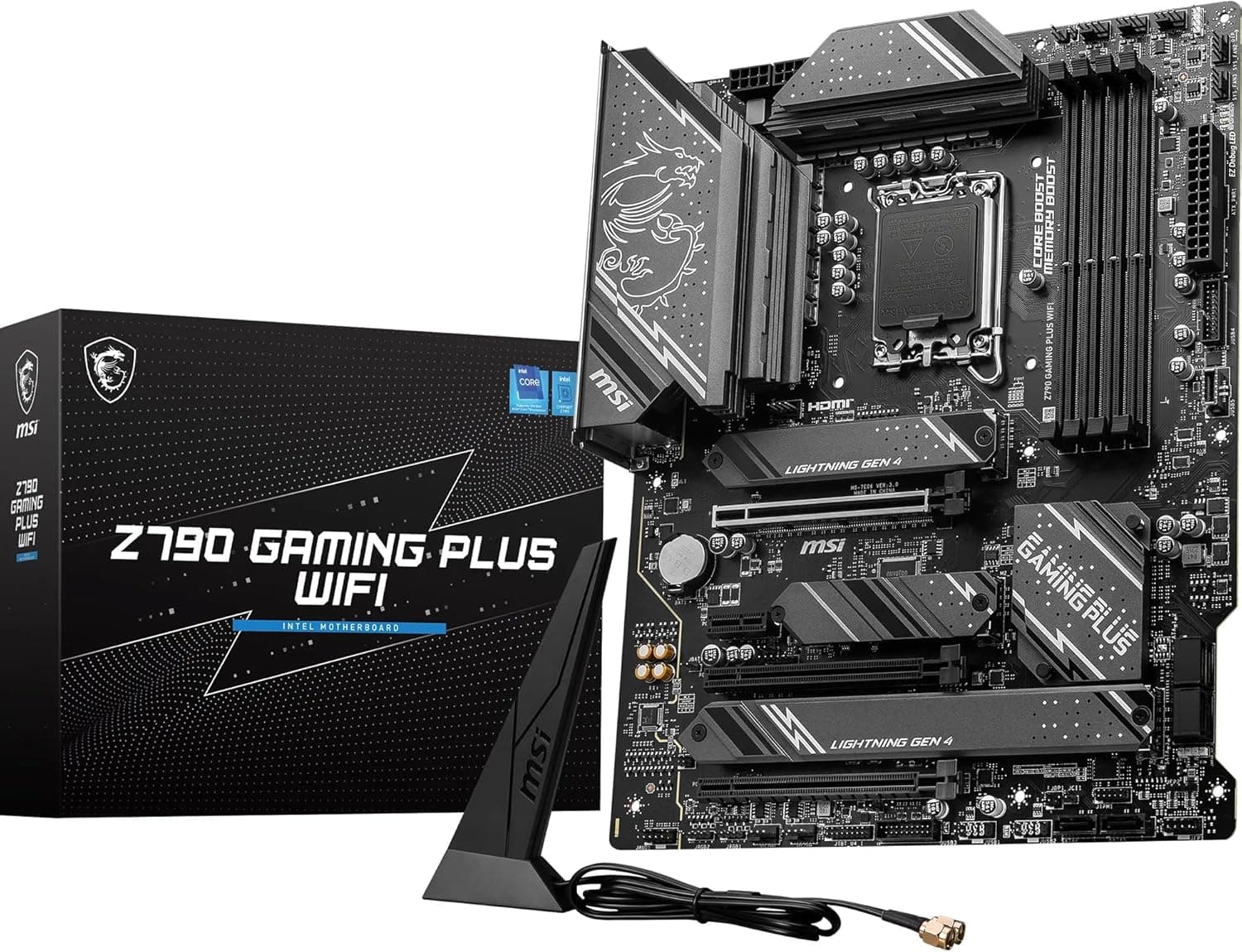
Overview
The MSI PRO Z790 Gaming Plus WiFi is an ATX motherboard for Intel 12th, 13th, and 14th Gen Core processors (LGA1700). It uses the Z790 chipset and combines DDR5 memory support (up to 7200+ MHz OC), a PCIe 5.0 x16 slot, four M.2 slots, WiFi 6E, and Bluetooth 5.3 on one board.
Its 14+1+1 phase DrMOS power delivery and large heatsinks are built to keep power stable under long, heavy loads.
The short verdict: for anyone pairing an unlocked K-series CPU such as the Core i5-14600K or Core i7-14700K with a single graphics card and several NVMe SSDs, it is a practical board that has what you need without extras you won't use. But it supports DDR5 only, so DDR4 kits cannot be reused, and LGA1700 cannot take the newer Core Ultra 200S series (LGA1851).
Buy it if you plan to stay on this CPU generation for the long run.
Why Z790 (vs. B760)
B760 boards for the same LGA1700 socket cost less. The main reason to choose Z790 is CPU multiplier overclocking on K-series chips.
B760 boards can overclock memory, but they cannot change the CPU multiplier.
If you only plan to run a non-K chip such as the Core i5-14400 at stock settings, you won't use most of what Z790 offers. In that case, a B760 board leaves more of your budget for the GPU or SSDs, which usually makes a bigger difference you can actually feel.
Z790 also has more chipset PCIe lanes, which helps in builds with many M.2 or SATA drives.
| Decision point | Z790 (this board) | B760 |
|---|---|---|
| K-series CPU multiplier OC | Yes | No |
| Memory OC | Yes | Yes |
| Best fit | K-series CPU, lots of storage | Non-K CPU at stock |
Compatibility Guide
CPU
The board uses the LGA1700 socket and supports 12th to 14th Gen Intel Core i9/i7/i5/i3 processors, plus Pentium Gold and Celeron. The Core Ultra 200S series (Arrow Lake) moved to LGA1851 and physically does not fit.
Check the CPU generation carefully before you buy.
With a 14th Gen CPU, you may need a BIOS update depending on the version the board shipped with. The board has BIOS Flashback, so you can update the BIOS from a USB drive with no CPU or memory installed.
That means you don't need an older CPU on hand to get it working.
Memory
The board takes DDR5 only, and DDR4 modules will not physically fit. It has four DIMM slots that hold up to 192GB (4 x 48GB).
The DDR5-7200+ rating is an overclocked figure, and whether you reach it depends on the CPU's memory controller and the individual memory kit. DDR5 generally runs stable at much lower speeds with four modules than with two.
In practice, choose two modules if you want speed and four if you need capacity.
PCIe and M.2 Lane Allocation
For expansion, there is one PCIe 5.0 x16 slot, two PCIe 4.0 slots that are x16 in size but run at x4, and one PCIe 3.0 x1 slot.
The x4 slots cannot run a second graphics card at full bandwidth, so plan to use them for capture cards and other add-in cards.
There are four M.2 slots (one PCIe 5.0 x4 and three PCIe 4.0 x4 according to the spec sheet) and six SATA 6Gbps ports.
Keep in mind that Intel 12th to 14th Gen CPUs provide only 16 PCIe 5.0 lanes directly.
Boards with a CPU-connected PCIe 5.0 M.2 slot usually take some of those lanes from the x16 slot, which drops the graphics card to x8.
Before you buy, check the block diagram in MSI's official manual to see whether this applies to this board and which M.2 slots and SATA ports cannot be used at the same time.
Power, Case, and CPU Cooler
The board is standard ATX (305 x 244mm) and fits nearly any ATX case. For power it needs a 24-pin ATX connector and two 8-pin CPU connectors.
Some power supplies have only one CPU cable, so check that yours can supply two 8-pin (4+4) connectors. A 750W or larger PSU is recommended.
Your CPU cooler needs LGA1700 mounting hardware. Coolers made for LGA1200 or 115x use different hole spacing, so check that the cooler maker offers an LGA1700 bracket.
| Check | Requirement | Common mistake |
|---|---|---|
| CPU | LGA1700 (12th to 14th Gen) | Buying a Core Ultra 200S (LGA1851) |
| Memory | DDR5 only, up to 192GB | Trying to reuse DDR4 |
| CPU power | 8-pin x2 | PSU has only one EPS cable |
| PSU capacity | 750W+ recommended | Too little headroom for a power-hungry CPU and GPU |
| CPU cooler | LGA1700 mounting kit | Reusing a cooler for an older socket |
| Case | ATX (305 x 244mm) | Buying a Micro ATX-only case |
Product Info
The board launched around October 2023 as part of MSI's PRO series. The PRO line puts stability and expansion ahead of flashy styling, and this model is the version with built-in wireless.
When we checked Amazon.co.Check the retailer's page for the latest price.
Motherboard prices change with stock, exchange rates, and sales, so check the product page for the current price before you buy.Check the retailer's page for the latest user reviews.
| Item | Specification |
|---|---|
| Chipset | Intel Z790 |
| Memory slots | 4 x DDR5 (up to 192GB) |
| Memory speed | DDR5-7200+ (OC) |
| PCIe x16 slots | 1x PCIe 5.0 x16, 2x PCIe 4.0 x16 (x4) |
| M.2 slots | 4 (1x PCIe 5.0 x4, 3x PCIe 4.0 x4) |
| SATA ports | 6 x SATA 6Gbps |
| Rear USB | USB 3.2 Gen 2x2 Type-C, USB 3.2 Gen 2 Type-A x3, USB 2.0 x2 |
| LAN | Realtek 2.5GbE |
| Wireless | WiFi 6E + Bluetooth 5.3 |
| Audio | Realtek ALC897 (7.1ch) |
The rear USB 3.2 Gen 2x2 Type-C port (20Gbps) lets a compatible external SSD run at its full speed.
The 2.5GbE LAN moves files faster than 1GbE when paired with a NAS or a 2.5GbE router.
MSI's standard warranty is listed as three years, but coverage can depend on where and how you buy.
Build Examples
Gaming: A Core i5-14600K with a mid-range GPU, two DDR5 modules, and one or two M.2 drives is the setup this board suits best.
The chipset and power delivery have plenty of headroom, and the parts are well balanced for the price.
Streaming and video editing: With a Core i7-14700K and a higher-end GPU, all four M.2 slots are useful: one each for the OS, source files, cache, and exports.
If you need more memory, use four modules and run them at a more conservative speed for stability.
Storage: Six SATA ports make it possible to build a file-storage machine with several HDDs. Some M.2 slots and SATA ports usually share bandwidth, though, so check the manual for any ports that get disabled before you plan your cabling.
A Core i9 with a high-end GPU draws a lot of power. Treat the 750W recommendation as a minimum and leave headroom in both PSU capacity and CPU cooling.
How It Compares
Among other Z790 ATX boards, the GIGABYTE Z790 D and Z790 UD are the obvious comparisons. If you don't need wireless, also look at non-WiFi models and decide based on the price gap.
If you want to keep an existing DDR4 kit, a DDR4 B760 board such as the GIGABYTE B760 GAMING X DDR4 keeps total cost down. For a small build, the Mini-ITX Z790I AORUS Ultra is an option, though Mini-ITX boards have fewer M.2 and memory slots than this one.
If you want a socket you can keep upgrading on, AMD's AM5 platform (for example the MSI MPG B650 Edge WiFi) is worth comparing. LGA1700 ended with 14th Gen, so how much future CPU upgrades matter to you should decide which board you buy.
Best Use Cases
- Gamers building with a 13th or 14th Gen K-series CPU: Z790 multiplier OC, a PCIe 5.0 x16 slot, and four M.2 slots make a solid base for a mid-to-high-end gaming PC.
- Creators who use several SSDs: You can give the OS, working files, and backups their own fast NVMe drives.
- Anyone who doesn't want to buy a separate WiFi adapter: WiFi 6E and Bluetooth 5.3 are built in, so you need no add-in card or USB dongle.
- Builders who value stability over looks: The PRO series is designed for long, stable operation, so it also suits office and storage machines.
Things to Consider
LGA1700 will get no new CPUs. Intel's newer desktop Core Ultra 200S series (Arrow Lake) uses LGA1851 and will not fit this board.
Expect to replace the motherboard when you upgrade the CPU.
Update the BIOS for 13th and 14th Gen Core. Some 13th and 14th Gen Core processors have been reported to become unstable over time, and Intel released microcode updates to address it.
Those fixes reach this board through BIOS updates, so install the latest BIOS after you build and use a power profile close to Intel's defaults.
No DDR4, and four modules run slower. Because the board is DDR5-only, moving from DDR4 means buying new memory.
The 7200+ MHz figure is an overclock achieved with two modules; four modules usually settle at much lower speeds.
Watch Gen5 SSD lane sharing and heat. On some layouts, using the PCIe 5.0 M.2 slot drops the graphics slot to x8.
Gen5 SSDs also run hot, so if the included heatsink is not enough, improve case airflow or add cooling.
The audio is entry-level. The ALC897 is fine for everyday use, but if you plan to plug expensive headphones in directly, a USB DAC or external audio interface will likely sound better.
WiFi 6E's 6GHz band depends on your router. To use the 6GHz band, your router must also support WiFi 6E.
Reception will be poor if you forget the included antennas, so attach them at the end of your build.
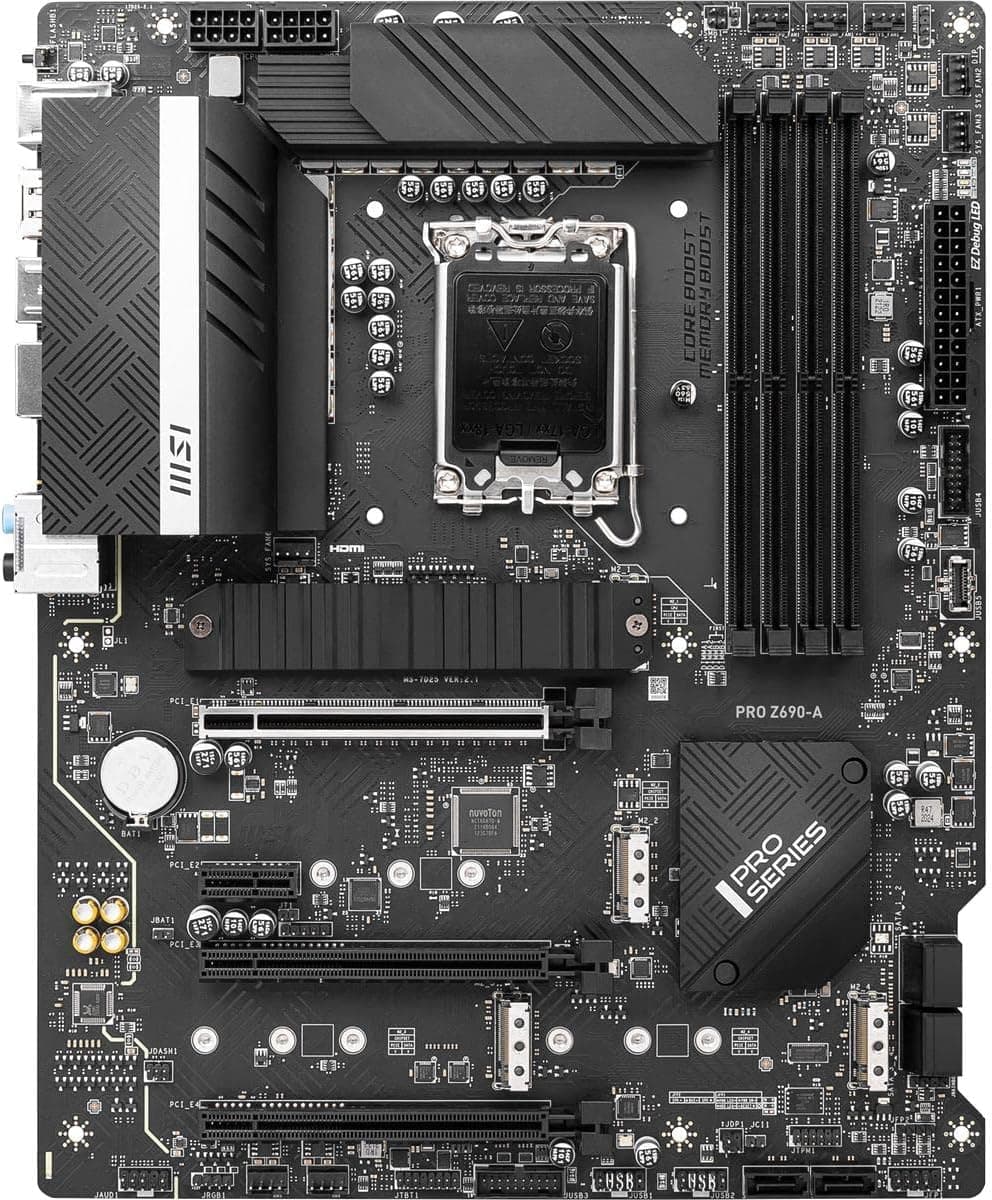
Watch for similar model names and the seller. MSI sells several Z790 boards with similar names, such as the PRO Z790-P and PRO Z790-A, and their M.2 configurations can differ.
The spec table in this article comes from automatically collected data, so confirm details such as the Gen5 M.2 slot on MSI's official product page.
On Amazon the seller is trippodoshop, not MSI, so check whether the unit is official domestic stock or a parallel import, since that decides where you go for warranty service. On overseas marketplaces, a search for this board's name can also turn up very cheap listings that appear to be accessories or parts.
Use the photos and title to confirm you are buying the board itself.
FAQ
Q. Does it support the Core Ultra 200S series (such as the Core Ultra 7 265K)? A.
No. The Core Ultra 200S series uses LGA1851, and this board is LGA1700.
It supports 12th to 14th Gen Core plus Pentium Gold and Celeron chips from the same generations.
Q. Can I reuse my DDR4 memory? A.
No. The board is DDR5-only, and DDR4 modules are keyed differently, so they won't fit.
To reuse DDR4, choose a DDR4 board.
Q. Do I need to update the BIOS before installing a 14th Gen CPU? A.
That depends on the BIOS version it shipped with. BIOS Flashback lets you update without a CPU.
We recommend installing the latest BIOS first, which also brings in the stability fixes.
Q. Is a 750W PSU enough? A.
750W or more is recommended. That works for a Core i5 or i7 with a mid-range GPU, but a Core i9 with a high-end GPU calls for more headroom.
Also make sure the PSU has two 8-pin CPU connectors.
Q. Am I missing out if I don't buy a Gen5 SSD? A.
For game loading, the difference from a Gen4 SSD is usually hard to notice. With three Gen4 M.2 slots, Gen4 drives cover most uses.
Gen5 makes sense mainly if you work with very large files all the time.
Product Disclosure (Amazon)
- Manufacturer: MSI
- Seller: trippodoshop
- Fulfilled by: trippodoshop
- ASIN: B0CFY88TFH
- Note: This article covers a manufacturer-made product based on Amazon listing details.