Overview
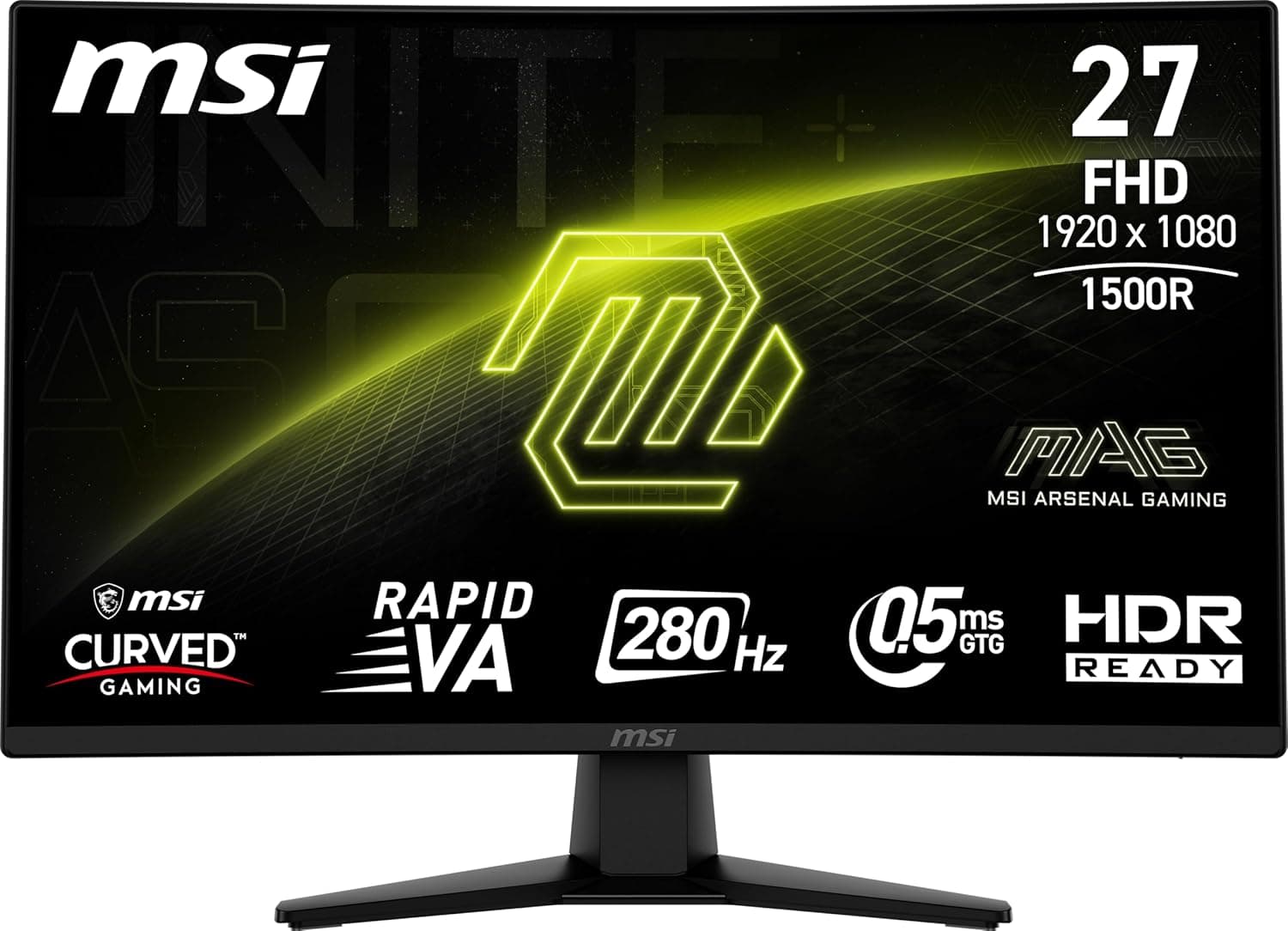
According to the official MSI product page, the MSI MAG 274CXF is a 27-inch curved gaming monitor with a 1920x1080 (FHD) resolution and a 16:9 aspect ratio. The page lists the curvature as Curve 1500R and the panel as Rapid VA.
The refresh rate is 280Hz and the response time is 0.5ms (GtG, Min.).
The official page names AMD FreeSync Premium as the dynamic refresh rate technology. It also lists HDR Support as HDR Ready and Frameless Design as Yes.
Compatibility Guide
The connection and mounting conditions below come from the official MSI page. Check them against your own setup before buying.
| Item | Official page entry |
|---|---|
| Video ports | 1 x DisplayPort 1.2a, 2 x HDMI 2.0b (FHD@240Hz) |
| Audio ports | 1 x Headphone-out |
| VESA mounting | 100 x 100 mm |
| Tilt | -5° ~ 20° |
| Security | Kensington Lock: Yes |
The note on the official page says DisplayPort supports 1920 x 1080 at up to 280Hz, while HDMI 2.0b supports 1920 x 1080 at up to 240Hz.
To use the full 280Hz you therefore need a DisplayPort connection. A device that only has HDMI free is capped at 240Hz.
If you plan to wall-mount the monitor or use a monitor arm, check that the arm supports VESA 100 x 100 mm. The spec table lists only tilt as an adjustment; height, swivel and pivot do not appear.
Anyone who needs to change the height may want to consider an arm.
Product Info
rmation
The following comes from the official MSI specification page.
| Item | Value |
|---|---|
| Panel size | 27" |
| Active display area | 597.888 (H) x 336.312 (V) mm |
| Curvature | Curve 1500R |
| Panel type | Rapid VA |
| Resolution | 1920x1080 (FHD) |
| Pixel pitch | 0.3114(H)x0.3114(V) |
| Brightness | 300 (Typ.) nits |
| Contrast ratio | 4000:1 (Typ.) |
| DCR | 100000000:1 |
| Refresh rate | 280Hz |
| Response time | 0.5ms (GtG, Min.) |
| Viewing angle | 178°(H) / 178°(V) |
| Surface treatment | Anti-glare |
| Display colors | 1.07B, 10 bits (8 bits + FRC) |
| Power | External adaptor 20V 2.25A, input 100~240V, 50/60Hz |
| Weight | 3.4kg (NW) / 6.1kg (GW), 3kg without stand |
| Dimensions | 613.5 x 249.8 x 438.3mm; 613.5 x 76.6 x 363.6mm without stand |
The official page gives the activated range as 48 to 280Hz and the signal frequency as 309.504589.120KHz (H) / 48280Hz(V).
For color gamut, the page lists Adobe RGB at 88.3 percent, DCI-P3 at 92.2 percent and sRGB at 123.3 percent, and notes that they follow the CIE1976 standard.
The PIP / PBP function is listed as Yes.
Recommended For
- People who already have a PC with DisplayPort output and want to use the 280Hz ceiling, since the official note puts DisplayPort at up to 280Hz.
- People with enough desk depth who can confirm that the 249.8mm depth with the stand fits. Without the stand, the depth is 76.6mm.
- People who want to wall-mount or arm-mount the display. The page lists VESA 100 x 100 mm, and the weight without the stand is 3kg.
Before You Buy
- Over HDMI 2.0b the official note gives a 1920 x 1080 maximum of 240Hz. To use 280Hz, prepare a DisplayPort cable and a device with a DisplayPort output.
- The spec table has no speaker entry, and the only audio port is one headphone-out. You will need your own sound setup.
- The surface treatment is Anti-glare and the curvature is 1500R. Think about how light enters the room and whether you will place several displays side by side.
- Confirm that the product page photos and title match the MSI MAG 274CXF. Check the sales page for current price and stock.
FAQ
Which port should I use for 280Hz?
The note on the official MSI page says DisplayPort supports 1920 x 1080 at up to 280Hz and HDMI 2.0b at up to 240Hz.
Use DisplayPort for 280Hz.
Does it support VESA mounting?
The official page lists VESA Mounting as 100 x 100 mm. Choose an arm or bracket that matches that pattern.
Does it support FreeSync?
The Dynamic Refresh Rate Technology entry on the official page reads AMD FreeSync Premium, with an activated range of 48 to 280Hz.