This article covers the "Monoprice 4K High Speed HDMI Cable 35ft - CL2 In Wall Rated 18Gbps Active Black". It is written for readers planning an in-wall or ceiling run, or any HDMI connection in the 10-meter range, and focuses on how to read the specs and where installations typically go wrong.
Overview
The Monoprice 4K High Speed HDMI Cable 35ft is a 35-foot (10.67 m) active HDMI cable with 18Gbps of bandwidth and a CL2 fire rating, which means it is intended for permanent runs inside walls and ceilings.
The short verdict: if you want to route a cable once through a wall between an AV receiver and a projector about 10 meters away, it is a sensible choice. It is not a good fit for 4K/120Hz gaming or for setups you rearrange often.
One thing to watch is that the listed maximum resolution is 3840×2160 @ 24Hz. The 18Gbps figure makes it tempting to assume 4K/60Hz is a given, but this product's listing states 24Hz as the ceiling.
That is enough for movies and most TV shows, but if you are counting on 4K/60Hz, confirm it before buying.
Long passive HDMI cables (plain cables with no internal electronics) commonly become unreliable beyond about 10 meters, with dropouts or no picture. An active cable uses built-in circuitry to compensate, so it stays stable over longer runs.
The trade-off is that it only works in one direction, and understanding that is what separates a smooth install from a frustrating one.
Compatibility Guide
Connectors and devices
Both ends are standard full-size HDMI Type-A. It connects directly to TVs, projectors, graphics cards, game consoles, AV receivers, and Blu-ray players.
Mini HDMI and Micro HDMI ports on laptops or cameras need an adapter.
Direction (the most common mistake)
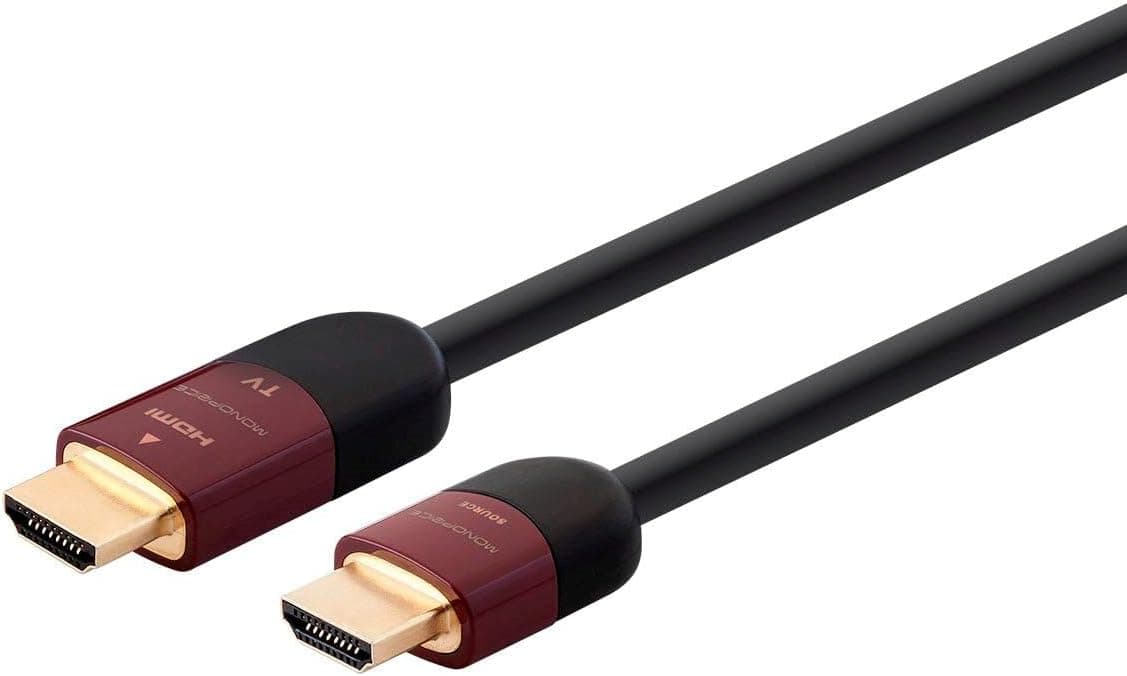
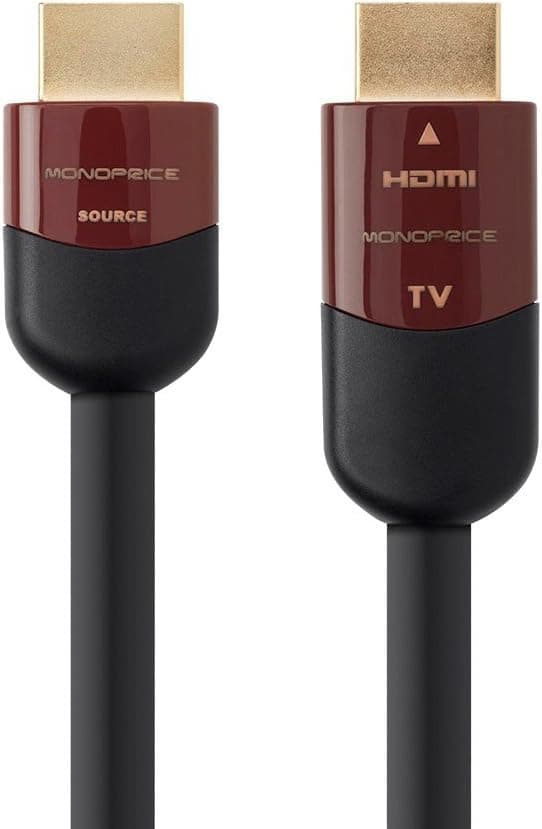
Because it is active, the cable is directional. The end marked "Source" goes to the device sending video (PC, console, player, or the receiver's HDMI output), and the end marked "Display" goes to the TV or projector.
Reversed, you will usually get no picture.
This matters most for in-wall runs. Decide which end comes out in which room, at which device, before you pull the cable. If you discover it is backwards afterward, the only fix is to pull it again.
In a player → receiver → projector chain, this cable covers the receiver-to-projector leg, so the receiver's output is the Source side.
Supported features
The spec sheet lists ARC, HEC, 3D, and Deep Color 16-bit. ARC sends TV audio back to a receiver or soundbar over HDMI.
HEC carries network data over HDMI, though few devices use it.
eARC, which carries lossless multichannel audio from the TV back to a receiver, is not listed. If your setup depends on passing Dolby Atmos from TV-connected devices through the TV to a receiver, do not count on this cable for it.
Resolution and refresh rate at a glance
| Use case | How this cable handles it |
|---|---|
| 4K/24Hz (movies, most shows) | Within listed spec |
| 1080p/60Hz | Generally well within 18Gbps bandwidth |
| 4K/60Hz | Outside listed spec; verify before buying |
| 4K/120Hz, 8K, VRR | Requires HDMI 2.1 bandwidth; not supported |
As the table shows, this cable is clearly suited to movie-centric home theater and long Full HD runs. For gaming or PC desktop use at 4K/60Hz, the listing alone does not give you confidence.
Power
Active cables generally power their internal circuitry from the connected device's HDMI port. PCs, consoles, and players rarely have trouble, but adding HDMI switches, splitters, or inline adapters can cause instability with some combinations.
The more complex the chain, the more important it is to test before sealing the cable in a wall.
About the CL2 rating
CL2 is a US rating for cables that may be installed inside building walls. It is a useful indicator of jacket fire resistance, but whether in-wall work is permitted in your home (lease terms, building or condo rules, local regulations) is a separate question.
If the job involves cutting into walls or ceilings, check with an installer or building management.
Product Info
| Item | Detail |
|---|---|
| Connectors | HDMI Type-A (both ends) |
| Length | 35 ft (10.67 m) |
| Max bandwidth | 18 Gbps |
| Max resolution (listed) | 3840×2160 @ 24Hz |
| Fire rating | CL2 |
| Active cable | Yes (directional) |
| Supported features | ARC, HEC, 3D, Deep Color 16-bit |
| Warranty | Lifetime |
As of August 26, 2026, Amazon Japan listed it at ¥15,837 (¥16,515 as of June 25, 2026). On eBay US, a listing was at $29.03 as of August 3, 2026.
These are prices at the time of capture and change with sales and stock, so check the product page for current pricing.
On Amazon Japan the cable is sold by an import reseller. The gap versus US pricing looks large, but eBay prices usually exclude international shipping and import duties, so the two are not directly comparable.
If you consider importing it yourself, factor in delivery time and the difficulty of returning a defective unit.
On Amazon Japan, it was rated 3.9 out of 5 from 32 reviews as of June 25, 2026.
With so few reviews, reading the reasons behind the low ratings (device compatibility, early failures, mismatched use cases) and checking whether they apply to your setup is more useful than the average alone.
The package includes the cable only. The same line also comes in 30 ft and 75 ft versions.
Choosing the Length
Measure the actual route, not the straight-line distance between devices. A run that goes up a wall, across the ceiling, and back down is typically several meters longer than the direct distance.
You also need slack behind equipment so the connectors are not under strain.
If 30 ft (about 9.1 m) is borderline after measuring, go with 35 ft; if 10.67 m still falls short, look at the 75 ft version.
Extending with an inline coupler is best avoided with active cables because it tends to cause instability.
Best For
- Home theater owners with a ceiling-mounted projector: equipment at the back of the room or on a shelf, with a run of around 10 meters through the wall or ceiling to the projector. 4K movies at 24p sit squarely within spec.
- People handling fixed installs in meeting rooms or shops: it suits wiring that will not be moved once installed. The CL2 rating and lifetime warranty are reassuring for long-term permanent runs.
- Anyone connecting a PC or recorder in another room to the living-room TV: for Full HD video or basic desktop display, the stability advantage of an active cable over long distances pays off.
It is not for people who only need 1–2 meters, gamers who want 4K/120Hz or VRR, or audio setups that rely on eARC. For those, a certified HDMI 2.1 cable is the safer choice.
Before You Buy
1. Do not assume 4K/60Hz. Bandwidth is listed as 18Gbps, but the listed maximum resolution is 4K/24Hz.
If you plan to run a console or PC at 4K/60Hz, confirm support on the product page or with the manufacturer first. If you cannot confirm it, treat this as a cable for 4K/24Hz and Full HD.
2. Get the direction right. Swapping the Source and Display ends means no picture.
Match the end labels to device locations before pulling it through a wall. This is the most common cause of a blank screen with long active cables.
3. Test with your actual devices before installing it in the wall. Early failures and device compatibility issues cannot be checked once the cable is buried.
Lay it out on the floor, connect the real devices, and confirm video and audio (including the ARC return path if you use it) before proceeding.
4. Plan for replacement. HDMI standards will keep evolving, and 18Gbps may eventually fall short.
Running the cable through a conduit rather than burying it directly lets you pull it out and swap in a new one later. That is the single most effective precaution for any in-wall HDMI run.
5. Check how the warranty works for imports. The spec says Monoprice lifetime warranty, but on Amazon Japan you buy from an import reseller.
Ask the seller before purchase who to contact if it fails: the seller or Monoprice in the US.
6. Confirm the exact product on the listing. The line includes many similarly named products, such as 30 ft, 75 ft, and non-active versions.
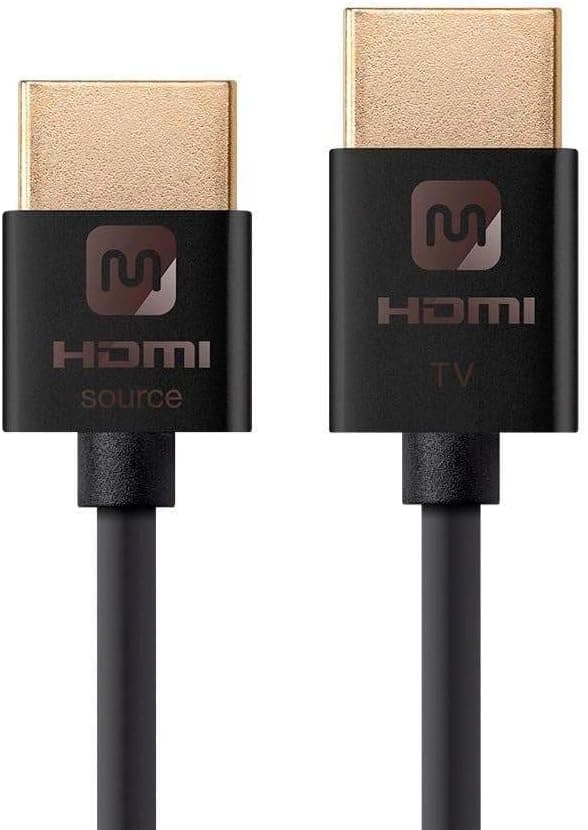
Before ordering, check that the length (35 ft) and the Active and CL2 markings match in both the product images and the title.
FAQ
Q. Can I use it with a PS5 or Xbox Series X? A.
The connectors fit, so it will connect, but 4K/120Hz and VRR are not available, and 4K/60Hz is outside the listed spec. If gaming is your main use, rearranging the setup and using a short certified HDMI 2.1 cable is more reliable.
Q. Will it break if I plug it in backwards? A.
Usually you just get no picture, but it cannot be ruled out as a cause of damage. Always follow the end labels.
Q. Does CL2 matter outside the US? A.
It is a US in-wall rating, not a local legal marking elsewhere. Still, it indicates jacket fire resistance and is a useful factor when choosing cable for walls and ceilings.
Q. Can I join two cables with a coupler if it is too short? A.
Not recommended, since chaining active cables often leads to unstable signals. Choose a single cable long enough, such as the 75 ft version.
Q. Should I pick the 30 ft or the 35 ft? A.
Measure the route. If 30 ft (about 9.1 m) leaves no margin, go with 35 ft.
Extra length can be loosely coiled behind equipment, while a cable that is too short cannot be fixed.
Product Disclosure (Amazon)
- Manufacturer: Monoprice
- Seller: ベストデリバリーサービス
- Fulfilled by: ベストデリバリーサービス
- ASIN: B016KOPUG8
- Note: This article covers a manufacturer-made product based on Amazon listing details.