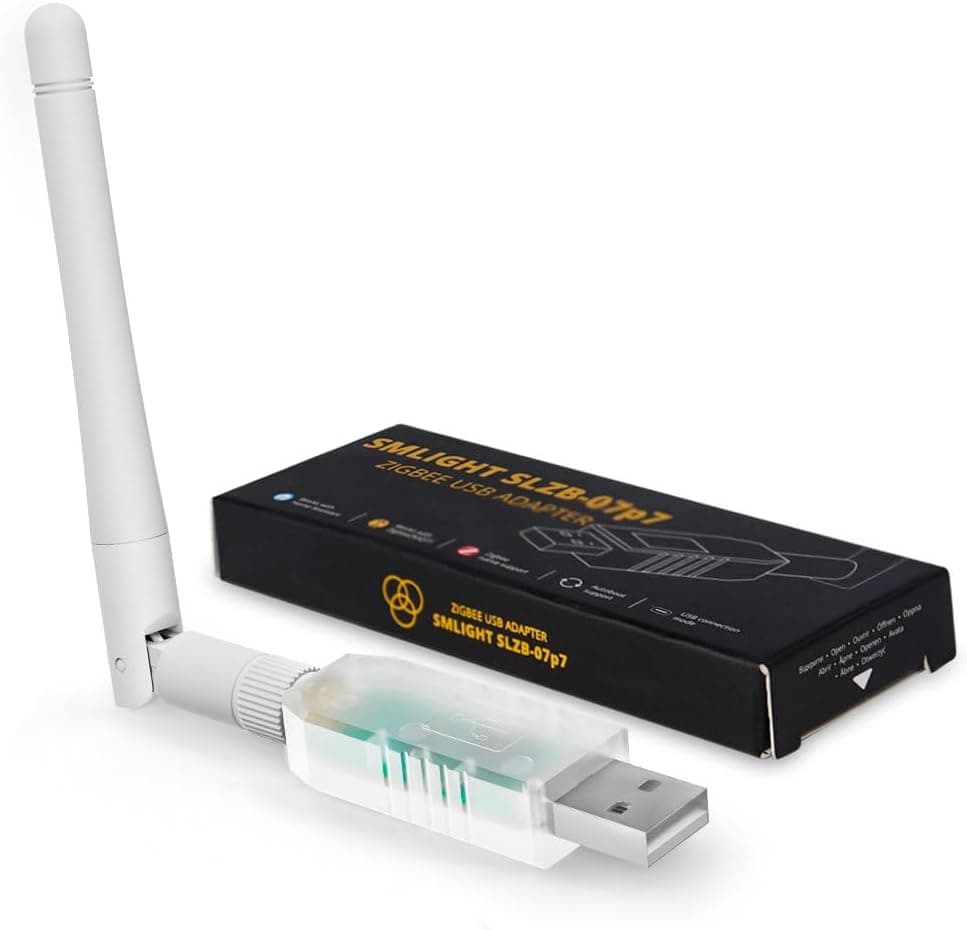
This is a practical guide to the LOAMLIN SMLIGHT SLZB-07p7 Zigbee 3.0 USBコーディネーター — how to read its specs, how to set it up without the common failures, and who should skip it.
Overview
The SLZB-07p7 is a USB-stick Zigbee coordinator built on the Texas Instruments CC2652P7. Its job is to act as the parent of your Zigbee network, binding bulbs, sensors and switches together and bridging them into Home Assistant or Zigbee2MQTT.
Because every device depends on it, the coordinator is one of the highest-leverage purchases in a smart home.
The headline feature is that it ships pre-flashed with coordinator firmware for both ZHA (Home Assistant's built-in Zigbee integration) and Zigbee2MQTT. Dongles of this type traditionally require you to flash coordinator firmware yourself, and that step is where many first-time builders give up.
Arriving ready to run is the real value here.
Check the retailer's page for the latest user reviews. That is a small sample, so treat it as encouraging rather than conclusive.
What the CC2652P7 and +20dB amplifier actually change
The listed specs are a CC2652P7 chipset, a +20 dB built-in amplifier and a +3 dB antenna. The CC2652P7 is the power-amplifier variant of the CC2652 family, which puts it in a different class from cheap CC2531-based sticks.
More transmit power means more link margin at the same distance.
But Zigbee links are two-way. Battery sensors do not gain any output power from your coordinator upgrade, so the uplink from a distant sensor stays as weak as it ever was.
What fixes that is mesh design: mains-powered Zigbee devices such as smart plugs and wall switches act as routers and relay traffic. A strong coordinator stabilises the foundation; it does not blanket a house on its own.
| Item | Value | How to read it |
|---|---|---|
| Chipset | Texas Instruments CC2652P7 | PA-equipped tier, not comparable to CC2531 sticks |
| Built-in amplifier | +20 dB | Improves transmit margin only |
| Antenna gain | +3 dB | External antenna; orientation matters |
| Interface | USB-A | PC, Raspberry Pi or mini PC, bus powered |
| Protocols | Zigbee 3.0, Thread, Matter (multi-pan) | Zigbee is the real use case |
| Pre-flashed firmware | ZHA, Zigbee2MQTT | No flashing step out of the box |
Compatibility guide
Per the supplied compatibility data, it works on Windows, Linux and macOS and is tested with Home Assistant (ZHA) and Zigbee2MQTT. It is a USB dongle with no external power requirement — bus power is enough.
- Raspberry Pi or mini PC running Home Assistant OS — the simplest path. Plug in, add the ZHA integration, pick the serial device.
- Docker-based Home Assistant or Zigbee2MQTT — you must map the device into the container. Use a stable by-id path rather than
/dev/ttyUSB*, which can change when other USB devices are added or the host reboots. That reshuffle is a classic cause of "my whole Zigbee network died overnight". - Virtual machines (Proxmox, VMware) — requires USB passthrough; passing the whole controller is often more stable than a single device.
- NAS or small servers — check port count, since the dongle plus an extension cable will occupy space.
Physical clearance matters too. With the antenna fitted, the unit is bulky enough to block adjacent USB ports on densely packed boards.
If your machine only has two ports and one is taken by a keyboard, plan for a hub or extension cable from day one.
Product info
Check the retailer's page for the latest price. For a PA-equipped chipset with an external antenna and pre-flashed firmware, that is a fair mid-range figure — but stock and coupons move it, so always check the current price on the product page.
The box contains the coordinator, a +3 dB antenna and a quick-start guide. This is a small device from an overseas vendor, so do not expect long-term warranty support.
That reads as a collection artefact rather than a genuine second price. The figure itself is plausible for this product class, so it is used above, but treat it as a reference point.
ZHA or Zigbee2MQTT?
Pre-flashed for both does not mean both at once — only one piece of software can own the dongle.
- ZHA — built into Home Assistant, no MQTT broker required, a few clicks to start. The default recommendation for a first coordinator.
- Zigbee2MQTT — broader device support and far more granular control, at the cost of running an MQTT broker. Worth it if you own many obscure-brand devices or want Zigbee data outside Home Assistant.
Switching later is possible but normally means rebuilding the network and re-pairing every device. Doing that after mounting thirty battery sensors around the house is genuinely painful, so decide before you start sticking things to walls.
Setup steps
Attach the antenna and plug in, ideally via an extension cable.
Confirm the serial device is recognised and note the stable by-id path on Linux.
Add the ZHA integration, or point Zigbee2MQTT's config at the serial port.
Pair mains-powered devices first (plugs, wall switches) to build the mesh backbone.
Then pair battery sensors, near where they will actually live.
Steps 4 and 5 are ordered deliberately: with routers already present, distant sensors can find a relay path immediately instead of waiting for the mesh to reorganise.
Best use cases
- Anyone replacing an old CC2531-class stick — moving to a PA-equipped chipset is one of the more noticeable upgrades if you are hitting instability.
- Zigbee2MQTT users with large networks — extra transmit margin should reduce retries to far-flung devices.
- Builders curious about Matter and Thread — multi-pan gives you room to experiment on the same hardware, with the caveats below.
If you already run a working coordinator such as a Conbee II or a Sonoff stick and have no complaints, there is little reason to replace it. Spending the same money on a few mains-powered Zigbee plugs to act as routers will usually improve stability more.
Things to check before buying
Do not plug it straight into a crowded USB port. This applies to every 2.4 GHz dongle, not just this one: USB 3.0 ports, cables and external SSDs emit noise around 2.4 GHz that swamps a Zigbee receiver sitting next to them.
Use a USB 2.0 extension cable to move it 30 cm to 1 m away.
The cable is not included, so buy one alongside it.
Check Wi-Fi channel overlap. Zigbee shares the 2.4 GHz band with Wi-Fi.
Pin your Wi-Fi to channel 1, 6 or 11 and pick a Zigbee channel that avoids it (15, 20 and 25 are common refuges). Plenty of "weak signal" complaints are really channel collisions.
Keep expectations low for multi-pan. Running Zigbee and Thread on one radio means time-slicing it, and the widely reported result is slower responses and more dropped messages than dedicated operation.
Treat Matter/Thread support as optional insurance; if you want a stable Zigbee network, run Zigbee only, and get a dedicated Thread border router if Thread matters to you.
Guard against serial port renaming. As noted, /dev/ttyUSB0 can move when other USB devices appear. Use the by-id path from the start.
Listing metadata can disagree with itself. The manufacturer is recorded as SMLIGHT while the selling brand is LOAMLIN — normal enough for this kind of distribution, but Amazon listing fields (model number, brand, seller) do carry errors.
Before ordering, confirm from the product images and title that you are getting the SLZB-07p7. Similarly named models such as the SLZB-06 series use Ethernet/PoE instead of USB, and they show up in the same search results.
Mixing them up changes where you can physically install the device.
**Remember the sample size.
FAQ
Q. Does it work straight out of the box? A.
Yes. It ships pre-flashed for ZHA and Zigbee2MQTT, so no flashing is normally needed.
You would only flash it later to update firmware.
Q. Will it work on a Raspberry Pi? A.
Yes — USB-A, bus powered. Make sure your Pi's power supply has headroom and avoid the port directly beside a USB 3.0 device.
Q. How many Zigbee devices can it handle? A.
The practical ceiling depends on firmware and software settings, so no exact number should be quoted. CC2652-class hardware has far more headroom than the old CC2531 (which often stalls in the low teens), but check the product page and the ZHA / Zigbee2MQTT documentation for specifics.
Q. Can I use Matter devices with just this dongle? A.
Multi-pan Thread/Matter support is listed, but Matter devices also require Matter integration on the Home Assistant side and a working Thread border router setup. The dongle alone is not the whole story.
Q. Should I run Zigbee and Thread together? A.
Technically possible, but both suffer when they share one radio. Prioritise stability and run Zigbee only.
Q. Is an extension cable really necessary? A.
Not mandatory, but strongly recommended, especially near USB 3.0 ports on a PC or NAS.
Try direct connection first if you like, then add the cable if range disappoints.
Product Disclosure (Amazon)
- Manufacturer: SMLIGHT
- Brand: LOAMLIN
- Seller: Amazon US
- Fulfilled by: Amazon US
- ASIN: B0D868MRQY
- Note: This article covers a manufacturer-made product based on Amazon listing details.