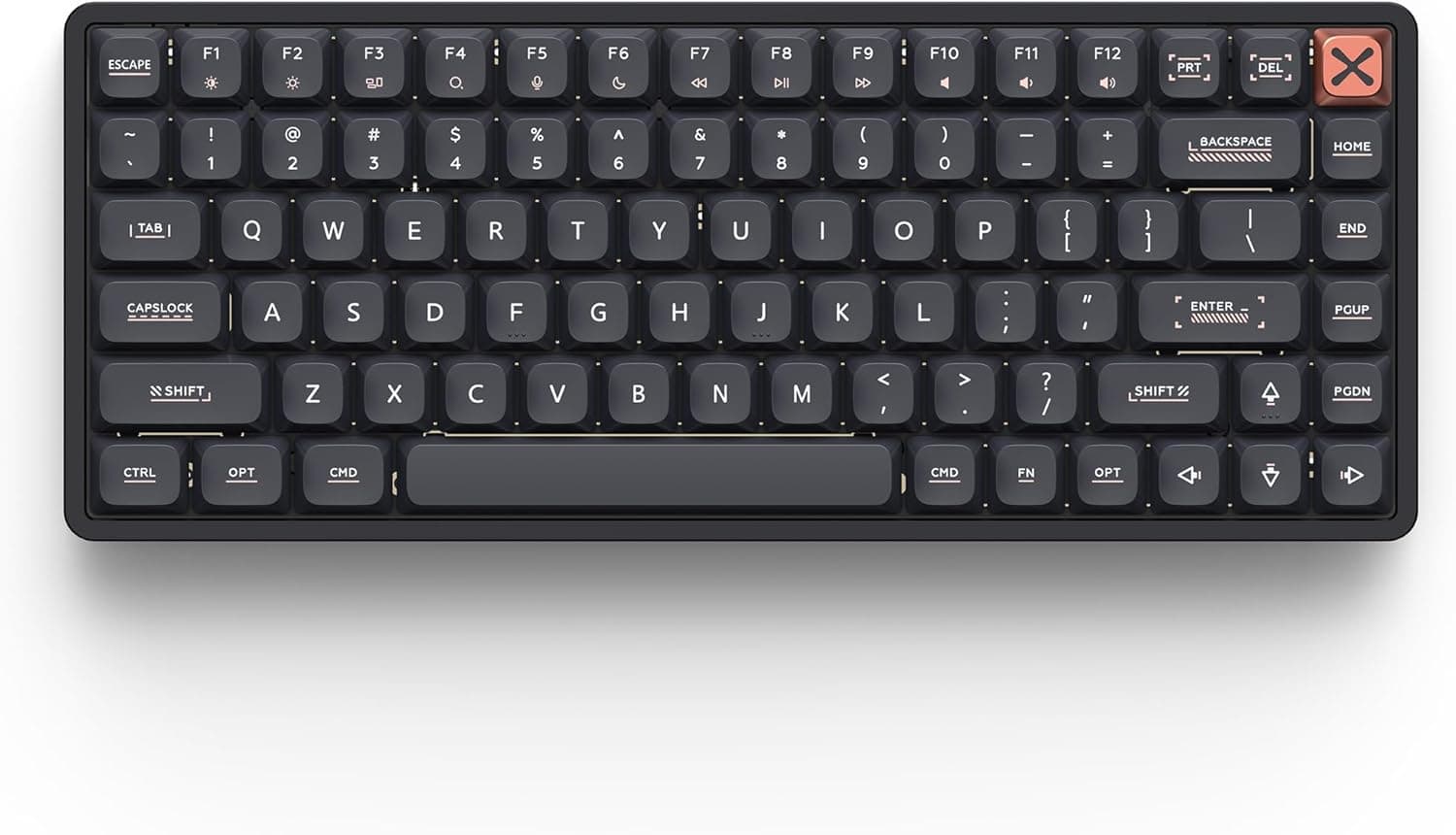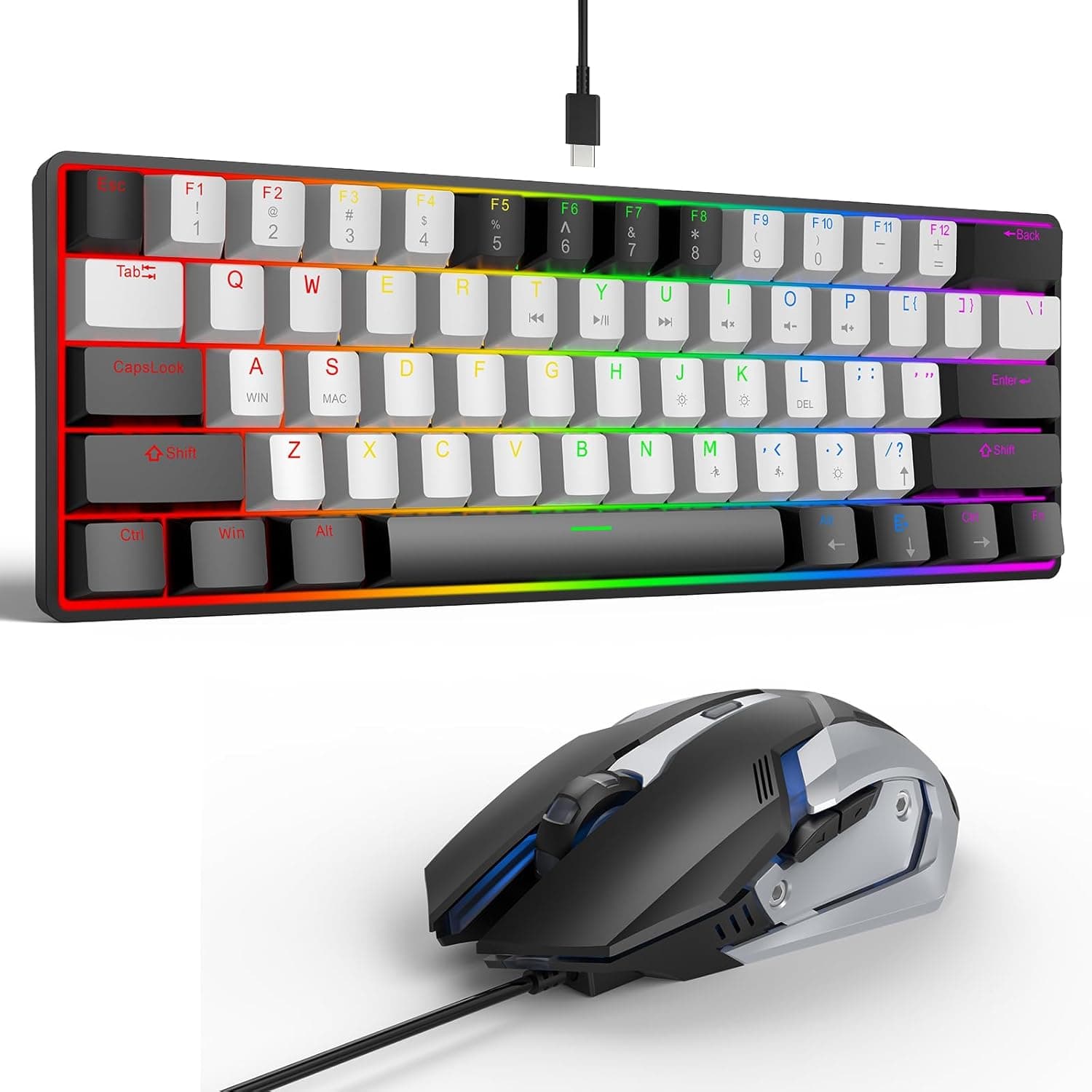
This article examines the LAMA Mini 60% 61 Keys Mechanical Keyboard with Red Switches using its published specs, captured retail prices, and actual review figures. A 60% layout is not simply "a small keyboard" — it removes physical keys you may use hundreds of times a day, and that is where buyers get caught out.
Overview
The LAMA Mini 60% pairs a 61-key compact layout with linear red switches over a wired USB connection, at the entry end of the mechanical keyboard market. The short verdict: it suits people who want to find out what a mechanical board feels like for the smallest possible outlay, and FPS/MOBA players who want mouse room on the desk.
It does not suit anyone whose daily work involves heavy numeric entry or constant arrow-key navigation. Pricing was captured at ¥5,664 on 10 September 2026 and ¥5,489 on 22 July 2026 — both figures are snapshots and will move with sales and stock.
The feature set is honest for the money. Red switches are linear, with no tactile bump partway through the press, which is why they are favoured for rapid repeated presses in games and cause less finger fatigue over long typing sessions.
The LED backlight offers roughly 15 modes, with brightness and effect speed adjustable through Fn combinations. Full N-key rollover anti-ghosting means heavy simultaneous presses register rather than dropping.
The body uses a detachable USB cable and adjustable tilt feet, in a black-and-white two-tone finish. A detachable cable is genuinely practical on a board meant to live in a backpack, and it means a failed cable can be replaced instead of ending the keyboard's life.
What a 60% Layout Actually Costs You
It is worth being concrete about 61 keys. Compared with a full-size board, a 60% drops the number pad, the dedicated function row, and the navigation cluster (Insert, Delete, Home, End and friends).
On this model, arrow keys and F1–F12 live on the Fn layer — so they are reachable, but never with one hand alone.
| Task | Full-size | LAMA Mini 60% |
|---|---|---|
| Sustained numeric entry | One-handed on numpad | Top number row only |
| F5 refresh, F2 rename | Single press | Fn + key |
| Arrow-key cursor movement | Dedicated keys | Fn layer |
| Delete / Home / End | Dedicated keys | Fn layer |
| Mouse room on desk | Limited | Generous |
The table looks damning, but lived experience splits sharply by use case. In a game driven by WASD and mouse, you lose almost nothing and gain real elbow room for wide mouse sweeps.
In spreadsheet work, video-timeline scrubbing, or code editing where you hit arrows and function keys hundreds of times a day, the extra Fn press accumulates into genuine friction. Before buying, honestly estimate which of those two occupies more of your day.
Choosing Red Switches
Red switches are often sold as "quiet and light." More precisely, they lack the sharp click of a blue switch — but the bottom-out sound is still there.
These are not silenced switches, so assume your keystrokes are audible to anyone sharing the room and to anyone on the other end of a microphone. A thin desk mat under the board noticeably dampens that bottom-out resonance if noise matters to you.
For typing, the absence of a tactile bump makes over-pressing easy at first. Coming from a membrane keyboard, expect a week or two of slightly elevated typos while your fingers recalibrate.
If you already know you prefer a tactile bump, this board's fixed red switches are the wrong fit — there is no hot-swap socket, so the switch choice you buy is the switch choice you keep.
Connectivity & Compatibility
Connection is wired USB only, working on USB 1.1/2.0/3.0 ports as plug-and-play.
No driver or utility installation is needed, and backlight and Fn-layer settings are handled entirely on the board. The flip side of needing no software is that there is no official way to remap keys or store macros on the host; if you need a different layout, you do it through OS-level settings or a general-purpose remapping tool.
The stated OS support covers Windows 98/ME/2000/XP/Vista/7/8/10, macOS, Linux and Android, plus PlayStation 4 and Xbox One. Note that the published list stops at Windows 10 — Windows 11 is not explicitly listed.
As a driverless standard USB HID device it would generally be expected to work, but that is not something to state as fact, so check the current listing if Windows 11 is your target.
Console support also deserves a caveat: appearing on a compatibility list is not the same as every game accepting keyboard input. Whether PS4 or Xbox One titles allow keyboard control depends on the game, and some permit chat text only.
Physically the board needs just one USB port, so hub and monitor-hub connections work, though running the backlight at maximum brightness is more stable on a direct port with headroom.
Product Info
Prices below are captured snapshots, not current figures. Check the listing before you buy.
| Source | Price | Captured |
|---|---|---|
| Amazon (Japan) | ¥5,664 | 10 Sept 2026 |
| Amazon US listing | ¥5,489 | 22 July 2026 |
| eBay US | $36.09 | 18 Aug 2026 |
Across roughly two months the price moved from ¥5,489 to ¥5,664 — a few hundred yen of drift. At this price level, shipping and exchange rates weigh heavily on the total, so buying from domestic stock usually wins on landed cost versus an overseas marketplace listing.
Review data captured 24 July 2026 shows 4.3 out of 5 stars (86% positive) across 12 reviews.
The score is respectable, but 12 is a thin sample, and it is worth saying so plainly. With a count that low you cannot infer the ratio of good units to bad ones.
The practical hedge is to buy from a seller whose return window is clear.
In the box: the keyboard, a detachable USB cable, and a brief manual. Warranty terms vary by seller, with Amazon purchases typically carrying a 30-day return window.
There is no software-based deep customisation, no hot-swap, and none of the mounting refinements found on enthusiast boards — but red switches, full NKRO and a backlight at this price is a straightforward value proposition.
How It Compares
One budget tier up, you find 65% boards that keep physical arrow keys, hot-swap sockets, and triple-mode wireless. If physical arrow keys are non-negotiable, the answer is a 65%, not a cheaper 60% — that is a layout decision, not a budget one.
And if you already know you want to swap switches or rewrite the layout at firmware level, starting with a QMK-capable custom board is cheaper than arriving there in two purchases.
The LAMA Mini 60% wins on one specific brief: finding out what mechanical typing is like for around ¥5,500. If it turns out not to suit you, the loss is small; if it does, you move up knowing what you want.
Buying it as a first board and later demoting it to a travel or LAN spare is the use pattern that fits best.
Best Use Cases
- FPS/MOBA players short on desk width — a 60% exists to prioritise mouse travel. The lower your sensitivity and the more you move your whole arm, the more you gain.
- First-time mechanical buyers — around ¥5,664 as captured in September 2026, the downside risk is small. Red switches have no click and handle gaming and typing evenly, making a sensible baseline.
- People who carry a keyboard — 61 keys, light weight and a removable cable are a coherent package for a backpack, and it needs only one USB port with no separate power.
- Anyone wanting a dedicated gaming second board — keep a full-size board for work and swap this in for play, and the missing arrows and numpad stop mattering.
Before You Buy
The absence of physical arrow keys is the biggest trap. "Available via Fn" reads harmlessly in a spec sheet, but scrolling a long article, advancing slides, or selecting text with Shift+arrow all become two-handed operations.
This is the most common complaint from buyers, and it is invisible if you only read the feature list.
There is no wireless of any kind. No Bluetooth, no 2.4GHz dongle — wired only.
A detachable cable is not the same as no cable, so if your motivation for a small board is a tidier desk, this is not the product.
Accept the lack of hot-swap and software. No switch swapping, no per-key macros, no saved profiles.
Keycap replacement is also less straightforward than it looks: 60% layouts often use non-standard sizes for some keys, so check that a replacement set actually covers this layout before planning a visual rebuild.
Red is not silent. Only the click is gone; bottom-out noise remains.
For shared spaces or live calls, a board marketed as silenced will match your expectations better.
Factor in the 12-review sample. A 4.3 average is good, but 12 reviews cannot tell you about unit variance or defect rates.
Listing metadata (manufacturer, model number, OS support) is also sometimes wrong or outdated on retail pages, so confirm from the product images and title that you are looking at the right item, check that the stated OS list covers your machine, and read the return terms before ordering.
FAQ
Q. Is it a Japanese (JIS) layout? A.
A 61-key 60% is built on a US-style layout; it is not designed around kana legends or dedicated Japanese conversion keys. IME switching is handled through OS key settings or shortcuts.
If you specifically need a JIS layout, choose a board that states it.
Q. Does it work on Windows 11? A.
The published list stops at Windows 10. As a driverless standard USB device it would generally be expected to work, but since it is not stated, verify against the current listing.
Q. Can the backlight be turned off? A.
Yes — mode, brightness and effect speed are adjusted with Fn combinations across roughly 15 modes, all handled on the board. Fine-grained per-key colour programming is not available.
Q. Can I use it to play on PS4 or Xbox One? A.
The board lists both consoles as supported, but whether keyboard input drives gameplay depends on the title; some allow chat entry only. Check the specific game.
Q. What if I later need a numpad? A.
Add a USB numpad. You keep the compact footprint and attach the numpad only when needed, which is more flexible than reverting to a full-size board.
Product Disclosure (Amazon)
- Manufacturer: LAMA
- Seller: Amazon US
- Fulfilled by: Amazon US
- ASIN: B0FHW5HGKM
- Note: This article covers a manufacturer-made product based on Amazon listing details.