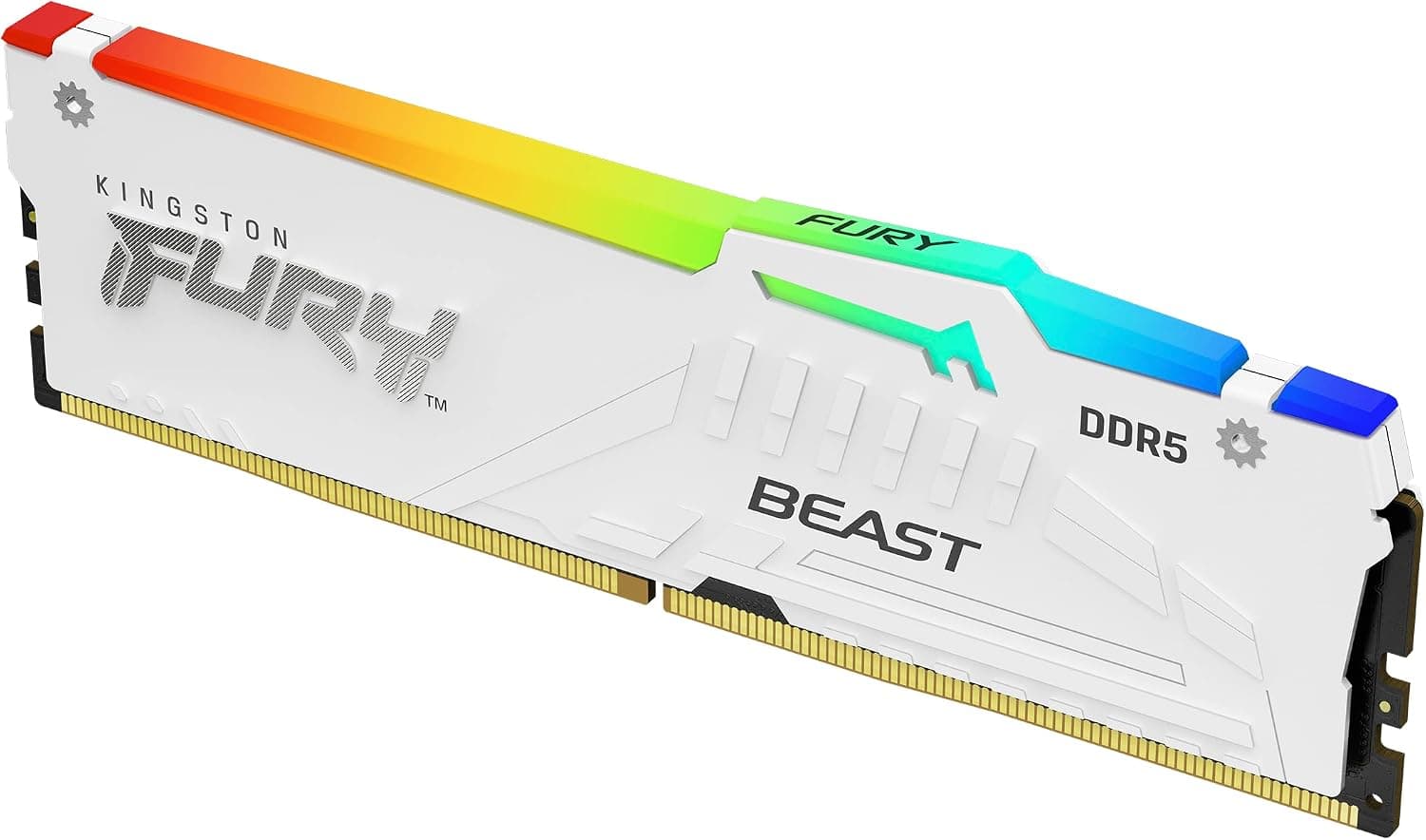
This article covers Kingston (キングストン) FURY Beast (フューリービースト) ホワイト RGB XMP 64GB 5600MT.
Overview
The Kingston FURY Beast DDR5 RGB 64GB kit delivers a solid balance of capacity and speed for modern desktop builds. Running at 5600MT/s with CL40 latency, this dual-channel kit consists of two 32GB modules. The white heat spreader and customizable RGB lighting make it a visually appealing choice for users who care about aesthetics. This memory supports Intel XMP 3.0, allowing easy overclocking profile application on compatible motherboards. At 4800MT/s, it operates in Plug and Play mode, so even beginners can get it running without tweaking BIOS settings. Positioned in the mid-high tier of DDR5 memory, the 5600MT/s speed is a step above entry-level 4800MT/s kits, while the 64GB capacity targets memory-intensive workloads like video editing, 3D rendering, and virtual machines. It's not the fastest DDR5 on the market, but it offers a compelling price-to-capacity ratio.
Compatibility Guide
This memory is designed for DDR5 platforms, including Intel 600/700-series chipsets and AMD AM5 motherboards. To enable XMP 3.0 profiles, you'll need to enter the BIOS and apply the profile manually. Sockets: LGA1700, LGA1851, AM5 Memory standard: DDR5-5600 (PC5-44800) Form factor: DIMM 288-pin Voltage: 1.25V (XMP) * Compatible motherboard brands: ASUS, MSI, Gigabyte, ASRock, and others A key consideration: populating all four DIMM slots with two kits (128GB total) may require memory training and could reduce stability at rated speeds. Always check your motherboard's QVL list before purchasing a second kit.
Product Info
Released in mid-2023, the Kingston FURY Beast DDR5 RGB 64GB kit is widely available through major retailers. Pricing hovers around ¥77,000 on Japan, which is typical for a 64GB DDR5-5600 kit. Type: DDR5 Capacity: 64GB (2x32GB) Speed: 5600MT/s Timings: CL40-40-40 Voltage: 1.25V RGB: Yes (infrared sync technology) Heatsink color: White Warranty: Lifetime Market positioning is mid-high tier. The 5600MT/s speed is faster than entry-level 4800MT/s but slower than enthusiast-grade 6000MT/s+ kits. The 64GB capacity is the main selling point, making it ideal for users who need more than 32GB for creative or professional workloads.
Best Use Cases
Creative professionals: Video editors, 3D artists, and photographers will benefit from the 64GB capacity. Editing 4K timelines or working with large RAW files becomes smoother without hitting memory limits. Virtual machine users: Running multiple VMs with Docker, VMware, or Hyper-V requires substantial RAM. 64GB allows you to allocate generous memory to each guest OS while keeping the host responsive. Silent PC builders: The efficient heat spreader keeps temperatures in check, allowing lower fan speeds. This memory runs cool enough that you can prioritize quiet operation. Who should look elsewhere? Pure gamers: Most games run fine on 32GB. Spending extra on 64GB is overkill unless you also stream or run background tasks. * Latency-sensitive users: CL40 is standard for DDR5, but if you're chasing every last frame in competitive shooters, a CL30 or CL32 kit might offer a slight edge.
Things to Consider
The biggest trade-off is speed: 5600MT/s is mid-range. Compared to 6000MT/s kits, you lose about 7% bandwidth, though real-world performance differences are often under 5%. If you're building a high-end gaming rig, a faster kit might be worth the premium. The white heat spreader looks great in white-themed builds but may clash with black components. Check your case and motherboard color scheme before buying. Enabling XMP requires BIOS configuration. While straightforward, it's an extra step that beginners might find intimidating. The good news is that the memory runs at 4800MT/s out of the box without any setup. ## FAQ
Q: Does this memory support AMD EXPO? A: No, it only supports Intel XMP 3.0. It works on AMD AM5 motherboards, but you'll need to manually set timings and voltage or apply the XMP profile if your BIOS allows it. EXPO profiles are not available. Q: Can I use four sticks for 128GB? A: Yes, but stability isn't guaranteed. Running four DDR5 modules puts more stress on the memory controller, and you may need to lower the speed or loosen timings. Always consult your motherboard's QVL for validated configurations. Q: Can I sync the RGB with other brands? A: The Kingston FURY CTRL software handles RGB control. Infrared sync works between multiple Kingston FURY modules without cables. Compatibility with motherboard RGB software (ASUS Aura Sync, MSI Mystic Light, etc.) varies by motherboard model and is not guaranteed.