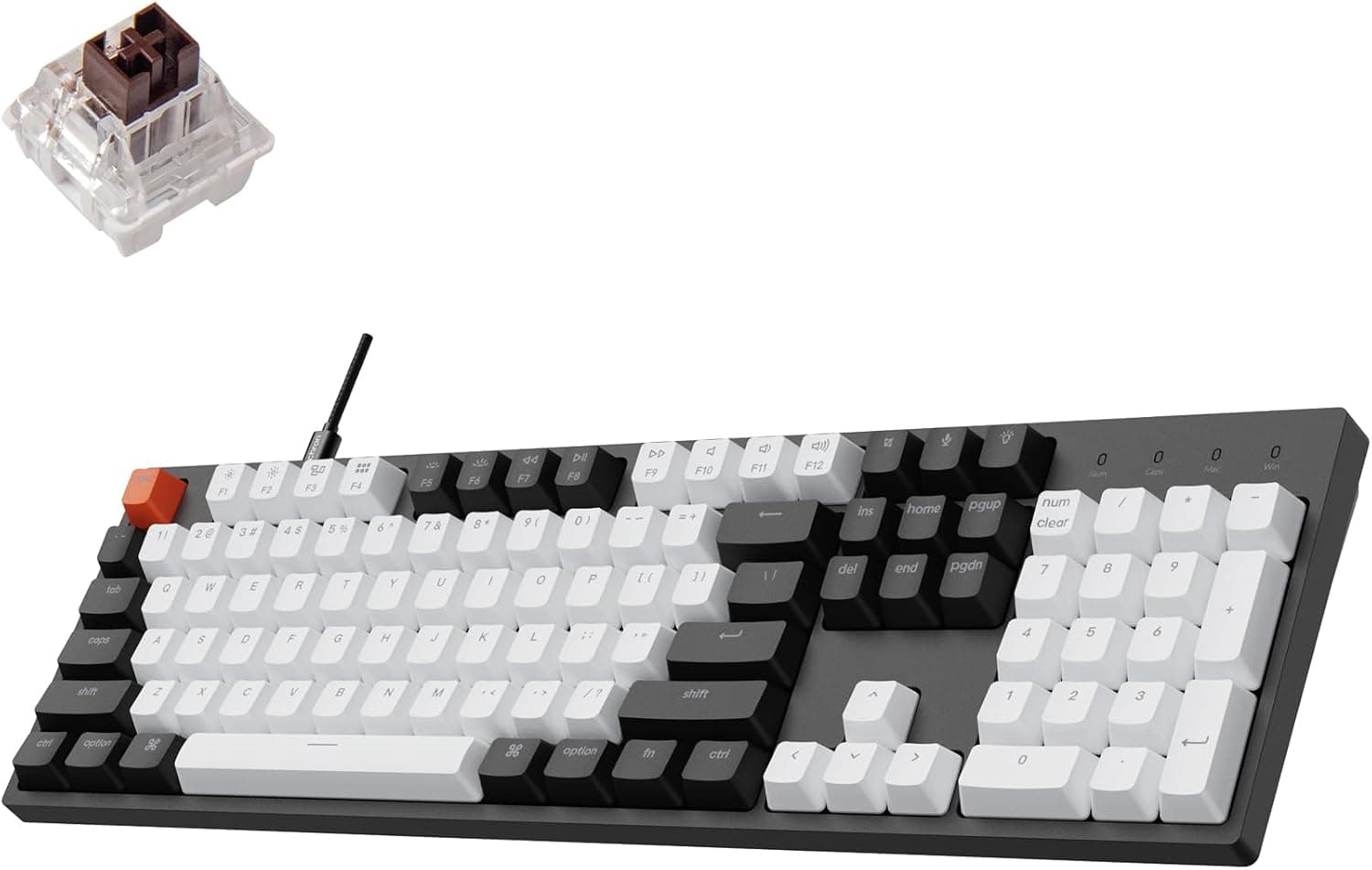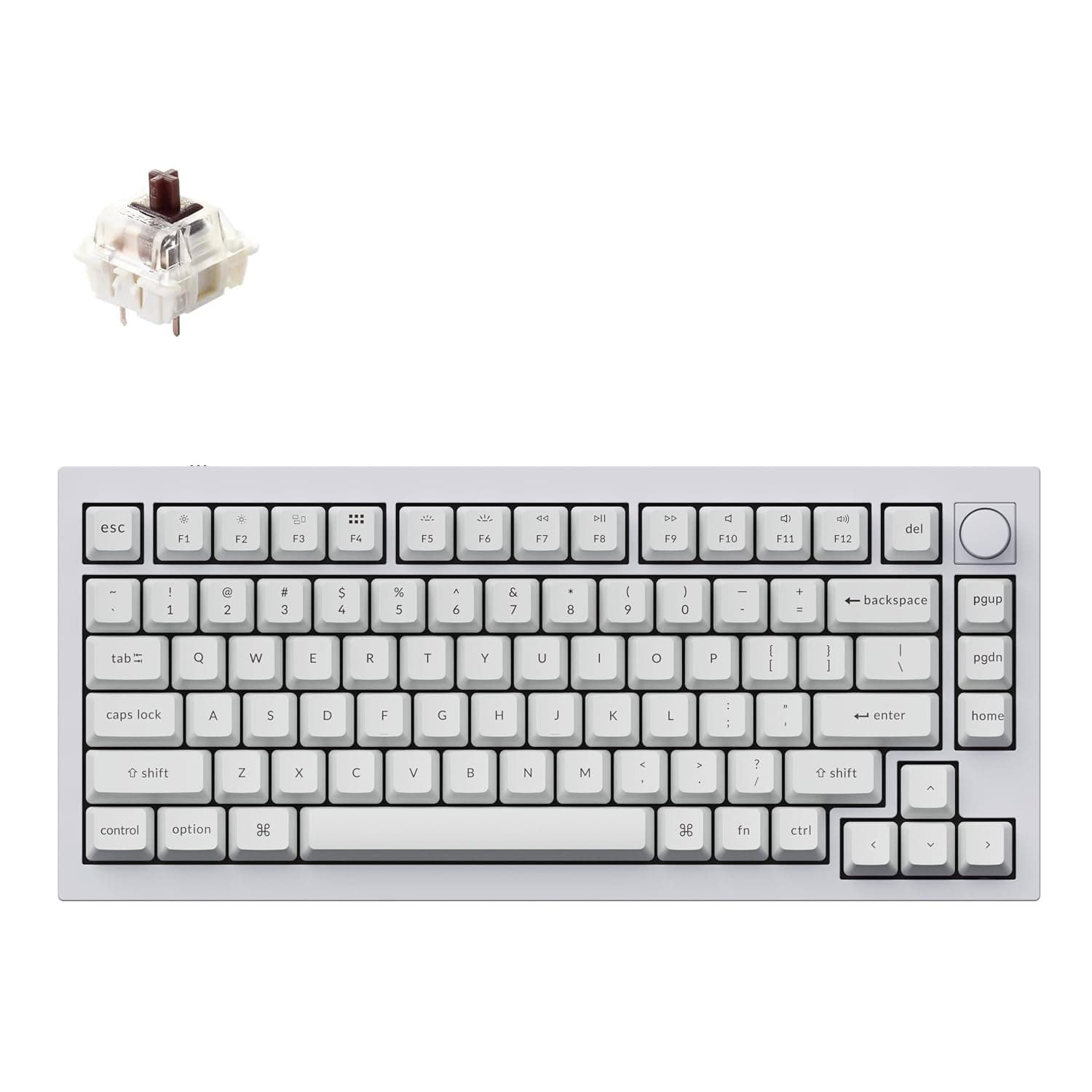
This article is an in-depth look at the Keychron Q1 RGB 有線カスタムメカニカルキーボード 75%レイアウト QMK — the wired 75% custom mechanical keyboard from Keychron. Rather than repeating the spec sheet, it focuses on the practical questions: where it fits, what you have to accept, and who should skip it.
Overview
The Keychron Q1 occupies an unusual position: it ships fully assembled, yet it is built to be taken apart and modified. The short verdict is that it suits people who want a premium typing feel without soldering anything.
A full CNC-machined aluminum chassis with a double-gasket mount puts it in a different acoustic and tactile class from plastic-bodied boards at similar prices.
This is the version 2 model with a rotary knob, delivered ready to use. In the custom keyboard hobby, the usual path is buying a barebones kit and sourcing switches and keycaps separately.
The Q1's assembled configuration removes that first barrier entirely.
It comes pre-installed with Gateron G Pro Blue clicky switches, which give a distinct click and a sharp tactile bump on every press. That is satisfying feedback for typists, but it is also audible to anyone nearby — covered in detail below.
The keycaps are double-shot PBT in an OSA profile, so the legends are molded rather than printed and will not wear off.
| Item | Spec | What it means in practice |
|---|---|---|
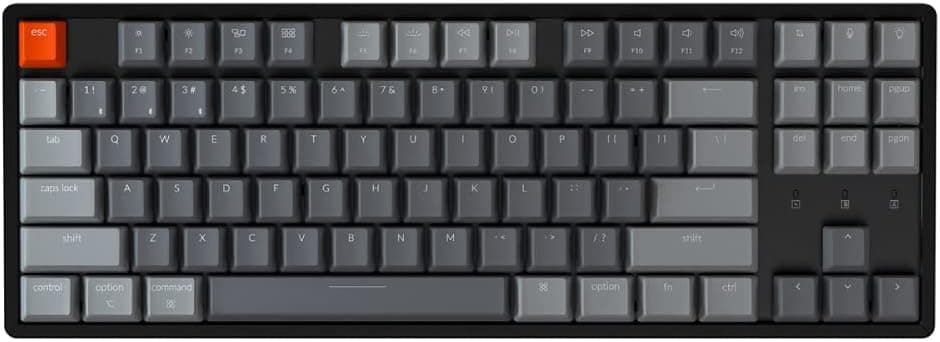
| Layout | 75% (84 keys) | Keeps the function row and arrows; drops the numpad |
| Switch | Gateron G Pro Blue (clicky) | Loud by design; swap for quiet use |
| Hot-swap | Yes (3-pin/5-pin MX) | Change switches with no soldering |
| Chassis | Full CNC aluminum | Heavy and stable; not portable |
| Mount | Double gasket | Softer bottom-out, less finger fatigue |
| Programmability | QMK / VIA | Remap without flashing firmware |
| Connection | USB Type-C, wired only | No wireless mode at all |
| OS support | macOS / Windows / Linux | Hardware side toggle |
| Extras | Per-key RGB, rotary knob | Knob is freely assignable |
Connectivity & Compatibility
The Q1 connects through a single USB Type-C cable. There is no Bluetooth and no 2.4GHz dongle.
The upside is that you never deal with dropped pairings, dead batteries, or wireless latency, and it behaves predictably behind docks and KVM switches.
A physical side toggle switches between macOS and Windows/Linux modifier layouts. This matters most if you move between a Mac and a PC daily: the swap happens in hardware, so you do not need per-OS software profiles, and extra keycaps for both modifier sets are included in the box.
Full QMK and VIA support means every key can be remapped through a GUI without rebuilding firmware. One caveat trips up many buyers: VIA requires downloading the correct JSON definition for your specific Q1 revision from the official site.
Load the wrong version and things like the knob assignment will not behave correctly. Expect a short setup step rather than plug-and-play.
The hot-swap PCB accepts 3-pin and 5-pin MX-style switches, which covers the large majority of switches on the market. It does not accept optical switches, electrostatic capacitive switches, or low-profile types such as Kailh Choc.
Check for "MX compatible" before buying replacements.
Physically, the aluminum body is heavy. It will not slide on a desk under any amount of force, but it is a poor travel companion — treat it as a permanent desk fixture.
The case is also fairly tall, so plan on using a wrist rest for long sessions.
Product Info
Prices differ noticeably by channel. As captured on 10 July 2026, Amazon.co.jp listed it at ¥38,609, and as captured on 13 August 2026, Rakuten (Apple specialty store Kitcut) listed ¥44,990.
On the international market, eBay US showed $133.28 as captured on 17 August 2026.
All of these are point-in-time figures that move with sales, exchange rates, and stock, so check the live product page before ordering. Note too that domestic and parallel-import channels differ in who handles warranty claims.
On reviews: as of 10 July 2026 the listing showed 5.0 out of 5 stars across 14 reviews (100% positive).
A perfect score is encouraging, but 14 reviews is a small sample — too small to say anything reliable about unit variance or defect rates. Reading the review text for specific complaints (stabilizer rattle, switch inconsistency) is more useful than the headline score.
In the box: a USB-C cable, keycap and switch pullers, spare stabilizers, and a hex wrench. That hex wrench is telling — the board is designed to be opened and modified, not just used as-is.
Warranty follows the manufacturer's terms; Keychron products generally carry a one-year warranty.
Comparison With Alternatives
Within Keychron's own lineup, the obvious comparisons are the wireless Q1 Pro and the cheaper V series. The Q1 Pro adds Bluetooth at a higher price.
The V1 uses a plastic case but offers the same QMK/VIA support and hot-swap sockets, which means if programmability alone is your goal, the V series is enough. Most of the premium you pay for the Q1 buys the aluminum case and the acoustics the gasket mount produces.
Against gaming-focused boards, the picture is clearer still. Many recent gaming keyboards use magnetic Hall-effect sensing with adjustable actuation and rapid trigger.
The Q1 uses traditional mechanical switches and has none of that. If you are tuning FPS input down to the millisecond, the Q1 is not your board. If you type prose or code for eight hours a day and want that to feel good, it very much is.
Typing Feel and Sound
The double-gasket mount suspends the PCB between soft material instead of screwing it rigidly to the case. Bottom-out impact is softened, which reduces fatigue over long sessions.
Combined with the aluminum shell, the sound profile is lower and more contained rather than sharp and hollow. This tuned acoustic character is the core of what the Q1 is selling.
The knob is remappable in VIA. It defaults to volume, but assigning it to browser tab switching, timeline scrubbing, or application zoom changes day-to-day workflow noticeably.
For video and photo editors, the knob alone can justify the purchase.
RGB lighting is per-key, but PBT keycaps block light well, so do not expect brightly shine-through legends. The lighting reads as a glow around and beneath the keys.
Best Use Cases
- Tinkerers — Hot-swap sockets let you try clicky, tactile, and linear switches without soldering. Start with the Gateron G Pro Blues and move on if they are too loud; switch sets are cheap enough to experiment freely.
- Power users who live in keyboard shortcuts — QMK/VIA layers can more than compensate for the keys a 75% layout drops, keeping your hands on the home row. Ideal for programmers, writers, and shortcut-heavy creative work.
- People who use both Mac and Windows — The hardware OS toggle and the included modifier keycaps for both platforms are genuinely practical, not just a spec bullet.
- Anyone building a desk they care about visually — The machined aluminum case has more physical presence than photos convey, and it is built to last as a permanent main keyboard.
Before You Buy
The biggest pitfall is the pre-installed Gateron G Pro Blue clicky switch. Clicky switches are loud by construction.
That is fine in a private room and a problem in an open office, a shared room, or a video-call-heavy job. If quiet operation matters, budget for a set of linear or silent switches at the same time you order the board.
Swapping takes minutes thanks to hot-swap, but it is better to plan for it than to discover it after delivery.
If you need wireless, this is the wrong product. The Q1 is wired only and cannot be converted later.
Likewise, if you enter numbers all day, the 75% layout is a genuine handicap; adding a separate numpad works, but a full-size board would cost less overall.
Budget an adjustment period for the 75% layout. Coming from full-size, the positions of Delete, Home, End, and Page Up/Down change, and your typing speed will dip for a week or two.
Do not switch boards the week of a deadline.
Expect a VIA setup step. Until you load the correct JSON definition for your revision from the official site, the remapping GUI will not work properly.
If VIA "does not detect" the board, check the JSON version first.
Weight and height are real considerations. The aluminum case is stable but heavy, and the front edge sits high; without a wrist rest, long sessions can angle your wrists uncomfortably.
Measure your keyboard tray clearance beforehand.
Check the listing details carefully. Retail listings are written by individual sellers, and the stated revision (V1/V2), knob presence, switch type, and key layout (US/JIS) sometimes do not match the actual item.
The Q1 has many variants, so confirm from the product images and title that you are ordering the configuration you want, and trust the final checkout total over the displayed price.
FAQ
Q. Do I need to solder to change switches? A.
No. The hot-swap PCB accepts 3-pin and 5-pin MX-style switches; use the included puller.
Optical, electrostatic capacitive, and low-profile switches will not fit.
Q. Can it run wirelessly?
A. No. USB Type-C wired only. Look at Keychron's wireless models if that is a requirement.
Q. Does it work on both Mac and Windows? A.
Yes — macOS, Windows, and Linux, with a side toggle for OS mode and modifier keycaps for both platforms included.
Q. What do I need to remap keys in VIA? A.
Download the JSON definition for your Q1 revision from the official site and load it into VIA first.
Q. What can the knob do? A.
Volume by default, and anything you assign in VIA — zoom, tab switching, timeline scrubbing are all practical choices.
Q. How loud is it? A.
Gateron G Pro Blue is clicky and clearly audible compared with a silenced board. For shared rooms or frequent calls, plan on swapping to linear or silent switches.
Product Disclosure (Amazon)
- Manufacturer: Keychron
- Seller: Takumido
- Fulfilled by: Takumido
- ASIN: B09W2LS598
- Note: This article covers a manufacturer-made product based on Amazon listing details.