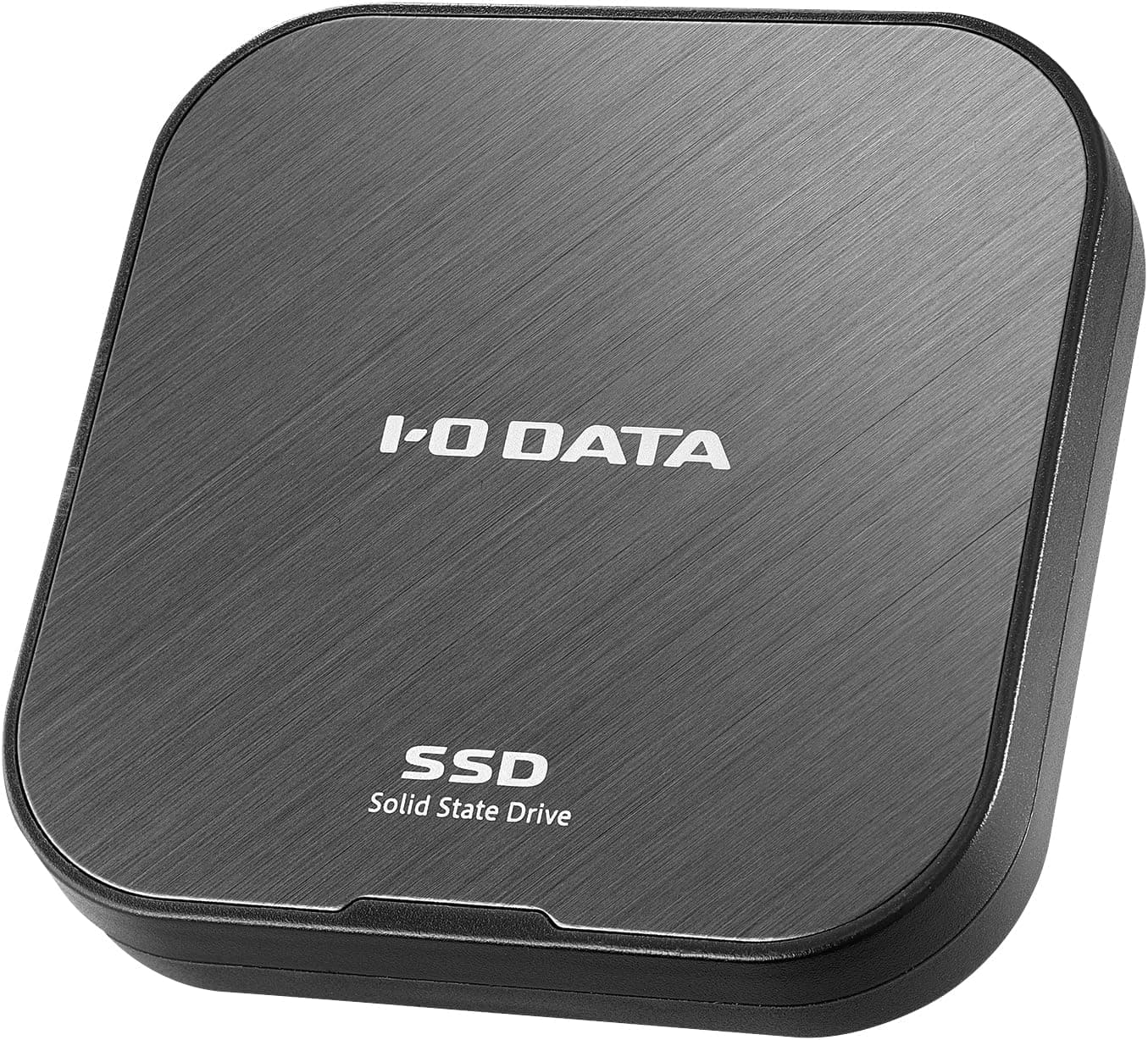
This article covers IODATA ポータブルSSD 1TB USB4 R-SSPT-UF1.
Overview
IODATA's R-SSPT-UF1/E is a portable SSD that supports USB4 (USB 40Gbps), offering read speeds up to approximately 4000MB/s and write speeds up to 3500MB/s. This makes it roughly four times faster than conventional USB 10Gbps SSDs, significantly reducing transfer times for large files. The drive measures just 64×64×12mm and weighs only 42g, making it highly pocketable. Its fanless design ensures silent operation, and an automatic thermal control feature prevents overheating during extended use. Positioned as a high-speed portable storage solution for creative professionals and mobile users, the R-SSPT-UF1/E competes directly with products like the SanDisk Extreme Pro and Samsung T9, but offers nearly double the sequential read speed thanks to USB4 connectivity.
Compatibility Guide
Interface: USB-C connector supporting USB4 (40Gbps), USB 3.2 Gen2x2 (20Gbps), USB 3.2 Gen2 (10Gbps), USB 3.2 Gen1 (5Gbps), and USB 2.0. OS support: Windows 10/11, macOS 12–15, iOS 17–18, iPadOS 16–18, Android 13–18, Chrome OS. Pre-formatted as exFAT, so it works out of the box with both Windows and Mac without reformatting. Direct connection to iPhone 16/15 series is supported for photo and video offloading. * Important: When connected to a non-USB4 port, transfer speeds will be limited to the host port's maximum (e.g., ~1000MB/s on USB 10Gbps).
Product Info
Release date: Late 2025 (estimated). Price: approximately ¥58,800 for the 1TB model at launch. Warranty: 1 year (standard manufacturer warranty). Market positioning: Mid-high tier. The R-SSPT-UF1/E stands out by offering Thunderbolt 3/4-class speeds via the more widely adopted USB4 standard, at a price point that undercuts many Thunderbolt SSDs. It's an excellent choice for users who need fast, portable storage but don't want to pay the Thunderbolt premium.
Best Use Cases
Video editors and photographers: Ideal for transferring 4K/8K footage or RAW photo libraries. The 4000MB/s read speed dramatically cuts down wait times when moving large projects between locations. However, for direct editing off the drive, a Thunderbolt-connected SSD or internal NVMe may offer more consistent performance. iPhone/iPad users: Perfect for offloading photos and videos to free up device storage. Simply connect via USB-C and copy files. Note that iPhone transfer speeds are limited to USB 3.0 (5Gbps), so you won't see the full speed potential here. Mobile professionals and frequent travelers: The compact, lightweight design fits easily in a pocket or small bag. Fanless operation means no distracting noise in quiet environments like trains or cafes. Consider using encryption software for sensitive data. Gamers: Useful for storing game libraries to play on different PCs. Keep in mind that modern games can exceed 100GB each, so 1TB fills up quickly. Also, you need a USB4-capable PC to benefit from the speed.
Things to Consider
The biggest caveat is the requirement for a USB4-capable host device. If your PC or smartphone only supports USB 10Gbps or 5Gbps, the drive will operate at those slower speeds, negating its primary advantage. Write speeds (up to 3500MB/s) are lower than read speeds, and sustained large-file writes may cause further throttling due to thermal management. Real-world performance may not always match benchmark numbers. Compared to competitors like the SanDisk Extreme Pro (2000MB/s read, ~$200) or Samsung T9 (2000MB/s read, ~$180), the IODATA drive offers roughly double the speed but at nearly double the price. For users who don't need USB4 speeds, a USB 10Gbps SSD provides better value. ## FAQ
Q: Can I use this SSD with a PS5 or Xbox Series X? A: Yes, it will be recognized as external storage for saving screenshots and game clips, but you cannot play PS5 or Xbox Series X games directly from it. For game playback, internal storage or the official expansion card is required. The USB4 speed advantage is primarily realized on PC. Q: Can I use it for Time Machine backups on Mac? A: Yes, it works as a Time Machine backup disk with its exFAT format. However, if you choose to "Erase and Use" during setup, macOS will reformat it to APFS or Mac OS Extended (Journaled), which will break Windows compatibility. Plan accordingly. Q: How durable is this SSD? A: The 1TB model has a rated TBW (Total Bytes Written) of 600TB. Assuming 1TB of writes per day, that's about 1.6 years of endurance. In typical use, most users will never hit this limit, and the SSD's shock resistance makes it well-suited for portable use.
Product Disclosure (Amazon)
- Manufacturer: アイオーデータ
- Seller: Amazon.co.jp
- Fulfilled by: Amazon.co.jp
- ASIN: B0FL7D82SM
- Note: This article covers a manufacturer-made product based on Amazon listing details.