Overview
The INAIR 2 Elite Suite is a spatial computing bundle that combines the INAIR 2 Pro AR glasses, the INAIR Pod computing unit with a built-in Android environment, and a spatial multi-touch keyboard. The short verdict: it makes sense for people who want a large multi-window workspace on the go, or who want to reach their Windows or macOS machine on a big virtual screen from anywhere.
It is not for people expecting room-scale 6DoF AR or the deep immersion of a head-mounted headset.
Its defining feature is that the Pod runs Android on its own, so the system works without a PC or smartphone. You can arrange up to six windows in space, which covers both productivity and video viewing.
A useful way to picture it is as a middle ground between display-only AR glasses that mirror a phone and full head-mounted headsets.
The dual-eye Micro-OLED displays render a virtual 135-inch screen at 120Hz with a pixel density of 49PPD (pixels per degree of field of view), a spec aimed at readable fine text. Electrochromic lenses adjust transparency from 0.1% to nearly 100%, so you can switch quickly between full immersion and seeing your surroundings.
Reading the Key Specs
| Item | Value | What it means |
|---|---|---|
| Virtual screen size | 135 inches | Apparent size; how much of your view it fills depends on fit and settings |
| Refresh rate | 120Hz | Smoother scrolling and video; with PC streaming, the network often becomes the limit |
| Pixel density | 49PPD | A measure of text sharpness, relevant for documents and spreadsheets |
| OS | Android | Apps can be installed from Google Play |
| RAM / Storage | 8GB / 128GB | Enough for switching between apps; watch free space if you store lots of video |
| CPU speed | 1.89GHz | Designed with heavy work offloaded to PC streaming |
| Weight | 400g | The data does not say which component this refers to (see below) |
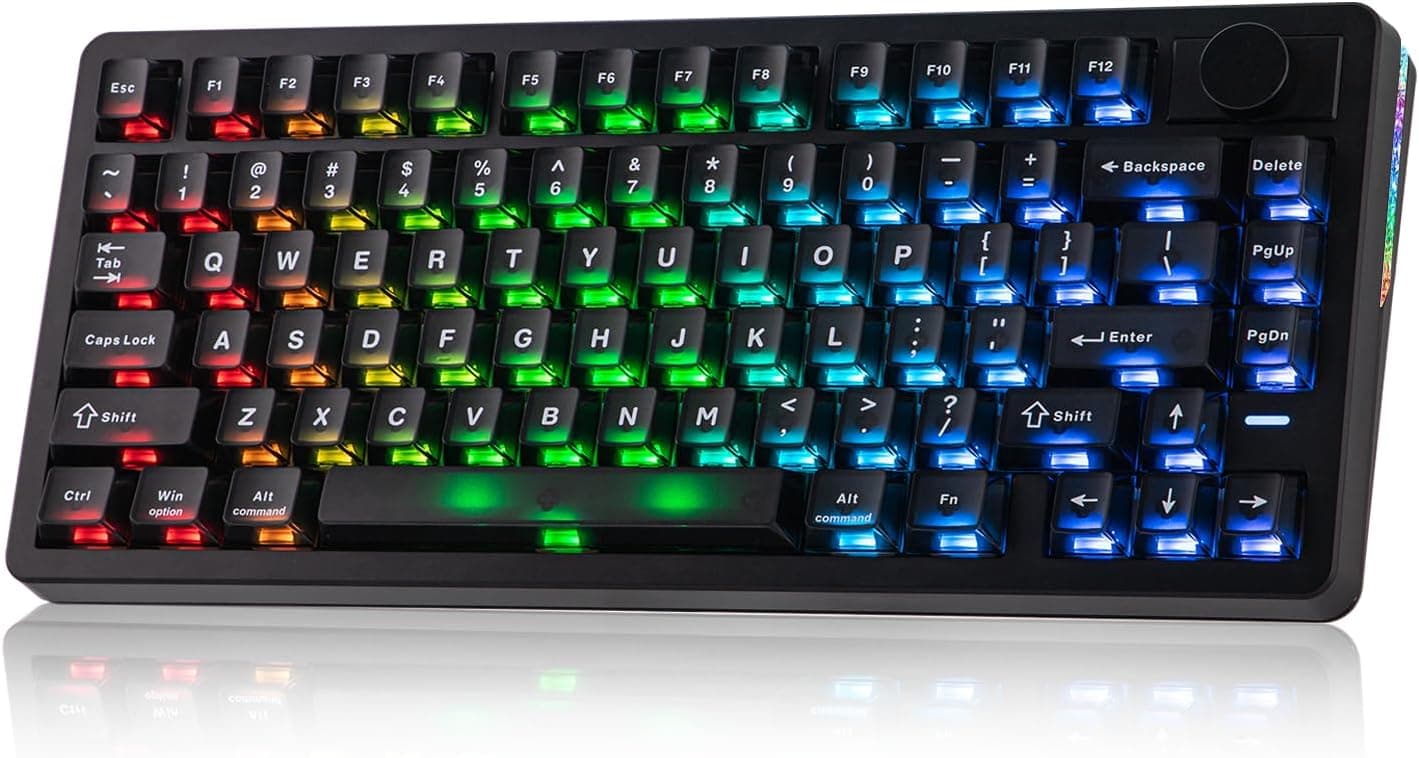
| Keyboard | 78 keys / 6mm thick | Thin and built for portability |
The table shows a product built around display quality and portability. Rather than doing everything on the Pod, the natural reading is a two-tier design: light tasks and video on the Pod, heavy applications streamed from your home PC.
8GB of RAM and 128GB of storage are a reasonable baseline for moving between a browser, document editing and streaming apps. If you plan to download lots of video for offline viewing, though, storage may fill up sooner than you expect, so match it against your own habits before buying.
Compatibility Guide
Standalone use (Android apps)
The INAIR Pod runs a full Android OS, so you can install mainstream Android apps directly from Google Play. Many of the productivity, streaming and social apps you use on your phone can be arranged as windows in space.
Keep in mind that most Android apps are designed for tall phone screens. How they look on a wide virtual display or in multi-window mode varies by app, so if a specific app is essential for work, check its behavior through the manufacturer or user communities beforehand.
PC integration (Windows / macOS)
The dual-channel wireless engine supports streaming on the same Wi-Fi network as well as remote PC streaming over the internet. Supported operating systems are Windows and macOS, and your desktop can be shown on the 135-inch virtual screen.
Linux is not listed in the specifications, so Linux users should confirm support first.
Plug the included Wakey Wake-on-LAN dongle into your PC and you can wake it from sleep remotely. Wake-on-LAN generally has to be enabled in the PC's BIOS (UEFI) or network settings, so test it at home once rather than discovering it does not work while you are away.
Network limitations
The manufacturer's compatibility notes state that remote streaming may be limited by carrier network. If you try to reach your home PC over mobile data or tethering, your carrier's conditions may prevent it from working well.
If remote access on the road is your main goal, verify this first.
Even on the same Wi-Fi network, streaming quality depends on your router and signal conditions. Connecting the PC to the router by cable and keeping the glasses on a less congested band is a common way to reduce latency.
Display modes (3DoF / 0DoF)
There are two display modes: 3DoF hover mode, which pins windows at a point in space, and 0DoF follow mode, which moves windows with your head. 3DoF tracks head rotation but not body movement, so if you stand up and walk, the windows come with you.
That is fine for desk work, but you cannot pin windows to your walls and walk around them the way a 6DoF headset allows.
Power and accessories
Accessories include the INAIR Hub docking station, which accepts an external battery, and a dedicated portable case. The Pod's battery life is not included in the data here, so if you plan long sessions while traveling, check the battery rating on the product page and plan on using the Hub with an external battery.
Product Info
The INAIR 2 Elite Suite launched in 2025. It is sold on Amazon.co.jp as a bundle that includes the Pod and keyboard, not just the AR glasses.
At both the June 2026 and August 2026 capture points, the price on Amazon.co.jp was ¥174,738.
Prices change with sales and stock, so check the product page for the current price before buying.Check the retailer's page for the latest user reviews.
With so few reviews, the rating should not be treated as settled.
The bundle includes the INAIR 2 Pro glasses, INAIR Pod, spatial multi-touch keyboard, portable case, Wakey dongle and charging cables. The standard manufacturer warranty is described as one year, but confirm the warranty contact and return terms for the seller (INAIR旗舰店) on the product page before purchase.
Compared With Other Options
Well-known spatial computing devices include head-mounted headsets such as the Apple Vision Pro and the Meta Quest line. They are worn over the whole head and excel at using the surrounding space through 6DoF positional tracking and hand tracking.
The INAIR 2 Elite Suite splits the system into glasses-style displays and a handheld Pod, focusing on practical use as a large virtual monitor and on PC integration. It cannot match a dedicated headset for walking through virtual space, but for people who mostly work seated, a setup focused on the virtual-monitor use case can be easier to live with.
Think of them as products with different goals rather than one being strictly better.
It also differs from display-only AR glasses that simply mirror a phone or PC over a cable. Those cannot run on their own but are simpler to set up.
The value of this suite is the standalone Android environment and included keyboard, which also means more to configure at the start.
Who It's For
First, business users who want a multi-monitor setup on the go. With up to six windows in space, you can keep documents, a browser and email open at once without being limited to a small laptop screen.
Remote PC streaming lets you log into your home desktop and run heavier applications.
Second, movie fans who want a private theater. The 135-inch virtual screen at 120Hz delivers smooth video, and real-time 2D-to-3D conversion adds depth to regular content.
Darkening the electrochromic lenses helps you stay focused on the screen even on a plane or train.
Finally, tech enthusiasts curious about new ways to use AR. Operating Android apps in AR space is a fresh experience, and you can switch between 3DoF hover mode and 0DoF follow mode depending on the situation.
Before You Buy
It is 3DoF, not 6DoF. Windows follow head rotation but not body movement.
If you expect to walk around a room viewing screens placed in space, you are likely to be disappointed. Whether you can accept it as a seated big-screen display largely determines satisfaction.
Remote streaming depends on your connection. The manufacturer itself notes possible carrier network limitations.
If reaching your home PC over mobile data is the main purpose, keep expectations modest until you confirm it works on your own plan. Streaming always adds some latency, so remote play of fast competitive games may not be a good fit.
Check what the 400g weight refers to. The data does not say whether 400g is the glasses alone, includes the Pod, or covers the whole set.
Weight on your face directly affects comfort over long sessions, so confirm the weight of the glasses alone on the product page.
Vision correction and fit vary widely. How glasses wearers are accommodated (for example, whether prescription lenses are supported) is not included in the data.
With products like this, face shape and eyesight strongly affect what you see, so check the return policy before buying.
Confirm the keyboard layout and Japanese input. The included keyboard is a thin 78-key, 6mm design, but the data does not state whether it uses a JIS or US layout or how the keys feel.
If you type long passages in Japanese, check the layout and input switching in advance. This site lists the product under keyboards, but the core of the bundle is the AR glasses and Pod; it is not a product to choose for keyboard performance.
**Reviews are few and not yet settled. Given the price, we strongly recommend checking the return policy and warranty contact before purchasing.
It may be overkill for video alone. If you only want a big screen for movies, display-only AR glasses that connect to a phone by cable are cheaper and simpler.
Whether you will actually use the Pod, keyboard and PC streaming decides whether this bundle is worth it.
FAQ
Q. Can I use it without a PC or smartphone? A.
Yes. The INAIR Pod has Android built in, so you can install apps from Google Play and use it standalone.
A PC is only needed for remote streaming.
Q. Does it work with a Mac?
A. PC streaming supports Windows and macOS. Linux is not listed, so check the product page.
Q. Can I connect to my home PC while away? A.
It supports remote streaming over the internet, and the Wakey dongle can wake a sleeping PC. However, the manufacturer notes that some carrier networks may limit this, so confirm it works on the connection you plan to use.
Q. Can I walk around while viewing windows placed in space? A.
No. Tracking is 3DoF: it follows head rotation but not body movement.
While moving, you would use 0DoF follow mode, where the screen moves with your head.
Q. What about the warranty? A.
The standard manufacturer warranty is described as one year. Confirm the seller's warranty contact and terms on the product page at purchase.
Product Disclosure (Amazon)
- Manufacturer: INAIR
- Seller: INAIR旗舰店
- Fulfilled by: Amazon
- ASIN: B0DZ25V6LF
- Note: This article covers a manufacturer-made product based on Amazon listing details.