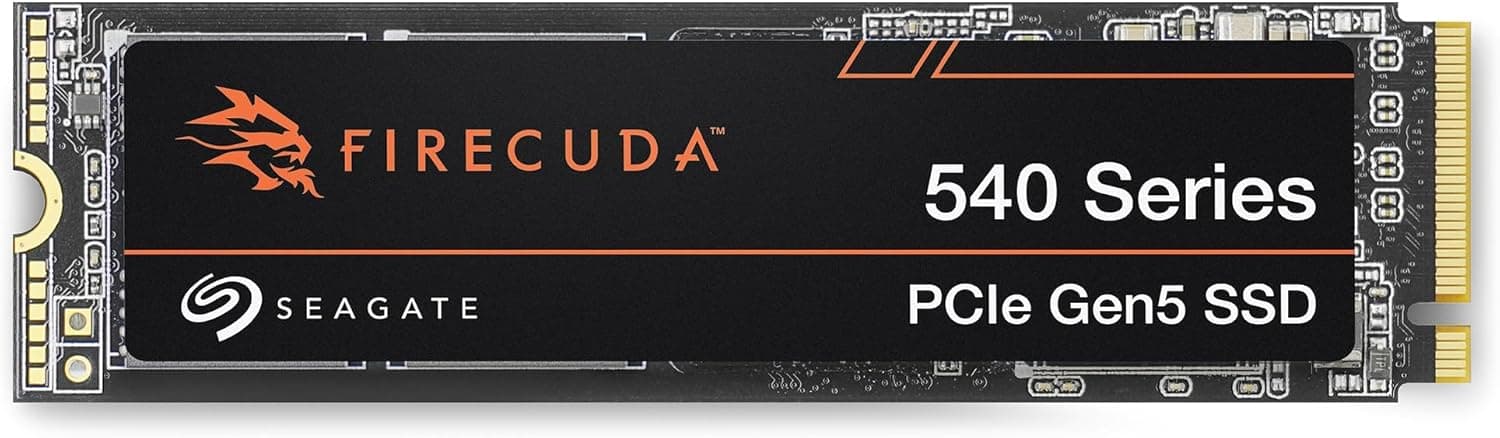
This article covers シーゲートFireCuda 540 内蔵SSD 1TB PCIe Gen5.
Overview
The Seagate FireCuda 540 in its 1TB variant is a flagship PCIe 5.0 x4 NVMe SSD that pushes sequential read speeds up to 9,500 MB/s. Paired with a Phison E26 controller and Micron 232-layer TLC NAND flash, it also packs 2GB of DRAM for the 1TB model, ensuring excellent random I/O. Launched in June 2023, this drive has quickly become the go-to choice for enthusiasts building the fastest possible storage subsystem on Ryzen 7000-series or Intel Core Ultra platforms.
Compatibility Guide
The FireCuda 540 uses the standard M.2 2280 form factor and requires a PCIe 5.0 x4 slot for full-gen5 speeds. Motherboards with AMD X670E/B650E or Intel Z790/Z890 chipsets are ideal. It is backward compatible with PCIe 4.0 and 3.0 slots, though performance drops proportionally. Because the drive is relatively thin, most modern motherboard heatsinks clear it without issue. However, check your board's M.2 thermal pad thickness??some thick pads may not make proper contact with the controller.
Product Info
At roughly ¥45,980 (), the FireCuda 540 1TB sits firmly in the high-end price tier. Seagate backs it with a 5-year warranty and includes 3 years of data recovery services. Power draw is around 8.5W typical, peaking at about 11W under heavy load. With sequential reads of 9,500 MB/s and writes of 8,500 MB/s, it is among the fastest M.2 SSDs available to consumers today. Its market positioning is unequivocally premium, targeting users who can fully leverage PCIe Gen5 bandwidth.
Best Use Cases
Gamers DirectStorage-enabled titles benefit immensely from the FireCuda 540's raw bandwidth. Level loading times drop dramatically, and open-world games stream textures with far less stutter. The difference versus a Gen4 SSD is measurable in benchmarks and noticeable in actual gameplay. Creative Professionals Working with large media files (8K video, massive RAW photo libraries) means constant read/write operations. This SSD cuts transfer times in half compared to Gen4 alternatives, improving workflow efficiency. It also excels as a scratch disk for video editing suites. Future-Proof Builders If you are assembling a high-end PC with a Gen5-capable CPU and motherboard, choosing a Gen5 SSD ensures your storage won't become a bottleneck as software evolves. The FireCuda 540 is a safe bet for the next several years.
Things to Consider
Gen5 SSDs run hot. Even with a mid-range motherboard heatsink, expect idle temperatures around 40??C and load temps exceeding 60??C. In cases with poor airflow, active M.2 cooling may be necessary to avoid throttling. Additionally, the full 9,500 MB/s read speed is only achievable with a compatible CPU's built-in NVMe controller??older CPUs (e.g., Intel 12th Gen with a Z690 board) may not sustain that rate due to limited PCIe lanes or controller overhead. Finally, the 1TB variant has a TBW of 2,000, which translates to about 5.5 years if you write 1TB daily??”more than enough for typical desktop use, but heavy write workloads might favor the 2TB or 4TB versions with higher endurance.
Product Disclosure (Amazon)
- Manufacturer: シーゲイト(SEAGATE)
- ASIN: B0BX4HGFGV
- Note: This article covers a manufacturer-made product based on Amazon listing details.