Overview
The DarumaPC RTX 5060 i5-14400F — High-performance gaming desktop with 32GB RAM is a prebuilt tower that pairs an Intel Core i5-14400F with an NVIDIA GeForce RTX 5060. It also comes with 32GB of memory, a 1TB NVMe SSD, Windows 11 Pro and Microsoft Office 2021.
Its main appeal is that it works out of the box for both gaming and office work. The short verdict: it suits buyers who want to play current games at high settings on a 1080p monitor and use the same machine for school or work.
It is a weaker fit if you want maximum settings at 1440p or above. It is also harder to recommend if you want to know exactly which memory and power supply are inside before buying.
The listing does not say whether the memory is DDR4 or DDR5, and the power supply capacity is not listed. This article separates what the listed configuration tells us from what you should confirm with the seller.
Expected Performance by Use Case
The Core i5-14400F is a 14th-gen Core chip with 10 cores and 16 threads (6 performance cores plus 4 efficiency cores, 2.5 GHz base, up to 4.7 GHz boost).
In games the GPU usually hits its limit first, so this CPU is a sensible match for this class of graphics card. The GeForce RTX 5060 is a mid-range RTX 50 series card launched in 2025 with 8GB of video memory (VRAM).
It supports DLSS 4 Multi Frame Generation, which can raise frame rates substantially in supported titles.
| Use case | What to expect (rough guide) |
|---|---|
| Latest AAA games at 1080p | Mostly high settings; use DLSS in demanding titles |
| 1440p (WQHD) | Expect to tune settings or use DLSS; 8GB VRAM is usually the first limit |
| 4K gaming | Not a good primary use |
| Competitive FPS / esports | Well suited to high-refresh monitors |
| Video editing (mainly cut editing) | 32GB RAM leaves headroom; the GPU hardware encoder helps |
| Office, browsing, business apps | More than enough |
The defining trait of this build is its 8GB of VRAM. The RTX 5060 is often described as comfortable at 1440p, but some recent titles exceed 8GB with high-resolution textures.
At 1440p you may need to lower texture quality a notch or rely on DLSS. At 1080p you are unlikely to feel limited, so treat 1440p as playable with tuning.
Frame rates vary widely by game and settings, so compare against the recommended specs of the titles you plan to play.
Compatibility Guide
| Item | What the listing tells us | What to check before buying or upgrading |
|---|---|---|
| CPU socket | LGA1700 | 14th gen is the last generation on this socket |
| Integrated graphics | None (the F suffix) | Always connect the monitor to the graphics card |
| Memory | 32GB (DDR4 or DDR5 unknown) | Type, slot count, free slots |
| GPU slot | PCIe 4.0 x16 | PSU capacity and power connectors for future GPU swaps |
| Storage | NVMe M.2 and SATA 6Gb/s | Whether an M.2 slot is free |
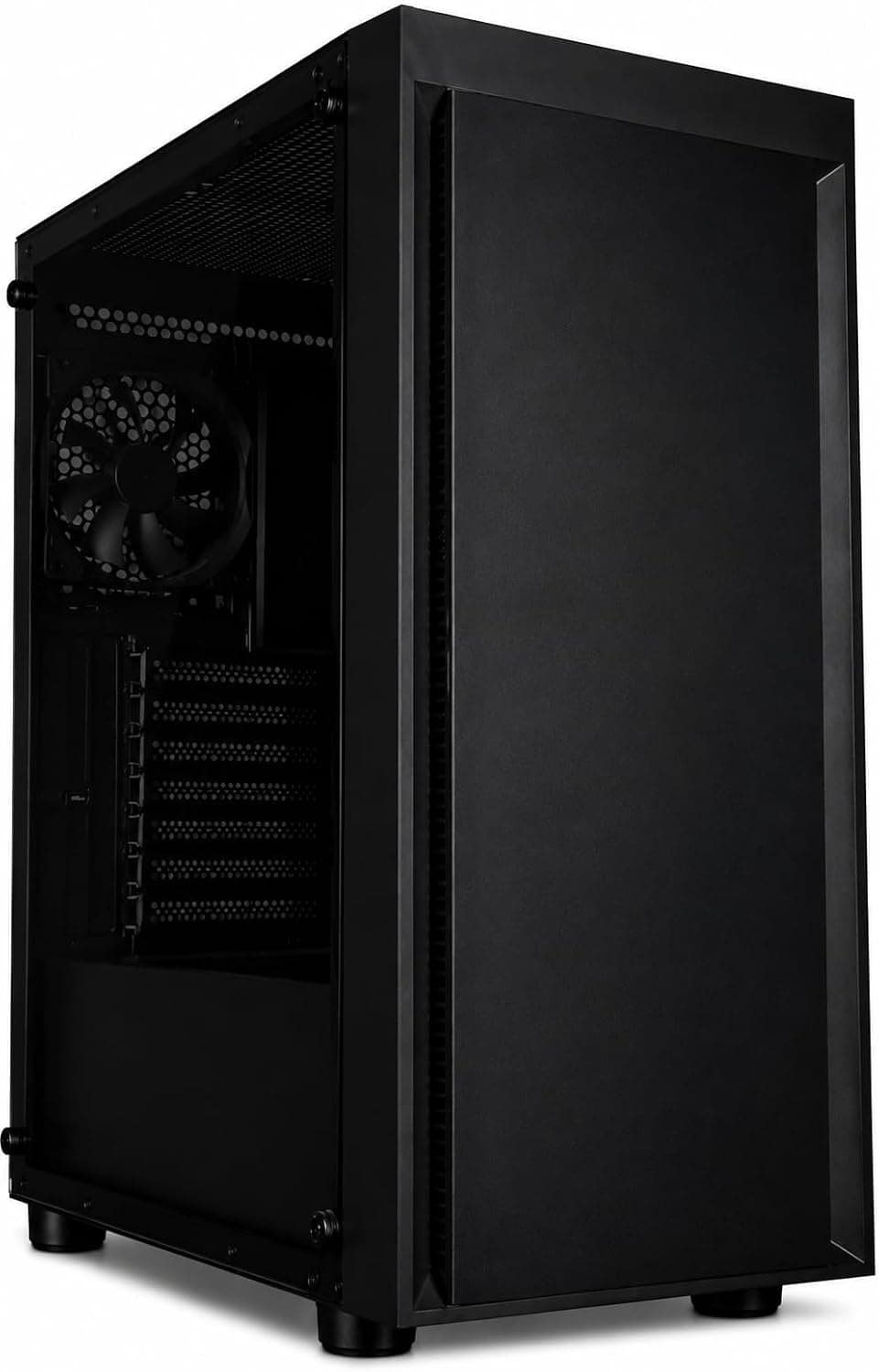
| Case | Mid tower | Depth and height of your desk space |
The most common mistake is plugging the monitor into the motherboard's video output and getting a black screen. The i5-14400F is an F-suffix chip with no integrated graphics, so video must come from the RTX 5060's HDMI or DisplayPort outputs.
Even if the motherboard has video ports on the back, they may not work, so take care when you first connect everything.
On memory, 14th-gen Core processors support both DDR4 and DDR5. Which one this PC uses depends on the motherboard, and the two are not interchangeable.
The compatibility note also says the memory type may vary by unit. If you plan to upgrade, check the type and speed with a tool such as CPU-Z once the PC arrives.
Then look at Task Manager under Performance and Memory to see how many slots are in use before buying more. With 32GB already installed, most people can game while streaming or editing, so there is little need to upgrade right away.
The RTX 5060 connects over eight PCIe 5.0 lanes.
This PC's slot is PCIe 4.0 x16, so the card runs at PCIe 4.0 x8.
The performance difference in this setup is generally considered small, but it is worth knowing. The power supply capacity is not listed.
NVIDIA suggests about 550W total system power for the RTX 5060, so check the PSU capacity and connector type first if you plan to fit a more power-hungry card later.
Think about CPU upgrades too. LGA1700 ends with 14th-gen Core, and its successor, Core Ultra Series 2, uses a different socket.
There is little room to extend this machine's life later by swapping only the CPU, so factor a full replacement into your plans. Wireless is Wi-Fi 6 (802.11ax) and Bluetooth 5.0, but you only get Wi-Fi 6 speeds if your router supports Wi-Fi 6 too.
If online competitive play matters, a wired LAN connection gives steadier latency where available.
Product Info
This prebuilt desktop is sold on Amazon.co.jp.
The Amazon listing gives the manufacturer as UFOREST and the seller and shipper as DARUMA-PC. The seller name matches the DarumaPC brand in the title, so confirm that the seller is DARUMA-PC when you order.
The main configuration:
- CPU: Intel Core i5-14400F (10 cores / 16 threads, 2.5 GHz base, 4.7 GHz boost)
- GPU: NVIDIA GeForce RTX 5060
- Memory: 32GB (DDR4 or DDR5 not specified)
- Storage: 1TB NVMe M.2 SSD
- OS: Windows 11 Pro
- Office suite: Microsoft Office 2021
- Wireless: Wi-Fi 6 (802.11ax), Bluetooth 5.0
When captured on September 8, 2026, the price on Amazon.co.jp was ¥199,000.
Prices change with sales and stock, so check the product page for the latest figure. Windows 11 Pro and Office 2021 come preinstalled, so you do not need to buy licenses separately, which is a real advantage of a prebuilt.
The Pro edition adds BitLocker drive encryption and lets the PC act as a Remote Desktop host, which is handy if you also use it for work.
Check the retailer's page for the latest user reviews. A one-year standard warranty is sometimes mentioned for this model, but confirm the period and coverage (shipping costs, whole-unit or per-part repair) on the seller's page.
The listing does not specify the front and rear ports either, so check the photos for USB Type-C and other ports you need.
Compared with Alternatives
Even among prebuilt gaming PCs, the GPU and CPU combination decides what each machine is good at. Here is how this one compares with other systems covered on this site.
Prices change often, so this comparison looks only at configuration.
| Product | Configuration | Compared with this PC |
|---|---|---|
| This PC | i5-14400F + RTX 5060, 32GB | Built for high settings at 1080p |
| KOTIN prebuilt with RTX 5070 12GB | Higher-tier GPU, 12GB VRAM | The better pick if 1440p is the real goal |
| ViprTech Stryker 4.0 (Ryzen 7 3700X + RTX 5060) | Same GPU, CPU is 2019-era Zen 2 | Same GPU; this PC has the newer CPU generation |
| ZYNEEX (AMD R5 5500 + RTX 3050 6GB) | Entry GPU two generations older | Fine for lighter games, short on power for new AAA titles |
If you want high settings at 1440p, putting more budget toward a 12GB RTX 5070-class card makes the biggest difference. If you mostly play lighter titles, an RTX 3050-class system is enough.
This PC sits between the two: its value is playing at 1080p without worrying much about settings, with Office already included. When comparing it with other RTX 5060 systems, match the CPU generation, memory size, Home or Pro edition, and whether Office is included.
Otherwise you cannot tell which one is really the better deal.
Who It's For
- First-time gaming PC buyers — No assembly or OS installation is needed, and it is ready to use the day it arrives. As long as you plug the monitor into the graphics card, there is little to get wrong.
- Players who want high settings on a 1080p monitor — The RTX 5060 with DLSS 4 runs many titles at high settings at 1080p, and it pairs well with monitors around 144Hz.
- People who want one PC for gaming plus work or school — Windows 11 Pro and Office 2021 let you start writing documents and spreadsheets right away.
- Beginners in video editing — 32GB of memory and an NVMe SSD handle 1080p cut editing with room to spare.
Who Should Skip It
- Players who want the latest games at maximum settings at 1440p or higher. The 8GB of VRAM tends to hold it back, so look at an RTX 5070 or above.
- Builders who want to choose every part and know the exact PSU and memory brands. The listing does not tell you the memory type or PSU capacity.
- Anyone hoping to swap in a newer CPU years from now. LGA1700 has no future generations.
- Anyone who needs supported Office for the long term. The next section explains why.
Before You Buy
Office 2021 support is about to end. Microsoft's lifecycle information lists October 13, 2026 as the end of support for Office 2021.
It will keep working after that date, but it will stop receiving security updates, which is not ideal if you handle outside files for work. Factor this in before treating the bundled Office as extra value.
Confirm the exact date on Microsoft's official lifecycle information.
Check the Office license type as well. Preinstalled Office comes in several forms, such as licenses tied to the PC or product keys you link to a Microsoft account.
Whether you can move it after a reinstall or to a new PC depends on the type. Once the PC arrives, check the activation status and ask the seller how the key is handled.
The memory type and PSU capacity are not listed. If you plan to add memory or replace the graphics card, ask the seller before buying or check with a tool after delivery.
DDR4 and DDR5 modules will not physically fit each other's slots.
**Do not rely too heavily on the reviews. Confirm the warranty period and whether you must ship the whole PC for repairs.
Compare the listing with what you receive. On Amazon the manufacturer is UFOREST and the seller is DARUMA-PC, while the title uses the DarumaPC name.
Listings are sometimes updated with a new configuration under the same page, so confirm before ordering that the CPU, GPU, memory size and OS match the title. The eBay link is just a search for the product name, so the results may include other configurations or unrelated products.
FAQ
Q. Can I game on a 1440p (WQHD) monitor? A.
Yes, but in demanding titles you will need to lower settings or use DLSS. The 8GB of VRAM tends to run out first, so if high-quality 1440p is your main goal, an RTX 5070-class system is the safer choice.
Q. Can I add more memory? A.
On a typical board, yes, but the listing does not say whether it uses DDR4 or DDR5 or whether any slots are free. Check the type and slot usage once the PC arrives, then buy matching modules.
Q. My monitor shows nothing when connected to the motherboard. A.
The i5-14400F has no integrated graphics, so the motherboard outputs no video. Connect to the RTX 5060's HDMI or DisplayPort instead.
Q. Can I keep using Office 2021 after support ends? A.
It will still open and edit files, but it will no longer get security updates. For work use, consider moving to a supported version such as Microsoft 365.
Q. Can I play online games without a wired LAN? A.
Yes, Wi-Fi 6 is built in. Stability depends on your wireless conditions, though, so a wired connection is steadier if competitive play matters.
Product Disclosure (Amazon)
- Manufacturer: UFOREST
- Seller: DARUMA-PC
- Fulfilled by: DARUMA-PC
- ASIN: B0BZSHB6QT
- Note: This article covers a manufacturer-made product based on Amazon listing details.