This article covers 静音!BZ002 MC1 M.2 SSDクーラー ヒートシンク in depth, so you can decide whether it belongs in your build.
Overview
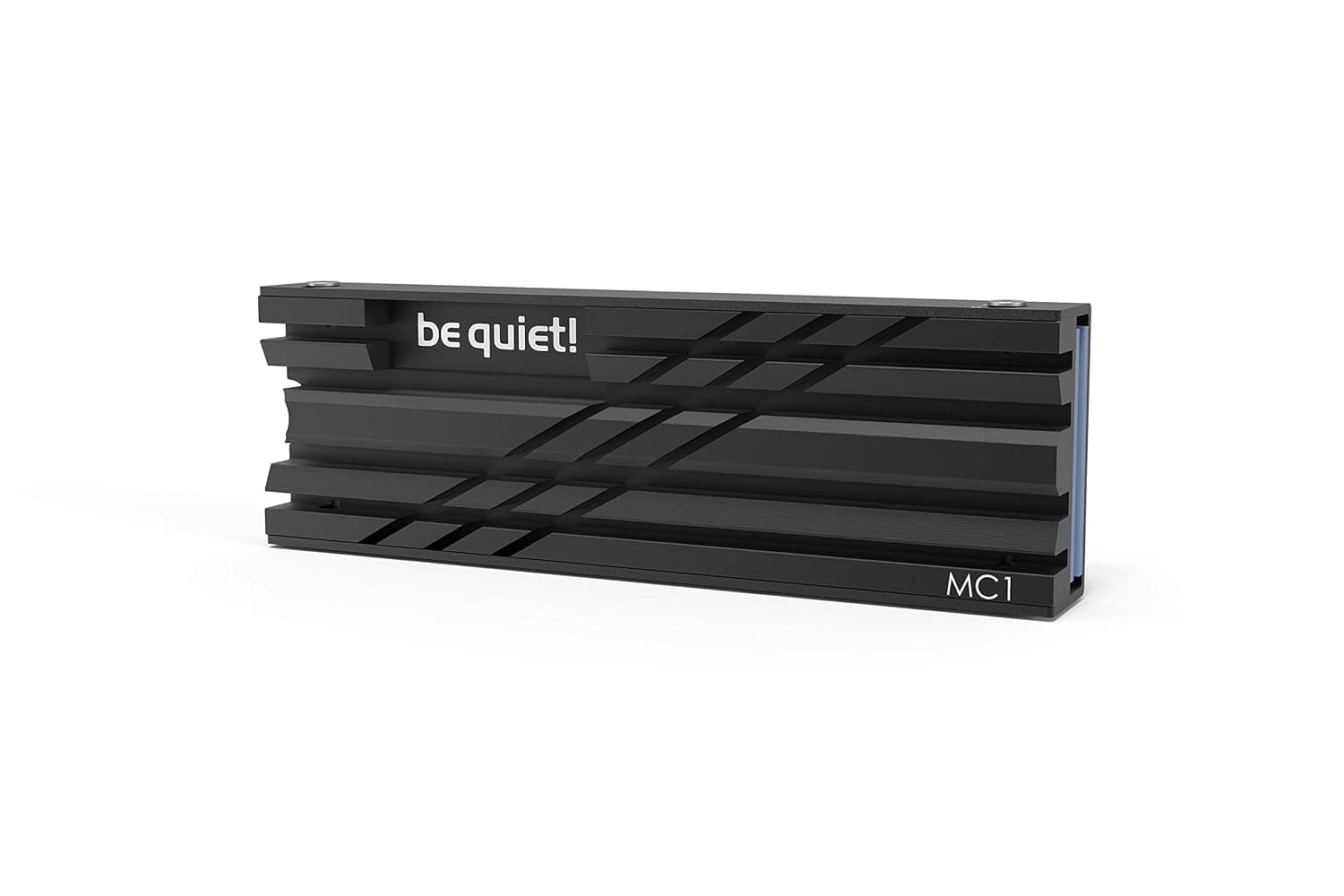
The be quiet! MC1 — sold in Japan as 静音!BZ002 MC1 M.2 SSDクーラー ヒートシンク — is a passive heatsink designed to keep M.2 2280 SSDs cool under sustained load.
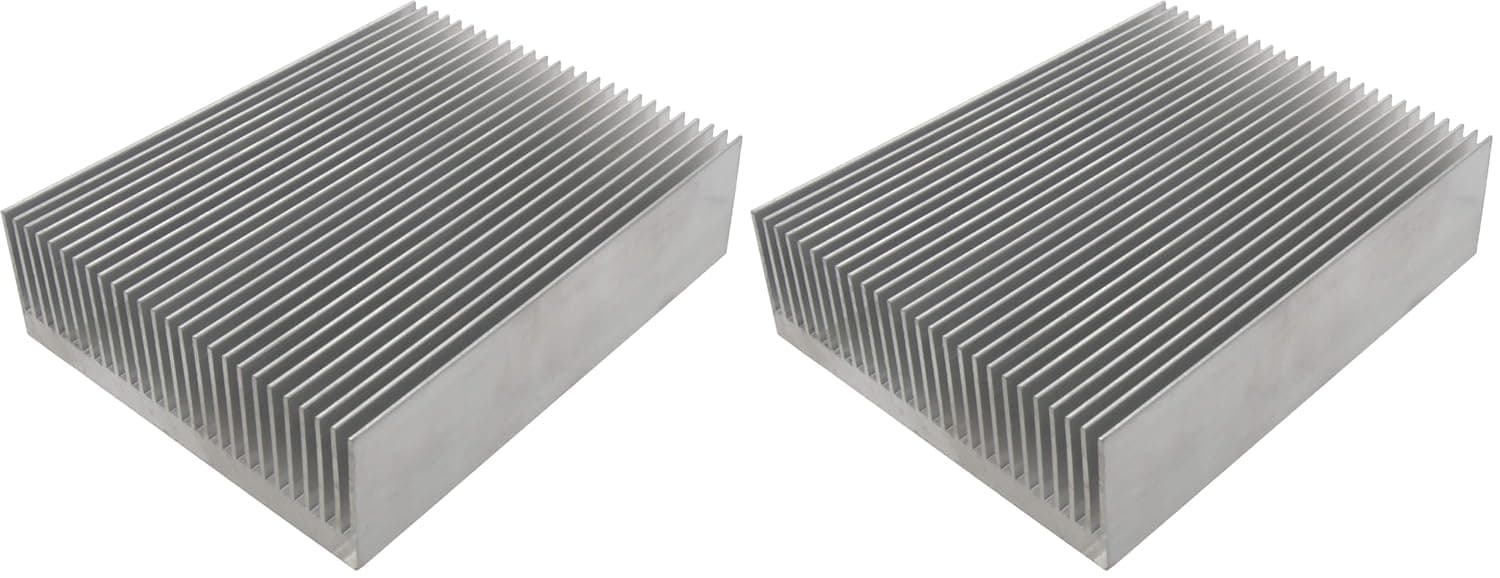
Its aluminum fin array draws heat away from the drive, helping prevent thermal throttling and extending the useful life of your NVMe storage. Because it has no fan, it adds exactly zero noise.
It supports both single-sided and double-sided M.2 2280 modules, making it a versatile drop-in upgrade for desktop PCs and, with caveats, console storage expansions.
Finished in all black, it blends into most builds without drawing attention.
In one line: this is a part for quietly upgrading a board that shipped without an M.2 heatsink.
If your motherboard already has a substantial heatpipe-equipped M.2 cover, this is a low-priority purchase.
Quick Answer
| Your situation | Verdict | Why |
|---|---|---|
| No M.2 heatsink on your board | Buy | Clear improvement over a bare drive |
| Building a silent PC | Buy | Fanless, no new noise source |
| Board already has a metal M.2 cover | Skip | Marginal gain |
| Near-zero case airflow | Conditional | Passive coolers need moving air |
| M.2 slot under a thick GPU | Measure first | 10 mm height can collide |
That table hinges on one number: the MC1 is 10 mm tall. The compatibility section explains why that matters.
Compatibility Guide
The only officially supported form factor is M.2 2280 (22 mm × 80 mm).
Shorter 2230, 2242 and 2260 modules won't work with the retention hardware. The interface is M.2, so both NVMe and SATA M.2 drives fit physically — but heat is really only an issue on NVMe drives, so that's the practical target.
Published dimensions are 74 x 24 x 10 mm (W × D × H). The height figure is the one to watch.
On boards where the primary M.2 slot sits directly beneath the PCIe x16 slot, 10 mm can collide with a graphics card backplate or heatpipe, especially with triple-slot cards.
The M.2 slot nearest the CPU socket is equally risky if you run a large tower air cooler.
Measure the gap with a ruler before ordering.
The cooler is aluminum and mounts with the included thermal pads and retention clips. Single-sided drives are obvious cases; double-sided drives with NAND on the underside are also supported, with a pad making contact on that side.
No special tools are needed: seat the SSD, place the heatsink on top, clip it down.
One easy thing to forget — the MC1 replaces a factory M.2 heatsink, it does not stack on top of one.
Remove the stock cover first, and keep those tiny screws somewhere safe in case you ever revert.
For PS5: the expansion slot accepts M.2 2280 drives, so the outline fits.
But Sony's published clearance limit covers the drive plus its heatsink, and whether 10 mm of cooler plus your drive's own thickness stays under that limit depends on the drive. There is no guarantee the cover will close.
Add the numbers up before you buy.
Product Info
| Spec | Value |
|---|---|
| Dimensions (W × D × H) | 74 x 24 x 10 mm |
| Cooler material | Aluminum |
| Supported modules | Single- and double-sided |
| Form factor | M.2 2280 |
| Color | Black |
| Cooling type | Passive (fanless) |
Check the retailer's page for the latest price. Sales and exchange rates move this figure, so check the listing for the current number.
Generic aluminum M.2 coolers sell for a fraction of that, so the value case rests on build quality and the be quiet!
reputation rather than on price.
Check the retailer's page for the latest user reviews. That's an unusually undivided rating for a PC part at this price.
Simple passive parts do tend to rate well, but 2,000-plus reviews at that level is still reassuring.
be quiet! is a German PC component maker known for silence-focused design, and the MC1 fits that tradition with a completely fanless build.
The package includes the heatsink, mounting clips and thermal pads. Warranty details are on the manufacturer's website.
Product Disclosure (Amazon)
- Manufacturer: be quiet!
- Seller: Amazon US
- Fulfilled by: Amazon US
- ASIN: B08YRSZPH8
- Note: This article covers a manufacturer-made product based on Amazon listing details.
How It Compares
M.2 coolers fall into three groups: thin aluminum plates around a thousand yen, finned passive coolers like this one, and active coolers with a small fan.
Thin plates are only a few millimeters tall, so they rarely cause clearance trouble, but their small surface area limits how much they help during sustained writes. Active coolers cool best, yet tiny fans spin fast and become a new noise source in a quiet build.
The MC1 sits between them: more surface area without giving up silence.
Pick by priority. Maximum cooling means active. Fear of clearance issues means a thin plate. Balance of quiet and effective means the MC1.
Best Use Cases
- Owners of boards without an M.2 heatsink — entry and mid-range boards still ship with bare M.2 slots. These builds gain the most.
- Gamers with heavily loaded NVMe drives — large installs and DirectStorage-era loading keep drives busy; lower temperatures make throttling less likely.
- Silent-PC builders — fanless means no new moving parts, which suits builds running case fans at low RPM.
- Creators moving large media files — sustained transfers are exactly where thermal throttling shows up.
- Builders matching an all-black theme — the finish disappears into dark boards and cases.
If your board already includes a substantial M.2 heatsink, swapping it for the MC1 buys you little.
A single thin stock plate is worth replacing; a heatpipe-equipped cover is not.
Things to Consider
Passive cooling assumes airflow. In a case where air barely moves, the absorbed heat has nowhere to go and the benefit plateaus.
If your chassis has no intake fan or a sealed front panel, fixing airflow will do more than any heatsink.
Clearance is the single most common regret. At 10 mm, the MC1 is noticeably thicker than a plate, and slots under a PCIe x16 socket are the usual failure point.
Measure first; discovering you must remove the GPU to install a heatsink — or that it simply won't fit — is a common story.
Double-sided drives need care with pad thickness. Too thin and the underside chips never make contact; too thick and the heatsink sits proud of the drive.
Either way you end up with a cooler installed and temperatures unchanged.
Keep expectations realistic. An M.2 heatsink delays throttling; it does not transform benchmark scores.
You'll see the difference during multi-tens-of-gigabytes writes, not during boot or app launches.
Listing metadata can disagree with itself. The Japanese product name and the be quiet!
brand name don't line up neatly, so search results sometimes mix this cooler with unrelated ones. The seller and fulfillment entries also point to an overseas storefront, which can mean different shipping times and return terms than a domestic listing.
Check the product images, title and seller yourself before ordering, and treat the prices quoted here as a snapshot from the capture date.
FAQ
Q: Can I use this with a PS5 internal SSD? A: The PS5 accepts M.2 2280 drives, so it fits in outline.
But the MC1 is 10 mm tall, and combined with the drive's own thickness it may exceed the expansion bay's height limit. Check the numbers before buying — if the cover won't close, it's unusable.
Q: Does it work with double-sided SSDs? A: Yes.
Supported modules include both single- and double-sided. Make sure the pad contacts the underside chips properly.
Q: Does it have a fan?
A: No. It's fully passive and makes no noise at all.
Q: Will it fit a 2242 or 2230 drive?
A: No — M.2 2280 only. Shorter modules don't line up with the retention clip.
Q: Can I use it alongside my board's stock heatsink?
A: No, it replaces it. Remove the stock cover first and store the screws safely.
Q: How much will temperatures drop? A: It depends on the drive, case airflow and ambient temperature, so no single figure applies.
The gap shows up mainly during sustained writes, not at idle. Compare readings in a tool like CrystalDiskInfo before and after installing.