Overview
The AVerMedia 4K HDMI capture card GC553Pro Live Gamer Ultra S is a USB capture device. The official page names it Live Gamer ULTRA S (GC553Pro).
This article relies only on the operating environment, supported software and box contents written on the official AVerMedia page. Anything the page does not list is left out, so check the product page for other specifications.
Compatibility Guide
The official page splits requirements by operating system. Windows means Windows 11/10 (64-bit).
The page also lists macOS 13/14 or later and iPadOS 17 or later.
For a Windows desktop PC, the page gives an Intel Core i5-6XXX or better, or an AMD Ryzen 3 XXX or better. The graphics card is NVIDIA GeForce GTX1060 or better, or AMD RX 5700 or better.
Memory is 8GB RAM in dual channel (required), with 16GB or more recommended.
For a Windows laptop, the CPU is an Intel Core i7-7700HQ or better and the graphics card is an NVIDIA GeForce GTX1050Ti or better. The page gives the laptop the same memory condition as the desktop.
macOS requirements depend on the CPU. With an Intel CPU, the page lists an Intel Core i7 3.6 GHz quad-core or better, an AMD Radeon Pro 555 (VRAM 2GB) or better, and DDR4 2400MHz 16GB or more.
With an Apple CPU, it lists the Apple M1 / M2 / M3 series and 16GB or more of memory.
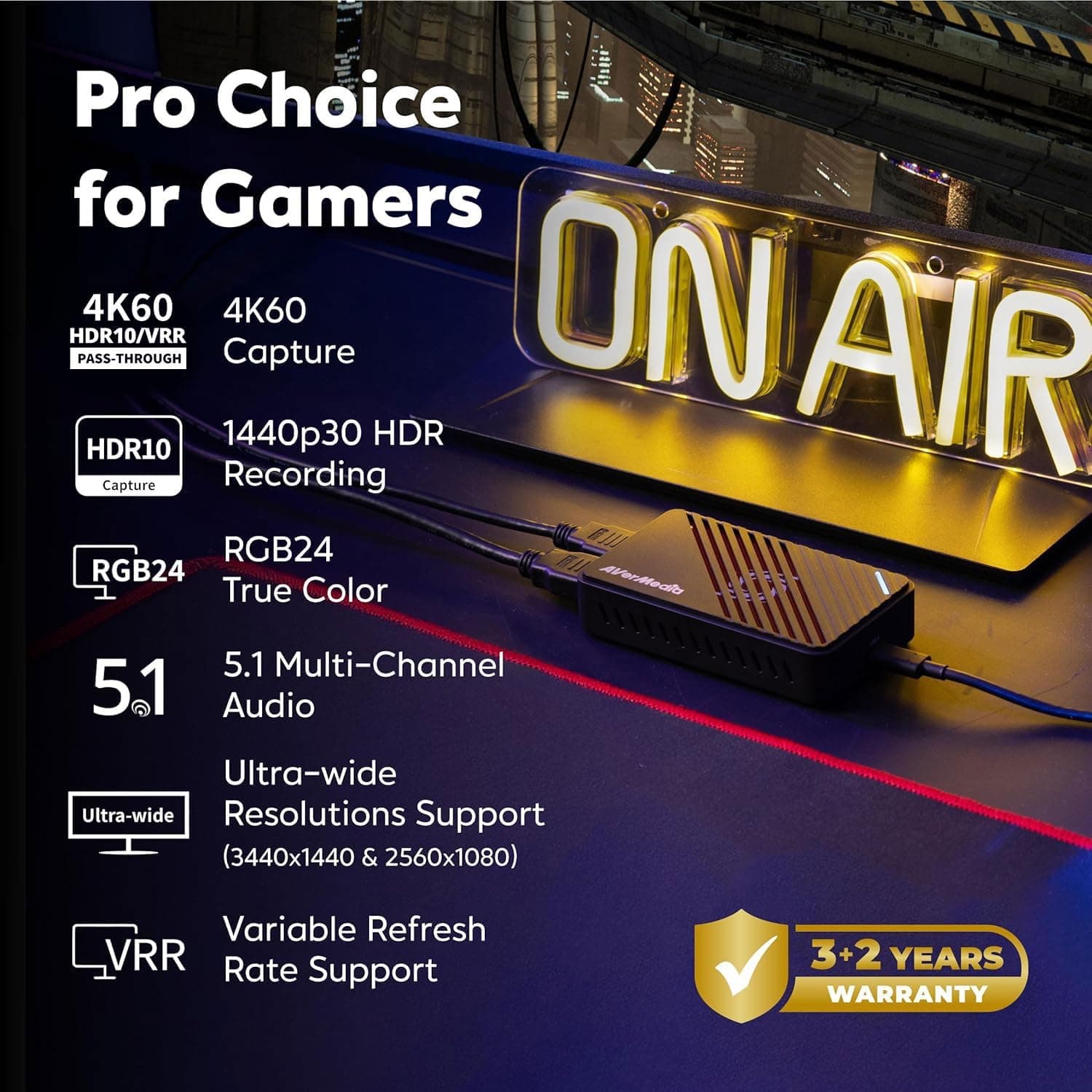
The notes on the official page say that 4K60 MJPEG capture needs an M1 Ultra or M2 Ultra or better. They also say that on macOS, HDR recording and the RGB24 format are not supported.
For the connection, the official notice asks you to confirm that the computer has a Type-C port that supports USB3.2 Gen1.
Product Info
rmation
| Item | Per the official AVerMedia page |
|---|---|
| Product | Live Gamer ULTRA S (GC553Pro) |
| Supported OS | Windows 11/10 (64-bit), macOS 13/14 or later, iPadOS 17 or later |
| Supported software | AVerMedia Assist Central Pro, AVerMedia Streaming Center (Windows only), AVerMedia Streaming Center Plug (OBS plug-in), firmware update tool |
| In the box | The unit, an HDMI 2.0 cable, a Type C to Type A cable, a quick start guide |
The box holds an HDMI 2.0 cable and a Type C to Type A cable.
Compare them with the ports on your computer to see whether they fit as they are.
Among the software, AVerMedia Streaming Center is listed as Windows only. If you work in OBS, AVerMedia Streaming Center Plug is the item provided as an OBS plug-in.
Recommended For
- Windows users who already run 16GB or more of memory in a dual-channel layout. The official requirements set the memory condition in detail, so a machine that already meets it faces a lower hurdle.
- Mac users with an Apple M1 / M2 / M3 series chip and 16GB or more of memory. That matches the Apple CPU condition on the page.
- Owners of a computer with a free Type-C port that supports USB3.2 Gen1. This is the connection condition the official notice names.
Before You Buy
First, check whether your computer has a Type-C port that supports USB3.2 Gen1.
This is a condition in the official notice, so look up the port specification for your motherboard or computer.
Next, count your memory modules. Because dual channel is mandatory, a single-module setup may need to be reworked.
For 4K60 MJPEG capture on a Mac, the note names the M1 Ultra or M2 Ultra or better. The M1 / M2 / M3 series in general do not all meet the same condition.
Check price and stock on the sales page.
FAQ
Which cables are included?
The official box contents list an HDMI 2.0 cable and a Type C to Type A cable. A quick start guide is also included.
Does it work with OBS?
The official supported software includes AVerMedia Streaming Center Plug (OBS plug-in). The page does not give setup details, so see the official guidance.
Can I record HDR on a Mac?
According to the official note, HDR recording is unavailable on macOS. If you want HDR recording, plan on a Windows environment.