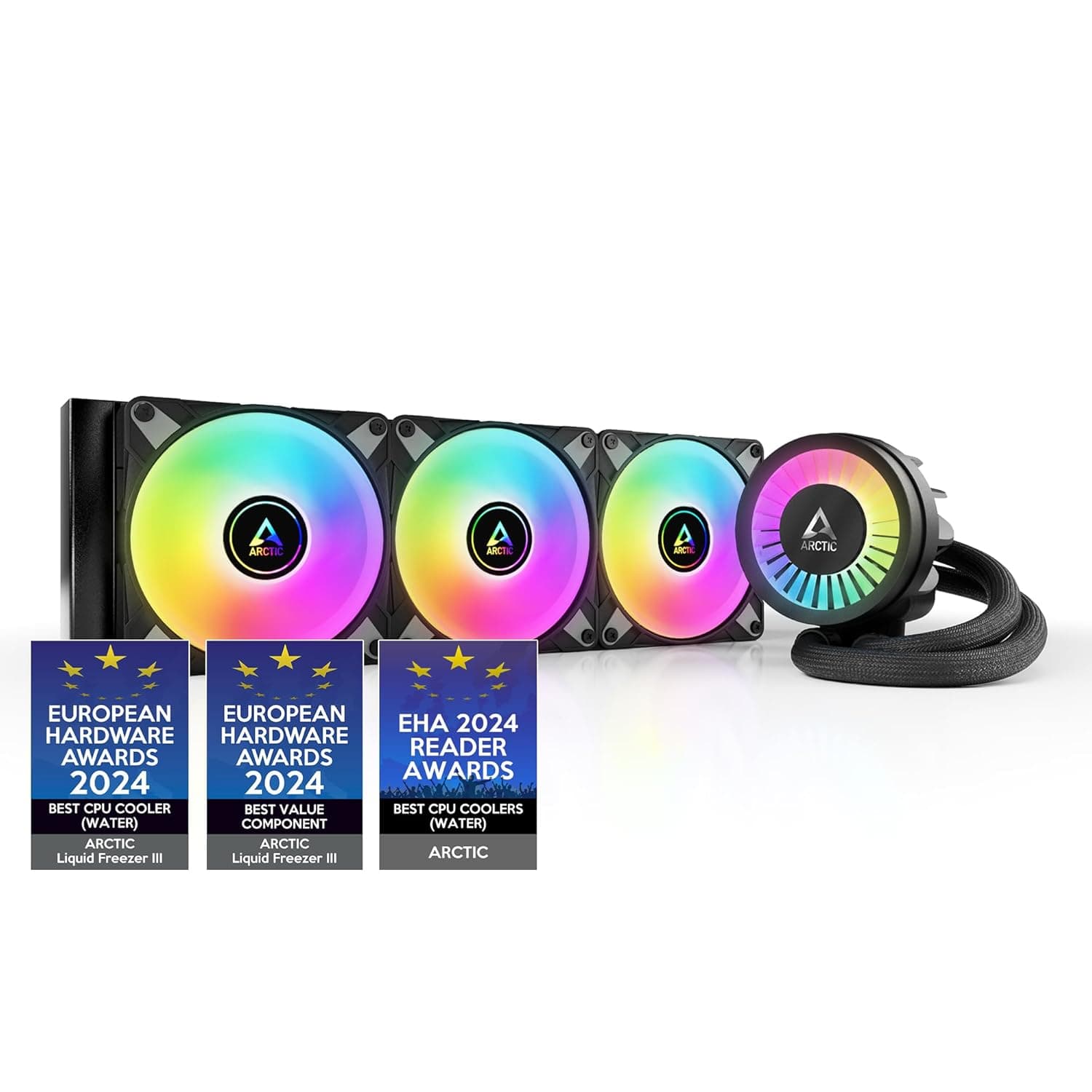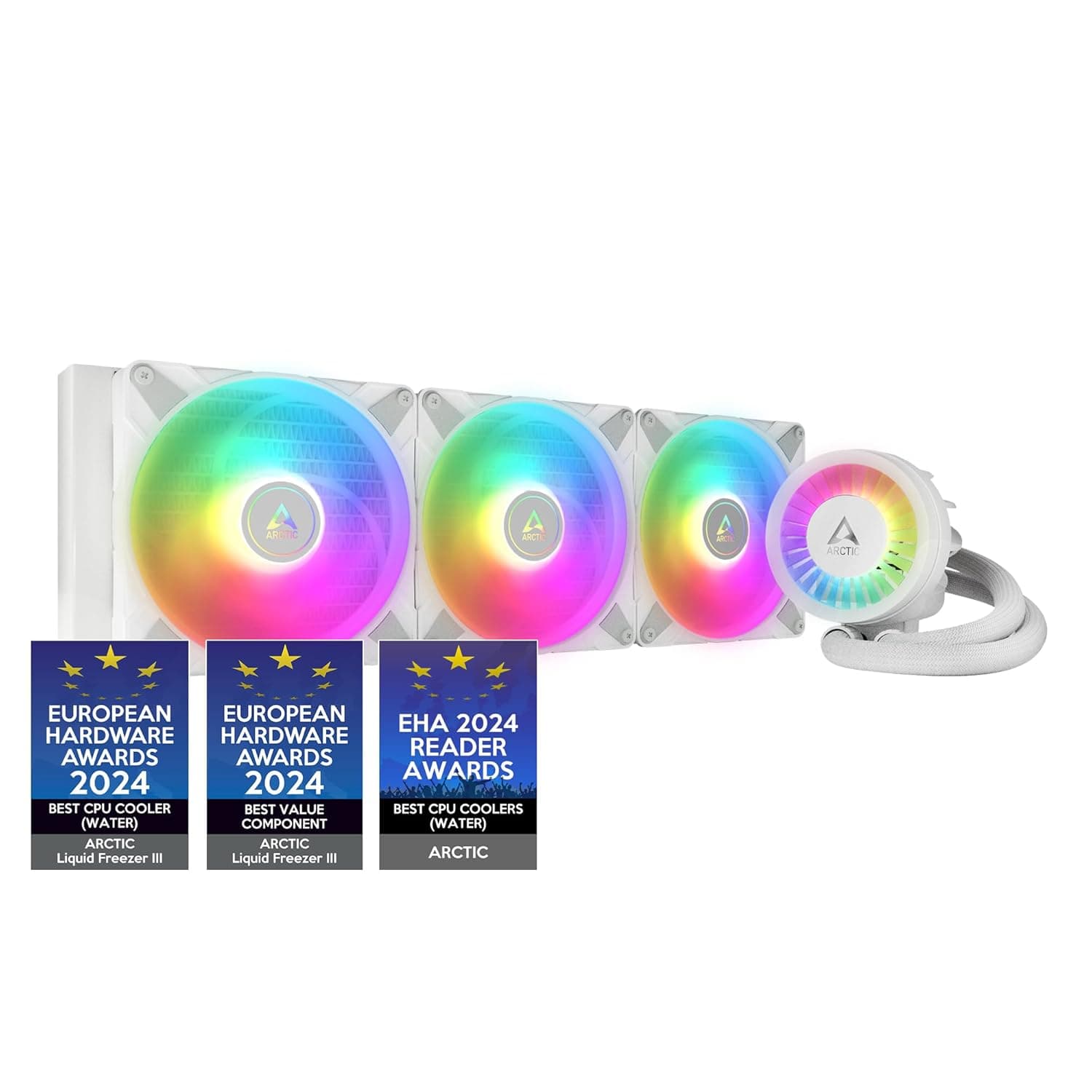
The ARCTIC Liquid Freezer III 420 A-RGB is a large all-in-one liquid CPU cooler built around a 420mm-class radiator. This article focuses on what kind of build it actually suits, and on the ways buyers get caught out.
Overview
The short version: this cooler is for people who prioritize cooling headroom and already own (or can choose) a full-tower case that physically accepts a 420mm radiator. A 420mm-class radiator typically means three 140mm fans, giving more surface area than a 360mm (120mm x 3) unit.
The practical benefit is not only a lower peak temperature but the ability to hit the same temperature at lower fan speeds — that is, more quietly.
Amazon.co.jp reviews stood at 623 ratings and 4.6 out of 5 (92% positive) as captured on June 8, 2026.
A 4.6 average across 600-plus ratings is hard to reach if a product has systemic pump failures or high infant mortality.
But a good score says nothing about whether it fits your case, and fit is where most buyers of this class of cooler get burned. That is why compatibility and caveats take up most of this article.
Since the Liquid Freezer II generation, ARCTIC has favored thicker radiators and a small VRM-cooling fan on the pump block. The A-RGB variant adds addressable lighting to that design.
If you do not care about lighting, the non-RGB version of the same series keeps both the wiring and the software simpler.
Compatibility Guide
Check your case before you check your socket. A 420mm radiator measures roughly 45-46cm long and about 140mm wide.
If your case spec sheet only says "supports 360mm radiators," a 420mm unit almost certainly will not fit. Before buying, confirm on the case manufacturer's spec page that 420mm support is stated explicitly, and note which mounting position (top, front, or side) it applies to.
Cases that advertise 420mm support often allow it in only one location.
Then check thickness. ARCTIC AIOs sit on the thick side of the market, and radiator-plus-fan stack height matters.
Mounted up top, the stack has to clear the motherboard's upper VRM heatsinks and any tall memory modules. In ATX cases with limited space between the roof panel and the board, a 420mm radiator can be long enough to fit yet too thick to install.
Look up the case's stated maximum top-radiator thickness and top clearance figures first.
Front mounting raises a different issue: total front-to-back depth. A 420mm radiator in the front eats significant internal length and can collide with long graphics cards.
If your GPU is longer than about 33cm, either avoid front mounting or verify the case's maximum GPU length with a radiator installed.
On sockets. Current-generation AIOs normally ship with mounting hardware for Intel LGA1700/LGA1851 and AMD AM4/AM5.
However, the compatibility data supplied for this article contains no explicit socket list, so confirm your CPU on the manufacturer's product page before buying. ARCTIC has previously sold standalone LGA1700 mounting kits for the Liquid Freezer II series, so separate hardware is often obtainable if a new socket appears later.
On AM5, offset mounting matters. Ryzen 7000/9000 dies sit off-center, so a coldplate shifted slightly toward the top of the socket tends to line up better with the hot area.
Recent ARCTIC mounts account for this, but only if installed in the orientation the manual specifies.
Power and headers. A 420mm unit runs three 140mm fans plus a VRM fan and the pump.
ARCTIC's design consolidates fan and pump wiring into a single lead that can run off one CPU_FAN header — a real convenience. The A-RGB model, though, also needs a 5V 3-pin ARGB header.
If your board lacks one or it is already occupied, budget for a hub or controller, or you will simply run the cooler unlit.
Product Info
rmation
Pricing needs a warning. The captured listings were ¥42,004 on Amazon as of June 8, 2026; $84.95 on eBay US as of July 13, 2026; and ¥31,980 on Rakuten (Palms America) as of August 16, 2026.
The listings differ in capture date and in seller type, and the spread exceeds ¥10,000. Some Japanese listings for this class are parallel imports or marked-up resales, so do not treat any single figure as "the price" of this cooler. Check the current price and the seller on the product page itself and compare a few stores.
All figures above are as-captured and move with sales and exchange rates.
As noted, reviews were 623 ratings at 4.6/5 (92% positive) as of June 8, 2026.
That sample size makes the average reasonably trustworthy. Be aware that review sections often mix in feedback for the previous generation or for other radiator sizes (240/280/360), so check which size a reviewer is describing.
Part of the spec data supplied for this article clearly belonged to an unrelated product (a video cable). Items such as cable length and connector type have nothing to do with this cooler and were excluded here.
For exact radiator dimensions, fan specifications, and supported sockets, refer to the manufacturer's page or the listing's own images and spec table.
How It Compares
A 420mm radiator pays off most on high-power CPUs held at sustained full load — video encoding, compiling, rendering, or overclocked operation. In gaming-dominant use, CPU heat output rarely reaches all-core levels, so the real-world gap versus a 360mm unit or a large air cooler narrows considerably.
If silence is the goal, a large dual-tower air cooler remains a legitimate alternative. It has no pump, so one failure point and one noise source are removed, and it generally costs less.
The trade-offs are physical clearance around memory and PCIe slots, and the fact that air coolers dump CPU heat inside the case. A useful rule: if a 420mm radiator fits your case, take the liquid cooler; if it does not, take a large air cooler rather than forcing the fit.
Among AIOs, models with an LCD on the pump head look more impressive but cost more and assume you will run their software continuously. For cooling per yen, a display-free model is the cleaner buy.
Installation Notes
Dry-fit outside the case where you can. A 420mm radiator is awkward to route tubing around once bolted in, so attaching the backplate before the motherboard goes into the case saves real effort.
Orient the radiator so the tubes exit at its lower end. With the radiator above the pump and the tubes at the bottom, trapped air is less likely to reach the pump, which helps noise.
A top mount naturally satisfies this.
The bundled thermal paste is fine, but keeping a spare tube around is wise for future remounts. Some gurgling from the pump during the first few minutes is normal; it usually clears within hours to a day.
If it persists well beyond that, suspect a defective unit.
Best Use Cases
- Owners of full-tower or explicitly 420mm-capable cases. This is the single biggest deciding factor. If you clear it, this is one of the better value picks in its class.
- Sustained all-core workloads. For encoding, large builds, or 3D rendering that pin the CPU for tens of minutes, extra radiator area translates directly into lower fan speeds and less noise.
- Builders who want simple fan wiring. Consolidated fan and pump cabling off one header is a genuine convenience.
- People who want addressable lighting. That is the whole reason to pick the A-RGB variant; otherwise the non-RGB model does the same cooling job.
Things to Check Before Buying
Size is the main trap. "My 360mm fit, so 420mm should too" almost never holds.
Mounting hole spacing and overall length differ, and even 420mm-rated cases usually restrict it to one position. Verify both the 420mm claim and the per-position maximum thickness in your case's spec sheet before ordering, or you will spend your time on a return instead of a build.
The price data here is not trustworthy. The source listings showed ¥42,004, $84.95, and ¥31,980 for the same product — a spread that capture dates alone do not explain.
Some domestic listings may be parallel imports or resales. When you open the listing, check who the seller is (first-party or marketplace) and how the warranty is handled; parallel imports may not be eligible for local support.
Listing metadata can be wrong too. The data behind this article included specifications for an unrelated video cable.
You may see the same stray values in the spec table when you open the page. Before buying, confirm the model number, product photo, and title all point to the same product.
This series splits across sizes (240/280/360/420) and RGB variants, so it is easy to select the wrong option on the page.
Who should skip it. If you intend to keep a mid-tower or smaller case and are not replacing it, this cooler likely will not physically fit and there is no reason to consider it.
On low-power CPUs (65W-class or light workloads), the extra capacity goes unused and the perceived benefit over cheaper options is small. If you would rather not add a moving part, or want a five-to-seven-year no-maintenance setup, a large air cooler is the calmer choice.
Weight is easy to overlook. Filled with coolant, a 420mm radiator is heavy, and that load sits on the case's top panel or front bracket continuously.
On thin steel cases this can flex, so use every mounting screw. Transporting a PC with a large AIO installed also stresses the socket area and is best avoided.
FAQ
Q. Is 420mm worth it over 360mm? A.
For sustained all-core workloads, yes — it reaches the same temperature at lower fan speeds, so it runs quieter. For mostly gaming, the gap narrows and it is not worth overriding case constraints.
Q. How do I confirm it fits my case? A.
Check the case manufacturer's radiator support table. It usually lists supported size and maximum thickness per mounting position, so read the thickness figure, not just the length.
Q. Does it work with AM5 (Ryzen 7000/9000)? A.
Current AIOs typically include AM5 hardware, but the data supplied for this article contains no socket list, so confirm on the manufacturer's compatibility page. ARCTIC has sold standalone mounting kits before, which helps if a kit is needed later.
Q. What are the review scores? A.
623 ratings at 4.6 out of 5 (92% positive) on Amazon.co.jp as captured June 8, 2026.
The sample is large enough to trust as an average, but reviews for other sizes can appear on the same page.
Q. Do I need to wire the ARGB if I do not want lighting? A.
The cooler runs fine without it; you just cannot control the lighting. If your board has no 5V 3-pin ARGB header, add a controller or choose the non-RGB model for a tidier build.
Q. Does it need maintenance? A.
Sealed AIOs do not normally need refilling. What matters in practice is clearing dust from the radiator fins and fans; clogged fins reduce airflow, which costs both performance and quiet.
Product Disclosure (Amazon)
- Manufacturer: ARCTIC
- ASIN: B09VGPZ262
- Note: This article covers a manufacturer-made product based on Amazon listing details.