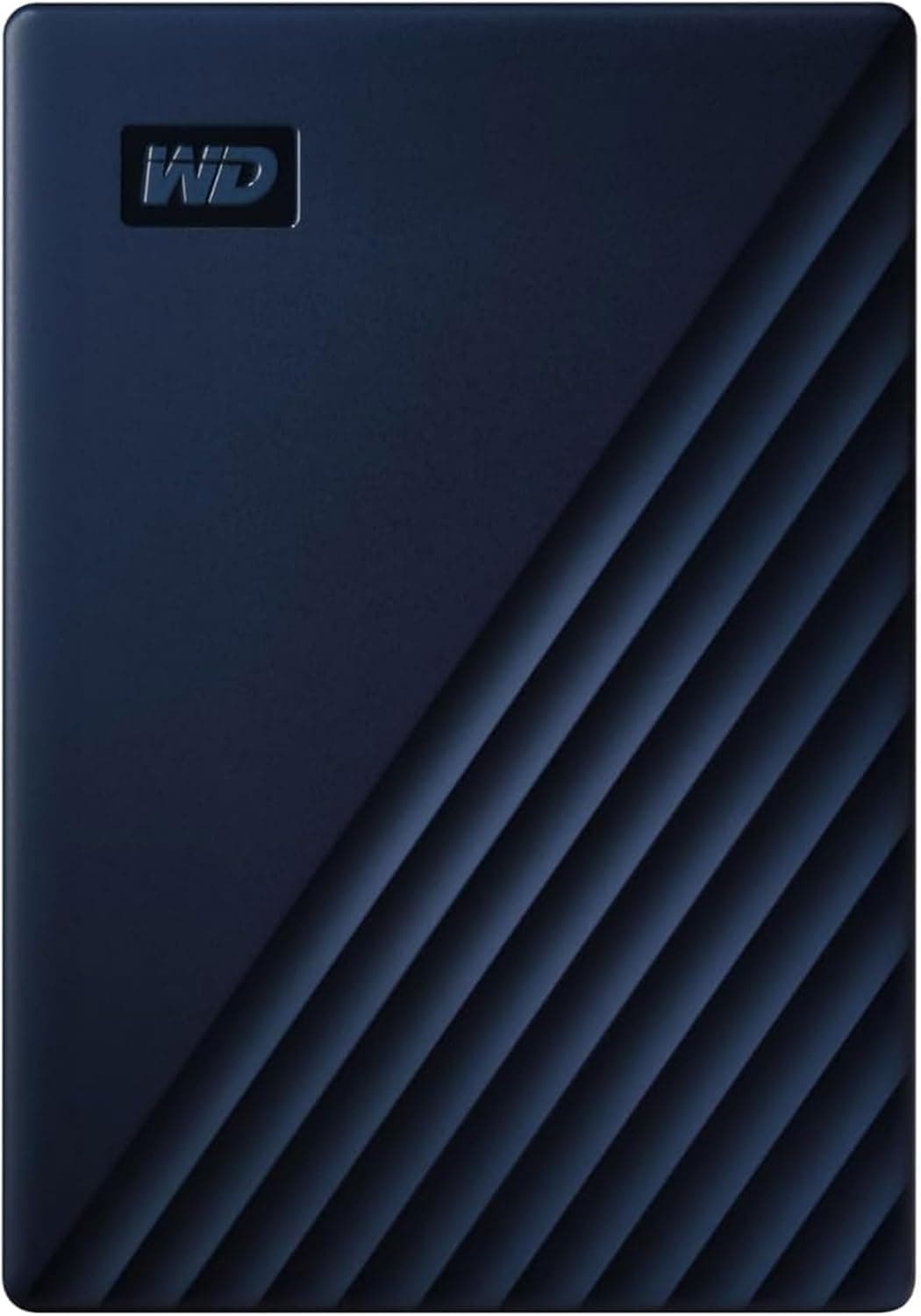
This article covers ウエスタンデジタル(Western Digital) WD Mac用ポータブルHDD 4TB USB3.0 タイムマシン対応 My Passport for Mac 暗号化 パスワード保護.
Overview
The WD My Passport for Mac 4TB (WDBA2F0040BBL-WESN) is a portable hard drive built around Apple's Time Machine workflow. It ships HFS-formatted for macOS and connects over USB 3.0 (USB 3.2 Gen 1), so Mac owners can set it up as a backup target without worrying about disk format. The drive adds password protection and 256-bit AES hardware encryption, which keeps your data unreadable even if the unit is lost or stolen. In today's storage market, this sits as an entry-to-mid tier portable HDD that favors capacity and cost per terabyte over transfer speed. The package includes a USB-A to USB Micro-B cable plus a USB-A to USB Type-C adapter, making it work with both older USB-A Macs and newer USB-C models without extra purchases. For anyone who just wants a reliable 4TB destination for Time Machine backups, this is a practical and low-friction option. It competes with a growing number of portable SSDs, but its value proposition is clearly capacity-per-yen rather than performance. Photo libraries, document archives, and large media collections fit naturally into this kind of drive.
Compatibility Guide
This drive works with macOS 10.13 or later, covering both Apple Silicon and Intel Macs as long as the OS version meets the requirement. The factory HFS format means it is ready for macOS immediately, while Windows 10/8.1 users will need to reformat the drive to exFAT or NTFS before use. Reformatting wipes all data on the drive, so back up anything important first. Connection uses USB 3.0 (USB 3.2 Gen 1) with the included USB-A cable and USB-A to USB-C adapter, and bus power means no AC adapter is required. Because the internal mechanism is a 2.5-inch mechanical HDD, sustained transfer speeds are far below what even a SATA SSD can deliver; treat this as backup and archive storage, not as an active work drive.
Product Info
The WD My Passport for Mac series is a long-running consumer portable HDD line, and this 4TB navy variant carries the model number WDBA2F0040BBL-WESN. It comes with a 3-year manufacturer warranty and is sold through authorized domestic channels in Japan. Password lock plus 256-bit AES hardware encryption are built in, and Time Machine compatibility is clearly stated on the packaging. Market positioning is entry-to-mid tier: it does not chase the fastest USB speeds, but it offers four terabytes of dependable storage at a far lower price than an equivalent external SSD. For most home users, that trade-off makes sense for nightly backups and cold storage.
Best Use Cases
- Mac users who want scheduled Time Machine backups: the drive is pre-formatted for macOS and appears directly in Time Machine settings. Setup takes minutes, and the encrypted lock adds peace of mind. People expecting SSD-like speed will be disappointed. - Photographers or videographers archiving finished projects: 4TB provides room for large libraries, and hardware encryption protects client work while traveling. If you edit footage directly from the drive, a portable SSD is the better tool. - Budget-conscious users who need bulk cold storage: cost per terabyte is low, making it easy to keep multiple backup copies at home. Anyone who prioritizes small size and fast random access should skip this model. - Frequent travelers who want encrypted data on the move: the 2.5-inch footprint is pocketable, and the AES lock reduces risk if the drive is misplaced. Keep in mind that mechanical drives are shock-sensitive, so padded protection is recommended.
Things to Consider
The biggest limitation is speed: USB 3.0-class HDD performance is fine for backups but slow for heavy random access or video editing. Physical shock and vibration are also real risks, so the drive should be handled carefully and stored with its cable detached. If you need one drive to share between Mac and Windows, the factory HFS format must be changed, which erases the drive and requires a backup first. Compared with portable SSDs of similar capacity, this drive is much cheaper but dramatically slower, so users with sustained high-throughput workloads should buy an SSD instead. Finally, even with a 3-year warranty, a single HDD should not be your only copy of important data — maintain a second backup location. ## FAQ
Q: How do I set this up with Time Machine? A: Connect the drive to your Mac, then open Time Machine settings and select it as the backup destination. The first backup takes a while because 4TB over USB 3.0 is time-consuming, but later backups are incremental and much quicker. Q: Can I use this drive on Windows? A: Yes, after reformatting. The drive ships with HFS, which Windows cannot read natively. Reformat to exFAT or NTFS for cross-platform use, but understand that all data will be erased in the process. Q: Should I buy a 4TB portable SSD instead? A: It depends on what you need. For nightly backups and archival storage, t
Product Disclosure (Amazon)
- Manufacturer: ウエスタンデジタル(Western Digital)
- Seller: LFモール
- Fulfilled by: Amazon
- ASIN: B07VTNW4ZQ
- Note: This article covers a manufacturer-made product based on Amazon listing details.
![WD20EFZX [WD Red Plus(2TB 3.5インチ SATA 6G 5400rpm 128MB CMR)]](/_next/image?url=https%3A%2F%2Fm.media-amazon.com%2Fimages%2FI%2F81Azd8UAViL._AC_SL1500_.jpg&w=1920&q=75)