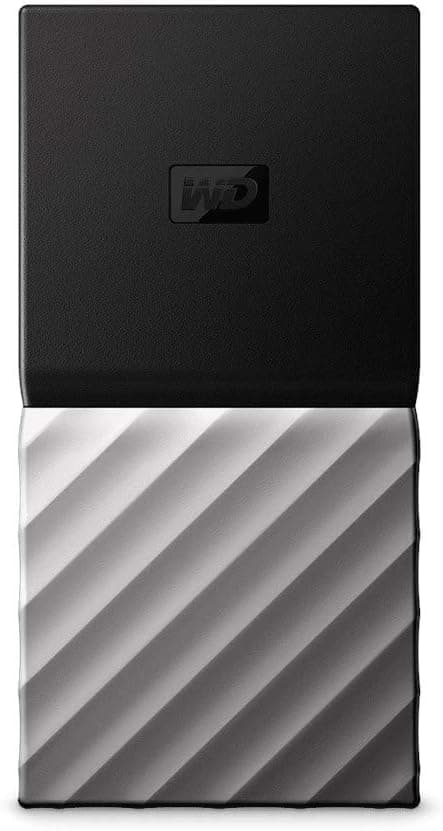
This article covers Western Digital (ウエスタンデジタル) My Passport ポータブル SSD 256GB ブラック.
Overview
The Western Digital My Passport Portable SSD is a compact and reliable external storage solution designed for users who need to carry their data on the go. This 256GB model (WDBKVX2560PSL-WESN) features a sleek black and silver design and delivers read speeds up to 540MB/s via USB 3.1 Gen 2. It also includes hardware encryption with password protection, ensuring your files remain secure even if the drive is lost or stolen. This drive is ideal for backing up important documents, photos, and videos from laptops or desktops. Its small footprint and shock-resistant build make it a great travel companion. Positioned as an entry-level to mid-range portable SSD, it offers a good balance of performance, security, and affordability for everyday users.
Compatibility Guide
The My Passport Portable SSD supports USB 2.0/3.0 and USB Type-C connections. For optimal performance, use a USB 3.1 Gen 2 port to achieve the maximum 540MB/s transfer speed. It is compatible with Windows, macOS, and various game consoles (PS4, PS5, Xbox One) via USB. The drive comes pre-formatted in exFAT, so it works out of the box with both Windows and Mac systems without additional software. Note that connecting to a USB 2.0 port will significantly reduce transfer speeds. Also, while it works with some smartphones and tablets via OTG, compatibility is not guaranteed for all devices.
Product Info
The Western Digital My Passport Portable SSD 256GB (model WDBKVX2560PSL-WESN) is a mainstream external SSD aimed at users who need reliable, portable storage without breaking the bank. It features USB 3.1 Gen 2 interface, AES 256-bit hardware encryption, and shock resistance. The drive weighs approximately 40 grams and measures just a few inches in each dimension, making it highly portable. It comes with a 3-year limited warranty (check local terms) and is widely available through online retailers like . The package includes a USB Type-C cable, but a USB-A adapter may need to be purchased separately.
Best Use Cases
- Casual Backup for Laptop Users If you need a simple way to back up documents, photos, and other personal files from your laptop, this drive is a solid choice. The included WD Backup software automates the process, so you can set it and forget it. However, if you have a large media library or need to back up an entire system drive, consider a higher-capacity model. 2. On-the-Go File Transport Its compact size and shock resistance make it perfect for carrying work files, presentations, or school projects between home, office, and campus. The hardware encryption adds an extra layer of security for sensitive data. For heavy video editing or large dataset transfers, a faster SSD (e.g., Samsung T7) might be more suitable. 3. External Storage for Game Consoles Connect it to a PS4, PS5, or Xbox One to expand storage for game installations. It works as an external drive for playing PS4 games on PS5, but cannot be used as internal PS5 storage. Load times will be faster than an external HDD but slower than the console's internal SSD.
Things to Consider
The 256GB capacity is relatively small, so if you plan to store large media collections or multiple AAA games, you may quickly run out of space. The 540MB/s sequential read speed is decent for an external SSD but slower than newer models like the Samsung T7 (1050MB/s) or SanDisk Extreme Pro (2000MB/s). Hardware encryption is a strong security feature, but if you forget the password, data recovery may be impossible. Also, the drive does not include a USB-A adapter, so if your computer lacks a USB-C port, you will need to buy one separately. For users who prioritize maximum speed over security, a non-encrypted drive might offer better value. ## FAQ
Q: Can I use this SSD with both Windows and Mac? A: Yes, it comes pre-formatted in exFAT, which is compatible with both operating systems without reformatting. If you need to use it with a specific file system (NTFS for Windows, APFS for Mac), you can reformat it, but that will erase all data and may reduce cross-platform compatibility. Q: Does it work with PlayStation 5? A: Yes, as an external USB drive. You can store and play PS4 games directly from it, and you can move PS5 games to it for storage, but you cannot play PS5 games directly from the external drive. It also works with Xbox Series X/S in a similar manner. Q: How do I set up password protection? A: Install the WD Security software (available for Windows and Mac), then create a password. The drive uses hardware-based AES 256-bit encryption. Once set, you will need to enter the password every time you connect the drive. Keep your password safe — if lost, the data cannot be recovered.
Product Disclosure (Amazon)
- Manufacturer: ウエスタンデジタル(Western Digital)
- Seller: よろずやSHOP
- Fulfilled by: よろずやSHOP
- ASIN: B07C4TLLJL
- Note: This article covers a manufacturer-made product based on Amazon listing details.