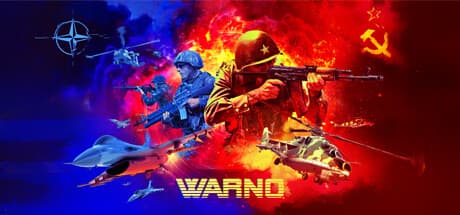
WARNO: Command the Cold War's Next-Gen Battle Simulator is a real-time tactics game built around a fictional outbreak of war in divided Germany during the summer of 1989. You command NATO or Warsaw Pact forces while balancing reconnaissance, terrain, range, fire support, and logistics.
The central challenge is not simply deploying powerful weapons, but deciding where limited assets matter and when exposed units should withdraw.
Game Overview
A battle typically begins with deployment and reconnaissance before developing into a contest over key sectors. Scouts locate targets, infantry secure restrictive terrain, armored vehicles exploit open ground, and artillery or aircraft support the advance.
A capable tank sent forward without vision can be ambushed, while a formation cut off from supplies gradually loses its ability to fight.
WARNO is presented as a spiritual successor to the Wargame series. It retains the broad battlefield perspective and the need to issue orders to many units, while focusing on formations and equipment associated with NATO and the Warsaw Pact in 1989.
Eugen Systems developed and published the game, which was released on May 23, 2024.
What Matters in Combat
Information is often more valuable than the first shot. Reconnaissance can reveal a target for long-range weapons, infantry can use forests and urban areas, and armored units can capitalize on open approaches.
Advancing valuable units without identifying possible threats may result in losses before they can respond.
Supply and preservation are equally important. Units that exhaust ammunition or fuel cannot continue performing at their listed capability.
Pulling back a damaged formation and replacing it can be better than forcing it to hold an unfavorable position. WARNO therefore rewards players who reassess the whole front instead of concentrating exclusively on rapid unit control.
Single-Player and Multiplayer
Single-player battles provide space to learn unit roles, lines of sight, and the pace of an advance against AI opponents. New players can reduce the initial burden by learning the relationship between scouts, frontline units, and supply before attempting to coordinate every branch at once.
When an attack fails, checking whether the enemy was detected early enough is often more useful than assuming that additional firepower was the only answer.
Multiplayer adds human feints, shifting priorities, and coordination between teammates. Winning one engagement may accomplish little if it leaves another sector undefended.
A balanced force that contributes reconnaissance, air defense, supply, or fire support can be more valuable to a team than a collection made only from individually powerful units.
System Requirements
The listed minimum configuration supports 64-bit Windows 7 Service Pack 1 through Windows 11, a two-core processor, 4 GB of RAM, DirectX 11, and 50 GB of available storage. CPU examples include the Intel Celeron G6900, G4920, Core i3-2100, and AMD Athlon 200GE.
The GPU baseline is a GeForce GT 1030 or Radeon RX 460, with the older GeForce GTS 450 and Radeon HD 5570 also listed.
These minimums should be treated as a lower boundary rather than a promise of smooth performance during large engagements. A tactics game displaying many active units can place demands on the processor and memory as well as the graphics card.
No recommended specification was supplied in the article data, so players targeting higher resolutions or steadier frame rates should compare their hardware with the latest store requirements.
Reception and Player Expectations
Steam reception is favorable overall. The late-Cold-War setting, combined-arms tactics, and the availability of both solo and multiplayer modes are clear points of appeal.
Players looking for the Wargame style of reconnaissance, range management, and battlefield-wide command are the most natural audience.
The main source of friction is the learning curve. WARNO does not follow the familiar pattern of a base-building RTS, and players must learn why a unit was detected, what attacked it, and which support element was missing.
Until those relationships become readable, a defeat can feel sudden or one-sided. Enjoyment depends heavily on whether analyzing those failures sounds rewarding.
A Practical Way to Start
Instead of memorizing every vehicle name, begin by sorting units into reconnaissance, infantry, armor, air defense, artillery, and supply roles. Keep support assets behind the frontline, maintain a route for logistics, and avoid sending columns through open roads without scouting.
Moving artillery after firing and preserving an escape route can prevent avoidable losses.
It is also sensible to control a limited section of the map before trying to manage the entire front perfectly. After a battle, examine whether a lost unit had vision, protection, and somewhere to retreat.
Breaking a defeat into deployment and information problems produces clearer improvements than replacing units at random.
Who Should Play It
WARNO suits players interested in Cold War equipment who want combined-arms decisions rather than a contest between isolated unit statistics. It also fits those who enjoy setting priorities in real time and inferring an opponent's intentions from incomplete reconnaissance.
Wargame veterans are an obvious audience, but newcomers willing to study battlefield systems can also find a substantial tactics game here.
Cautions and Who May Not Enjoy It
Players seeking quick spectacle, extensive character progression, or simple direct counters may find the experience demanding. Learning unit roles takes time, and vision, terrain, weapon range, supply, and threats from the air must all be considered together.
The pressure comes as much from incomplete information as from the speed of issuing orders.
The supplied language data confirms English, French, German, Spanish, Russian, and Simplified Chinese among the supported options, but it does not confirm Japanese support. Check the current language list on the product page before buying.
The game also requires 50 GB of available storage, so leave additional room on the installation drive.