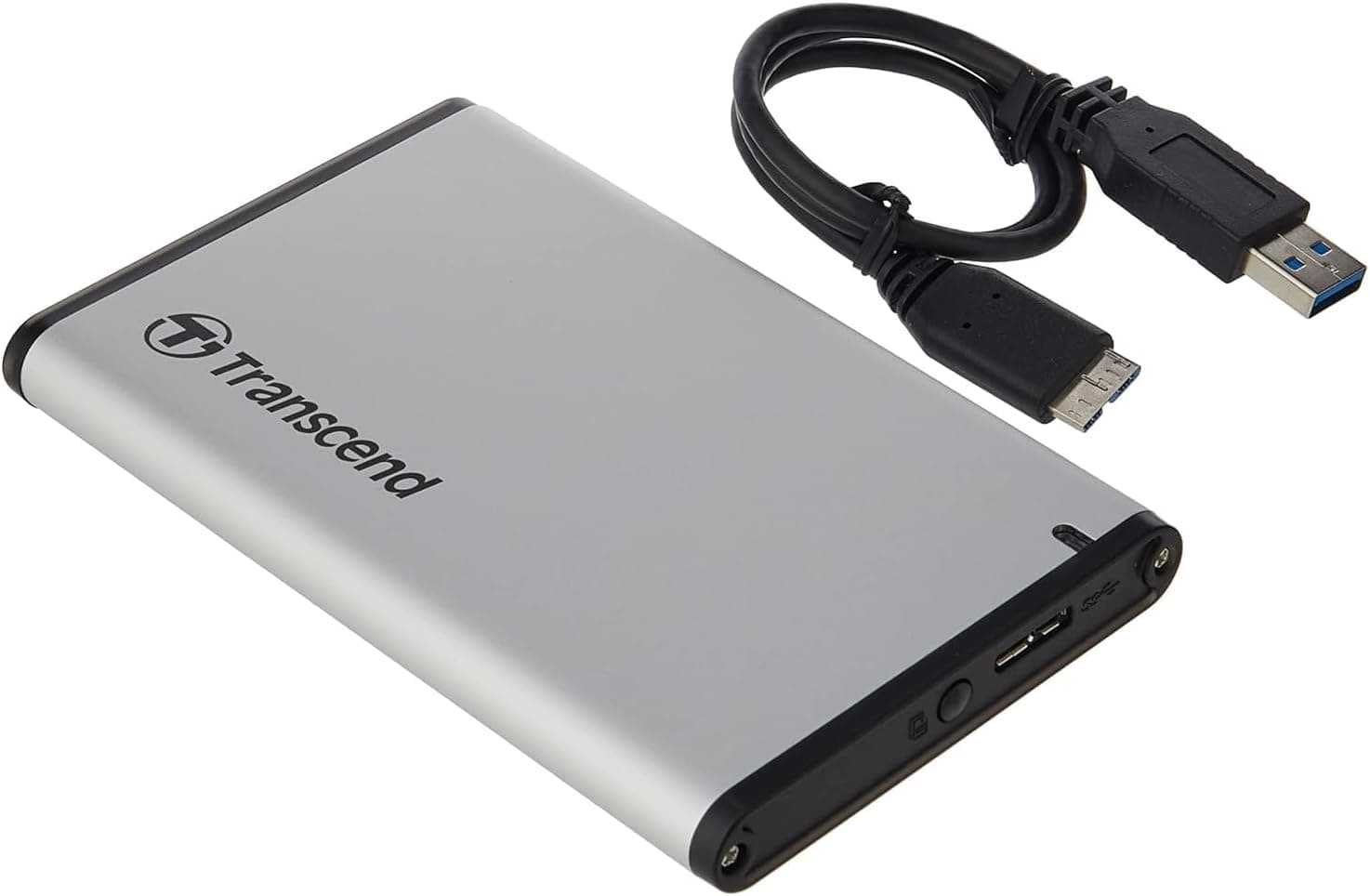
This article covers トランセンドジャパン Transcend StoreJet USB3.1 SSD.
Overview
Transcend's StoreJet line has long been known for blending practicality with resilience, and the TS0GSJ25CK3 Shockproof Upgrade Kit is no exception. This external enclosure accepts any standard 2.5-inch SATA SSD or HDD, turning it into a portable drive that's safeguarded by internal shock absorbers. With a USB 3.1 Gen1 interface providing up to 5Gbps throughput, everyday file transfers feel snappy. What sets it apart is the one-touch backup button on the front, which can trigger automated backups using Transcend's own Elite or RecoveRx software. It sits comfortably in the entry-to-mid-tier market, offering tangible protection and convenience at a very modest price. This is an ideal solution if you have a spare 2.5-inch drive from an old laptop or an upgrade, as the enclosure costs less than ¥2,500 (around $20) and requires just a screwdriver to install. The built-in rubber suspension system is not merely a marketing gimmick—it really does cushion the drive against everyday bumps and drops. For anyone who carries data on the go, that added peace of mind is hard to beat.
Compatibility Guide
The TS0GSJ25CK3 is designed exclusively for 2.5-inch SATA drives, both SSDs and HDDs, with thicknesses between 7mm and 9.5mm. It connects via USB 3.1 Micro-B, and the included cable is a standard USB-A to Micro-B. Connection: USB 3.1 Gen1 (5Gbps), backward compatible with USB 3.0 and USB 2.0 Operating system support: Windows 7 and later, macOS 10.8 and later Installation: screw-mount (requires a small Phillips screwdriver) Note: 2.5-inch drives with a thickness of less than 7mm (e.g., some very thin SSDs) may not be securely held in place. Drives thicker than 9.5mm will not fit at all.
Product Info
First released around 2016, this kit has been a consistent seller on Japan, where it typically retails for ¥2,400–¥2,600. The warranty is 2 years, and Transcend provides direct customer support in Japan via phone and email. Market positioning: entry-to-mid-tier external enclosure. While many basic USB 3.0 enclosures cost around ¥1,000, the TS0GSJ25CK3 justifies its higher price with genuine shock protection and the auto-backup button. It is not the fastest enclosure available, but for everyday file storage and backup duties, it's more than adequate.
Best Use Cases
- Repurposing an old 2.5-inch HDD from a laptop You can turn a retired 5400RPM HDD into a backup drive for your current PC. The shock absorbers make it safe to carry in a backpack. Simply slide the drive into the tray, screw it in, and plug in the USB cable. 2. Light mobile storage for documents and photos If you need to carry work files or family photos between home and office, this enclosure offers drop protection that a bare drive or a cheap plastic case cannot match. The software bundle also makes it easy to sync specific folders. 3. Automated weekly backups for less tech-savvy users The one-touch backup button is perfect for people who want a simple backup routine: set it up once with Transcend Elite, then just press the button when you want to back up. No need to navigate complex menus each time. Who should NOT buy: users who need USB-C connectivity or speeds beyond 5Gbps. Also, if you need a ready-to-use external drive right out of the box, you'll need to buy a separate SSD/HDD. ## Alternatives
- Logitec LHR-EJU3S Logitec offers a similar 2.5-inch USB 3.0 enclosure at a slightly lower price point, but it lacks shock absorbers and the backup button. If you only need a simple enclosure and don't care about fall protection, the Logitec is adequate. For those who prioritize durability and convenience, the Transcend is the better choice. - Owltech OWL-SATA25U3BK Owltech's enclosure also claims shock resistance, but its rubber padding is thinner. It does not have a backup button, so automation software won't integrate as seamlessly. The Transcend kit offers a more complete package with software support.
Things to Consider
First, this is an enclosure only—you must supply your own 2.5-inch SATA drive. Second, it uses USB 3.1 Gen1 (5Gbps), not the newer Gen2 (10Gbps) standard. For typical file transfers, that's fine, but creative professionals moving large video files may notice slower speeds. Third, the screw-based installation is slightly more involved than tool-less designs. However, it ensures the drive stays firmly in place even after months of travel. Lastly, note that the included software (Transcend Elite and RecoveRx) are Windows- and macOS-compatible, but Linux users will not have those features. The drive itself will mount on Linux, but the backup button won't work without the companion software. ## FAQ Q: Can I use an M.2 SATA SSD in this enclosure? A: No, this enclosure accepts only 2.5-inch SATA drives. For M.2 SATA or NVMe, you'll need a different enclosure. Q: Does the auto backup button work with macOS? A: Yes, Transcend Elite is available for macOS, a
Product Disclosure (Amazon)
- Manufacturer: トランセンドジャパン
- Seller: Amazon.co.jp
- Fulfilled by: Amazon.co.jp
- ASIN: B01F2F5PKW
- Note: This article covers a manufacturer-made product based on Amazon listing details.
![Samsung 860 PRO 2.5"SATA III 512GB内蔵SSD(MZ-76P512BW)[カナダ版] [並行輸入品]](/_next/image?url=https%3A%2F%2Fm.media-amazon.com%2Fimages%2FI%2F41r4rkQWWXL._AC_SL1000_.jpg&w=1920&q=75)