Overview
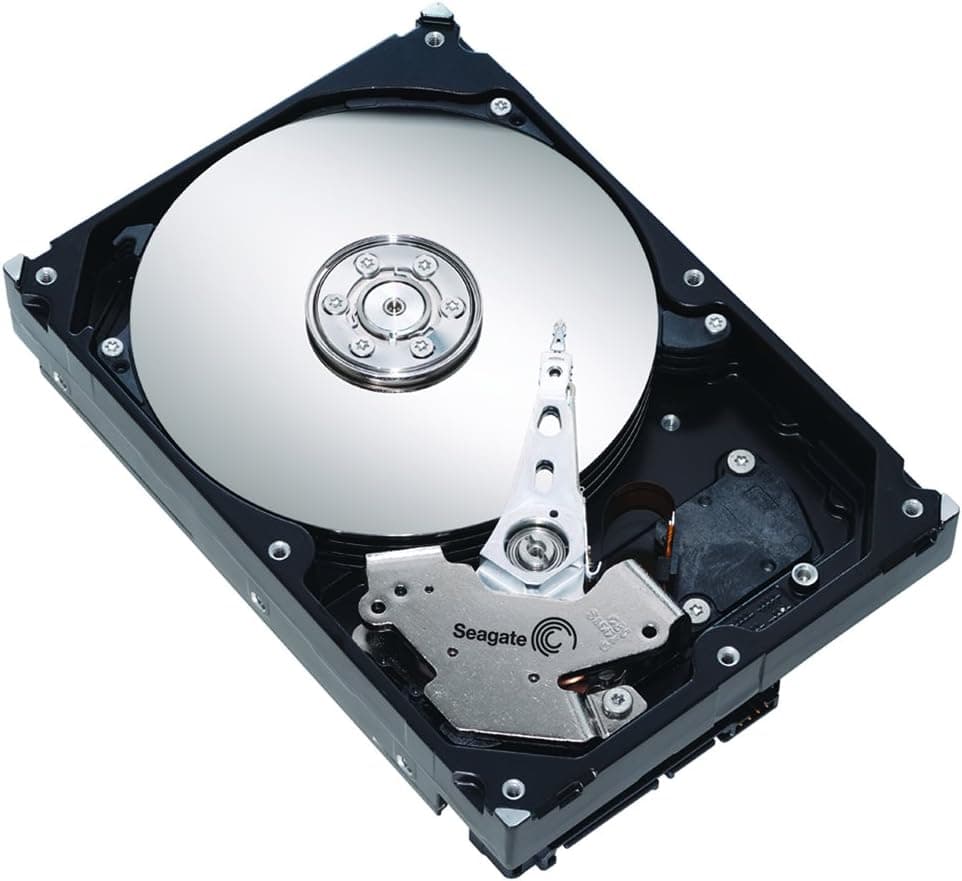
The Seagate BarraCuda ST2000DM008 is a 3.5-inch internal hard drive built around a 2TB capacity, a 7,200rpm spindle speed and a 256MB cache. It connects over SATA 6Gb/s and is aimed squarely at bulk storage — game libraries, music collections and movie archives that would be wasteful to keep on expensive flash.
Seagate rates the drive for a maximum sustained transfer rate of 220MB/s, which puts it in a comfortable middle ground for a mechanical disk of this capacity. The natural role is a secondary data drive sitting underneath an NVMe boot SSD, where capacity matters more than random access latency.
Physically the unit measures 20.2mm high, 101.85mm wide and 146.99mm deep, and weighs 415g. That is standard 3.5-inch territory, so it drops into a desktop bay without fuss, and with a separate enclosure and cable it can serve as an external drive as well.
Compatibility Guide
The interface is plain SATA 6Gb/s, so any motherboard with a free SATA port will accept it. You will need one SATA data cable and one SATA power connector from the PSU; there is no adapter required for a normal desktop build.
Because this is a 3.5-inch form factor drive, check that your case actually has a 3.5-inch bay. Some compact chassis are designed around 2.5-inch mounts only, and that is the most common reason a build stalls at the installation stage.
For external use, pair it with a SATA-to-USB enclosure or dock that supplies enough power for a 3.5-inch disk. Bus-powered 2.5-inch adapters will not drive it.
Product Info
The ST2000DM008 launched on 2 February 2019 and has stayed in circulation ever since, which says something about how stable the 2TB mechanical segment remains. With 7,200rpm, a 256MB cache and a 220MB/s ceiling, it sits at the upper end of entry-level bulk storage rather than the value basement. Buyers typically treat it as a companion disk to an SSD-based system rather than as a primary drive.
Best Use Cases
- Photographers and video hoarders who already boot from an SSD and need a single 2TB home for finished files: the capacity removes constant housekeeping, but it is a poor choice as a scratch disk for active editing.
- Gamers with large libraries who want to park rarely played titles somewhere cheap: it handles storage fine, though anyone chasing fast load times should stay on flash.
- Owners of older desktops adding storage without rebuilding: SATA and a 3.5-inch bay make it a low-friction upgrade, but laptop internal swaps are off the table.
Things to Consider
Mechanical drives lose badly to SSDs on random access, so installing Windows or demanding applications here will make the whole machine feel slower. Keep the boot volume on flash and let this disk handle archives.
Spinning platters produce some noise and vibration. In a quiet-focused build, mounting it on a damped bay or a rubber-isolated sled makes a noticeable difference.
Two terabytes fills up faster than expected if you shoot or edit video regularly. If your data grows steadily year over year, a larger drive or a small NAS may be the smarter long-term buy.
FAQ
Q: Can I swap this into a laptop?
A: No. This is a 3.5-inch desktop drive, while laptop bays are built around the 2.5-inch standard. Use it in an external enclosure instead.
Q: Is it fine to install games on it?
A: As a storage location, yes. Load times will trail an SSD, so keep the titles you play often on flash and use this drive for the long tail of your library.
Q: What do I need to run it externally?
A: A SATA-to-USB enclosure or dock rated for 3.5-inch drives, including external power. Bus-powered adapters designed for 2.5-inch disks will not work.
Product Disclosure (Amazon)
- Model: ST2000DM008
- ASIN: B07K39VRBG
- Note: This article covers a manufacturer-made product based on Amazon listing details.