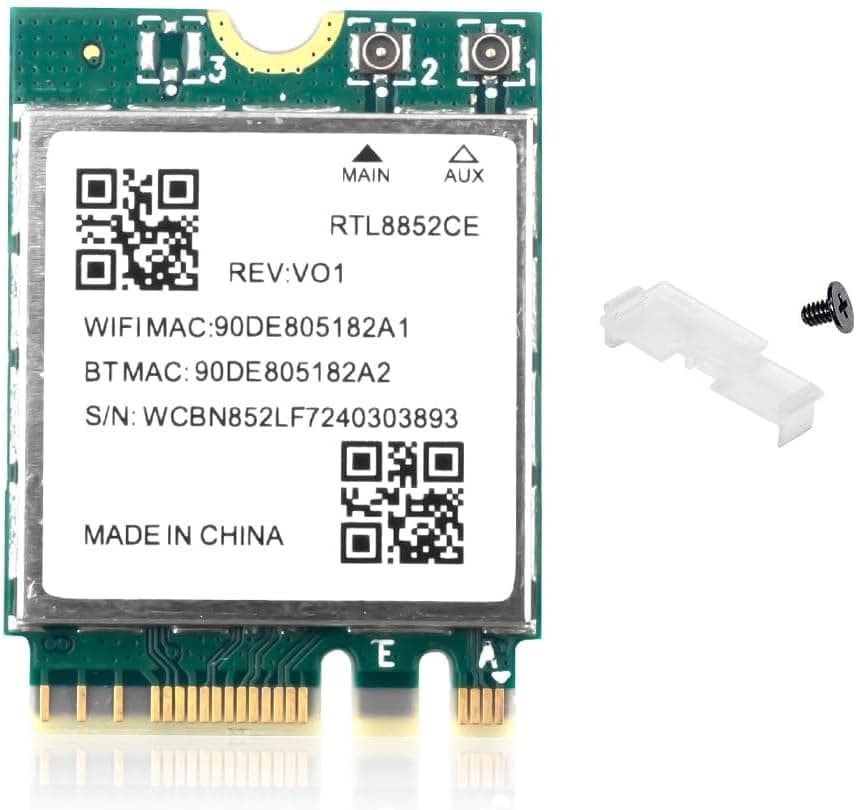
Overview
The REKONG RTL8852CE Wi-Fi 6E card is an internal wireless LAN + Bluetooth module that installs into an M.2 NGFF (A/E key) slot.
It uses the Realtek RTL8852CE chipset, supports tri-band operation across 2.4 GHz / 5 GHz / 6 GHz plus Bluetooth 5.3, and is rated at a maximum data rate of 5374 Mbps.
The board measures 30 x 22 x 1 mm and weighs about 4.5 g — a standard 2230-size card.
Here is the conclusion up front. This card suits people whose M.2 A/E key slot is actually wired for PCIe, and who can supply antennas (or reuse the internal antenna leads in a laptop).
It will not work in laptops built around Intel's CNVi interface, even though the card physically fits. Get that wrong and you are heading straight for a return, so read the compatibility section before buying.
For reference, the Amazon.co.Check the retailer's page for the latest user reviews.
With a sample of nine, that average tells you very little either way. In our experience, ratings on low-cost cards like this reflect whether the buyer's slot happened to be compatible more than the build quality of the card itself.
What 5374 Mbps Actually Means
Set your expectations correctly. The 5374 Mbps figure is best read as the sum of the theoretical rates of all three bands.
In a 2x2 Wi-Fi 6/6E configuration, 5 GHz and 6 GHz each reach roughly 2402 Mbps and 2.4 GHz roughly 574 Mbps, which adds up close to the advertised number.
No single client link will ever run at 5374 Mbps.
What you can actually feel is the throughput of a 160 MHz link on 6 GHz. Under good conditions that can reach gigabit-class real-world speeds, but only if your router supports Wi-Fi 6E with 160 MHz enabled and your internet connection can keep up.
On a 1 Gbps fibre plan, the WAN side becomes the bottleneck first.
The real value of 6 GHz is that it is empty, not that it is fast. The 2.4 GHz and 5 GHz bands are shared with neighbouring access points, Bluetooth devices and microwaves; 6 GHz still has few devices on it, so clean channels are easy to find.
If jitter during online matches bothers you, that matters more than peak throughput. The trade-off is range: 6 GHz signals are far more easily blocked by walls, so you want line of sight to the router.
Compatibility Guide
Almost every failure with this card comes down to one thing: the slot can be the right shape and still be wired the wrong way.
| Check | Requirement | If it does not match |
|---|---|---|
| Slot keying | M.2 NGFF A key or E key (2230) | Will not fit an M key (SSD) slot |
| Slot wiring | PCIe + USB | Does not work on CNVio / CNVio2 |
| Legacy slots | — | Mini PCI-E is not supported |
| OS | Windows 10 / 11 64-bit | 32-bit and unlisted OSes are unsupported |
| Antennas | U.FL / MHF4 style coax leads | Range collapses without them |
CNVi is the big trap. Many Intel-based laptops from roughly the 8th generation onward expose an M.2 A/E key slot that is internally wired to Intel's proprietary CNVio / CNVio2 interface rather than PCIe.
Drop a PCIe-based Realtek card in there and it simply never appears in Device Manager. If your machine shipped with an Intel AX201, AC 9560 or Wireless-AC 9462, assume CNVi until you can confirm otherwise — search your exact model together with the original card's part number.
AMD laptops and most desktop motherboard E key slots are PCIe-wired, so those are the friendly cases. Two desktop-specific warnings.
First, no antennas are included, so you need an external antenna kit with a rear-panel bracket. Second, E key slots often sit right under the CPU socket or beside the chipset heatsink, where large air coolers and graphics cards can block access.
Check the physical location before you commit.
Official OS support is Windows 10 / 11 64-bit only. Drivers do not always arrive through Windows Update, in which case you must install them manually from the bundled media or a manufacturer download.
That creates an obvious deadlock if the machine has no wired Ethernet, so download the driver onto a USB stick from another PC before you open the case. Linux support for RTL8852-series parts varies by kernel version and is outside the stated support scope — verify your distribution's status first.
Product Info
Key specifications: Realtek RTL8852CE chipset, 5374 Mbps maximum rated data rate, 2.4 GHz / 5 GHz / 6 GHz band support, Bluetooth 5.3, M.2 NGFF (A/E key) interface, 30 x 22 x 1 mm, roughly 4.5 g, Windows 10 / 11 64-bit.
The package contains the card only — no antennas, no brackets.
Pricing has moved a lot between captures. The Amazon.co.jp listing showed ¥8,273 as captured on 2026-06-06 and ¥3,637 as captured on 2026-08-27; the overseas marketplace listing showed $14.99 as captured on 2026-07-14.
With single-digit review counts, reading the individual reviews to see which machine each buyer installed the card in is far more useful than the average score. Warranty and return windows differ by seller and can be short on marketplace listings, so test the card immediately on arrival while you can still return it.
How It Compares
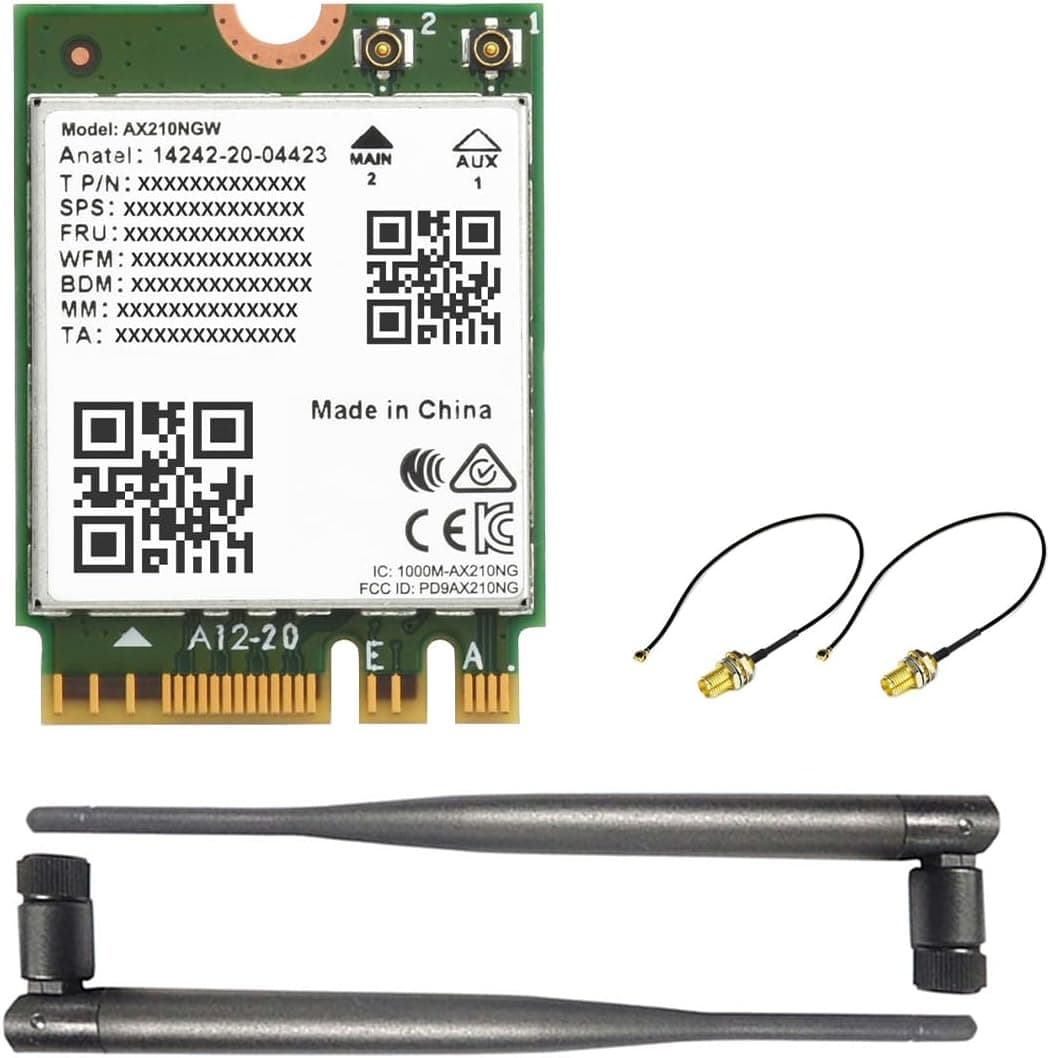
The obvious alternative at this size and price is an Intel AX210-based card. AX210 modules are also M.2 A/E key Wi-Fi 6E parts with PCIe connectivity and integrated Bluetooth, so they compete directly.
The difference is driver maturity: Intel parts are more likely to be picked up automatically by Windows Update and have a much longer Linux track record. If stability and the sheer volume of troubleshooting information matter to you, the Intel route is safer.
The RTL8852CE's advantage is acquisition cost. Despite the volatility noted above, it often lands below comparable Intel cards, which makes it a cheap way to try the 6 GHz band.
If you are comfortable installing drivers yourself, that saving is real.
If you want to spend even less, or you do not need 6 GHz at all, Wi-Fi 6 class cards such as AX200 / AX201 are worth a look. If your router cannot broadcast on 6 GHz, that band will never be used, and paying for 6E buys you nothing.
Installation Steps
Identify your current card and confirm whether the slot is CNVi-wired.
Download the driver on another PC and save it to a USB stick.
Power down, unplug, and remove the battery on a laptop.
Remove the retaining screw and pull the antenna leads straight up.
Pulling sideways destroys the connector. 5.
Insert the new card at an angle, seat it, screw it down, and press each antenna lead down vertically until it clicks. 6.
Boot, check Device Manager, and install the driver manually if needed. 7.
Confirm you can join a 6 GHz SSID. If none is visible, check the router's 6 GHz settings.
The antenna connectors are the hardest part of this job. U.FL / MHF4 connectors are tiny and will tear the pad off the board if forced.
A dedicated removal tool is a worthwhile purchase.
Best Use Cases
- Desktop builders with a spare M.2 E key slot — adds Wi-Fi 6E and Bluetooth 5.3 without consuming a PCIe slot, provided you also buy an antenna kit.
- Gamers and streamers chasing lower jitter — an uncongested 6 GHz channel is steadier than a crowded 5 GHz one, as long as you are in the same room as the router.
- Anyone still on Bluetooth 4.x — the integrated Bluetooth 5.3 radio improves headphone and controller stability at the same time.
Things to Check Before Buying
1. It will not work in a CNVi laptop. This accounts for most returns.
Machines that shipped with Intel Wi-Fi cards are the highest risk; the slot looks identical but is wired differently. Research your model first.
2. No antennas are included. Laptops can reuse existing leads; desktops need an external kit, which adds to the total cost.
Running the card with no antenna attached drops usable range to a few tens of centimetres.
3. The 6 GHz band needs a 6E router. Without one, this is effectively just a Wi-Fi 6 card, and a cheaper Wi-Fi 6 part would do the same job.
In Japan, equipment using the 6 GHz band is expected to carry the technical conformity marking, so check the listing for it when buying imported hardware.
4. Assume you will install drivers manually. Windows Update may not cover this chipset.
Prepare the driver in advance so you are not stuck offline hunting for it after installation.
5. Listing metadata and prices can disagree. Even for this product, one price record carries a regional label that does not match its currency, and the two captures differ by more than 2x.
If the product page shows a different price or manufacturer than this article, that is listing drift.
6. Who should skip it. If you want something that simply works when plugged in, if you are uneasy about opening a laptop, or if your machine is under IT management that blocks manual driver installs, this is not your card.
A USB Wi-Fi 6E adapter is the safer choice — lower ceiling, far fewer ways to fail.
FAQ
Q. Can I install it in a laptop that has an Intel AX201? A.
Not recommended. The AX201 is a CNVi card, so that slot is very likely CNVio2-wired and the PCIe-based RTL8852CE will not be detected.
Q. Will I really get 5374 Mbps? A.
No. That is the combined theoretical rate of three bands.
Real throughput on a 160 MHz 6 GHz link is a fraction of it, and your router or internet plan usually caps things first.
Q. What do I need for a desktop build? A.
A PCIe-wired M.2 E key slot on the motherboard, plus an external antenna kit — antennas are not in the box.
**Q. Bluetooth works but Wi-Fi does not. A. Usually only one half of the driver installed, or an antenna lead is not properly seated. Check Device Manager first, then re-seat the antenna connectors.
Q. Is it worth buying without a Wi-Fi 6E router? A.
Only marginally. You still gain over Wi-Fi 5 on the 5 GHz side, but if that is the goal, a Wi-Fi 6 card covers it for less.
Product Disclosure (Amazon)
- Manufacturer: REKONG
- Seller: Takumido
- Fulfilled by: Takumido
- ASIN: B0FZV3K8DG
- Note: This article covers a manufacturer-made product based on Amazon listing details.